
NC SWM 9702
NC Car Radio 1 Din MP5 Player User Manual
Model: SWM 9702
Прадукт скончаныview
This manual provides detailed instructions for the installation, operation, and maintenance of your NC Car Radio 1 Din MP5 Player (Model SWM 9702). This versatile unit features a 7-inch retractable HD screen, Bluetooth connectivity, GPS navigation, USB support, iOS/Android Mirror Link, and FM radio. It is designed to enhance your in-car entertainment and navigation experience.

Малюнак 1.1: The NC Car Radio MP5 Player unit shown with its essential components, including the main head unit, two wiring harnesses for power and speakers, a GPS antenna for navigation, and the user operation manual. This image provides a comprehensive view of what is included in the product package.
Настройка і ўстаноўка
1. Змесціва ўпакоўкі
Перад пачаткам усталёўкі пераканайцеся, што ўсе кампаненты ёсць у камплекце:
- Main Head Unit (Car Radio MP5 Player)
- GPS антэна
- Disassembly Keys (2)
- Power Cords (2) - for rear tail cable plus front connections
- Кіраўніцтва па эксплуатацыі карыстальніка
2. Падключэнне правадоў
Proper wiring is crucial for the functionality of the car radio. Refer to the wiring diagram provided with the unit for specific connections. Below are general guidelines:
- Падключэнне сілкавання: Connect the yellow wire to constant 12V (B+), the red wire to accessory 12V (ACC), and the black wire to ground.
- Падключэнне дынамікаў: Connect the speaker wires to your vehicle's speaker system. Ensure correct polarity for optimal sound.
- Падключэнне антэны: Падключыце радыёантэну аўтамабіля.
- GPS-антэна: Connect the provided GPS antenna to the designated port on the rear of the unit. Position the antenna in a location with a clear view неба для найлепшага прыёму сігналу.
- Тыл View Camera Input (Optional): Калі ўсталёўваецца задняя view camera (not included with this specific model), connect its video output to the "REVERSE IN" RCA port and its power to the reverse light circuit.
- Выхады RCA: Utilize the 2 audio outputs for connecting to external ampліфэры або сабвуферы.
- Парты USB: The unit features 2 rear tail cable USB ports and a front USB port for media playback and phone connectivity.
Заўвага: Incorrect wiring can damage the unit or your vehicle's electrical system. If you are unsure, consult a professional installer.
3. Мантаж прылады
Insert the 1-DIN unit into your vehicle's dashboard opening. Secure it using the provided mounting brackets or screws. Ensure the retractable screen mechanism has sufficient clearance to extend and retract without obstruction.
Інструкцыя па эксплуатацыі
1. Асноўныя функцыі
- Уключэнне/выключэнне харчавання: Press the power button (usually the VOL knob) to turn the unit on or off.
- Рэгулятар гучнасці: Rotate the VOL knob to adjust the volume.
- Выбар рэжыму: Use the "MODE" button or the touchscreen interface to switch between functions like Radio, USB, AUX, Bluetooth, and Navigation.
- Радыё (FM): Access the FM radio function to scan for stations (87.5~108MHz).
- Прайграванне праз USB: Insert a USB drive into the front or rear USB ports to play audio (MP3/WMA/WAV/APE/FLAC), video, or view pictures (JPG).
- Функцыя AUX: Connect external audio devices via the front AUX audio input.

Малюнак 2.1: Надview of the diverse functionalities offered by the car radio, including Mirrorlink for phone integration, GPS Navigation, WiFi connectivity, Reverse Image display, Bluetooth for hands-free calls and audio streaming, Aux In for external devices, USB support for media, a responsive Capacitive touchscreen, support for high-quality audio formats like FLAC/APE, 1080P video playback, Driving Record capability, and FM Radio.
2. Пашыраныя магчымасці
- Bluetooth Function (Version 4.0):
- Спалучэнне: Enable Bluetooth on your mobile device and search for the car radio (e.g., "CarBT"). Select and pair.
- Гучная сувязь: Пасля спалучэння вы можаце здзяйсняць і прымаць званкі непасрэдна праз прыладу.
- Паток аўдыё: Play music from your phone wirelessly via Bluetooth.
- Mirror Link (Mobile Phone Interconnection):
- Android: Supports USB and WiFi screencasting. You can operate your phone from the car screen.
- Apple (iOS): Supports WiFi screencasting. The phone screen is mirrored to the player.
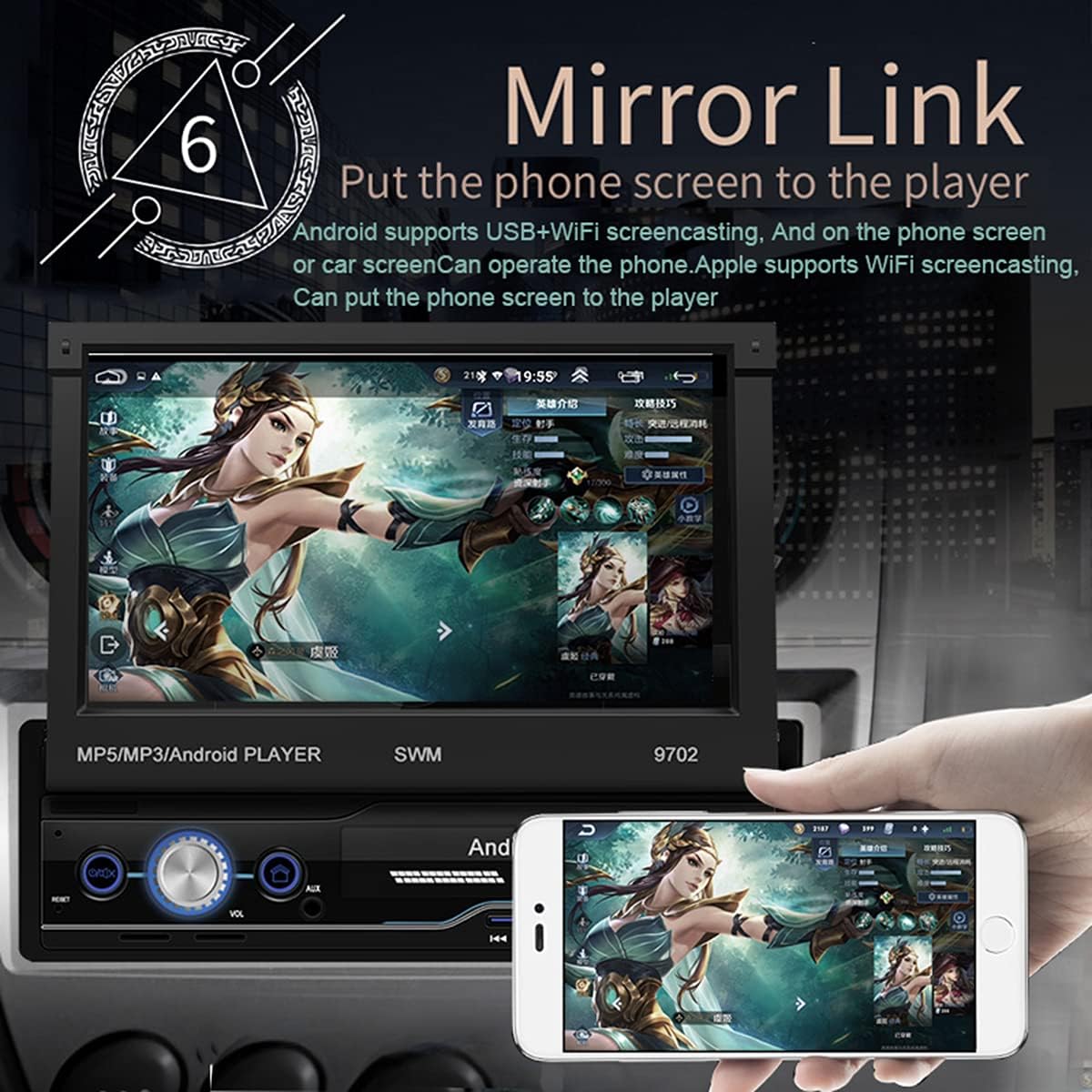
Малюнак 2.2: The Mirror Link function in action, showing a smartphone's display content, such as a game, being mirrored onto the car radio's 7-inch retractable screen. This feature allows for seamless integration and control of mobile applications directly from the car's display.
- GPS-навігацыя:
- The unit comes with built-in offline maps (Europe).
- Supports online real-time traffic maps and quick positioning.
- Access navigation applications through the touchscreen.

Малюнак 2.3: The GPS navigation interface on the car radio screen, showing a detailed map with route guidance and estimated travel time. Icons for popular navigation applications are also visible, highlighting the unit's capability for multiple navigation options and real-time traffic updates.
- Тыл View функцыя:
- Калі сумяшчальны задні view camera is connected (optional, not included), the screen automatically displays the rear view image when the vehicle is put into reverse.
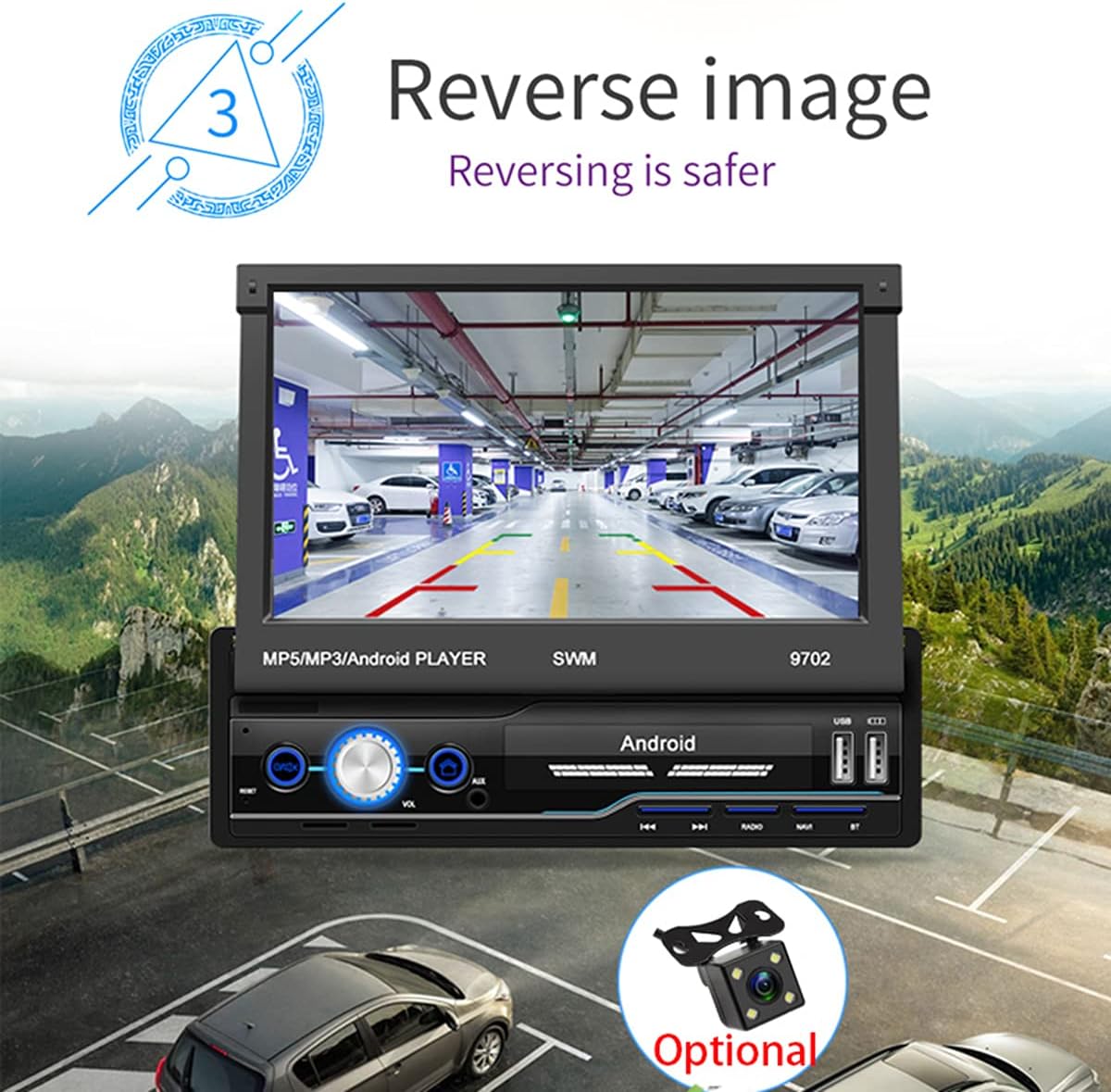
Малюнак 2.4: The reverse image feature in operation, displaying a clear view from a rear camera on the car radio's screen. This function enhances safety during parking and reversing maneuvers by providing a wide-angle view of the area behind the vehicle, complete with guiding lines.
- WIFI Internet Access:
- Connect to a mobile hotspot or available Wi-Fi networks to access online features, download apps, and browse the internet.

Малюнак 2.5: The car radio's screen showcasing a variety of application icons, including social media, navigation, and entertainment apps, demonstrating the unit's WiFi connectivity and ability to run Android applications. This feature allows users to access online content and services directly from the car's display.
- Steering Wheel Control Function:
- The unit supports learning functions for your original car's steering wheel controls. This allows you to control basic functions (e.g., volume, track skip) without taking your hands off the wheel.
- Navigate to "Steering Learn" in the settings menu to configure.
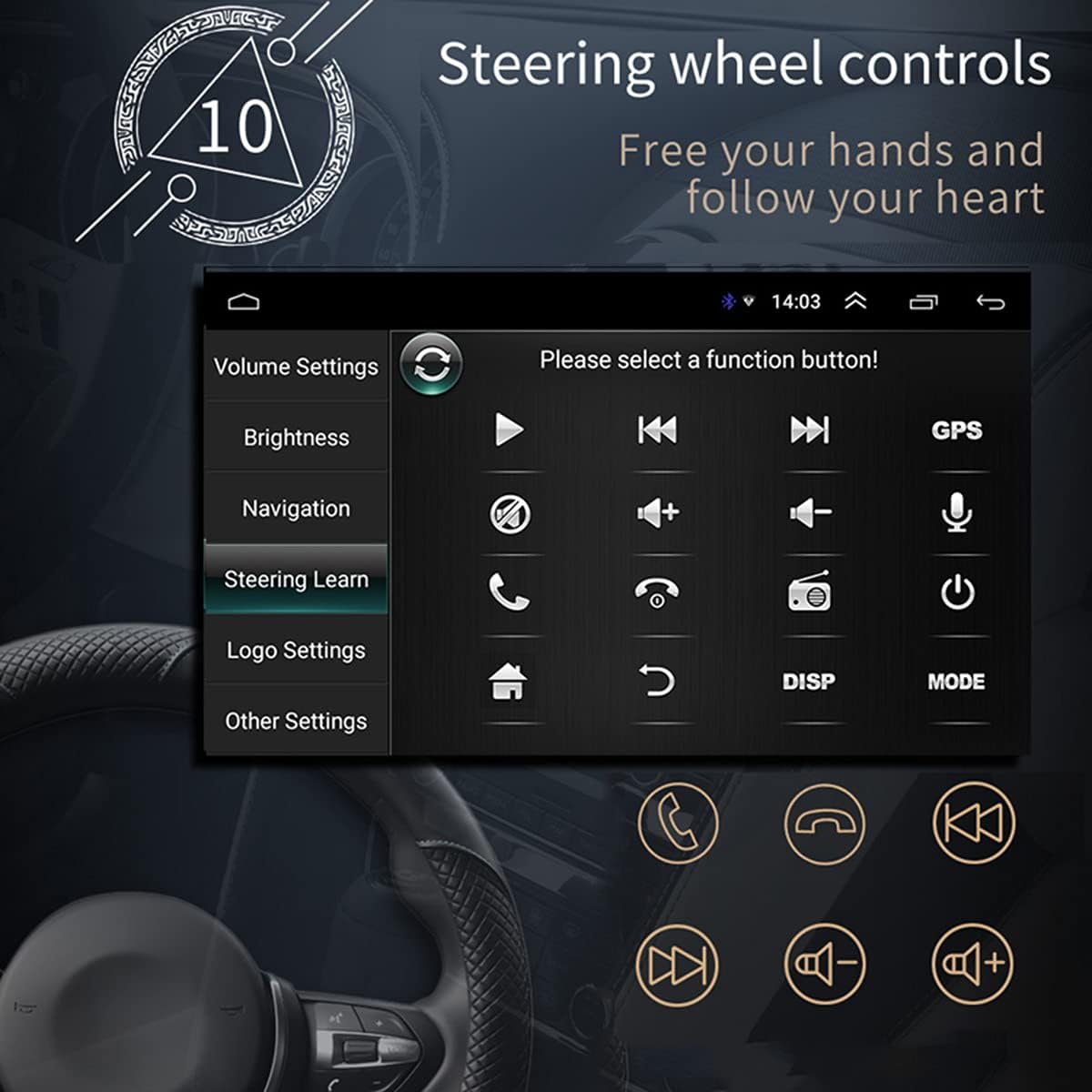
Малюнак 2.6: The steering wheel control learning interface on the car radio, showing options to configure various functions like volume, track control, and call handling directly from the vehicle's steering wheel buttons. This feature enhances driving safety and convenience by keeping hands on the wheel.
- Ўстаноўка прыкладання:
- As an Android system, you can install compatible applications directly onto the unit.
- Car Logo Replacement:
- Customize the boot-up logo to match your car's brand. (Factory setting password: 1111)
Тэхнічнае абслугоўванне
- Ачыстка экрана: Выкарыстоўвайце мяккую тканіну без ворса, каб акуратна працерці экран. Для выдалення ўстойлівых плям злёгку працярыцеampПрацярыце тканіну вадой або сродкам для ачысткі экрана. Пазбягайце абразіўных матэрыялаў або агрэсіўных хімічных рэчываў.
- Генеральная ўборка: Трымайце прыладу чыстай ад пылу і смецця. Выкарыстоўвайце мяккую шчотку або сціснутае паветра для чысткі вентыляцыйных адтулін і кнопак.
- Абнаўленні праграмнага забеспячэння: Перыядычна правярайце інфармацыю вытворцы webна сайце або звярніцеся ў службу падтрымкі, каб даведацца пра даступныя абнаўленні праграмнага забеспячэння, каб забяспечыць аптымальную прадукцыйнасць і доступ да новых функцый.
- Пазбягайце экстрэмальных тэмператур: Не падвяргайце прыладу ўздзеянню мольных тэмператур або холаду, бо гэта можа паўплываць на яе прадукцыйнасць і тэрмін службы.
Ліквідацыю непаладак
| праблема | Магчымая прычына | Рашэнне |
|---|---|---|
| Няма сілы | Incorrect wiring (power/ground), blown fuse, vehicle battery issue. | Праверце падключэнні да электрасілкавання і зазямлення. Праверце засцерагальнікі аўтамабіля. Пераканайцеся, што акумулятар дастаткова зараджаны. |
| Без гуку | Volume too low, mute activated, incorrect speaker wiring, damaged speakers. | Increase volume. Check if mute is on. Verify speaker connections and polarity. Test with different audio source. |
| Сігнал GPS страчаны/слабы | GPS antenna not properly connected or obstructed, unit in an area with poor satellite reception. | Ensure GPS antenna is securely connected and placed in a clear line of sight to the sky. Move to an open area. |
| Bluetooth не падключаецца | Bluetooth not enabled on phone/unit, incorrect pairing, interference. | Пераканайцеся, што Bluetooth уключаны на абедзвюх прыладах. Выдаліце папярэднія спалучэнні і зноў падключыце іх. Падыдзіце бліжэй да прылады. |
| Screen Not Retracting/Extending | Закаркаванне, механічная праблема. | Check for any physical obstructions. Do not force the screen. If issue persists, contact support. |
| Сэнсарны экран не рэагуе | Software glitch, screen dirty, physical damage. | Перазагрузіце прыладу. Ачысціце экран. Калі праблема не знікне, звярніцеся ў службу падтрымкі. |
Тэхнічныя характарыстыкі
| Асаблівасць | Дэталь |
|---|---|
| мадэль | SWM 9702 |
| тtage | 12В |
| сістэма | Android |
| Канфігурацыя | 1G+16G |
| Мадэль экрана | 7-цалевы HD |
| Дазвол экрана | 1024*600 |
| Памер панэлі | 188*58 мм |
| Магутнасць | 60 Вт |
| Працоўная тэмпература | -10~60 градусаў Цэльсія |
| Мадэль Bluetooth | Версія 4.0 |
| Магутнасць AmpLifier Chip | TDA7388 |
| радыёчастотныя | FM 87.5 ~ 108 МГц |
| Built-in Offline Map | Еўропа |
| Інтэрфейс USB | 2 rear tail cable plus front |
| RCA Terminal Introduction | 2 audio outputs, 2 audio inputs, 2 video inputs, 1 reversing input, 1 video output |
| Пярэдні аўдыёўваход AUX | так |
| DVR Функцыя | Падтрымка |
| Supported Picture Format | JPG |
| Падтрымліваюцца аўдыяфарматы | MP3 / WMA / WAV / APE / FLAC |
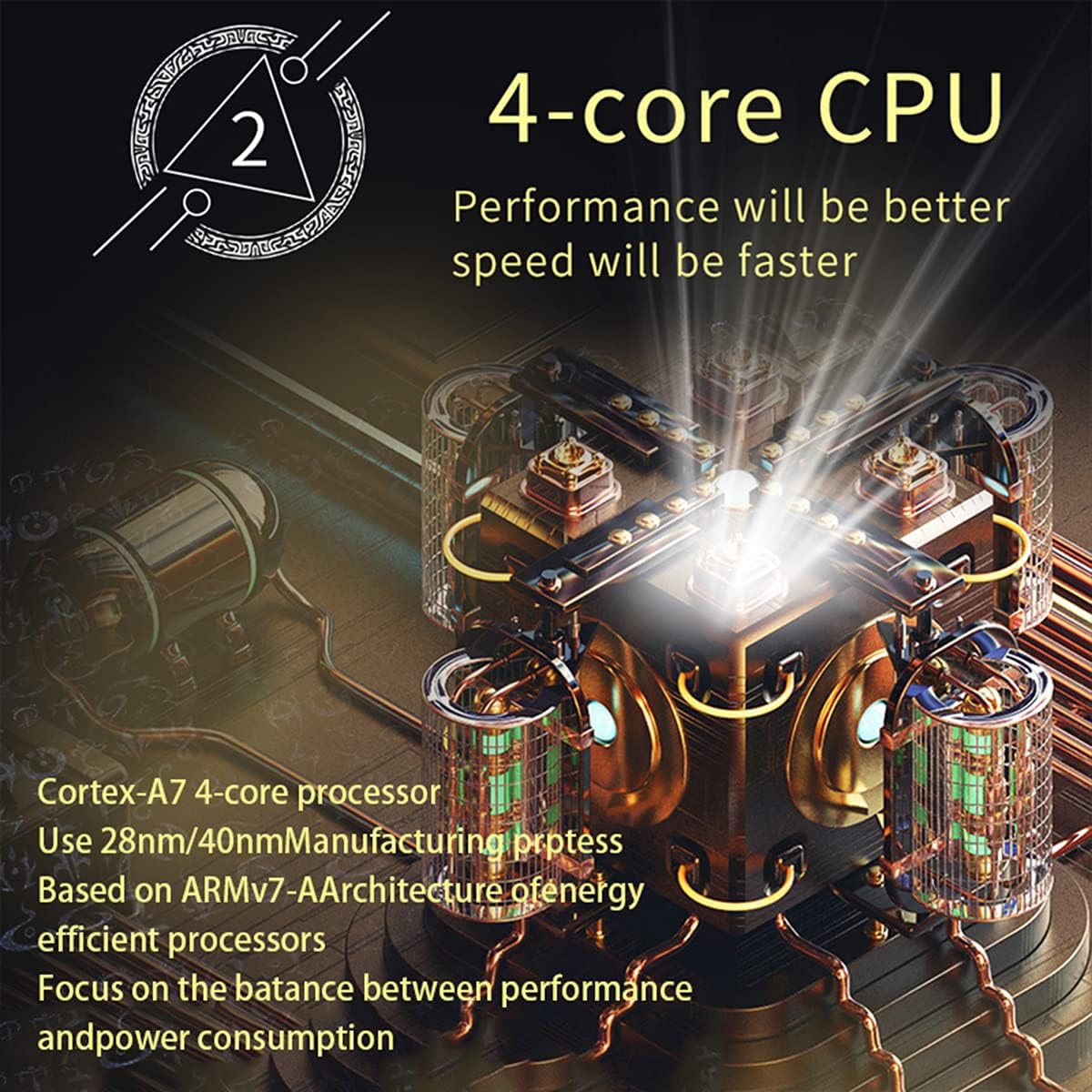
Малюнак 3.1: An illustration of the unit's 4-core Cortex-A7 processor, emphasizing its efficient architecture and manufacturing process (28nm/40nm). This powerful CPU ensures better performance and faster operation for all functions.

Малюнак 3.2: The audio playback interface on the car radio, demonstrating support for high-fidelity lossless audio formats such as APE and FLAC. This ensures a superior listening experience with native sound quality, powered by the TDA7388 high-power ampліфікатар IC.
Гарантыя і падтрымка
Каб атрымаць інфармацыю аб гарантыі, тэхнічнай падтрымцы або абслугоўванні, звярніцеся непасрэдна да прадаўца або вытворцы. Захоўвайце чэк аб куплі як пацверджанне пакупкі.
You can visit the official NC Store on Amazon for more information and product updates: NC Store
Ask a question about this manual
Ask about setup, troubleshooting, compatibility, parts, safety, or missing instructions. Manuals+ will review the question and use this page’s manual context to help answer it.