
Уводзіны
The Samsung Galaxy S21 FE 5G is a factory unlocked Android smartphone designed to enhance your daily mobile experience. It features a 120Hz display, a powerful processor, a pro-grade camera system, and an all-day intelligent battery. This manual provides essential information for setting up, operating, maintaining, and troubleshooting your device.

Малюнак 1: Спераду view of the Samsung Galaxy S21 FE 5G smartphone.
Настройка
Пачатковая налада
Upon first powering on your device, follow the on-screen prompts to select your language, connect to a Wi-Fi network, and sign in with your Google account. This process will guide you through essential configurations to get your phone ready for use.
Ўстаноўка SIM-карты
The Galaxy S21 FE 5G supports Dual SIM functionality using Nano SIM cards. To install your SIM card(s):
- Знайдзіце латок для SIM-карты на бакавой панэлі прылады.
- Устаўце інструмент для выцягвання SIM-карты ў невялікую адтуліну побач з латком і акуратна націсніце, пакуль латок не высунецца.
- Устаўце карту (карты) Nano SIM у латок залатымі кантактамі ўніз. Пераканайцеся, што яны правільна ўсталяваны.
- Акуратна ўстаўце латок у прыладу.
Уключэнне/выключэнне
- Каб уключыць: Націсніце і ўтрымлівайце кнопку харчавання/бакавую клавішу, пакуль не з'явіцца лагатып Samsung.
- Каб выключыць: Press and hold the Power/Side key and the Volume Down button simultaneously, then tap 'Power off' on the screen. Alternatively, swipe down from the top of the screen to open the Quick Panel, tap the Power icon, and select 'Power off'.
Кіраванне прыладай
Дысплей і навігацыя
Experience smooth scrolling and vibrant visuals on the 6.4-inch Dynamic AMOLED 2X display with a 120Hz refresh rate and 2560 x 1440 resolution. The display offers a fast touch response for seamless interaction, even in bright sunlight.

Figure 2: The Dynamic AMOLED 2X display of the Galaxy S21 FE 5G.
Асаблівасці камеры
The Galaxy S21 FE 5G is equipped with a powerful pro-grade camera system:
- Задняя камера: 12MP Ultra Wide, 12MP Wide-angle, and 8MP Telephoto.
- Пярэдняя камера: 32-мегапіксельная сэлфі-камера.
- 30-кратнае касмічнае павелічэнне: Combines 3x Hybrid Optic Zoom and 30x digital zoom for high-resolution close-ups, with EngageZoom Lock to reduce shakiness.
- Начны рэжым: Capture crisp images in vivid color, even in low-light conditions.

Figure 3: Portrait mode capabilities of the Galaxy S21 FE 5G camera.

Figure 4: Night mode feature for enhanced low-light photography.
Кіраванне батарэяй
The device features a 4500mAh intelligent battery designed to last all day, even with 5G usage. Super Fast Charging can charge 50% of the battery in approximately 30 minutes. Average battery life for talk time is 37 hours.

Figure 5: All-day intelligent battery of the Galaxy S21 FE 5G.
Прадукцыйнасць
Powered by an efficient Snapdragon processor with 6GB RAM, the Galaxy S21 FE 5G delivers reliable performance for graphic-heavy gaming and multitasking.
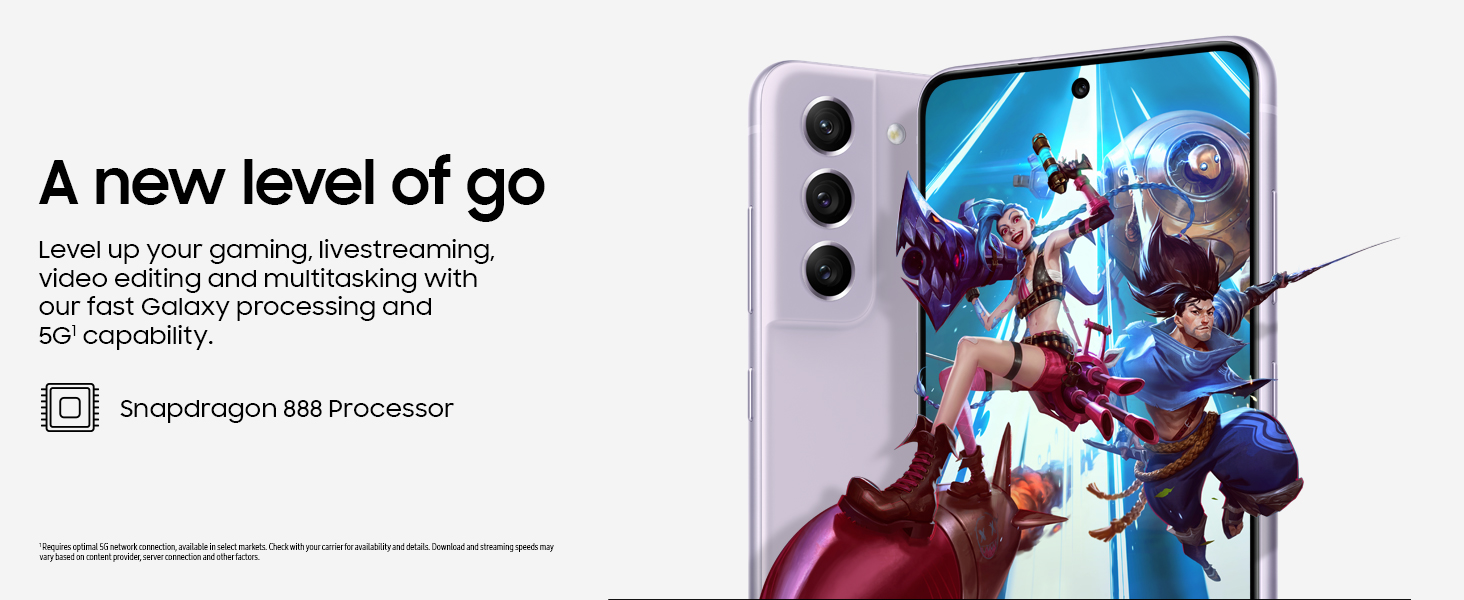
Figure 6: High-performance processor for gaming and multitasking.
Сувязь
The device supports 5G cellular technology, Wi-Fi, Bluetooth, and NFC for versatile connectivity options. It is an unlocked device, allowing flexibility with wireless carriers.
Тэхнічнае абслугоўванне
Уборка
To clean your device, gently wipe the screen and body with a soft, lint-free cloth. Avoid using harsh chemicals or abrasive materials that could damage the screen or finish.
Абнаўлення праграмнага забеспячэння
Regularly check for and install software updates to ensure your device has the latest features, security patches, and performance improvements. You can usually find this option in the device's Settings menu under 'Software update'.
Скід да заводскіх налад
A factory reset will erase all data from your phone and restore it to its original factory settings. This can be useful for troubleshooting persistent issues or preparing the device for transfer to a new owner. Before performing a factory reset, ensure all important data is backed up to an external storage device or cloud service.
Video 1: Instructions on how to perform a factory reset on an Android phone. This process will erase all data and restore the device to its default settings.
Ліквідацыю непаладак
Калі ў вас узніклі праблемы з прыладай, паспрабуйце выканаць наступныя асноўныя дзеянні па ліквідацыі непаладак:
- Перазагрузіце прыладу: Просты перазапуск часта можа вырашыць нязначныя праграмныя збоі.
- Праверце наяўнасць абнаўленняў праграмнага забеспячэння: Пераканайцеся, што на вашай прыладзе ўсталявана апошняя версія праграмнага забеспячэння.
- Ачысціць кэш/дадзеныя праграмы: If a specific app is causing issues, try clearing its cache or data in Settings > Apps.
- Check network connection: For connectivity issues, verify Wi-Fi or cellular data is enabled and working correctly.
- Звярніцеся да кіраўніцтва карыстальніка: For more detailed solutions, refer to the comprehensive user manual available through the device settings.
Тэхнічныя характарыстыкі
| Асаблівасць | Спецыфікацыя |
|---|---|
| Марка | Samsung |
| Назва мадэлі | Galaxy S21 FE 5G |
| Аперацыйная сістэма | Android 12.0 |
| Мадэль працэсара | Snapdragon |
| Памер усталяванай аператыўнай памяці | 6 ГБ |
| Ёмістасць памяці | 256 ГБ |
| Памер экрана | 6.4 цалі |
| дазвол | 2560 х 1440 |
| Частата абнаўлення | 120 Гц |
| Сотавая тэхналогія | 5G |
| Бесправадныя сеткавыя тэхналогіі | Wi-Fi |
| Тэхналогія падлучэння | Bluetooth, NFC, USB, Wi-Fi |
| Rear Facing Camera Photo Sensor Resolution | 12 МП |
| Front Photo Sensor Resolution | 32 МП |
| Ёмістасць батарэі | 4500 Міліamp Гадзіны |
| Узровень воданепранікальнасці | Воданепранікальны |
| Вага прадмета | 190 грам |
Гарантыя і падтрымка
The Samsung Galaxy S21 FE 5G comes with a 1-Year Manufacturer Warranty. For warranty claims or technical support, please contact Samsung customer service or visit their official support website. You can also find additional support resources and user manuals in the device's settings under 'User manual'.