
1. Уводзіны
This manual provides essential information for the installation, operation, maintenance, and troubleshooting of your Sapphire Pulse AMD Radeon RX 6600 XT Gaming Graphics Card. Please read this manual thoroughly before installing and using your new graphics card to ensure proper functionality and to maximize its performance.
The Sapphire Pulse AMD Radeon RX 6600 XT is a high-performance gaming graphics card featuring 8GB GDDR6 memory and built on AMD RDNA 2 architecture, designed to deliver an optimal gaming experience.
2. Асаблівасці прадукту
The Sapphire Pulse AMD Radeon RX 6600 XT graphics card is engineered with advanced features for superior gaming and visual performance:
- Гадзіннік гульні: Да 2382 Мгц
- Павышэнне тактавай частаты: Да 2593 Мгц
- Інтэрфейс памяці: 128-bit GDDR6
- Знешняя магутнасць: 1 x 8 pin connector required
- PCI-Express: 4.0 падтрымка

Фронт view of the Sapphire Pulse AMD Radeon RX 6600 XT graphics card, showcasing its dual-fan cooling system.

Вуглавы view of the graphics card, highlighting the display output ports (3x DisplayPort, 1x HDMI).

Тыл view of the graphics card, showing the protective metal backplate with Radeon branding.
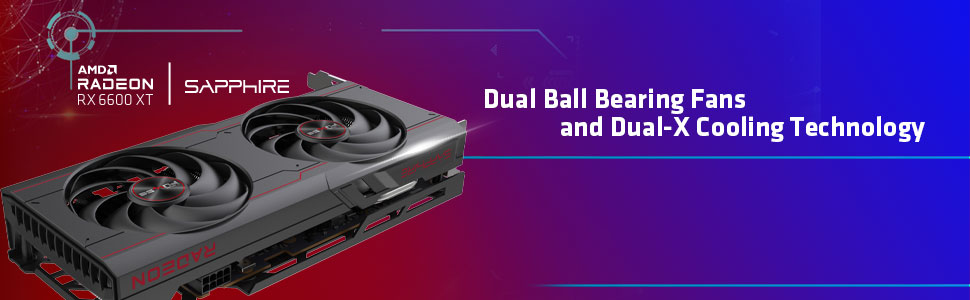
Diagram illustrating the Dual-X Cooling Technology and internal components for efficient heat dissipation.
3. Настройка і ўстаноўка
Before beginning installation, ensure your computer's power supply unit (PSU) meets the recommended wattage for your system, including the new graphics card. A minimum 500W PSU is generally recommended for systems with an RX 6600 XT.
3.1. Фізічная ўстаноўка
- Выключэнне: Выключыце кампутар і адключыце ўсе кабелі харчавання.
- Адкрыць справу: Open your computer's side panel to access the motherboard.
- Знайдзіце слот PCIe: Identify an available PCI-Express x16 slot on your motherboard. The RX 6600 XT supports PCIe 4.0, but is backward compatible with PCIe 3.0 slots.
- Зняць вечкі слотаў: Remove the necessary expansion slot covers from your computer case to accommodate the graphics card.
- Уставіць картку: Carefully align the graphics card with the PCIe slot and press down firmly until it is securely seated. You should hear a click from the retention clip.
- Бяспечная карта: Выкарыстоўвайце шрубы, каб замацаваць відэакарту да корпуса кампутара.
- Падключыце харчаванне: Connect the required 8-pin PCIe power connector from your PSU to the graphics card. Ensure the connection is firm.
- Закрыць справу: Replace the computer's side panel and reconnect all power cables.
3.2. Ўстаноўка драйвера
After physical installation, you must install the latest AMD Radeon drivers for optimal performance and stability:
- Сістэма загрузкі: Power on your computer. It may boot into a lower resolution.
- Спампаваць драйверы: Наведайце афіцыйны AMD webсайт (amd.com/en/support) and download the latest AMD Adrenalin Edition drivers for your Radeon RX 6600 XT.
- Ўстаноўка драйвераў: Запусціце спампаваны ўсталёўнік і выконвайце інструкцыі на экране. Можа спатрэбіцца перазагрузка сістэмы.
4. Інструкцыя па эксплуатацыі
4.1. Падключэнне дысплеяў
Connect your monitor(s) to the graphics card's output ports. The Sapphire Pulse RX 6600 XT typically features 3x DisplayPort and 1x HDMI output. Ensure your display cables are securely connected to both the graphics card and your monitor.
4.2. Канфігурацыя праграмнага забеспячэння
Utilize the AMD Adrenalin Edition software to manage your graphics card settings. This software allows you to:
- Adjust display resolution (up to 3840x2160).
- Configure game-specific profiles.
- Monitor GPU performance and temperature.
- Абнавіць драйверы.
5. Тэхнічнае абслугоўванне
Рэгулярнае тэхнічнае абслугоўванне дапамагае забяспечыць даўгавечнасць і аптымальную прадукцыйнасць вашай відэакарты:
- Выдаленне пылу: Periodically clean dust from the graphics card's fans and heatsink using compressed air. Ensure the computer is powered off and unplugged before cleaning.
- Паветраны паток у корпусе: Maintain good airflow within your computer case by keeping it clean and ensuring all case fans are functioning correctly.
- Абнаўленні драйвераў: Абнаўляйце драйверы відэакарты да апошняй версіі з афіцыйнага сайта AMD. webсайт.
6. Выпраўленне непаладак
6.1. Няма вываду на дысплей
- Пераканайцеся, што відэакарта цалкам усталявана ў слот PCIe.
- Verify that the 8-pin external power connector is securely attached.
- Праверце, ці правільна падключаны кабель дысплея да відэакарты і манітора.
- Пераканайцеся, што ваш манітор настроены на правільную крыніцу ўваходнага сігналу.
6.2. Performance Issues / Low FPS
- Ensure you have the latest AMD Radeon drivers installed.
- Check your in-game graphics settings; try reducing them if performance is consistently low.
- Сачыце за тэмпературай графічнага працэсара, каб пераканацца, што ён не пераграваецца, бо гэта можа прывесці да троттлінгу.
- Verify your system meets the recommended specifications for the games you are playing.
6.3. Audio Crackling (after AMD driver installation)
- This can sometimes occur after installing AMD drivers.
- Go to Windows Update settings and install all available optional updates. This often resolves audio-related issues by providing necessary system or driver patches.
7. Тэхнічныя характарыстыкі
| Асаблівасць | Спецыфікацыя |
|---|---|
| Марка | Сапфір |
| Нумар мадэлі | 11309-03-20Г |
| Графічны супрацэсар | AMD Radeon RX 6600 XT |
| Марка чыпсэта | AMD |
| Памер аператыўнай памяці відэакарты | 8 ГБ GDDR6 |
| Хуткасць памяці | 2 ГГц |
| Максімальны дазвол экрана | 3840x2160 |
| Інтэрфейс вываду відэа | DisplayPort, HDMI |
| Вага прадмета | 2.07 фунта |
| Памеры прадукту (ДxШxВ) | 11.25 х 6.5 х 3.5 цалі |
| PCI-Express Version | 4.0 |
| Знешні раз'ём харчавання | 1 х 8 шпількі |
8. Гарантыя і падтрымка
For detailed warranty information and technical support, please refer to the official Sapphire Technology webсайт або звярніцеся ў службу падтрымкі кліентаў. Захоўвайце пацвярджэнне пакупкі для прэтэнзій па гарантыі.
Sapphire Official Webсайт: www.sapphiretech.com