
1. Уводзіны
Thank you for choosing the GIM CF-P30 120mm RGB LED Case Fan. This product is designed to provide efficient cooling for your computer system while offering customizable RGB lighting effects. This manual provides detailed instructions for installation, operation, and maintenance to ensure optimal performance and longevity of your fans.
2. Асаблівасці прадукту
- Strong Heat Dissipation: 120mm fan with 800-1500 RPM speed, capable of improving airflow up to 48.5 CFM for effective cooling.
- Synchronizable RGB Lighting: Compatible with 5V 3-pin addressable RGB headers on motherboards for software control (e.g., ASUS Aura Sync, Gigabyte RGB FUSION, MSI Mystic Light Sync).
- RF Wireless Remote Control: Allows easy adjustment of fan speed, LED speed, lighting effects, and brightness without opening the PC case.
- Quiet Operation & Long Lifespan: Features a revised curve blade design and hydraulic bearing technology, resulting in a maximum noise level of 21 dB(A) and a lifespan exceeding 40,000 hours.
- Некалькі рэжымаў асвятлення RGB: Offers 7 solid colors in Solid Mode and 87 dynamic color modes in Multicolor mode.
3. Змесціва ўпакоўкі
Калі ласка, праверце змесціва пакета пасля распакавання:
- 3 x GIM CF-P30 120mm RGB LED Case Fans
- 1 x RF Wireless Remote Control
- 1 x Control Hub/Controller
- Mounting Screws (quantity sufficient for 3 fans)
4. Настройка і ўстаноўка
4.1 Фізічная ўстаноўка
- Вызначце прыдатныя месцы для мацавання ў корпусе вашага ПК (напрыклад, спераду, зверху, ззаду, знізу).
- Align each fan with the screw holes on the case or radiator.
- Secure each fan using the provided mounting screws. Ensure the fan is oriented correctly for desired airflow (intake or exhaust).
4.2 Электрычная схема
Follow the wiring diagram below to connect the fans and control hub to your power supply and motherboard.

выява: Wiring diagram illustrating the connections for the GIM RGB LED Case Fans. It shows fans connecting to a central control hub, which then connects to a SATA power source, a 4-pin PWM header on the motherboard for fan speed control, and a 5V 3-pin ARGB header on the motherboard for RGB lighting synchronization.
- Connect each GIM RGB LED Case Fan to the designated ports on the control hub.
- Connect the SATA power cable from the control hub to an available SATA power connector from your PC's power supply unit (PSU).
- For fan speed control, connect the 4-pin PWM cable from the control hub to a 4-pin PWM fan header on your motherboard.
- For RGB lighting synchronization with your motherboard, connect the 5V 3-pin ARGB cable from the control hub to a compatible 5V 3-pin addressable RGB header on your motherboard. Заўвага: Do not connect to a 12V RGB header, as this may damage the LEDs.
5. Інструкцыя па эксплуатацыі
5.1 Using the RF Wireless Remote Control
The included RF wireless remote control allows for convenient adjustment of fan and lighting settings.

выява: Two GIM RGB LED Case Fans showcasing different color modes, with text indicating '87 Multicolor modes' and '7 Solid Modes', highlighting the variety of lighting options available.
- Уключэнне/выключэнне харчавання: Use the designated button to turn the fan lights on or off.
- Рэгуляванне хуткасці вентылятара: Increase or decrease the fan's rotational speed.
- LED Speed Adjustment: Control the speed of dynamic lighting effects.
- Lighting Effects Selection: Cycle through various pre-programmed RGB lighting modes, including 7 solid colors and 87 multicolor options.
- Рэгуляванне яркасці: Adjust the intensity of the LED lighting.
5.2 Motherboard Synchronization
If connected to a compatible 5V 3-pin ARGB header on your motherboard, you can control the fan lighting through your motherboard's RGB software (e.g., ASUS Aura Sync, Gigabyte RGB FUSION, MSI Mystic Light Sync). Refer to your motherboard's manual for specific instructions on using its RGB control software.
6. Тэхнічнае абслугоўванне
Regular maintenance helps ensure the longevity and optimal performance of your GIM CF-P30 fans.
- Выдаленне пылу: Periodically clean the fan blades and housing to prevent dust buildup, which can impede airflow and increase noise. Use compressed air or a soft brush. Ensure the PC is powered off before cleaning.
- агляд: Occasionally check fan cables for secure connections and signs of wear or damage.
7. Выпраўленне непаладак
- Вентылятары не круцяцца:
- Ensure the SATA power cable from the control hub is securely connected to the PSU.
- Verify that the 4-pin PWM cable from the control hub is correctly connected to the motherboard.
- Праверце налады BIOS/UEFI, каб пераканацца, што раздымы для вентылятараў уключаны і правільна настроены.
- RGB Lights Not Working/Incorrect Colors:
- Confirm the 5V 3-pin ARGB cable from the control hub is securely connected to a 5V 3-pin addressable RGB header on the motherboard, not a 12V 4-pin header.
- If using motherboard sync, ensure the motherboard's RGB software is installed and configured correctly.
- If using the remote control, ensure it has a working battery and is pointed towards the control hub (if line-of-sight is required, though RF typically doesn't).
- Пульт дыстанцыйнага кіравання не адказвае:
- Праверце батарэйку ў пульце дыстанцыйнага кіравання і пры неабходнасці заменіце яе.
- Ensure the control hub is receiving power.
8. Тэхнічныя характарыстыкі
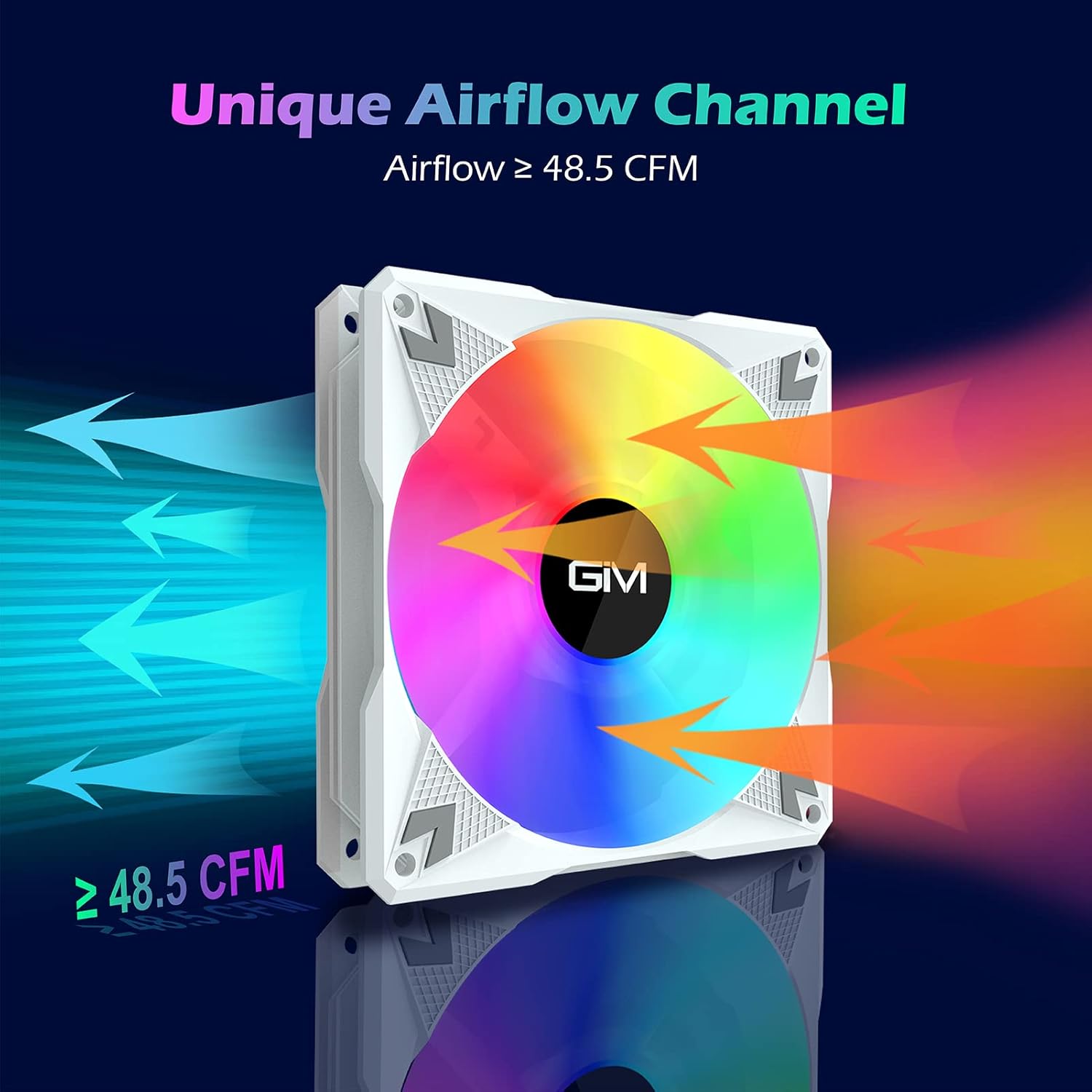
выява: A GIM RGB LED Case Fan illustrating its unique airflow channel, with arrows indicating airflow direction and a label showing 'Airflow ≥ 48.5 CFM', emphasizing its strong heat dissipation capability.
| Асаблівасць | Спецыфікацыя |
|---|---|
| Марка | GIM |
| мадэль | CF-P30 |
| Памер вентылятара | 120 мм |
| Хуткасць кручэння | 800-1500 абаротаў у хвіліну |
| Струмень паветра | Да 48.5 CFM |
| Узровень шуму | Макс. 21 дБ(А) |
| Тып падшыпніка | Гідраўлічны падшыпнік |
| Працягласць жыцця | > 40,000 гадзін |
| Power Connector (Fan) | 3-кантактны |
| Power Connector (Hub) | SATA |
| Раз'ём RGB | 5V 3-Pin Addressable RGB |
| тtage | 12V (Fan), 5V (RGB) |
| Матэрыял | Полікарбанат |
| Сумяшчальныя прылады | настольны ПК |

выява: Выбухнуў view diagram illustrating the hydraulic bearing technology within the GIM fan, highlighting its quiet operation (≤ 21 dB(A)) and extended lifetime (≥ 40,000 hours).
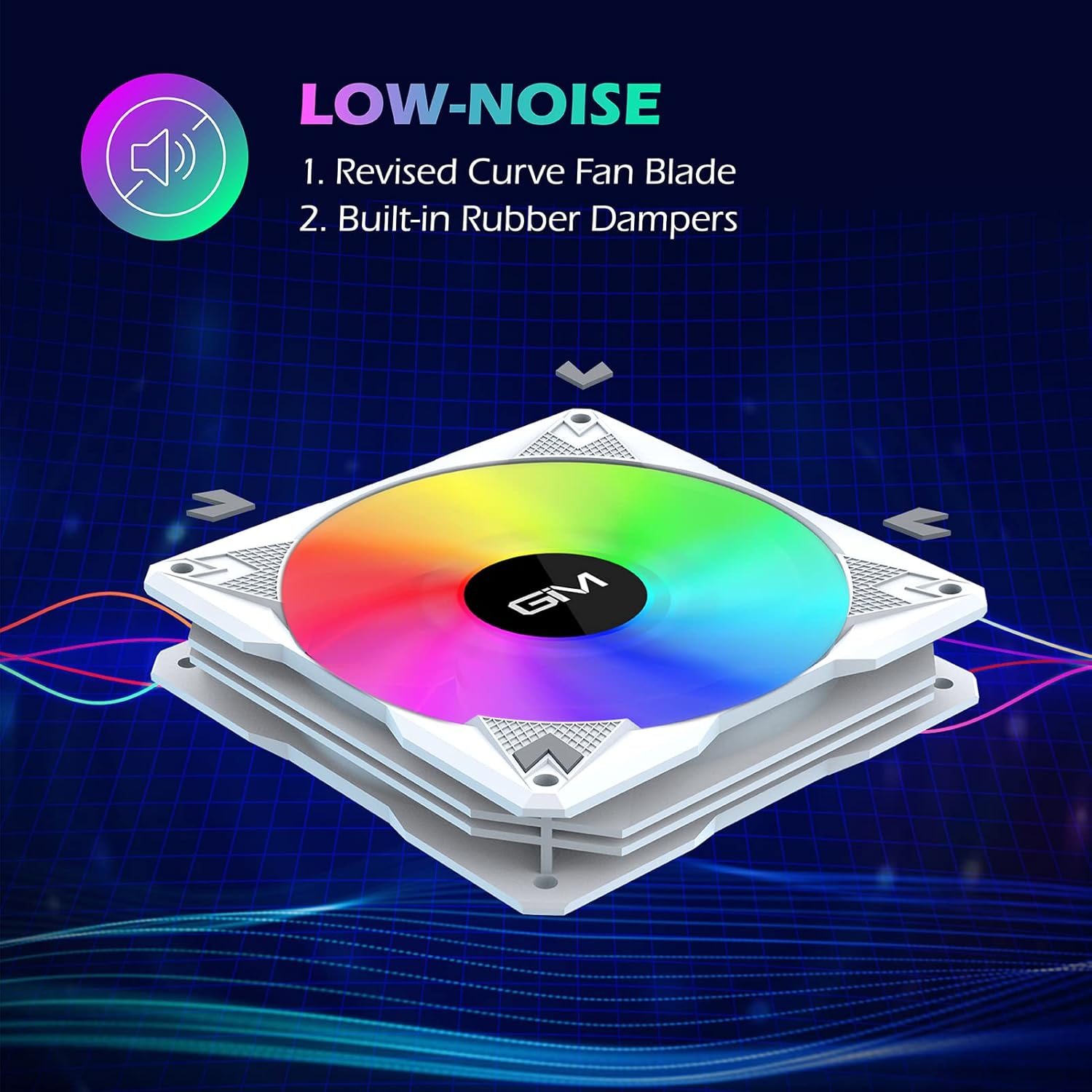
выява: A GIM fan emphasizing its low-noise design, pointing out the revised curve fan blade and built-in rubber dampers as key features contributing to quiet operation.
9. Гарантыя і падтрымка
GIM products are manufactured to high-quality standards. For specific warranty information or technical support, please refer to the warranty card included with your product or visit the official GIM webсайт. Захоўвайце чэк аб куплі як пацвярджэнне пакупкі для гарантыйных прэтэнзій.