
1. Прадукт скончыўсяview

Пярэдняя верхняя частка view of the SUNMI 80mm Kitchen Cloud Receipt Printer, showcasing its compact black design with orange accents and control panel.
The SUNMI 80mm Kitchen Cloud Receipt Printer (Model C04000069) is a compact and efficient thermal printer designed for various environments, particularly suited for kitchen and point-of-sale applications. It offers reliable, high-speed printing for receipts and orders.
Асноўныя характарыстыкі:
- Compact 130mm square design for space-saving installation.
- High-performance Seiko thermal print head.
- Fast printing speed of 165mm/s for 80mm receipts.
- Easy internet connectivity via LAN cable.
- Supports 80mm paper format.
2. Змесціва ўпакоўкі
Калі ласка, пастаўце галачку для наступных пунктаў:
- SUNMI 80mm Kitchen Cloud Receipt Printer (Model C04000069)
- Адаптар сілкавання
- Thermal Paper Roll (for initial setup)
- Кіраўніцтва карыстальніка (гэты дакумент)
3. Кіраўніцтва па наладцы
3.1 Падключэнне харчавання
- Ensure the printer is placed on a stable, flat surface.
- Падключыце адаптар сілкавання да ўваходнага порта сілкавання прынтара.
- Падключыце адаптар сілкавання да адпаведнай электрычнай разеткі.
- Націсніце кнопку харчавання, каб уключыць прынтар. Індыкатар харчавання загарыцца.
3.2 Устаноўка рулона паперы

Адкрытая view of the SUNMI printer's interior, revealing the paper roll compartment and the high-performance Seiko thermal print head, capable of 165mm/s printing speed.
- Адкрыйце верхнюю крышку прынтара, націснуўшы на зашчапку.
- Insert the 80mm thermal paper roll into the compartment, ensuring the paper feeds from the bottom and the leading edge is straight.
- Выцягніце невялікі кавалак паперы з-за разака.
- Шчыльна зачыніце верхнюю крышку, пакуль яна не зафіксуецца на месцы.

Two sequential images: one showing a hand inserting a receipt into the printer's output slot, and another showing a hand replacing the thermal paper roll inside the printer's open compartment.
3.3 Сеткавае падключэнне
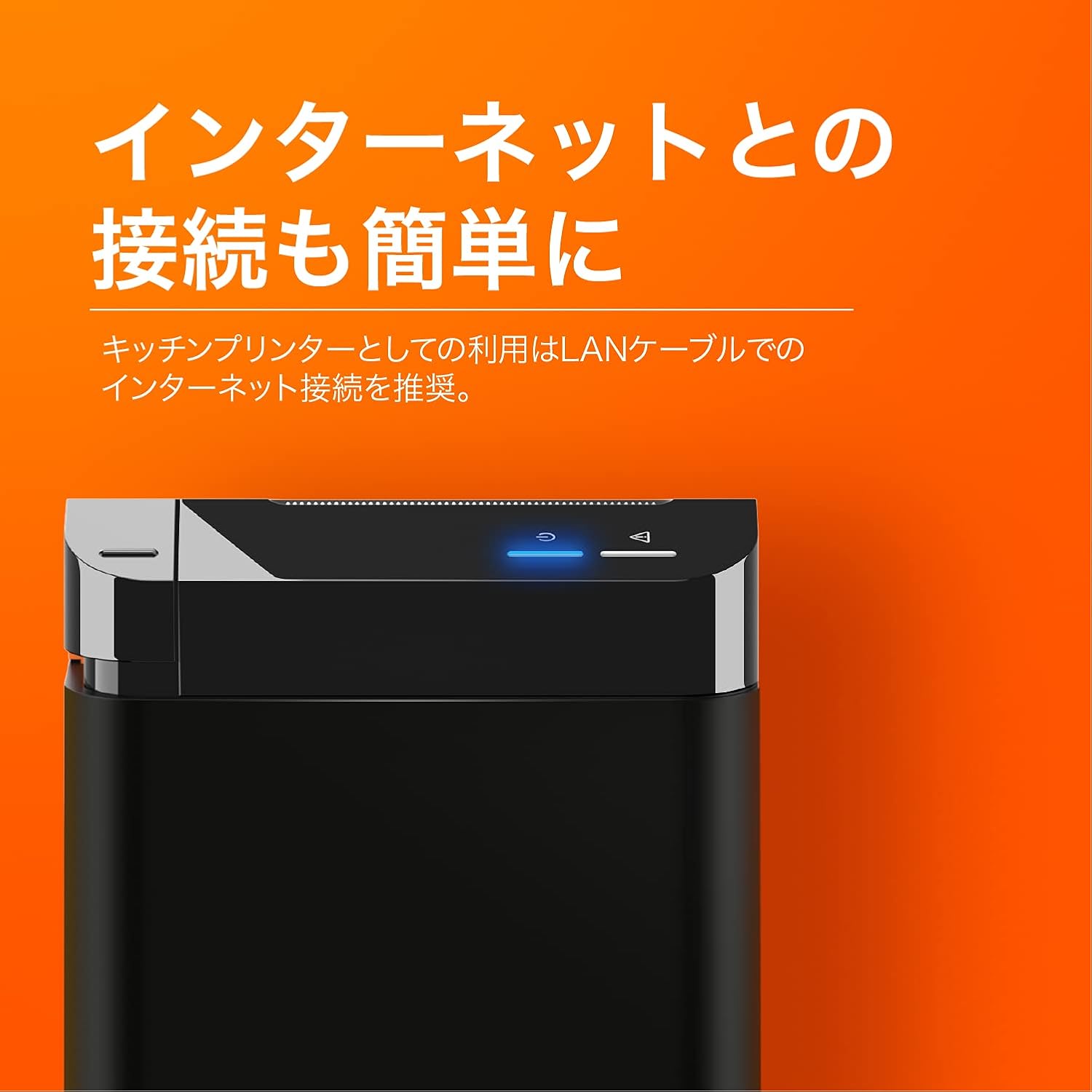
The SUNMI printer with a blue illuminated status light, highlighting its easy internet connectivity via LAN cable, recommended for kitchen printer use.
For optimal performance, especially in kitchen environments, a wired LAN connection is recommended.
- Connect one end of an Ethernet (LAN) cable to the printer's LAN port.
- Падключыце іншы канец кабеля Ethernet да сеткавага маршрутызатара або камутатара.
- The network indicator light on the printer will show connection status (e.g., solid blue for connected).
4. Інструкцыя па эксплуатацыі
4.1 Базавы друк
Once the printer is powered on and connected to your network, it is ready to receive print commands from compatible software or systems (e.g., POS software, kitchen display systems).
- Ensure your printing application is configured to use the SUNMI 80mm Kitchen Cloud Printer.
- Initiate a print job from your application.
- The printer will automatically feed and cut the receipt after printing.

A view of two SUNMI 80mm Kitchen Cloud Printers side-by-side, with one actively printing a receipt, demonstrating its operational use.
4.2 Індыкатары стану
The printer features indicator lights on its control panel to provide status information:
- Індыкатар харчавання: Solid light indicates the printer is on.
- Індыкатар памылкі: Flashing or solid light indicates an error (e.g., paper out, cover open). Refer to the Troubleshooting section.
- Індыкатар сеткі: Indicates network connectivity status.
5. Тэхнічнае абслугоўванне
5.1 Чыстка прынтара
Рэгулярная чыстка дапамагае падтрымліваць якасць друку і падаўжае тэрмін службы прынтара.
- Перад чысткай выключыце прынтар і адключыце яго ад сеткі.
- Выкарыстоўвайце мяккую безворсовую тканіну, злёгку dampened with water or isopropyl alcohol to wipe the exterior.
- Gently clean the thermal print head with a cotton swab dipped in isopropyl alcohol. Allow it to dry completely before use.
- Remove any paper dust or debris from the paper path.
5.2 Замена рулона паперы
When the paper roll is nearing its end, the printer may indicate a paper-low error or print faint lines. Follow the steps in Section 3.2 to replace the paper roll.
6. Выпраўленне непаладак
If you encounter issues with your SUNMI printer, refer to the table below for common problems and solutions.
| праблема | Магчымая прычына | Рашэнне |
|---|---|---|
| Прынтар не ўключаецца | Няма харчавання, няспраўны адаптар | Check power cable connection; ensure outlet is working; try a different adapter if available. |
| No printing / Error light on | Paper out, cover open, paper jammed | Replace paper roll; ensure cover is closed properly; clear any paper jams. |
| Faint or blank prints | Incorrect paper type, dirty print head, paper loaded incorrectly | Ensure thermal paper is used; clean the print head (Section 5.1); check paper orientation. |
| Немагчыма падключыцца да сеткі | Loose LAN cable, network configuration issue | Check LAN cable connection; verify network settings on your router/system. |
7. Тэхнічныя характарыстыкі

The SUNMI 80mm Kitchen Cloud Printer, demonstrating its compact 130mm square footprint, ideal for space-saving installations.
| Асаблівасць | Спецыфікацыя |
|---|---|
| Нумар мадэлі | C04000069 |
| Марка | СУНМІ |
| Тып друкаркі | Цеплавой прынтэр |
| Хуткасць друку | 165 мм/с |
| Шырыня паперы | 80 мм |
| Тэхналогія падлучэння | USB, лакальная сетка (Ethernet) |
| Колер | Multicolor (primarily black with orange accents) |
| Памеры прадукту | 13 х 13 х 13 см (прыблізна 5.1 х 5.1 х 5.1 цалі) |
| Вага прадмета | 1.32 кілаграма (прыблізна 2.91 фунта) |
| Максімальная ёмістасць уваходнай літары для аркушаў | 100 sheets (referring to paper roll length equivalent) |
| Двухбаковая друк | No (single-sided receipt printing) |
| Носьбіты, якія падтрымліваюцца | Thermal Labels/Receipt Paper |
8. Гарантыя і падтрымка
На гэты прадукт распаўсюджваецца стандартная гарантыя вытворцы. Каб даведацца пра канкрэтныя ўмовы гарантыі, звярніцеся да дакументацыі, прадстаўленай пры куплі, або звярніцеся да прадаўца.
For technical support, troubleshooting assistance beyond this manual, or service inquiries, please contact SUNMI customer support or your authorized dealer. Keep your purchase receipt and product model number (C04000069) ready when contacting support.