
Baseus NGTW060001
Baseus W11 True Wireless Earbuds User Manual
Мадэль: NGTW060001
1. Уводзіны
Thank you for choosing Baseus W11 True Wireless Earbuds. This manual provides detailed instructions for the proper use and maintenance of your device. Please read it carefully before use.

Image: Baseus W11 True Wireless Earbuds and Charging Case.
2. Што ў скрынцы
Пакет уключае наступныя рэчы:
- Baseus W11 True Wireless Earbuds (Left and Right)
- Чахол для бесправадной зарадкі
- Зарадны кабель USB-C
- Multiple sizes of silicone ear tips (XS, S, M, L)
- Кіраўніцтва карыстальніка
Video: TWS W11 Operation Guide Video, demonstrating unboxing and initial setup steps.
3. Прадукт скончыўсяview
Навушнікі-ўкладышы
- Сэнсарная вобласць кіравання
- Мікрафон
- Зарадка кантактаў
- Сіліконавы наканечнік для вушэй
Чахол для зарадкі
- Слоты для зарадкі навушнікаў
- Індыкатар батарэі
- Порт для зарадкі USB-C
- Функцыянальная кнопка

Image: Baseus W11 Earbuds inside their charging case, showing the earbuds and charging contacts.
4. Настройка
4.1 Першапачатковая зарадка
Before first use, ensure the charging case and earbuds are fully charged. Remove any insulation stickers from the earbud charging contacts.
- Падключыце кабель USB-C да зараднага чахла і крыніцы харчавання.
- Акрамя таго, можна пакласці зарадны чахол на сумяшчальную бесправадную зарадную пляцоўку.
- Індыкатар на корпусе будзе паказваць стан зарадкі.

Image: Baseus W11 charging case on a wireless charging pad, illustrating wireless charging capability.

Image: Baseus W11 charging case connected via USB-C cable, showing fast charging feature.
4.2 Спалучэнне з прыладай
- Адкрыйце зарадны кейс. Навушнікі аўтаматычна пяройдуць у рэжым спалучэння.
- На вашай прыладзе (смартфоне, планшэце і г.д.) уключыце Bluetooth.
- Пошук "Baseus Encok W11" in the list of available Bluetooth devices and select it to connect.
- Пасля падключэння вы пачуеце гукавое паведамленне, і навушнікі будуць гатовыя да выкарыстання.
4.3 Усталёўка праграмы Baseus
For enhanced features like anti-lost function, gesture customization, and firmware updates, download the official Baseus app from your device's app store.

Image: Baseus app interface showing anti-lost function, low latency, and button customization options.
5. Інструкцыя па эксплуатацыі
5.1 Нашэнне навушнікаў
Choose the ear tips that provide the most comfortable and secure fit for your ears. Insert the earbuds into your ear canal and gently twist them to lock them in place.

Image: Man wearing Baseus W11 earbuds while running, demonstrating the secure and comfortable fit for active use.
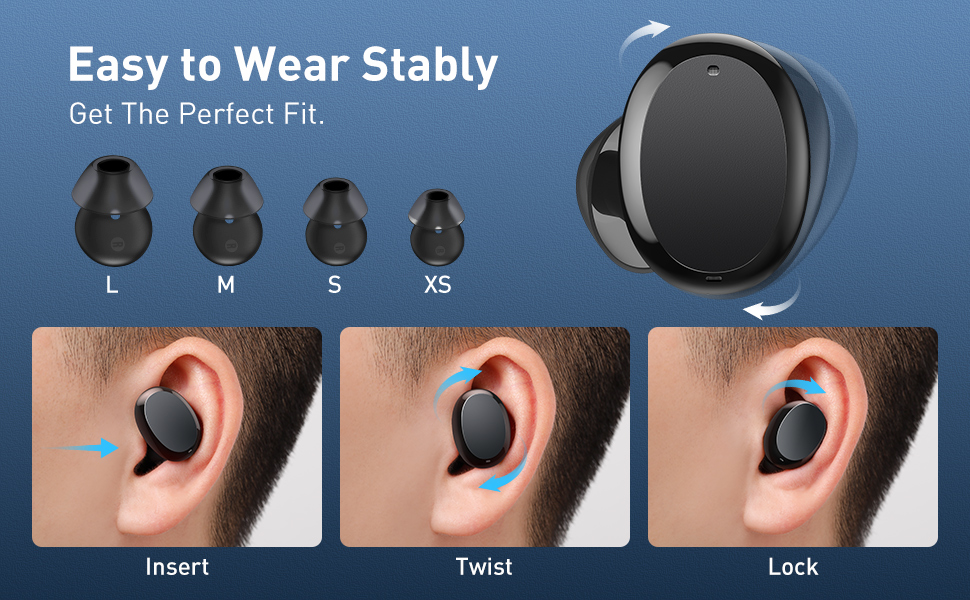
Image: Diagram illustrating the three steps to achieve a secure fit for the Baseus W11 earbuds: insert, twist, and lock.
5.2 Сэнсарнае кіраванне
The earbuds feature smart touch controls. Functions can be customized via the Baseus app.
- Прайграванне/Паўза: Double-tap Left/Right earbud.
- Наступны трэк: Long press Right earbud.
- Папярэдні трэк: Long press Left earbud.
- Актываваць галасавы памочнік: Triple-tap Left/Right earbud.
- Адказаць на званок/пакласці трубку: Double-tap Left/Right earbud.
- Адхіліць выклік: Long press Left/Right earbud.
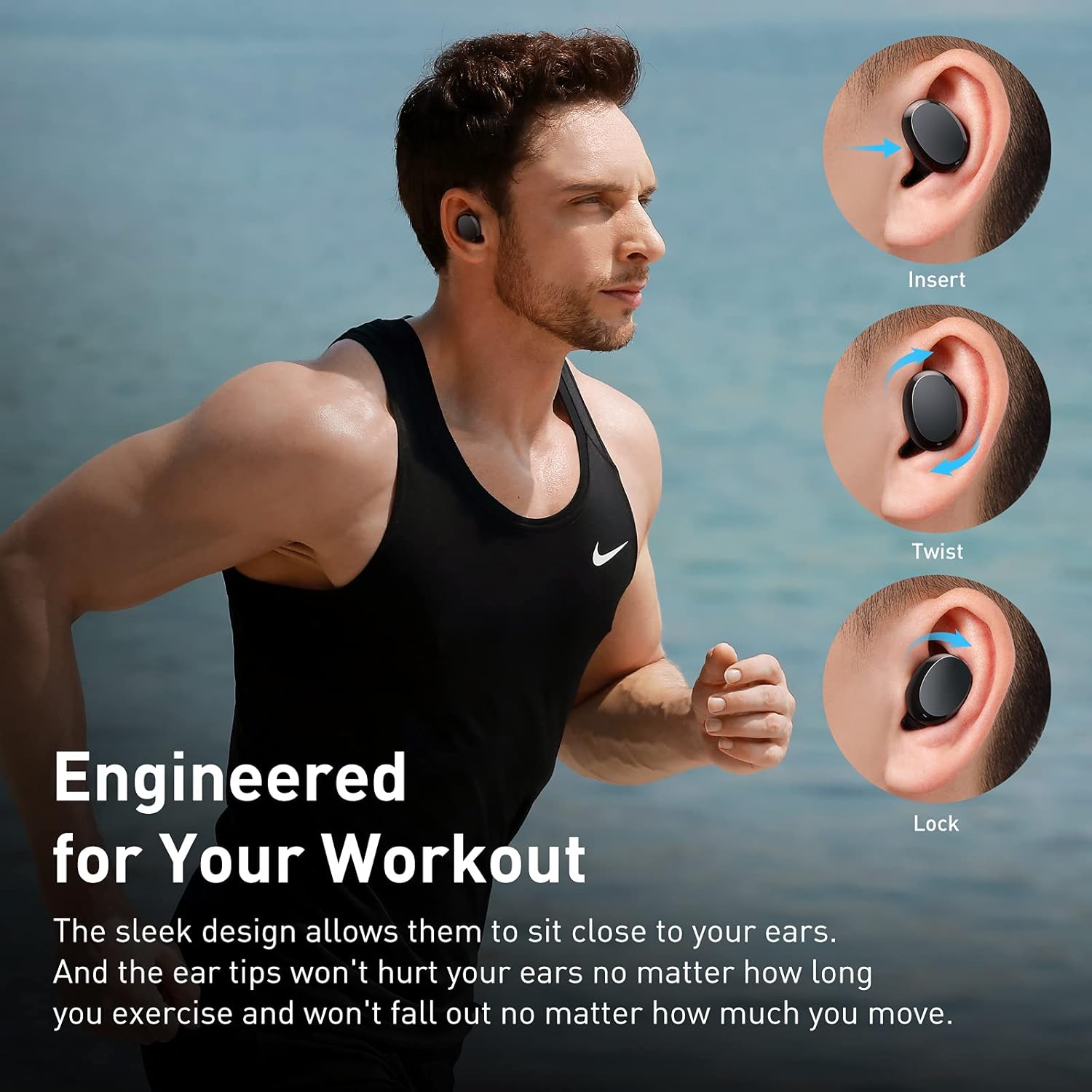
Image: Diagram illustrating the various touch control functions for the Baseus W11 earbuds, including play/pause, track skipping, voice assistant, and call management.
5.3 Выкарыстанне аднаго навушніка-ўкладыша
The Baseus W11 earbuds support independent use. You can use either the left or right earbud individually while the other is charging or stored.
6. Зарадка
6.1 Зарадка навушнікаў
Place the earbuds into the charging case. They will automatically begin charging. The case's indicator light will show the charging status.
6.2 Зарадка корпуса
The charging case can be charged via the included USB-C cable or wirelessly using a compatible Qi-certified wireless charger.
6.3 Хуткая зарадка
The earbuds feature fast charging. A 10-minute charge can provide up to 4 hours of playback time.
7. Тэхнічнае абслугоўванне
7.1 Воданепранікальнасць (IPX8)
The Baseus W11 earbuds are IPX8 waterproof, providing protection against sweat and rain. This makes them suitable for sports and outdoor activities. Avoid prolonged submersion in water.
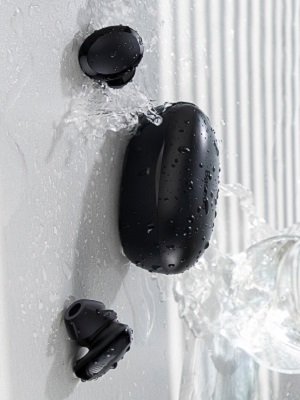
Image: Baseus W11 earbuds and case with water splashing, demonstrating IPX8 waterproof rating.
7.2 Ачыстка
Regularly clean the earbuds and charging case with a soft, dry cloth. Ensure charging contacts are free from dust and debris to maintain optimal charging performance.
8. Выпраўленне непаладак
- Навушнікі не спалучаюцца: Ensure both earbuds are fully charged and removed from the case. Check your device's Bluetooth settings and try reconnecting. If issues persist, try resetting the earbuds (refer to the app or full user manual for specific reset instructions).
- Адзін навушнік не працуе: Ensure both earbuds are charged. Try placing them back in the case and taking them out again. If only one earbud connects, try re-pairing them as a pair.
- Праблемы з якасцю гуку: Ensure ear tips are properly fitted to create a good seal. Check the audio source and volume levels on both your device and the earbuds.
- Lost Earbuds: Use the anti-lost function in the Baseus app to locate misplaced earbuds by making them emit a sound.
Video: Great Waterproof Wireless Earbuds with Locator App, demonstrating the app's anti-lost feature.
9. Тэхнічныя характарыстыкі
| Асаблівасць | Спецыфікацыя |
|---|---|
| Назва мадэлі | NGTW060001 (W11) |
| Тэхналогія падлучэння | Бесправадная сувязь (Bluetooth) |
| Тэхналогія бесправадной сувязі | Bluetooth V5.0 |
| Ёмістасць акумулятара для навушнікаў | 40mAh (0.148Wh) |
| Ёмістасць батарэі зараднай скрынкі | 300mAh (1.11Wh) |
| Дыяпазон частотнай характарыстыкі | 20 Гц-20 кГц |
| Інтэрфейс для зарадкі | Тып-C |
| Узровень воданепранікальнасці | IPX8 воданепранікальны |
| Тып аўдыё драйвера | Дынамічны драйвер 10 мм |
| Метад кантролю | Дадатак, дотык |
| Вага | 5.1 ounces (total item weight) |
| Матэрыял | Durable Plastic or Rubber |
10. Гарантыя і падтрымка
Baseus products come with a standard manufacturer's warranty. For warranty claims, technical support, or any product-related inquiries, please contact Baseus customer service through their official webсайт або кантактную інфармацыю, указаную на ўпакоўцы прадукту.
Для атрымання дадатковай дапамогі наведайце: www.baseus.com/support