
Уводзіны
Thank you for choosing the Bowost Q52 Bluetooth 5.1 Sport Wireless Earbuds. These earbuds are designed to provide a superior audio experience with advanced features such as Bluetooth 5.1 connectivity, CVC 8.0 noise cancellation, enhanced bass, dual microphones, and an IP7 waterproof rating. This manual will guide you through the setup, operation, maintenance, and troubleshooting of your new earbuds.
Што ў скрынцы
Калі ласка, праверце змесціва пакета, каб пераканацца ў наяўнасці ўсіх прадметаў:
- 1 х чахол для зарадкі
- 1 х USB-кабель для зарадкі
- 1 х Кіраўніцтва карыстальніка (гэты дакумент)
- 2 x Bluetooth Earbuds (Left and Right)
- 3 x Pairs of Eartips (Small, Medium, Large)
Настройка
1. Зарадка навушнікаў і чахла
Before first use, fully charge the earbuds and the charging case. The charging case features an LED power display to indicate the remaining battery level.
- Змесціце навушнікі ў зарадны футляр. Пераканайцеся, што яны правільна ўстаўлены, каб пачаць зарадку.
- Падключыце кабель зарадкі USB да порта зарадкі на корпусе і да крыніцы харчавання (напрыклад, да разеткі USB, USB-адаптара або USB-порта кампутара).
- The LED display on the charging case will show the charging status. Once fully charged, the display will indicate 100% or stop flashing.

Image: The Bowost Q52 charging case connected to a phone via a USB cable, illustrating the charging process for both the case and the earbuds inside.
2. Спалучэнне з вашай прыладай
The Bowost Q52 earbuds feature one-step auto-pairing technology for convenience.
- Адкрыйце зарадны кейс і дастаньце абодва навушнікі. Яны аўтаматычна ўключацца і пяройдуць у рэжым спалучэння.
- На вашай прыладзе (смартфоне, планшэце і г.д.) уключыце Bluetooth і знайдзіце даступныя прылады.
- Select "Q52" from the list of found devices to connect.
- Once paired, the earbuds will automatically connect to your device whenever you remove them from the charging case.

Image: The Bowost Q52 earbuds in their open charging case next to a smartphone screen showing the Bluetooth pairing menu, with the 'Q52' device highlighted for connection.
Кіраванне навушнікамі-ўкладышамі
1. Нашэнне навушнікаў-ўкладышаў
The Q52 earbuds are designed with ergonomic ear hooks for a secure and comfortable fit, especially during physical activities.
- Choose the correct size of eartips (S/M/L) for optimal comfort and sound quality.
- Place the earbud into your ear canal and gently hook the ear hook over the top of your ear.
- Адрэгулюйце навушнік і кручок, пакуль яны не будуць надзейна і зручна замацаваны.

Image: A diagram illustrating the correct way to wear the Bowost Q52 earbuds, highlighting the ergonomic ear hook design and the selection of different eartip sizes (S, M, L).
2. Сэнсарныя элементы кіравання
Each earbud features a multifunction touch panel for easy control of audio playback and calls.
| Дзеянне | Функцыя (левы навушнік-ўкладыш) | Функцыя (правы навушнік-ўкладыш) |
|---|---|---|
| Адзін націск | Прайграванне/Паўза, адказ на выклік | Прайграванне/Паўза, адказ на выклік |
| Двайны дотык | Папярэдні трэк | Наступны трэк |
| Націсніце і ўтрымлівайце (2 с) | Volume Down, Reject Call | Volume Up, Reject Call |
| Трайны кран | Актывацыя галасавога памочніка (Siri/Google Assistant) | Актывацыя галасавога памочніка (Siri/Google Assistant) |

Image: A visual guide to the smart touch controls on the Bowost Q52 earbuds, detailing actions like single tap, double tap, press and hold, and triple tap for various functions including music control, call management, and activating voice assistants.
3. Mono/Stereo Modes
The earbuds support both mono (single earbud) and stereo (both earbuds) modes.
- Стэрэарэжым: Use both earbuds for an immersive stereo sound experience. This is the default mode when both earbuds are removed from the case.
- Мона рэжым: You can use either the left or right earbud independently. Simply remove one earbud from the case, and it will connect to your device. The other earbud can remain in the case or be used by another person (if paired separately).
Тэхнічнае абслугоўванне
1. Уборка
Рэгулярная ўборка дапамагае падтрымліваць аптымальную прадукцыйнасць і гігіену.
- Выкарыстоўвайце мяккую, сухую тканіну без ворса, каб праціраць навушнікі і зарадны футляр.
- Remove eartips and clean them with mild soap and water, then rinse thoroughly and dry completely before reattaching.
- Не выкарыстоўвайце абразіўныя ачышчальнікі, спірт або хімічныя растваральнікі.
2. Воданепранікальнасць (IP7)
The Bowost Q52 earbuds are IP7 waterproof, meaning they are protected against sweat and rain. This makes them suitable for sports and outdoor activities.
- The IP7 rating protects against immersion in water up to 1 meter for 30 minutes.
- They are not designed for swimming or prolonged submersion in water.
- Перад тым, як змясціць навушнікі назад у зарадны футляр, пераканайцеся, што яны сухія, каб пазбегнуць пашкоджанняў.
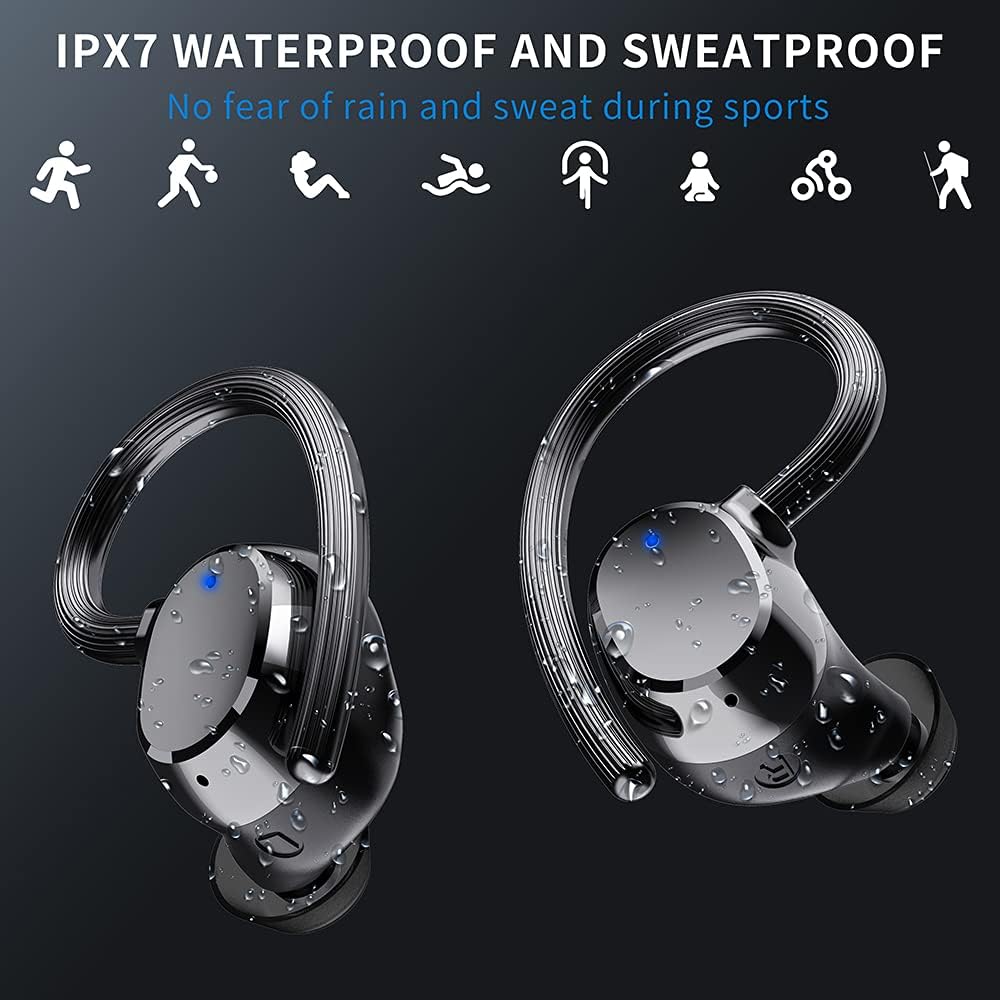
Image: The Bowost Q52 earbuds are shown with water droplets on their surface, visually representing their IPX7 waterproof and sweatproof design, suitable for use during exercise or in light rain.
3. Захоўванне
Калі навушнікі не выкарыстоўваюцца, захоўвайце іх у зарадным чахле, каб абараніць і падтрымліваць зараджанасць.
Ліквідацыю непаладак
If you encounter any issues with your Bowost Q52 earbuds, please refer to the following common solutions:
- Навушнікі не спалучаюцца: Ensure both earbuds are charged. Turn off Bluetooth on your device, then turn it back on. Forget "Q52" from your device's Bluetooth list and try pairing again.
- Працуе толькі адзін навушнік: Place both earbuds back into the charging case, close the lid, then open it and remove both earbuds simultaneously. This should force them to reconnect in stereo mode.
- Няма гуку: Праверце ўзровень гучнасці як на прыладзе, так і ў навушніках. Пераканайцеся, што навушнікі правільна падключаны да прылады.
- Праблемы з зарадкай: Ensure the charging cable is securely connected to both the case and the power source. Try a different USB cable or power adapter. Clean the charging contacts on the earbuds and inside the case.
- Дрэнная якасць гуку: Ensure the eartips are correctly sized and sealed in your ear canal. Check for any debris blocking the earbud speakers.
Калі праблема не знікне, звярніцеся ў службу падтрымкі кліентаў для атрымання дадатковай дапамогі.
Тэхнічныя характарыстыкі
| Асаблівасць | Дэталь |
|---|---|
| Нумар мадэлі | Q52 |
| Версія Bluetooth | 5.1 |
| Дыяпазон Bluetooth | Да 20 метраў |
| Тэрмін службы батарэі навушнікаў | 5-6 гадзін (адной зарадкі) |
| Агульны час гульні | Да 48 гадзін (з чахлом для зарадкі) |
| Час зарадкі (навушнікі) | Прыкладна 1 гадзіна |
| Рэйтынг воданепранікальнасці | IP7 |
| Памер драйвера | 10 мм |
| Зніжэнне шуму | CVC 8.0 |
| Тэхналогія падлучэння | Бесправадная сувязь (Bluetooth) |
| Порт для зарадкі | USB |
| Сумяшчальныя прылады | iOS, Android, Tablets, Bluetooth-enabled TVs, etc. |
| Матэрыял | Пластыкавыя |
| Вага прадмета | 4 грама (на адзін навушнік) |
| Дыяпазон частот | 20 Гц - 20 000 Гц |
Гарантыя і падтрымка
Your Bowost Q52 earbuds come with a standard manufacturer's warranty. Please refer to the warranty card included in your original packaging for specific terms and conditions.
For technical support, troubleshooting assistance, or warranty claims, please contact Bowost customer service through the retailer where you purchased the product or visit the official Bowost webсайт для кантактнай інфармацыі.