
GoolRC S80
GoolRC S80 RC Drone User Manual
Мадэль: S80
1. Тэхніка бяспекі
Before operating the GoolRC S80 RC Drone, please read and understand all safety instructions. Failure to follow these instructions may result in injury or damage to the product.
- Заўсёды кіруйце дронам на адкрытай прасторы, далей ад людзей, жывёл, будынкаў і ліній электраперадач.
- Не запускайце дрон пры моцным ветры або неспрыяльных умовах надвор'я.
- Ensure the drone battery is fully charged and the remote controller batteries are fresh before each flight.
- Трымайце пальцы і свабодную вопратку далей ад круцячыхся прапелераў.
- This product is not a toy. Adult supervision is recommended for users under 14 years of age.
- Do not attempt to modify or disassemble the drone or its components.
- Follow all local regulations and laws regarding drone operation.
2. Змесціва ўпакоўкі
Праверце наяўнасць усіх прадметаў у камплекце:
- 1 x GoolRC S80 RC Drone
- 1 х Пульт дыстанцыйнага кіравання
- 2 x Drone Batteries (3.7V 2000mAh)
- 1 х USB-кабель для зарадкі
- 2 запасныя прапелеры
- 4 x Protection Rings
- 1 х адвёртка
- 1 х Кіраўніцтва карыстальніка
- 1 х сумка для захоўвання

Image: All components included in the GoolRC S80 drone package.
3. Прадукт скончыўсяview
The GoolRC S80 is a foldable RC drone equipped with dual cameras for aerial photography and FPV flight. It features a compact design for portability and various intelligent flight modes.

Image: The GoolRC S80 drone in its unfolded state, alongside its remote controller.
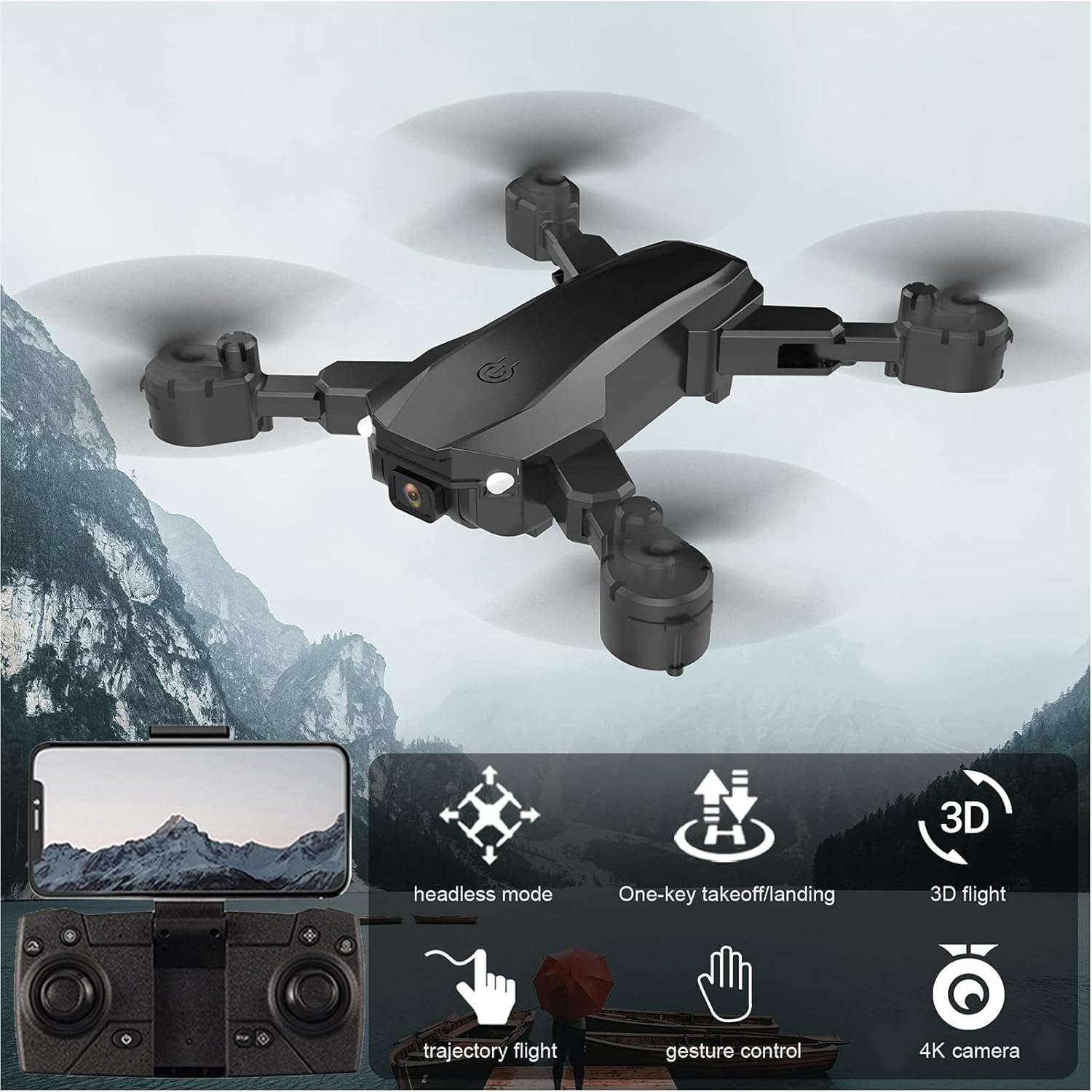
Image: Visual representation of the GoolRC S80 drone highlighting its key features.
4. Усталёўка і зарадка акумулятара
4.1 Акумулятар беспілотніка
- Пераканайцеся, што дрон выключаны.
- Locate the battery compartment on the underside of the drone.
- Insert the 3.7V 2000mAh drone battery into the compartment, ensuring it clicks into place securely.
- To charge, connect the drone battery to the USB charging cable. Connect the USB cable to a 5V/1A USB power adapter (not included).
- The charging indicator light will show the charging status. Charging time is approximately 60 minutes.
- Не пакідайце акумулятары на зарадцы без нагляду.
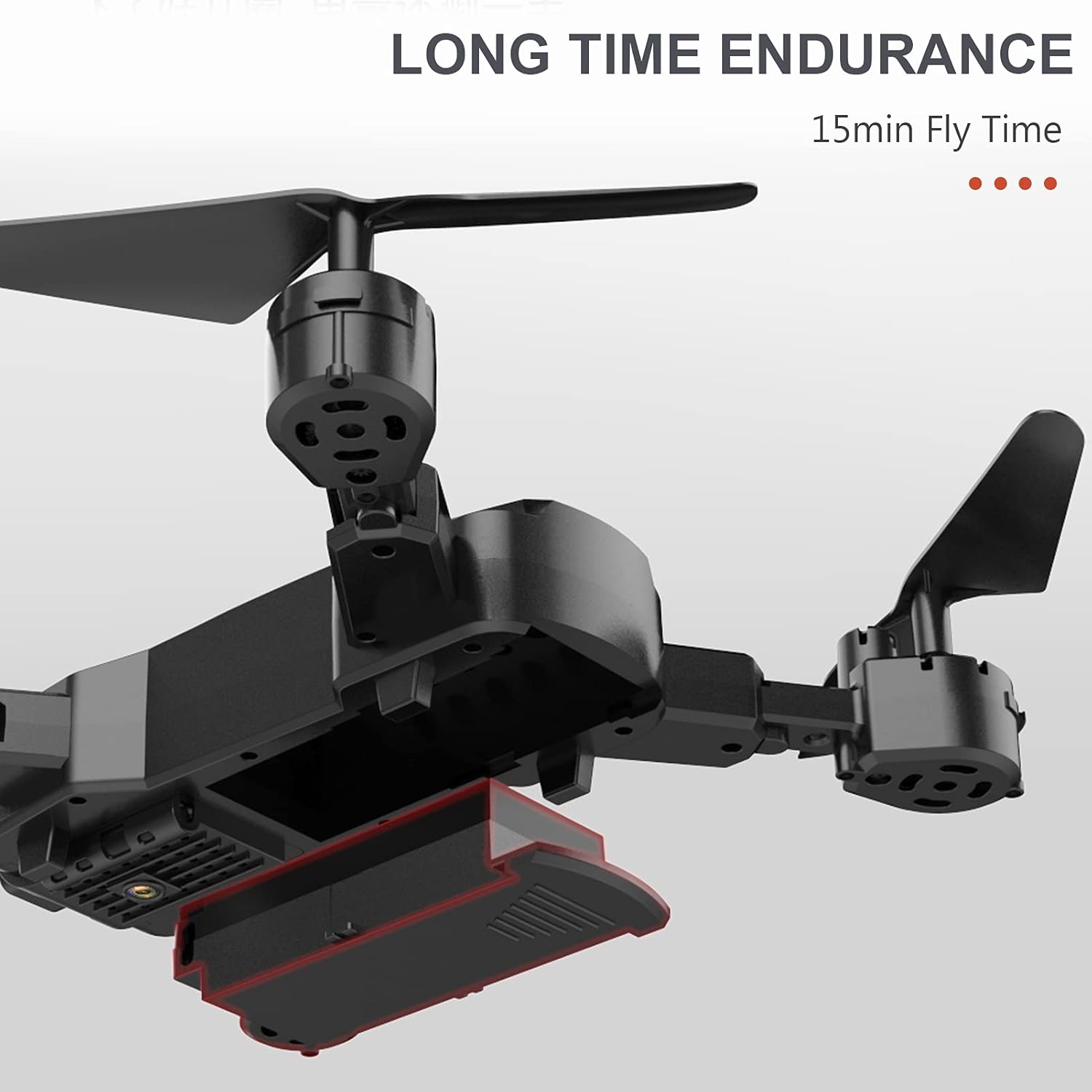
Image: The drone's battery compartment and the battery being inserted.
4.2 Батарэйкі пульта дыстанцыйнага кіравання
- Адкрыйце крышку батарэйнага адсека на задняй частцы пульта дыстанцыйнага кіравання.
- Insert 3 x AA batteries (not included) into the compartment, observing the correct polarity (+/-).
- Надзейна зачыніце крышку батарэі.
5. Remote Controller Setup and Pairing
- Пастаўце беспілотнік на роўную роўную паверхню.
- Power on the drone. The indicator lights will flash.
- Уключыце пульт дыстанцыйнага кіравання.
- Націсніце левы джойсцік (дросель) цалкам уверх, затым цалкам уніз. Агні дрона перастануць міргаць і будуць гарэць пастаянна, што сведчыць аб паспяховым спалучэнні.
6. Drone Calibration
Before the first flight and after any crash, it is recommended to calibrate the drone's gyroscope for stable flight.
- After successful pairing, place the drone on a flat, level surface.
- Push both joysticks on the remote controller to the bottom-right corner simultaneously for a few seconds.
- The drone's indicator lights will flash rapidly and then become solid, indicating successful calibration.
7. Асноўныя лётныя аперацыі
7.1 One-Key Takeoff / Landing
- After pairing and calibration, press the One-Key Takeoff button (usually indicated by an upward arrow icon) on the remote controller. The drone will automatically ascend and hover at a certain altitude.
- To land, press the One-Key Landing button (usually indicated by a downward arrow icon). The drone will slowly descend and land automatically.
7.2 Altitude Hold
The drone features an auto-hover function that maintains a steady altitude, making it easier to control and capture stable photos/videos.

Image: The drone maintaining a fixed height using its intelligent air pressure system.
7.3 Рэжым без галавы
In Headless Mode, the drone's orientation is relative to the pilot, regardless of the drone's actual front direction. This simplifies control for beginners.
- Press the Headless Mode button on the remote controller to activate/deactivate.
- When activated, the drone will respond to joystick movements based on your perspective.
8. Пашыраныя функцыі палёту
8.1 Траекторыя палёту
Using the companion app on your smartphone, you can draw a flight path on the screen, and the drone will automatically follow the designated route.
- Download and install the GoolRC S80 app on your smartphone.
- Connect your smartphone to the drone's Wi-Fi network.
- In the app, select the Trajectory Flight mode and draw your desired path.
8.2 3D Flips
Perform exciting 360-degree flips with a single button press.
- Fly the drone to a sufficient height (at least 3 meters).
- Press the 3D Flip button (refer to remote controller diagram in the full manual).
- Immediately push the right joystick in the desired direction (forward, backward, left, or right) to execute the flip.

Image: The drone executing a 3D flip maneuver.
8.3 Кіраванне жэстамі
The drone can recognize specific hand gestures to take photos or record videos.
- Ensure the drone's camera is facing you.
- Perform the designated gesture (e.g., 'V' sign for photo, open palm for video) within the camera's view.
- The drone will automatically capture the photo or start/stop video recording.
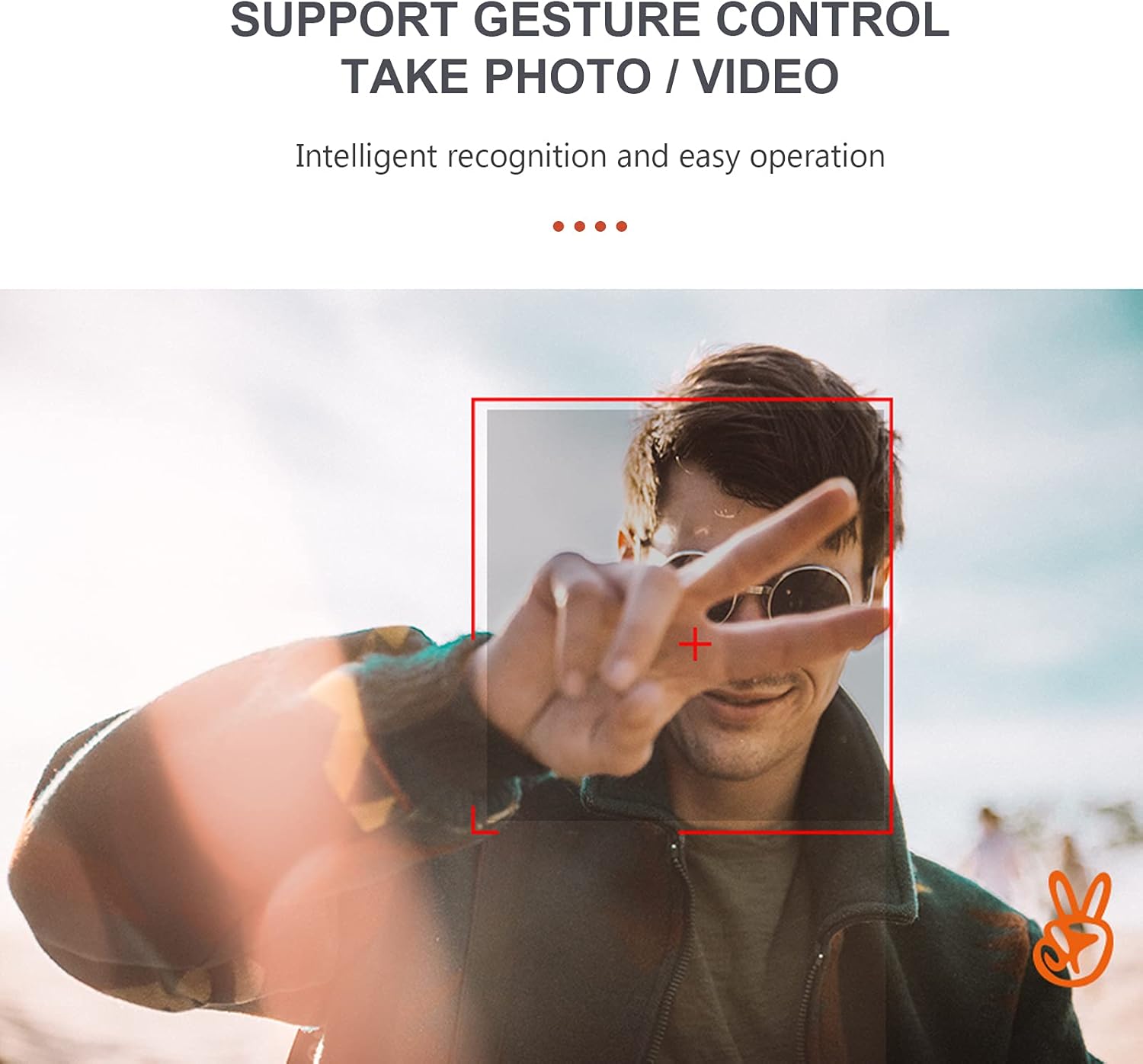
Image: A user performing a gesture to control the drone's camera.
8.4 Рэгуляванне хуткасці
The drone offers multiple speed settings to suit different flying environments and skill levels.
- Press the speed adjustment button on the remote controller to cycle through low, medium, and high speeds.
- Higher speeds are recommended for outdoor flight in calm conditions.
9. Праца камеры
The GoolRC S80 drone is equipped with a 4K front camera and a bottom camera for versatile aerial photography and videography.
- Фотаздымкі: While flying, press the Photo button on the remote controller or use the gesture control feature.
- Запіс відэа: Press the Video button on the remote controller to start recording. Press again to stop. Alternatively, use gesture control.
- FPV (ад першай асобы) View): Connect your smartphone to the drone's Wi-Fi network and open the companion app to view live video feed from the drone's camera.
- Captured media is typically saved to your smartphone via the app or to an onboard storage (if applicable, refer to app instructions).

Image: Details on the resolution capabilities of the drone's front and bottom cameras.
10. Тэхнічнае абслугоўванне
- Замена прапелера: If propellers are damaged, use the included screwdriver to replace them with spare propellers. Ensure correct orientation (A and B propellers).
- Уборка: Use a soft, dry cloth to clean the drone body and camera lens. Do not use harsh chemicals.
- захоўванне: Store the drone and remote controller in a cool, dry place, away from direct sunlight. Remove batteries from the remote controller if storing for extended periods.
- Protection Rings: Install the protection rings before flight to prevent damage to propellers and for safer indoor flying.
11. Выпраўленне непаладак
| праблема | Магчымая прычына | Рашэнне |
|---|---|---|
| Drone does not respond to remote controller. | Not paired; Low remote controller battery; Drone battery low. | Re-pair the drone and remote; Replace remote batteries; Charge drone battery. |
| Drone flies unstably or drifts. | Gyroscope not calibrated; Damaged propeller; Uneven surface during takeoff. | Calibrate the gyroscope; Replace damaged propellers; Take off from a flat surface. |
| Camera not taking photos/videos or FPV not working. | App not connected to drone Wi-Fi; Insufficient light for gesture control; App error. | Ensure Wi-Fi connection; Check lighting for gestures; Restart app and drone. |
| Кароткі час палёту. | Battery not fully charged; Old battery; Aggressive flying. | Fully charge battery; Consider replacing old batteries; Fly more conservatively. |
12. Тэхнічныя характарыстыкі
| Асаблівасць | Дэталь |
|---|---|
| мадэль | S80 |
| Матэрыял | АБС |
| Тып рухавіка | Матавы рухавік |
| Частата | 2.4 ГГц |
| Час зарадкі | Прыбл. 60 хвілін |
| час палёту | Прыбл. 15 хвілін |
| Дыстанцыйнае кіраванне | Прыбл. 100 метраў |
| Front Camera Photo Resolution | 4096*3072 (4K) |
| Front Camera Video Resolution | 1280*720 |
| Bottom Camera Resolution | 640*480 |
| Адлегласць перадачы выявы | Прыбл. 40 метраў |
| Беспілотная батарэя | 3.7V 2000mAh (Included) |
| Акумулятар пульта дыстанцыйнага кіравання | 3* AA battery (Not Included) |
| Drone Size (Unfolded) | 17 х 17.4 см |
| Drone Size (Folded) | 11.3 х 13.8 х 3.1 см |

Image: Detailed dimensions of the GoolRC S80 drone.
13. Гарантыя і падтрымка
If you encounter any problems with your GoolRC S80 RC Drone, please contact our store in time. We are committed to providing a satisfactory solution to any issues you may experience.
For further assistance, please refer to the contact information provided with your purchase or visit the official GoolRC webсайт.