
OWC OWCTB4HUB5P
OWC 5 Port Thunderbolt Hub Instruction Manual
Model: OWCTB4HUB5P | Brand: OWC
Уводзіны
This manual provides comprehensive instructions for the OWC 5 Port Thunderbolt Hub. It covers setup, operation, maintenance, and troubleshooting to ensure optimal performance and longevity of your device. The OWC Thunderbolt Hub expands the connectivity of your computer, offering multiple Thunderbolt 4 ports and a USB 3.2 Gen 2 Type-A port, along with power delivery capabilities.
Інфармацыя па бяспецы
- Не падвяргайце прыладу ўздзеянню вільгаці або экстрэмальных тэмператур.
- Use only the power adapter supplied with the hub.
- Пазбягайце блакавання вентыляцыйных адтулін, каб прадухіліць перагрэў.
- Не спрабуйце разбіраць або рамантаваць прыладу самастойна. Звяртайцеся да кваліфікаванага персаналу па любыя паслугі па абслугоўванні.
- Трымайце прыладу далей ад моцных магнітных палёў.
Змест пакета
Праверце, ці ёсць усе прадметы ў вашай упакоўцы:
- OWC 5 Port Thunderbolt Hub
- Адаптар сілкавання
- Кабель Thunderbolt 4
- Кароткае кіраўніцтва карыстальніка (не ўваходзіць у гэты лічбавы дапаможнік)
Прадукт скончаныview
The OWC 5 Port Thunderbolt Hub is designed to expand your computer's connectivity, providing additional Thunderbolt 4 and USB 3.2 Gen 2 Type-A ports. It features a compact design suitable for various setups.

Малюнак 1: Спераду view of the OWC 5 Port Thunderbolt Hub, showing the OWC logo and the USB 3.2 10Gb/s port.
Макет порта
The hub features a variety of ports to connect your devices:
- Порт хоста: One Thunderbolt 4 port (up to 40 Gb/s) for connecting to your computer.
- Парты прылады: Three Thunderbolt 4 ports for connecting external drives, displays, and other Thunderbolt devices.
- Порт USB-A: One USB 3.2 Gen 2 Type-A port (up to 10 Gb/s) for connecting USB peripherals. This port is backwards compatible with USB 2.0/3.0.
- Спажываная магутнасць: DC IN 20V 5.5A for connecting the power adapter.

Малюнак 2: Верх і ніз views of the hub, illustrating the arrangement of the DC power input, host Thunderbolt port, three device Thunderbolt ports, and the USB 3.2 port.
Настройка
- Падключыце харчаванне: Plug the provided power adapter into the DC IN port on the OWC Thunderbolt Hub, then connect the adapter to a power outlet.
- Падключэнне да галоўнага кампутара: Use the included Thunderbolt 4 cable to connect the host Thunderbolt 4 port on the hub to an available Thunderbolt 3 or Thunderbolt 4 port on your computer. For USB-C equipped devices, connect to a USB-C port.
- Ўстаноўка драйвераў (пры неабходнасці): For most modern operating systems (macOS 11.1 Big Sur or later, Windows 10/11 with Thunderbolt 4), drivers are automatically installed. If prompted, follow on-screen instructions.
- Падключэнне перыферыйных прылад: Connect your Thunderbolt devices, USB devices, and displays to the available ports on the hub.

Figure 3: The hub in use, demonstrating multiple devices connected for full performance.
Інструкцыя па эксплуатацыі
Пастаўка электраэнергіі
- The Thunderbolt 4 host port provides up to 60W of power to charge your connected host computer.
- Each Thunderbolt 4 device port provides 15W of power for external drives and other devices.
- The USB 3.2 Gen 2 Type-A port provides up to 1.5A of power for bus-powered drives and device charging.

Figure 4: The hub actively charging a laptop and providing power to connected peripherals.
Падтрымка дысплея
The OWC Thunderbolt Hub supports various display configurations:
- Up to one 8K display at 60Hz.
- Up to one 4K display at 120Hz.
- Up to two 4K displays at 60Hz.
- Up to two 5K displays at 60Hz.
- Display support via Thunderbolt 4: Up to 8K @ 60Hz or 4K @ 120Hz via a native Thunderbolt 4 display or other display that supports USB-C connections and DisplayPort 1.4.
- Note: Actual display support may vary based on your computer's specifications. Intel-based Apple Mac models and Thunderbolt 4 PCs typically support two displays.
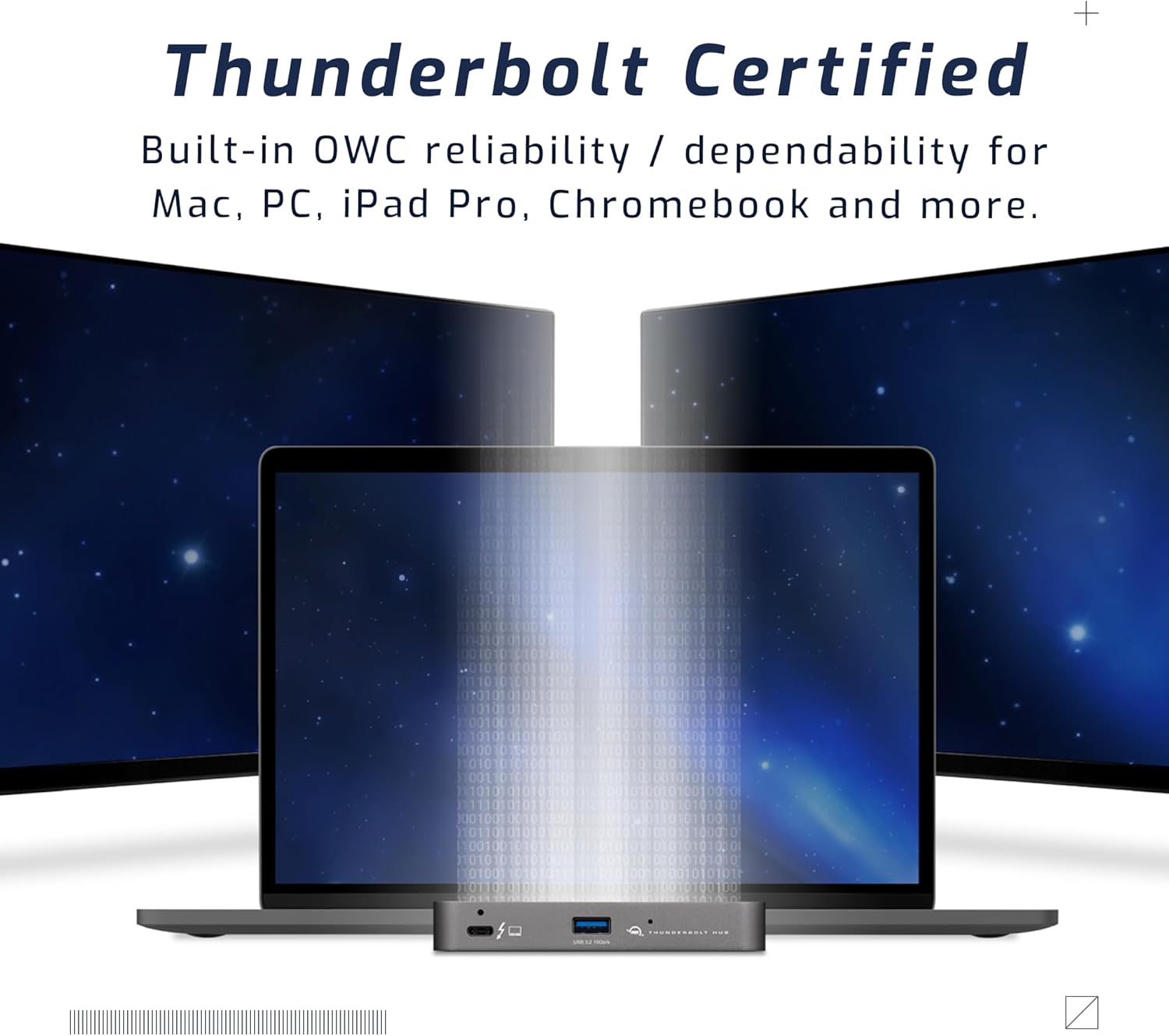
Figure 5: A setup demonstrating the hub's capability to connect a laptop to multiple external displays.
Сумяшчальнасць
The hub is compatible with a wide range of devices:
- Macs with an available Thunderbolt 3 or later port running macOS 11.1 Big Sur or later.
- Windows PCs with an available Thunderbolt 4 port.
- Non-Thunderbolt USB-C machines like Chromebooks and iPads.
- USB-C equipped MacBooks, iPads, Chromebooks, and Android devices.
- Note: Thunderbolt/Thunderbolt 2 Mac models are supported via USB-A host connection, but Thunderbolt/Thunderbolt 2 host connection is not directly supported. USB connection may limit some functionality.
Тэхнічнае абслугоўванне
- Уборка: Use a soft, dry, lint-free cloth to clean the exterior of the hub. Do not use liquid cleaners or aerosols.
- захоўванне: When not in use for extended periods, store the hub in a cool, dry place away from direct sunlight.
- Кабельнае кіраванне: Ensure cables are not excessively bent or strained to prevent damage to the ports or cables.
Ліквідацыю непаладак
Агульныя праблемы і рашэнні
- No Power/Device Not Recognized:
- Пераканайцеся, што адаптар сілкавання надзейна падключаны да канцэнтратара і спраўнай разеткі.
- Verify the Thunderbolt cable is firmly connected to both the hub and your computer.
- Try a different Thunderbolt port on your computer, if available.
- Перазагрузіце кампутар.
- Display Issues (No Signal, Flickering):
- Check all display cables (HDMI, DisplayPort, USB-C to display) are securely connected.
- Ensure your display is set to the correct input source.
- Verify your computer's display settings (resolution, refresh rate) are compatible with the connected display and hub capabilities.
- Абнавіце графічныя драйверы вашага кампутара.
- Павольная хуткасць перадачы дадзеных:
- Ensure you are using high-quality Thunderbolt or USB 3.2 cables.
- Confirm the connected device supports the speeds advertised by the hub (e.g., a USB 2.0 device will not achieve USB 3.2 speeds).
- Пазбягайце адначасовага падключэння занадта вялікай колькасці прылад з высокай прапускной здольнасцю, калі ўзнікаюць запаволенні.
Тэхнічныя характарыстыкі
| Асаблівасць | Дэталь |
|---|---|
| Нумар мадэлі | OWCTB4HUB5P |
| Марка | OWC |
| Памеры прадукту | 19.69 х 19.69 х 11.02 цалі |
| Вага прадмета | 7 унцыі |
| Колер | Also Black/Gray |
| Абсталяванне інтэрфейсу | Навальніца |
| Асаблівасць | Харчаванне |
| Порт хоста | 1x Thunderbolt 4 (up to 40 Gb/s) |
| Парты прылады | 3x Thunderbolt 4, 1x USB 3.2 Gen 2 Type-A (10 Gb/s) |
| Host Power Delivery | Да 60 Вт |
| Device Power Delivery | 15W per Thunderbolt 4 port, 1.5A for USB-A port |
| Падтрымка дысплея | Up to 8K @ 60Hz or 4K @ 120Hz (single display); Up to two 4K @ 60Hz or two 5K @ 60Hz (dual displays) |
| Сумяшчальныя прылады | Macs with Thunderbolt 3+, Windows PCs with Thunderbolt 4, USB-C equipped MacBooks, iPads, Chromebooks, Android devices |
Інфармацыя аб гарантыі
The OWC 5 Port Thunderbolt Hub comes with a 2-гадовая абмежаваная гарантыя OWC. For detailed terms and conditions, please refer to the official OWC webсайт або звярніцеся ў службу падтрымкі кліентаў.
Падтрымка
For further assistance, technical support, or warranty claims, please visit the official OWC support webсайт або звярніцеся ў іх аддзел абслугоўвання кліентаў.
- Падтрымка OWC Webсайт: www.owcdigital.com/support
- Інтэрнэт-рэсурсы: FAQs, drivers, and additional documentation may be available online.
Ask a question about this manual
Ask about setup, troubleshooting, compatibility, parts, safety, or missing instructions. Manuals+ will review the question and use this page’s manual context to help answer it.