
Уводзіны
Thank you for choosing the DIZO Watch 2 Smartwatch. This manual provides essential information and instructions to help you get started, operate, and maintain your device effectively. Please read this manual thoroughly before using your smartwatch to ensure proper function and safety.
Змест пакета
- DIZO Watch 2 Smartwatch
- Зарадны кабель
- Кіраўніцтва карыстальніка
Настройка
1. Зарадка разумнага гадзінніка
Before initial use, fully charge your DIZO Watch 2. Connect the charging cable to the charging port on the back of the watch and plug the USB end into a power adapter (not included) or a computer's USB port. A full charge typically takes approximately 2 hours.
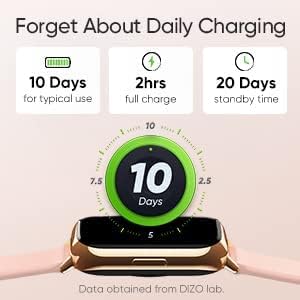
Image: The DIZO Watch 2 displaying its battery life, indicating 10 days for typical use, 2 hours for a full charge, and 20 days standby time.
2. Downloading the DIZO App
To unlock all features and synchronize data, download the official DIZO app on your Android smartphone. Пошук "DIZO App" in the Google Play Store.
3. Спалучэнне са смартфонам
- Пераканайцеся, што на вашым смартфоне ўключаны Bluetooth.
- Open the DIZO app and follow the on-screen instructions to create an account or log in.
- Абярыце «Дадаць прыладу» або падобную опцыю ў дадатку.
- The app will search for your DIZO Watch 2. Select your watch from the list of available devices.
- Пацвердзіце запыт на спалучэнне як на гадзінніку, так і на смартфоне.
Інструкцыя па эксплуатацыі
Базавая навігацыя
- Сэнсарны экран: Swipe up, down, left, or right to navigate through menus and notifications. Tap to select an option.
- Бакавая кнопка: Press the side button to return to the home screen or wake up the display.

Image: A close-up of the DIZO Watch 2's 1.69-inch bright full touch screen, highlighting its sharp display.
Маніторынг здароўя
The DIZO Watch 2 offers comprehensive health tracking features:
- Манітор кіслароду ў крыві (SpO2): Measures your blood oxygen saturation levels throughout the day and during sleep.
- Real-time Heart Rate Monitor: Continuously tracks your heart rate, providing insights into your cardiovascular health and workout intensity.
- Пашыраны маніторынг сну: Аналізуе вашы рэжымы сну, у тым ліку лёгкі, глыбокі і фазы хуткага снуtages, along with heart rate, stress, and breathing data.
- Адсочванне менструальнага цыклу: Provides tracking and predictions for the menstrual cycle.
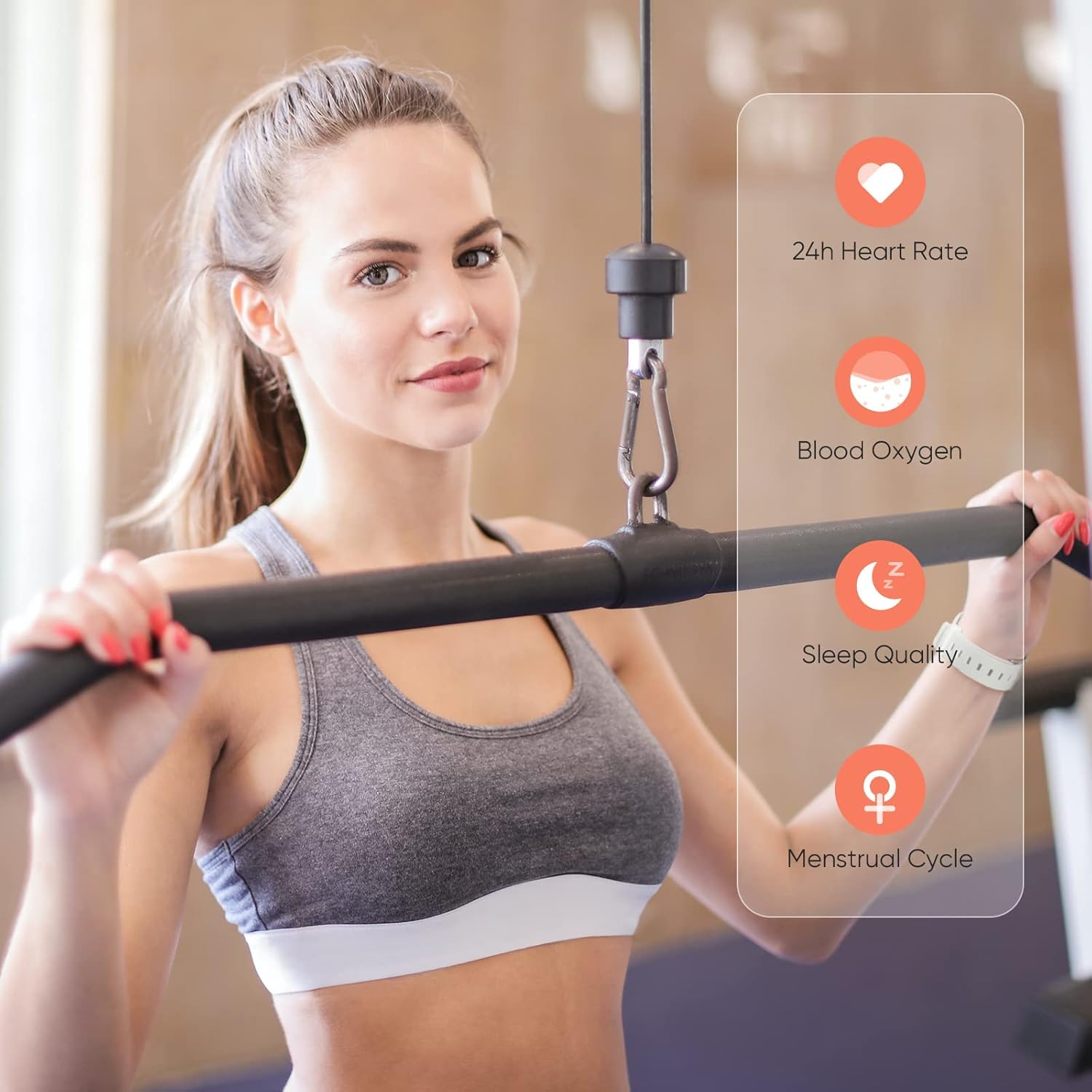
Image: A user wearing the DIZO Watch 2, with an overlay showing the watch's ability to monitor 24-hour heart rate, blood oxygen, sleep quality, and menstrual cycle.
Спартыўныя рэжымы
The watch supports 15 dedicated sports modes to accurately track your workouts. Select your activity from the watch's menu to record data such as duration, calories burned, and heart rate.

Image: The DIZO Watch 2 screen showing "15 Sports Modes" with icons representing different activities like running, cycling, and swimming, surrounded by images of people engaging in these sports.
Наладжвальныя цыферблаты
Choose from over 100 watch faces available through the DIZO app. You can also customize a watch face using your own pictures.

Image: The DIZO Watch 2 displaying a custom watch face with a personal photo, surrounded by other available watch face designs and a smartphone screen showing customization options.
Smart Controls and Notifications
Connect your smartwatch to the DIZO app to enable smart features:
- Кіраванне музыкай: Кіруйце прайграваннем музыкі на смартфоне непасрэдна з гадзінніка.
- Кіраванне камерай: Выкарыстоўвайце гадзіннік як пульт дыстанцыйнага кіравання затворам для камеры смартфона.
- Разумныя апавяшчэнні: Атрымлівайце апавяшчэнні аб званках, паведамленнях і апавяшчэннях праграм.
- Calls Reject: Decline incoming calls from your watch.
- Steps Counter: Track your daily steps and activity.
- Будзільнік: Усталёўвайце будзільнікі непасрэдна на гадзінніку.

Image: The DIZO Watch 2 displaying icons for various smart controls, including Music Control, Camera Control, Smart Notifications, Calls Reject, Steps Counter, and Alarm.
Воданепранікальнасць (5 атм)
The DIZO Watch 2 is 5ATM water resistant, meaning it can withstand pressures equivalent to a depth of 50 meters (164 feet). This allows for use during swimming, showering, or other shallow water activities. Avoid hot water, steam, or high-velocity water streams.

Image: A person swimming while wearing the DIZO Watch 2, with text indicating its 5ATM (164 ft./50 meters) waterproof rating.
Тэхнічнае абслугоўванне
- Уборка: Рэгулярна чысціце гадзіннік і раменьчык мяккай сухой тканінай. Пры неабходнасці выкарыстоўвайце злёгкуamp тканіну з мяккім мылам, затым старанна прапалашчыце і высушыце.
- Зарадка: Use only the provided charging cable. Avoid exposing the charging contacts to water or sweat.
- захоўванне: Захоўвайце гадзіннік у прахалодным, сухім месцы, калі ён не выкарыстоўваецца.
- Воданепранікальнасць: While 5ATM water resistant, avoid prolonged submersion in saltwater or chemical liquids, which can degrade seals over time.
Ліквідацыю непаладак
- Гадзіннік не ўключаецца: Пераканайцеся, што гадзіннік цалкам зараджаны. Падключыце яго да зараднай прылады як мінімум на 10 хвілін.
- Немагчыма спалучыць з тэлефонам: Check if Bluetooth is enabled on your phone. Ensure the watch is within range and the DIZO app is open. Try restarting both the watch and your phone.
- Недакладныя дадзеныя пра здароўе: Пераканайцеся, што гадзіннік шчыльна прылягае да запясця, не занадта туга і не занадта свабодна. Рэгулярна чысціце датчыкі.
- Апавяшчэнні не атрыманы: Check app permissions on your phone to ensure the DIZO app has access to notifications. Verify notification settings within the DIZO app.
- Экран не рэагуе: Паспрабуйце перазагрузіць гадзіннік, націснуўшы і ўтрымліваючы бакавую кнопку, пакуль ён не выключыцца, а затым зноў уключыце яго.
Тэхнічныя характарыстыкі
| Назва мадэлі | Глядзець 2 |
| Даведка вытворцы | DW-123 |
| Марка | ДЫЗА |
| Дысплей | 1.69 inch (4.3cm) Bright Full Touch Screen |
| Воданепранікальнасць | 5ATM (up to 50 meters / 164 feet) |
| Маніторынг здароўя | Blood Oxygen (SpO2), Heart Rate, Sleep Tracking, Menstrual Cycle |
| Спартыўныя рэжымы | 15 рэжыму |
| Тэрмін службы батарэі | Да 10 дзён (тыповы рэжым выкарыстання), 20 дзён (у рэжыме чакання) |
| Час зарадкі | Прыбл. 2 гадзіны |
| Сувязь | Bluetooth, USB (для зарадкі) |
| Сумяшчальнасць | Android |
| Памеры | 21.49 х 2.01 х 1.22 см |
| Вага | 191 грамаў |
Гарантыя і падтрымка
The DIZO Watch 2 Smartwatch comes with a standard manufacturer's warranty. Please refer to the warranty card included in your package for specific terms and conditions. For technical support, troubleshooting assistance, or warranty claims, please contact DIZO customer service through their official webсайт або кантактную інфармацыю, указаную ў гарантыйнай дакументацыі.