
1. Уводзіны
Thank you for choosing the OUILA 36 LED Motion Sensor Cabinet Light. This manual provides essential information for the safe and efficient use of your new lighting product. Please read these instructions carefully before installation and operation, and retain them for future reference.
2. Інфармацыя па бяспецы
- Do not expose the light to extreme temperatures, direct sunlight, or high humidity.
- Трымайце прыладу далей ад вады і іншых вадкасцей.
- Do not attempt to disassemble, repair, or modify the light. This will void the warranty and may cause damage or injury.
- Для зарадкі выкарыстоўвайце толькі кабель USB, які ўваходзіць у камплект.
- Ensure the installation surface is clean and dry before applying adhesive.
- Гэты прадукт прызначаны толькі для выкарыстання ў памяшканнях.
3. Змесціва ўпакоўкі
Праверце, ці ёсць усе прадметы ў вашай упакоўцы:
- OUILA 36 LED Motion Sensor Cabinet Light (x2)
- USB-кабель для зарадкі (x2)
- Strong Nano Sticker / 3M Adhesive Magnetic Strip (x4)
- Кіраўніцтва карыстальніка (x1)
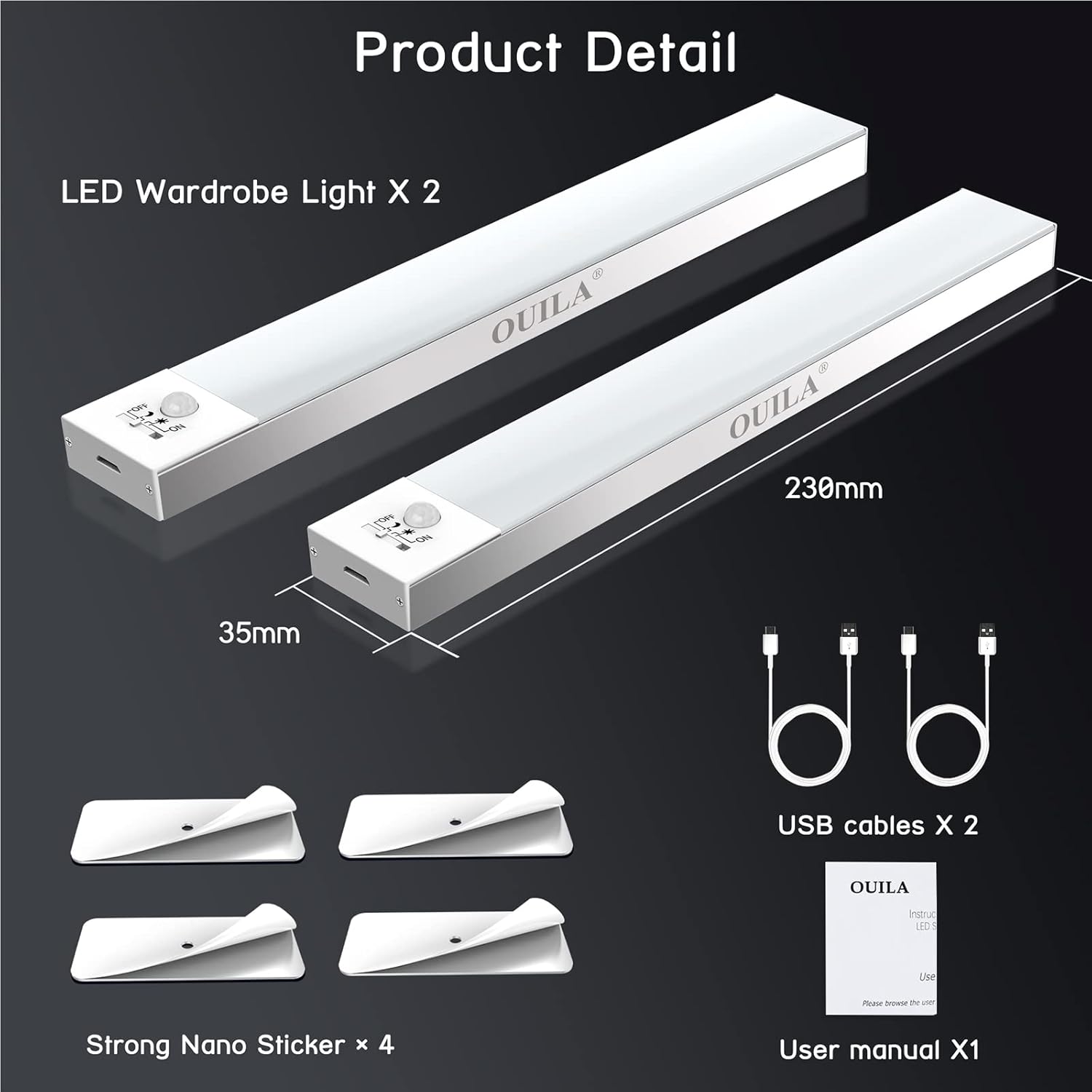
The package includes two LED wardrobe lights, two USB charging cables, and four strong nano stickers for installation.
4. Прадукт скончыўсяview
The OUILA 36 LED Motion Sensor Cabinet Light is designed to provide convenient and efficient illumination with its integrated motion sensor and versatile installation options.
Асноўныя характарыстыкі:
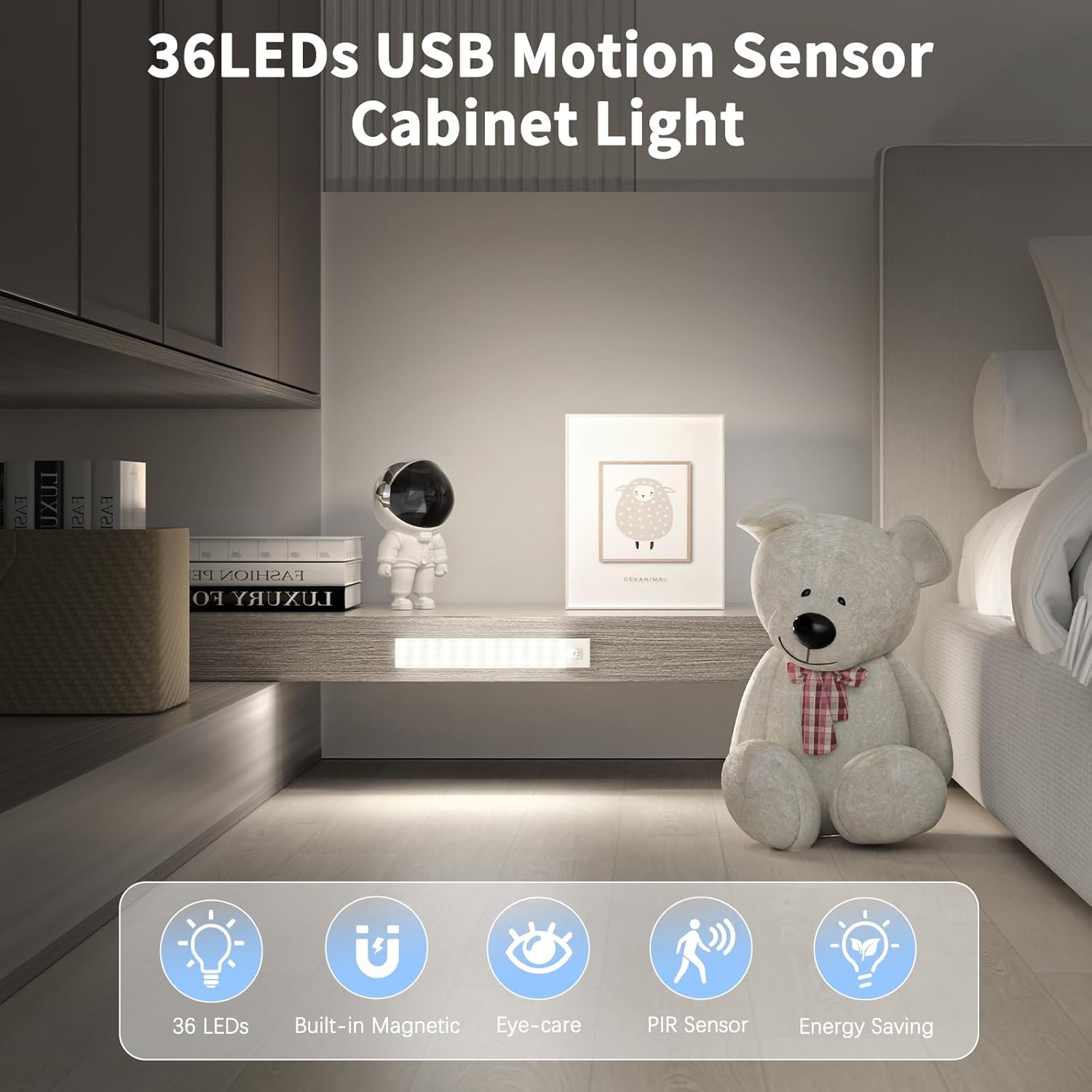
- 36 яркіх святлодыёдаў: Provides 5000K cool white light with a high color rendering index (>80 Ra).
- Built-in Magnetic Design: Дазваляе лёгка мацаваць да металічных паверхняў.
- Датчык руху PIR: Detects human movement within 3-5 meters at a 120° angle.
- 4 рэжымаў асвятлення: Offers flexibility for various lighting needs (Night Sensing, Daytime Sensing, Always ON, OFF).
- USB акумулятар: Equipped with a 1000mAh battery for long-lasting use.
- Eye-Care Illumination: Designed to provide soft, non-glaring light.

The OUILA 36 LED Motion Sensor Cabinet Light features 36 LEDs, a built-in magnetic design, eye-care illumination, a PIR motion sensor, and energy-saving operation.
5. Настройка і ўстаноўка
The OUILA cabinet light offers two primary installation methods:
Method 1: Magnetic Attachment (for Iron Surfaces)
- Ensure the iron surface is clean and dry.
- Simply place the light directly onto the iron surface. The built-in magnets will secure it in place.
Method 2: Adhesive Magnetic Strips (for Non-Iron Surfaces)
- Clean and dry the desired installation surface thoroughly.
- Зніміце ахоўную плёнку з аднаго боку магнітнай палоскі 3M.
- Firmly press the adhesive side onto the clean surface and hold for a few seconds.
- Attach the light to the magnetic strip. The light can be easily removed for charging or repositioning.
The light can be installed directly on iron surfaces using its built-in magnets. For non-iron surfaces, use the included 3M adhesive magnetic strips.
6. Інструкцыя па эксплуатацыі
Зарадка святла:
The light is equipped with a 1000mAh rechargeable battery. To charge:
- Locate the USB charging port on the side of the light.
- Connect the provided USB charging cable to the light and to a USB power source (e.g., USB adapter, computer, power bank).
- A чырвоны індыкатар will illuminate, indicating that the light is charging.
- Пасля поўнай зарадкі індыкатар загарыцца зялёны.
Charging typically takes 3-4 hours. A full charge can provide up to 30 days of use in motion sensor mode, depending on usage frequency.

Connect the included USB cable to the charging port. A red indicator light signifies charging, and a green light indicates a full charge. Charging takes approximately 3-4 hours. The 1000mAh battery provides up to 30 days of use in motion sensor mode.
Выбар рэжымаў асвятлення:
The light features a switch to cycle through four operating modes:
- 1. Night Sensing Mode (Moon Icon): The light will only turn on automatically when human motion is detected in a dark environment. It will turn off after 15-18 seconds if no further motion is detected.
- 2. Daytime Sensing Mode (Sun Icon): The light will turn on automatically when human motion is detected, regardless of the ambient light conditions. It will turn off after 15-18 seconds if no further motion is detected.
- 3. Always ON Mode (ON): The light will remain continuously on, functioning as a constant light source.
- 4. OFF Mode (OFF): The light is turned off and will not activate.

The light offers four modes: Daytime Sensing (auto-on when motion detected, regardless of ambient light), Night Sensing (auto-on when motion detected in dark conditions), ON Mode (light stays on continuously), and OFF Mode (light is off).
7. Тэхнічнае абслугоўванне
- Уборка: Працірайце лямпу мяккай сухой тканінай. Не выкарыстоўвайце абразіўныя ачышчальнікі або растваральнікі.
- Сыход за батарэяй: To prolong battery life, avoid fully discharging the battery frequently. Charge the light regularly, especially if it has not been used for an extended period.
- Абслугоўванне датчыка: Keep the motion sensor clear of obstructions to ensure optimal performance.
8. Выпраўленне непаладак
| праблема | Магчымая прычына | Рашэнне |
|---|---|---|
| Святло не ўключаецца. | Battery is low or depleted. Incorrect mode selected. | Charge the light fully. Ensure the light is not in OFF mode. |
| Датчык руху не працуе. | Light is in Always ON or OFF mode. Ambient light is too bright (for Night Sensing mode). Sensor is obstructed. | Switch to Night Sensing or Daytime Sensing mode. Ensure the environment is dark enough for Night Sensing. Clear any obstructions from the sensor. |
| Кароткі тэрмін службы батарэі. | Frequent activation. Light is in Always ON mode. | Consider using Night Sensing mode in frequently used areas. Avoid using Always ON mode for extended periods if battery life is a concern. Ensure the light is fully charged. |
| Святло падае з паверхні. | Adhesive not properly applied or surface not clean. | Clean the surface thoroughly and reapply the adhesive magnetic strip firmly. Ensure the surface is suitable for adhesive mounting. |
9. Тэхнічныя характарыстыкі
| Асаблівасць | Спецыфікацыя |
|---|---|
| Нумар мадэлі | GLS-C002 |
| Крыніца святла | 36 святлодыёдных лямпачак |
| Каляровая тэмпература | 5000 кельвінаў (халодны белы) |
| Індэкс колераперадачы (CRI) | > 80 Ра |
| Тып батарэі | 2 літый-палімерны акумулятар (у камплекце) |
| Ёмістасць батарэі | 1000 мАг |
| Час зарадкі | 3-4 гадзін |
| Usage Time (Motion Sensor Mode) | Да 30 дзён |
| Дыяпазон датчыка руху | 3-5 метраў |
| Кут датчыка руху | 120° |
| Затрымка аўтаматычнага выключэння | 15-18 seconds (after no motion) |
| Памеры (Д х Ш х У) | 23 см х 3.5 см х 1.4 см |
| Вага | Прыблізна 280.66 грамаў (9.9 унцый) |
| Матэрыял | Алюміній |
| Уваходны кнtage | 5 вольт |
| Ватtage | 2 ват |
| UPC | 650380990738 |
10. Гарантыя і падтрымка
OUILA products are designed for reliability and performance. For warranty information or technical support, please refer to the contact details provided with your purchase or visit the official OUILA website. Please have your model number (GLS-C002) and purchase information ready when contacting support.