
Уводзіны
Thank you for choosing the Acer GPHDS1100T Over-Ear Headset. This manual provides essential information for setting up, operating, and maintaining your headset. Designed for comfort and clear communication, this headset features an omnidirectional microphone, 94 dB sensitivity, and a 3.5 mm jack for plug-and-play connectivity across various devices.

Малюнак 1: Acer GPHDS1100T Over-Ear Headset. This image shows the headset from a front-angled perspective, highlighting the over-ear design and the Acer logo on the earcup.
Змест пакета
Пераканайцеся, што ўсе прадметы прысутнічаюць у пасылцы:
- Acer GPHDS1100T Over-Ear Headset (with integrated cable)
Настройка
- Падключыце гарнітуру: Locate the 3.5 mm audio jack on your computer, laptop, tablet, or smartphone. Insert the headset's 3.5 mm plug firmly into the audio jack. This headset is designed for plug-and-play functionality, requiring no additional drivers for basic operation.
- Адрэгулюйце павязку: Акуратна выцягвайце або ўцягвайце паўзункі агалоўя з абодвух бакоў гарнітуры, пакуль амбушуры не будуць зручна размяшчацца на вушах.
- Размясціце мікрафон: The headset features a flexible, omnidirectional microphone. Adjust the microphone boom so that the microphone is positioned approximately 2-3 centimeters (1 inch) from your mouth for optimal voice clarity.
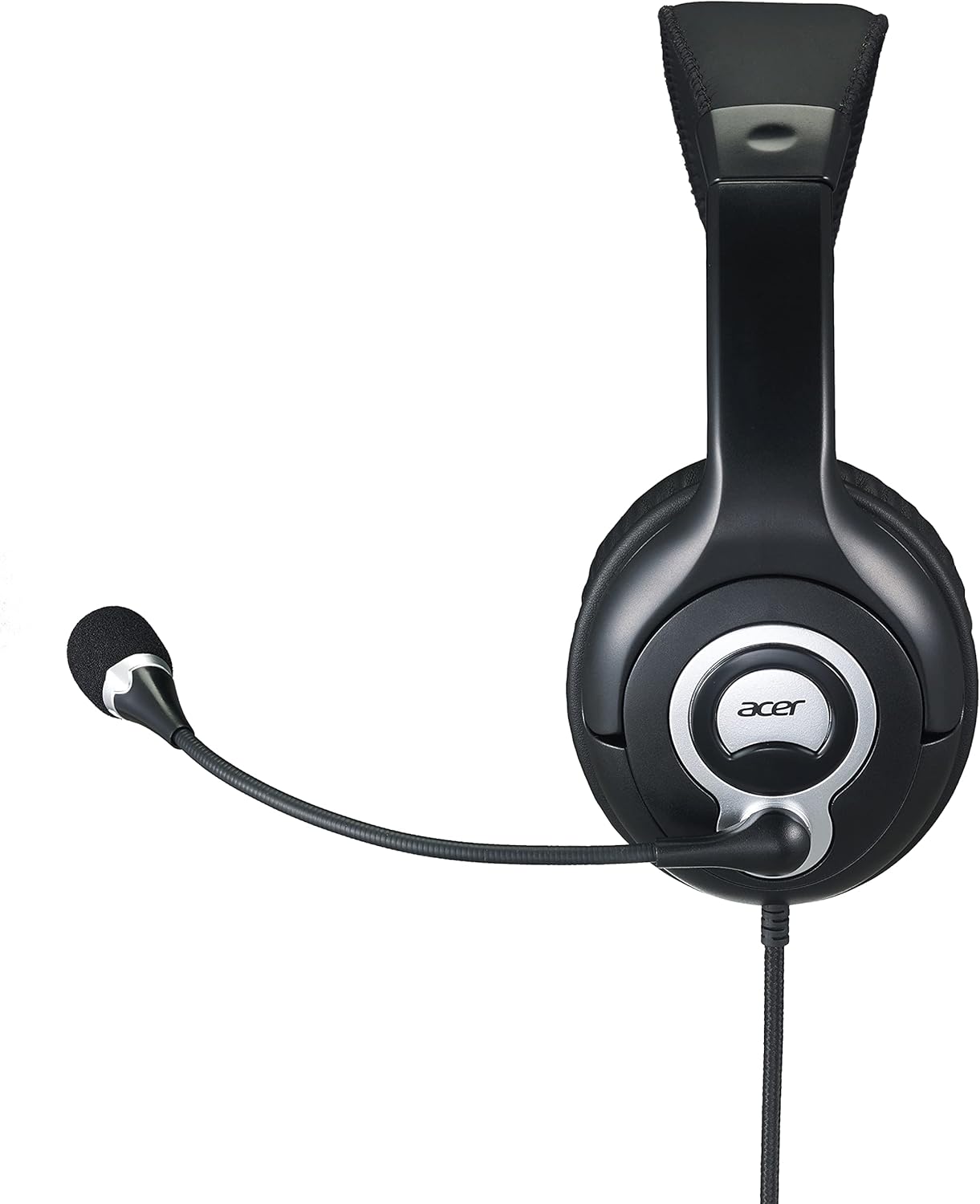
Малюнак 2: Збоку view of the Acer GPHDS1100T headset with the microphone extended, illustrating proper microphone positioning.
Інструкцыя па эксплуатацыі
Прайграванне аўдыё
Once connected, your headset should automatically be recognized by your device. You can then play audio from any application. Adjust the volume using your device's system volume controls.
Выкарыстанне мікрафона
The omnidirectional microphone is suitable for voice calls, online meetings, and gaming. Ensure the microphone is enabled in your device's sound settings if you experience issues. Some applications may have their own microphone volume settings.
Touch Control (If Applicable)
While the specifications mention "Touch Control," specific functions are device-dependent. Refer to your device's audio settings or application documentation for details on how touch controls might interact with your system. Common touch controls on headsets may include volume adjustment or microphone mute/unmute.
Тэхнічнае абслугоўванне
- Уборка: Use a soft, dry cloth to wipe the earcups and headband. For the leather material, a slightly damp можна выкарыстоўваць тканіну, а затым сухую тканіну. Пазбягайце агрэсіўных хімічных рэчываў або абразіўных ачышчальнікаў.
- захоўванне: Захоўвайце гарнітуру ў чыстым, сухім месцы, удалечыні ад экстрэмальных тэмператур і прамых сонечных прамянёў. Пазбягайце заблытвання кабеля.
- Сыход за кабелем: Do not pull the cable forcefully or bend it sharply. This can damage the internal wiring. The cable is retractable, so ensure it retracts smoothly without kinks.

Малюнак 3: Топ view of the Acer GPHDS1100T headset, showing the headband and earcup design, useful for understanding cleaning areas.
Ліквідацыю непаладак
| праблема | Магчымая прычына | Рашэнне |
|---|---|---|
| Няма гуку з гарнітуры |
|
|
| Не працуе мікрафон |
|
|
| Дрэнная якасць гуку |
|
|
Тэхнічныя характарыстыкі
| Марка | Acer |
| Нумар мадэлі | GP.HDS11.00T |
| Размяшчэнне вушэй | Над вухам |
| Тэхналогія падлучэння | Правадная |
| Раз'ём для навушнікаў | 3.5 мм Jack |
| Тып мікрафона | Усенакіраваны |
| Адчувальнасць | 94 дБ |
| АЧХ | 20 Гц - 20 кГц |
| Даўжыня кабеля | 2.4 м |
| Кантроль шуму | Актыўнае падаўленне шуму |
| Тып кіравання | Сэнсарнае кіраванне |
| Матэрыял | Скура (амбушуры) |
| Сумяшчальныя прылады | Ноўтбукі, настольныя кампутары, планшэты, тэлефоны, разумныя калонкі, тэлевізары, мабільныя тэлефоны |

Малюнак 4: Вуглавы view of the Acer GPHDS1100T headset, showcasing the overall design and the flexible microphone.
Гарантыя і падтрымка
Каб атрымаць інфармацыю аб гарантыі і тэхнічнай падтрымцы, звярніцеся да афіцыйнага сайта Acer. webсайт або звярніцеся да прадаўца. Захоўвайце чэк аб куплі для прэтэнзій па гарантыі.
Optional protection plans may be available for extended coverage. Please check with your retailer for details on available plans.