
Crosscall 1001011101114
Crosscall CORE-M5 User Manual
Мадэль: 1001011101114
Уводзіны
This manual provides comprehensive instructions for the setup, operation, maintenance, and troubleshooting of your Crosscall CORE-M5 rugged smartphone. Designed for durability and performance in challenging environments, the CORE-M5 is built to withstand various conditions while providing essential communication and smart device functionalities.
Калі ласка, уважліва прачытайце гэтую інструкцыю перад выкарыстаннем прылады, каб забяспечыць яе належную працу і максімальна падоўжыць тэрмін яе службы.
Змест пакета
Пасля адкрыцця ўпакоўкі пераканайцеся, што ўсе прадметы наяўныя:
- Crosscall CORE-M5 Device
- USB-кабель для зарадкі
- Кароткае кіраўніцтва
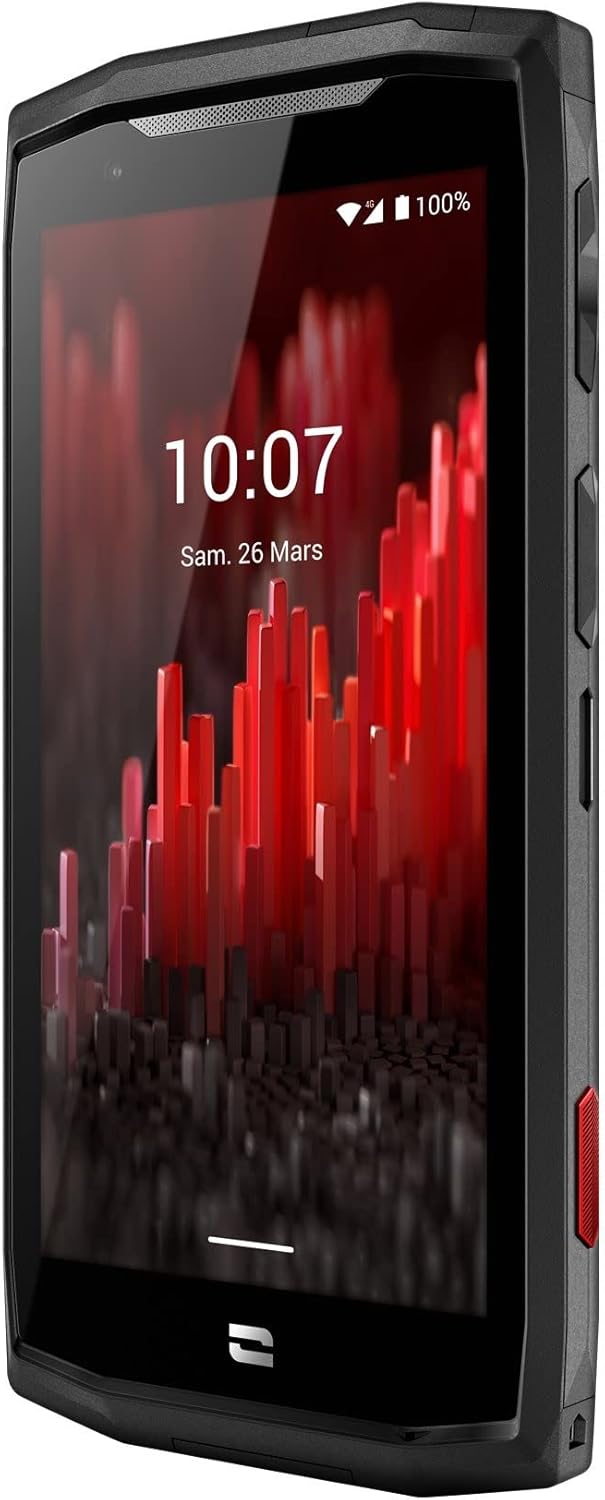
Выява: Пярэдні кут view of the Crosscall CORE-M5 device, highlighting its robust design and display.
Настройка
1. Устаўка SIM-карты і карты памяці
The CORE-M5 supports SIM cards for cellular connectivity and an optional memory card for expanded storage. Locate the SIM/memory card tray on the side of the device.
- Цалкам выключыце прыладу.
- Use the provided SIM ejector tool (or a small paperclip) to open the SIM/memory card tray.
- Carefully place your SIM card(s) and/or memory card into the designated slots on the tray, ensuring correct orientation as indicated on the tray.
- Акуратна націсніце латок назад у прыладу, пакуль ён не ўстане на месца са пстрычкай.

Image: A user demonstrating the insertion of a SIM card into the device's slot.
2. Пачатковая зарадка
Before first use, it is recommended to fully charge your CORE-M5.
- Падключыце кабель зарадкі USB да порта зарадкі прылады.
- Падключыце другі канец кабеля да сумяшчальнага адаптара харчавання USB або USB-порта кампутара.
- The charging indicator on the screen will show the charging status. Allow the device to charge until the battery icon indicates a full charge.
3. Уключэнне і пачатковая канфігурацыя
- Press and hold the Power button (usually located on the side) until the Crosscall logo appears.
- Выконвайце падказкі на экране, каб завяршыць пачатковую наладу, у тым ліку выбар мовы, падключэнне да Wi-Fi, наладу ўліковага запісу Google і налады бяспекі.
Operating the CORE-M5
Базавая навігацыя
- Сэнсарны экран: Navigate the device using taps, swipes, and pinch gestures on the 4.95-inch touchscreen display.
- Кнопка харчавання: Press to turn the screen on/off, or press and hold to power off/restart the device.
- Кнопкі гучнасці: Адрэгулюйце гучнасць мультымедыя, гучнасць выклікаў або гучнасць мелодыі званка.
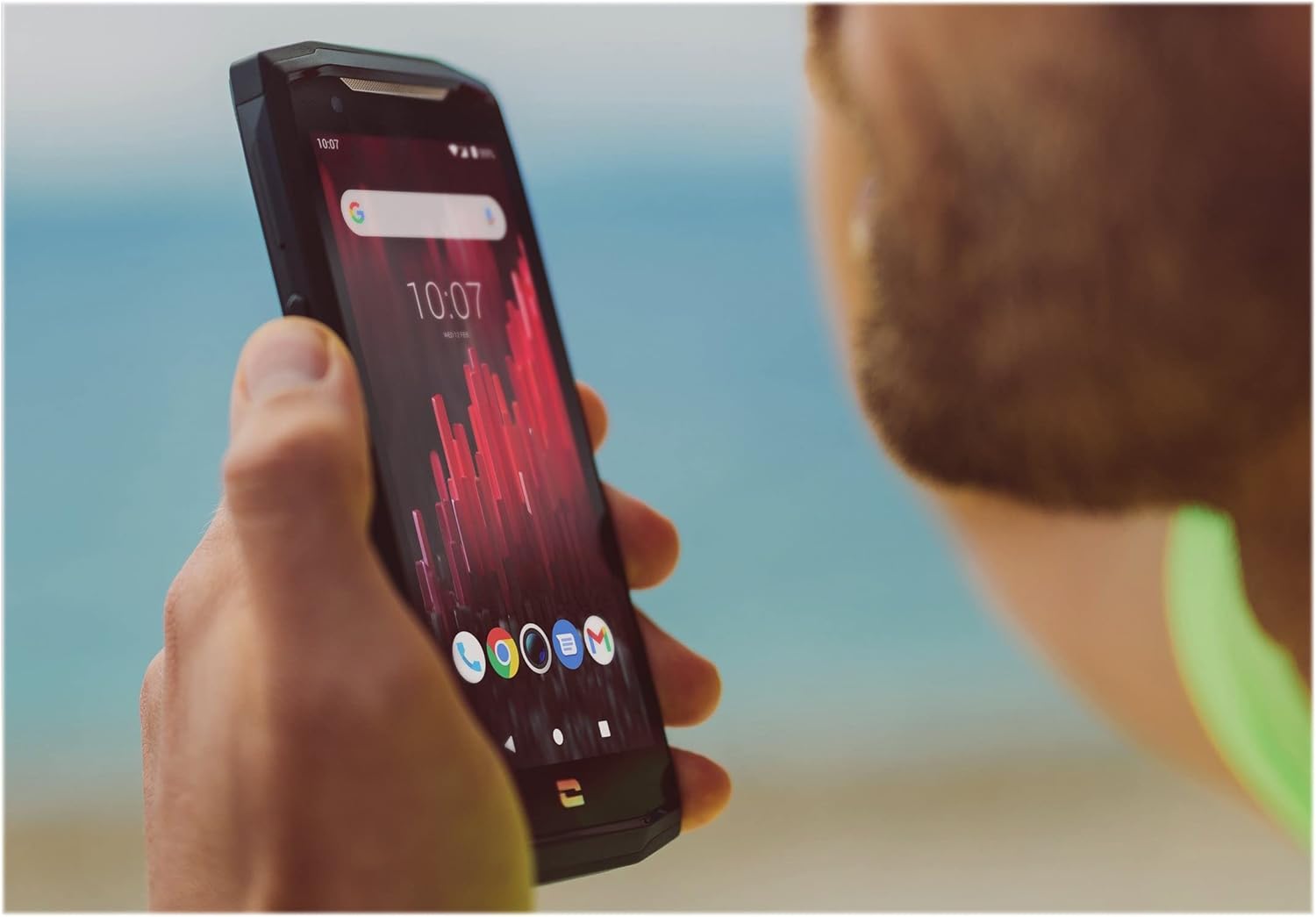
Image: The CORE-M5 in use, demonstrating its compact size and clear display for outdoor visibility.
Сувязь
- Wi-Fi: Access Wi-Fi settings from the Quick Settings panel or Settings app to connect to wireless networks.
- Bluetooth: Pair with Bluetooth devices such as headphones, speakers, or other smartphones via the Bluetooth settings.
- USB: Connect the device to a computer using the USB cable for data transfer or charging.
- Сотавыя дадзеныя: Enable or disable mobile data from the Quick Settings or Network & Internet settings. Supports 2G and 3G cellular technologies.
Функцыянальнасць камеры
The CORE-M5 features both front and rear cameras for capturing photos and videos.
- Адкрыйце праграму «Камера» на галоўным экране або ў панэлі праграм.
- Націсніце кнопку спуску засаўкі, каб зрабіць фотаздымак, або пераключыцеся ў рэжым відэаздымкі для запісу.
- Выкарыстоўвайце элементы кіравання на экране, каб пераключацца паміж пярэдняй і задняй камерамі, рэгуляваць маштаб або ўжываць фільтры.
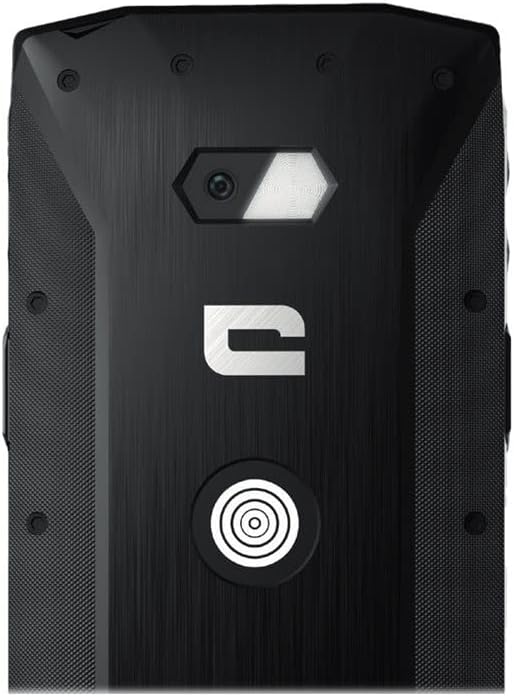
Выява: Падрабязная view of the CORE-M5's rear, highlighting the camera module and the X-Link magnetic connection system.
X-Link System
The CORE-M5 is equipped with Crosscall's X-Link magnetic connection system on the back, allowing for easy attachment of compatible accessories such as chargers, mounts, and external batteries.
- Align the X-Link accessory with the magnetic connector on the back of your CORE-M5.
- The magnets will guide the accessory into place, ensuring a secure connection.

Image: The CORE-M5 securely mounted in a vehicle, demonstrating the utility of the X-Link system for hands-free use.
Тэхнічнае абслугоўванне
- Уборка: Выкарыстоўвайце мяккі, damp cloth to clean the device. Avoid harsh chemicals or abrasive materials. Ensure all ports are closed before cleaning if exposed to water.
- Устойлівасць да вады і пылу: The CORE-M5 is designed to be rugged. However, ensure all port covers are securely closed to maintain water and dust resistance. Avoid prolonged submersion beyond specified limits.
- Сыход за батарэяй: To prolong battery life, avoid extreme temperatures. Do not allow the battery to fully discharge frequently.
- Абнаўленні праграмнага забеспячэння: Рэгулярна правярайце наяўнасць абнаўленняў сістэмы і ўсталёўвайце іх, каб забяспечыць аптымальную прадукцыйнасць і бяспеку.
Ліквідацыю непаладак
| праблема | Магчымая прычына | Рашэнне |
|---|---|---|
| Прылада не ўключаецца | Нізкі зарад батарэі; праграмны збой | Зараджайце прыладу не менш за 30 хвілін. Выканайце прымусовы перазапуск, утрымліваючы кнопку харчавання на працягу 10-15 секунд. |
| Экран не рэагуе | Часовы збой праграмнага забеспячэння | Restart the device. If unresponsive, perform a forced restart. |
| Poor call quality / No network | Weak signal; incorrect SIM insertion; network issue | Move to an area with better signal. Reinsert the SIM card. Contact your network provider. |
| Збоі або завісанні праграм | Insufficient memory; app conflict; outdated software | Close background apps. Clear app cache/data. Update apps and system software. Free up storage space. |
Тэхнічныя характарыстыкі
| Асаблівасць | Дэталь |
|---|---|
| Назва мадэлі | 1001011101114 |
| Марка | Кроскол |
| Аперацыйная сістэма | Android |
| Мадэль працэсара | Кара |
| Памер экрана | 4.95 цалі |
| дазвол | 1026 х 513 |
| АЗП | 3 ГБ |
| Ёмістасць памяці | 32 ГБ |
| Ёмістасць батарэі | 4000 мАг |
| Час размовы па тэлефоне | 24 гадзін |
| Сувязь | Bluetooth, Wi-Fi, USB |
| Сотавая тэхналогія | 2G, 3G |
| Аператар бесправадной сувязі | Адмыкнутая |
| Камеры | Ззаду, спераду |
| Колер | Чорны |
| Памеры прадукту | 4.25 х 0.79 х 4.25 цалі |
| Вага прадмета | 8 унцыі (226.6 грама) |
| Першы даступны | 21 верасня 2021 г |
Гарантыя і падтрымка
Crosscall products are known for their durability and come with a manufacturer's warranty. For specific warranty terms and conditions, please refer to the warranty card included with your product or visit the official Crosscall webсайт.
For technical support, troubleshooting assistance, or service requests, please contact Crosscall Customer Service through their official channels. Have your product model number (1001011101114) and purchase information ready when contacting support.
Official Crosscall Webсайт: www.crosscall.com