
MARKLIFE P50
MARKLIFE Label Maker Machine User Manual
Model: P50 | Brand: MARKLIFE
Прадукт скончаныview
The MARKLIFE P50 Label Maker is a mini portable Bluetooth thermal label printer designed for various labeling needs in homes, offices, and small businesses. It utilizes thermal printing technology, eliminating the need for ink or toner, and supports black and white printing.
Асноўныя функцыі ўключаюць у сябе:
- Шырокае прымяненне: Supports label widths from 0.59'' to 2.24'', suitable for address, clothing, price, cable, jewelry, and ingredient labels.
- Бесправадныя і партатыўныя: Lightweight design with Bluetooth 4.0 connectivity for convenient, smooth, and fast printing from smartphones (Android & iOS) within 33 feet.
- Smart Printing Features: Offers voice and image recognition, barcode generation from scans, PDF batch printing, and the ability to print photos on labels. USB connection and online software are available for Windows PC.
- Трывалыя этыкеткі: Labels are designed to be tear-proof, watertight, and oil-proof, ensuring longevity.
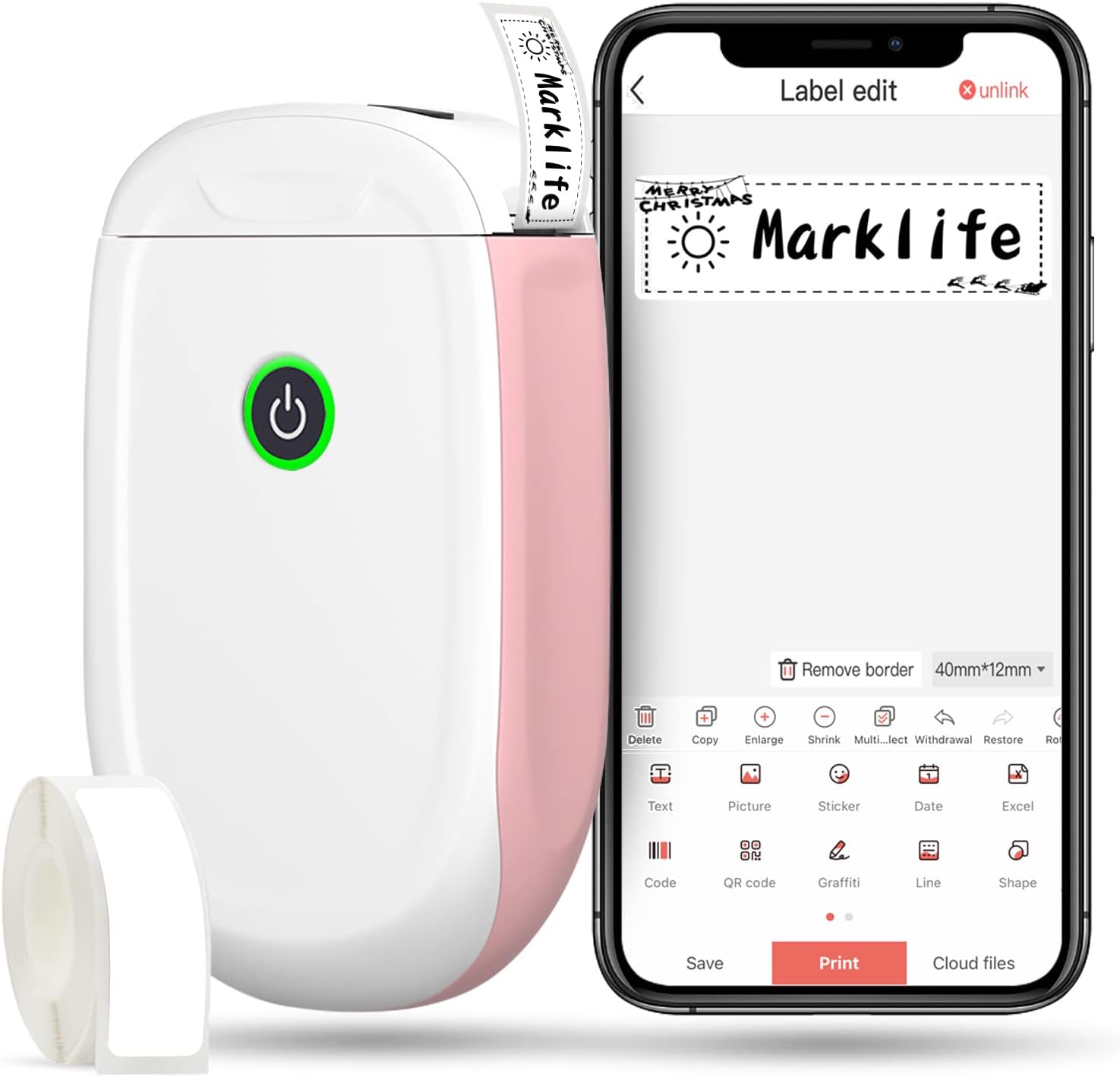
Figure 1: MARKLIFE P50 Label Maker and companion app.
Кіраўніцтва па ўстаноўцы
Follow these steps to set up your MARKLIFE P50 Label Maker:
- Load Label Paper: Open the cover and insert the label roll with the printing side facing up. Close the cover securely.
- Спампаваць прыкладанне: Пошук "Marklife" in your smartphone's app store (available for Android and iOS) and install it.
- Уключыце Bluetooth: Уключыце Bluetooth на вашым смартфоне.
- Падключэнне да прылады: Open the Marklife app, turn on the labeler, and connect to the device via Bluetooth. The device name will typically start with "P11" or "P50".

Figure 2: Quick setup guide for the Marklife P50.
Video 1: Demonstrates the setup and basic usage of the Marklife P11 (similar to P50) label maker, including loading paper, connecting via Bluetooth, and printing a label.
Інструкцыя па эксплуатацыі
Once connected, you can begin creating and printing labels:
- Choose a Template: In the Marklife app, select from various pre-designed templates or start a new blank label.
- Рэдагаваць змест этыкеткі: Double-click on the label area to input text. You can customize font, size, alignment, and add elements like images, icons, dates, or barcodes.
- прэview і раздрукаваць: Перад друкам, прадview your label to ensure it looks as desired. Then, tap the "Print" button to send the design to the label maker.
- Дадатковыя магчымасці:
- Штрых-код/QR-код: Generate barcodes or QR codes directly from the app. Exampштрых-код: 46745875478655
- Image Recognition (OCR): Use your phone's camera as an OCR scanner within the app to convert text from images into editable label content.
- Пакетны друк: Print multiple labels from a PDF or a list for efficiency.
- Настройка: Access over 600 combinations of templates, 9 languages, 600+ symbols, 27+ frames, and 15+ fonts.

Figure 3: Customize your own labels with various design elements.

Figure 4: Many designing items available in the app.
Тэхнічнае абслугоўванне
To ensure the longevity and optimal performance of your MARKLIFE P50 Label Maker, follow these maintenance guidelines:
- Уборка: Рэгулярна працірайце знешнія паверхні прылады мяккай сухой тканінай. Для друкавальнай галоўкі выкарыстоўвайце ватовы тампон, злёгку працёртыampened with rubbing alcohol, ensuring the device is off and disconnected from power. Allow it to dry completely before use.
- захоўванне: Захоўвайце прыладу для вырабу этыкетак у прахалодным, сухім месцы, удалечыні ад прамых сонечных прамянёў і экстрэмальных тэмператур.
- Сыход за рулонам этыкетак: Захоўвайце нявыкарыстаныя рулоны этыкетак у арыгінальнай упакоўцы, каб абараніць іх ад пылу і вільгаці.
- Сыход за батарэяй: Для аптымальнага тэрміну службы батарэі рэгулярна зараджайце прыладу, нават калі яна выкарыстоўваецца рэдка. Пазбягайце поўнай разрадкі батарэі на працяглы час.

Figure 5: Thermal printing technology requires no ink, simplifying maintenance.

Figure 6: Labels are designed for durability and resistance to water and oil.
Ліквідацыю непаладак
If you encounter issues with your MARKLIFE P50 Label Maker, try the following solutions:
| праблема | Магчымая прычына | Рашэнне |
|---|---|---|
| Прылада не ўключаецца. | Нізкі акумулятар. | Зарадзіце прыладу з дапамогай USB-кабеля, які ўваходзіць у камплект. |
| Немагчыма падключыцца праз Bluetooth. | Bluetooth is off on phone/device, or device is out of range. | Ensure Bluetooth is enabled on your phone and the label maker is within 33 feet. Restart both devices. |
| Дрэнная якасць друку або пустыя этыкеткі. | Incorrect label paper loading, dirty print head, or low battery. | Re-load label paper correctly. Clean the print head. Charge the device. |
| Праграма завісае або выходзіць з ладу. | Праграмны збой або састарэлая версія праграмы. | Restart the app. Check for app updates in your app store. Reinstall the app if necessary. |
| Этыкеткі падаюцца няправільна. | Paper jam or incorrect paper type. | Open the cover and clear any jammed paper. Ensure you are using compatible Marklife label rolls. |
Тэхнічныя характарыстыкі
| Асаблівасць | Дэталь |
|---|---|
| Назва мадэлі | P50 |
| Марка | МАРКЛАЙФ |
| Тэхналогія друку | Цеплавы |
| Тэхналогія падлучэння | Bluetooth |
| Вывад на прынтэр | Monochrome (Black ink) |
| Максімальная хуткасць друку (монахромны) | 30 праміле |
| Максімальны памер носьбіта | 3 х 5 цаляў |
| Дыяпазон шырыні этыкеткі | 0.59'' - 2.24'' |
| Вага прадмета | 9.6 унцыі (272 грама) |
| Памеры прадукту | 3.14 х 5.5 х 1.18 цалі (прыблізна 7.5 х 13.6 х 2.8 см) |
| Сумяшчальныя прылады | Android & iOS mobile devices, Windows PC (via USB) |
| Уключаныя кампаненты | Label Maker, Label Tape |
Прыкладанні
The MARKLIFE P50 Label Maker is versatile and can be used in various scenarios:
- Арганізацыя дома: Labeling spice jars, storage containers, baby items, and personal belongings.
- Выкарыстанне ў офісе: Арганізацыя files, marking cables, labeling office tools, and creating name tags. Прampштрых-код: 6953124066961
- Малы бізнес: Стварэнне цаны tags, product labels, barcode labels, and shipping labels for retail, clothing, and jewelry.
- Асабістае выкарыстанне: Labeling gifts, creating custom stickers, and marking food expiration dates.
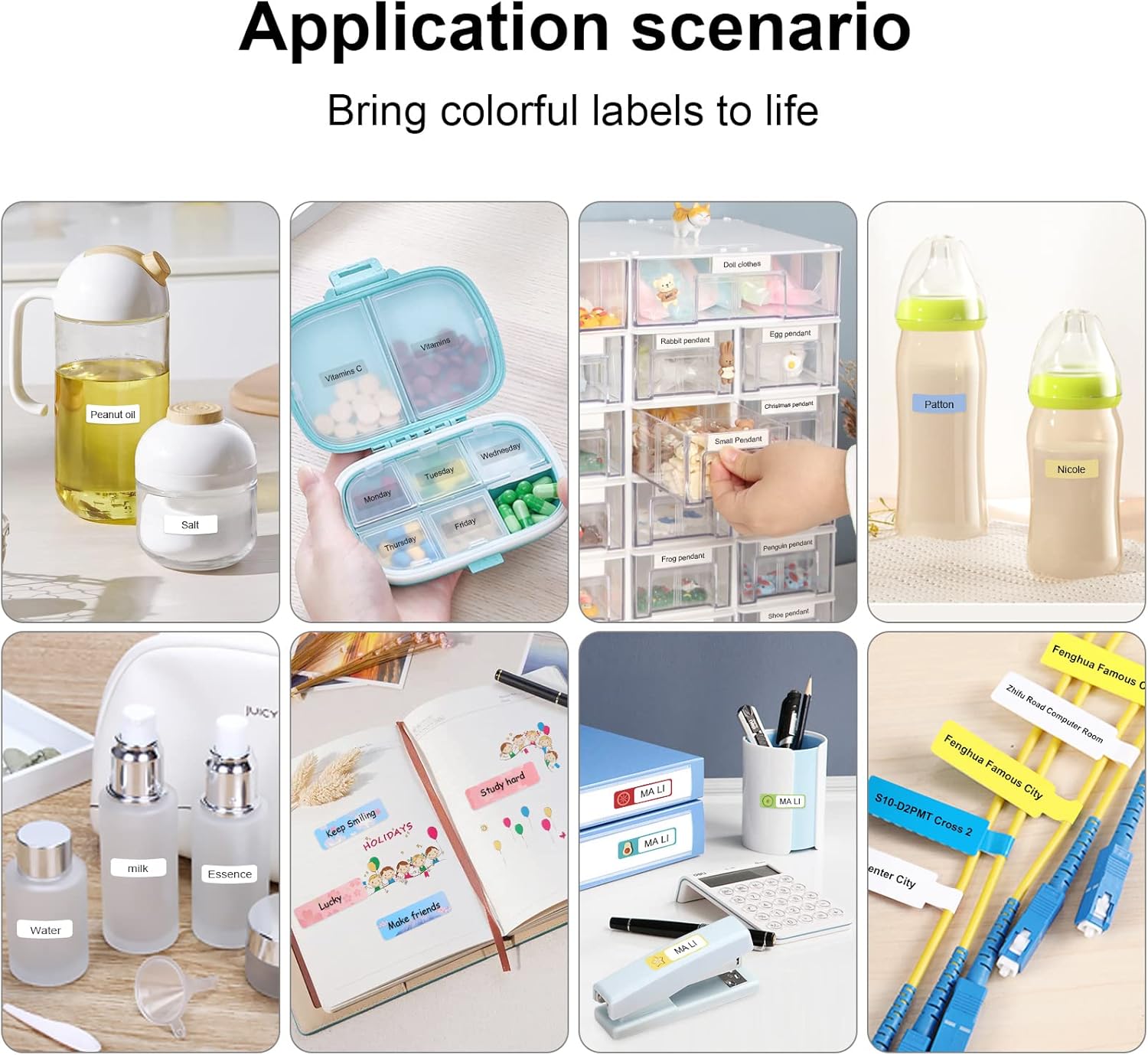
Figure 7: Diverse application scenarios for home and personal use.
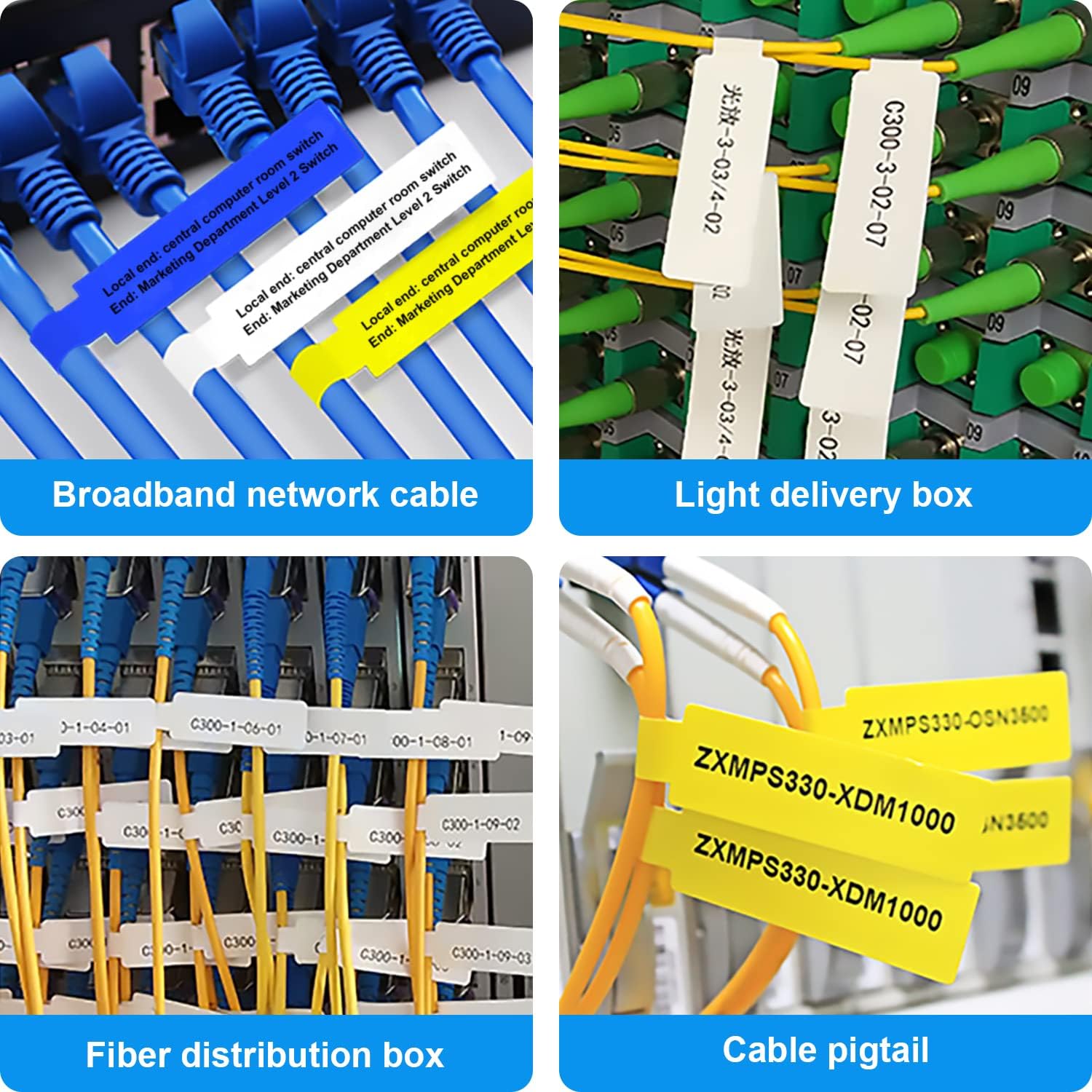
Figure 8: Labeling solutions for various types of cables and wiring.

Figure 9: Practical applications for office organization.

Figure 10: Creative uses for gift labeling.
Гарантыя і падтрымка
MARKLIFE products are designed for reliability and performance. For specific warranty information and support, please refer to the warranty card included with your product or visit the official MARKLIFE website. For common inquiries, please consult the troubleshooting section of this manual or the FAQ section within the Marklife app.
You can also visit the official MARKLIFE store on Amazon for more information and product updates: MARKLIFE Store.