
Leipan DM9-7" Digital Microscope
Leipan 7-inch LCD Digital Microscope User Manual
Model: DM9-7" Digital Microscope
1. Прадукт скончыўсяview
The Leipan DM9-7" Digital Microscope is a versatile tool designed for detailed observation, featuring a 7-inch rotatable HD screen, 12MP camera, and up to 1200X magnification. It is suitable for various applications including coin inspection, circuit board repair, and educational exploration.
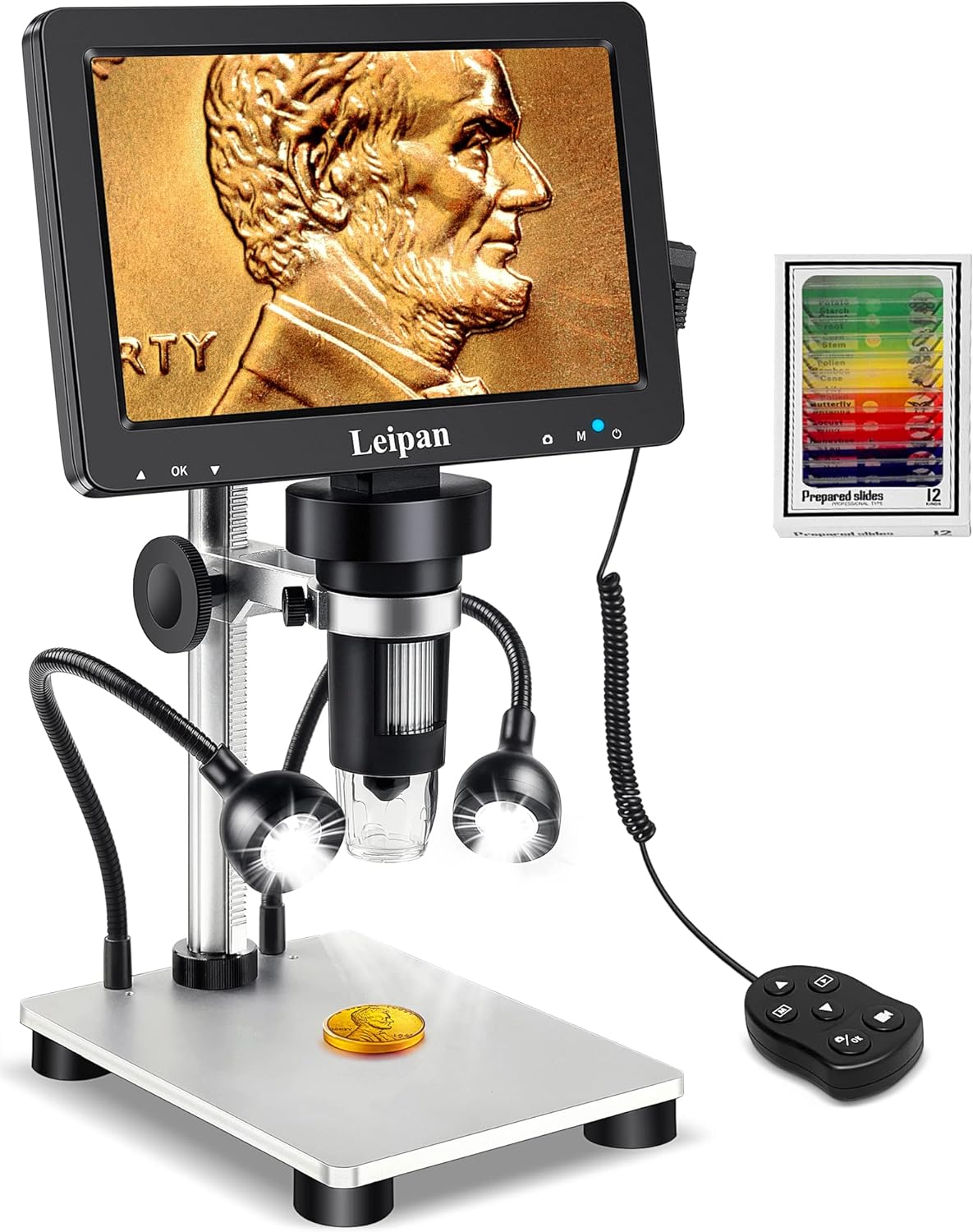
Figure 1.1: Leipan DM9-7" Digital Microscope with included accessories.
Асноўныя характарыстыкі:
- 7-inch Rotatable HD Screen (1080P)
- 12MP Focusing Camera for High-Quality Images and Videos
- Continuous 10X-1200X Magnification
- 8 Adjustable LED Lights + 2 Flexible Side Lights
- PC Compatibility (Windows and Mac OS)
- Photo and Video Recording Functionality with Wired Remote
- Height Adjustable Solid Metal Holder and Base
2. Кіраўніцтва па наладцы
2.1 Распакоўка і зборка
Carefully remove all components from the packaging. Assemble the microscope stand and attach the main unit, ensuring all connections are secure. The metal base provides stability for various applications.
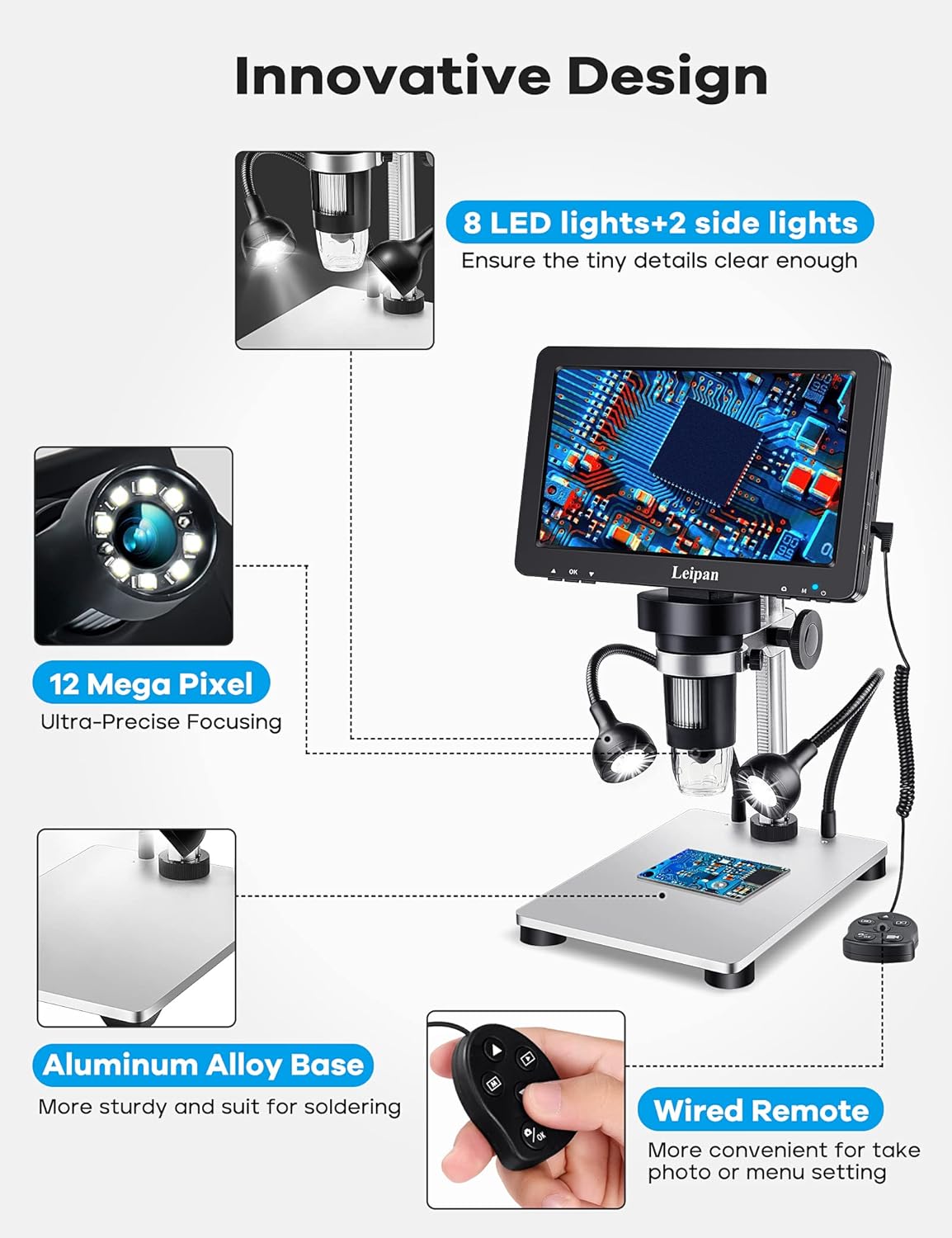
Figure 2.1: Component overview and innovative design features.
2.2 Уключэнне і першае падключэнне
Connect the microscope to a power source using the provided USB cable. The device can be powered via a standard USB adapter or a computer USB port. Press the power button to turn on the microscope.
Video 2.2: Demonstrates how to charge and power on the Leipan DM9 microscope.
2.3 Connecting to a PC (Windows/Mac OS)
каб view images on a larger screen, connect the microscope to your PC or laptop using a data cable. No additional software download is required. For Windows 10, use the default "Windows Camera" application. For iMac/MacBook, use "Photo Booth."
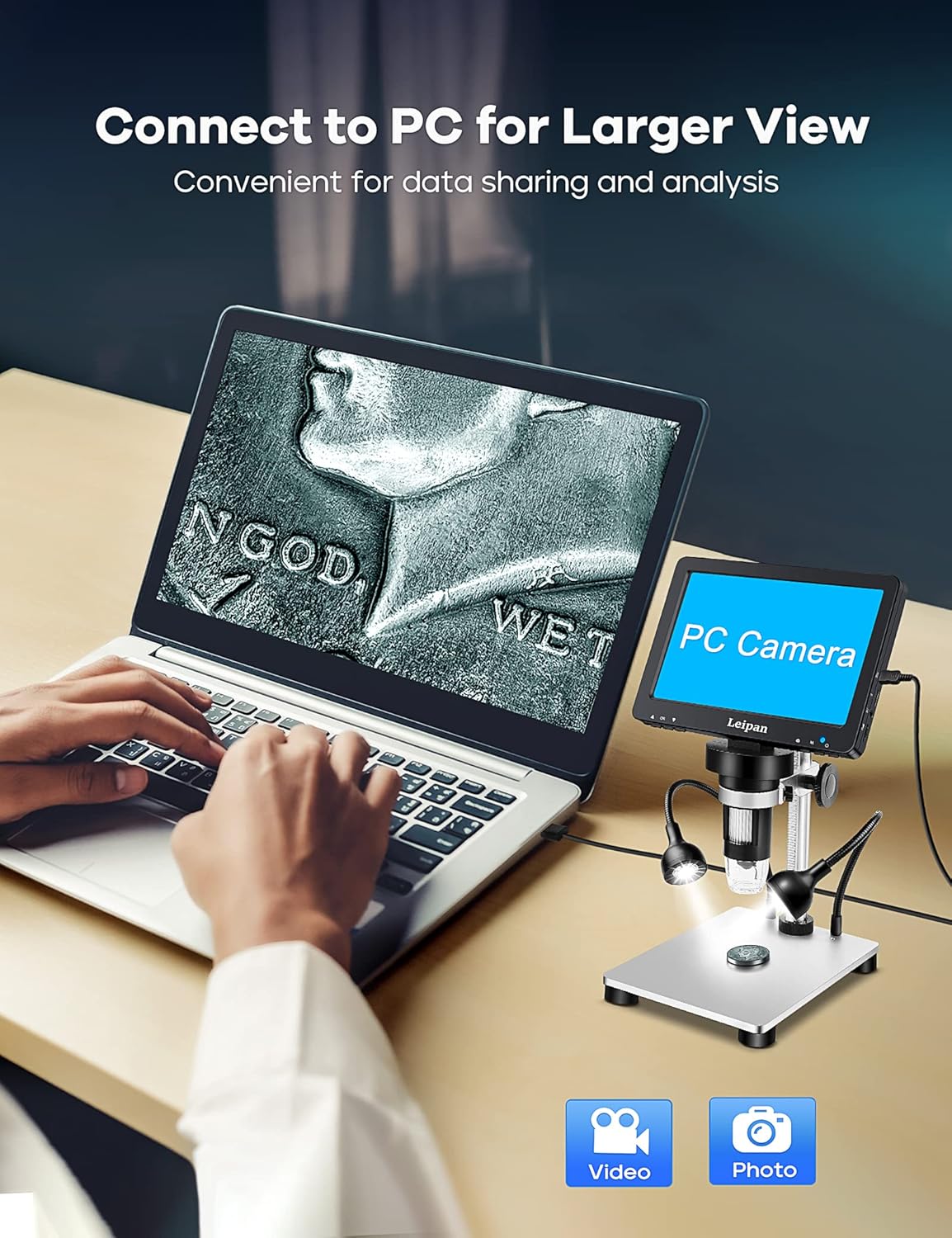
Figure 2.3: Connecting the microscope to a PC for a larger view.
Video 2.4: Instructions on how to connect the Leipan DM9 to a computer and use it as a PC camera.
3. Інструкцыя па эксплуатацыі
3.1 Рэгуляванне павелічэння і фокусу
The microscope offers continuous magnification from 10X to 1200X. Rotate the focus wheel on the main unit to achieve a clear image. The actual magnification observed will vary based on the screen size and the distance between the camera and the object.

Малюнак 3.1: Выпampузроўняў павелічэння ад 10X да 1200X.
3.2 Кіраванне асвятленнем
The microscope is equipped with 8 adjustable LED illuminators and 2 flexible side lights. Adjust the brightness and position of the side lights to ensure all parts of your specimen are clearly illuminated, especially for objects with complex surfaces.
Video 3.2: Guide on how to turn on and adjust the side lights for optimal viewінж.
3.3 Фота- і відэазапіс
Capture 12MP photos (4023*3024) and record 1080FHD videos (1920*1080 at 30fps). You can take photos and videos by pressing the button on the main unit or by using the wired remote control. Using the wired remote is recommended to minimize camera shake and achieve clearer results.

Figure 3.3: The microscope's capability to capture high-quality photos and videos.
Відэа 3.4: Оверview of the Leipan 7-inch digital microscope's features and operational aspects.
3.4 Screen and Stand Adjustment
The 7-inch screen is rotatable up to 90 degrees, allowing you to find the most comfortable viewing angle and reduce eye and neck strain during prolonged use. The robust metal stand is height-adjustable, providing flexibility for various object sizes and observation needs.
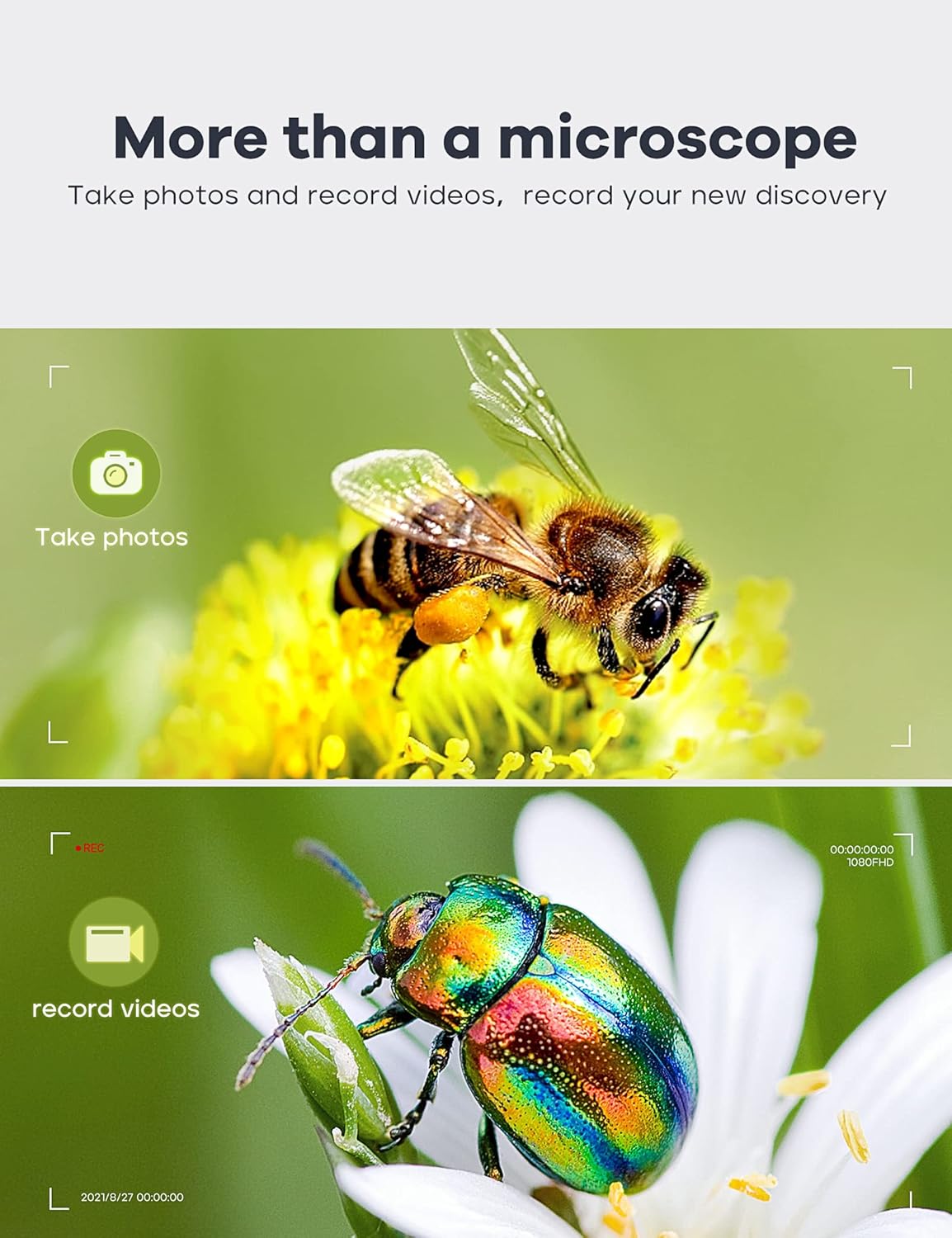
Figure 3.5: Adjustable stand and screen for ergonomic viewінж.
4. Тэхнічнае абслугоўванне
4.1 Ачыстка
To maintain optimal performance, regularly clean the microscope's lens and screen. Use a soft, lint-free cloth for the screen. For the lens, use a specialized lens cleaning solution and cloth to avoid scratches. Ensure the device is powered off and disconnected from power before cleaning.
4.2 Захоўванне
Store the microscope in a dry, dust-free environment when not in use. Avoid exposing it to extreme temperatures or direct sunlight. If storing for an extended period, ensure the battery is partially charged (around 50%) to prolong its lifespan.
4.3 Сыход за акумулятарам
The microscope uses a Lithium Ion battery. For long-term usage exceeding 30 minutes, it is recommended to keep the power connection plugged in. Avoid fully discharging the battery frequently to maintain its health.
5. Выпраўленне непаладак
5.1 Няма харчавання/Прылада не ўключаецца
- Ensure the power cable is securely connected to both the microscope and the power source.
- Пераканайцеся, што крыніца харчавання актыўная.
- Allow the battery to charge for at least 30 minutes if it was completely depleted.
- Паспрабуйце іншы кабель USB або адаптар сілкавання.
5.2 Размытае выява
- Adjust the focus wheel on the main unit until the image is clear.
- Ensure the object is placed directly under the lens and within the optimal working distance.
- Ачысціце аб'ектыў, калі на ім ёсць плямы або пыл.
5.3 PC Connection Issues
- Пераканайцеся, што USB-кабель правільна падключаны як да мікраскопа, так і да кампутара.
- On the microscope screen, select "PC Camera" mode when prompted after connecting to the computer.
- Verify that your computer's camera application (e.g., "Windows Camera" or "Photo Booth") is open and selected the microscope as the input device.
- Паспрабуйце іншы порт USB на вашым кампутары.
6. Тэхнічныя характарыстыкі
| Асаблівасць | Спецыфікацыя |
|---|---|
| Марка | Лейпан |
| Нумар мадэлі | LP-DM9 |
| Памеры прадукту | 9.5 х 8.2 х 3.3 цалі (24.13 х 20.83 х 8.38 см) |
| Вага прадмета | 2.82 фунта (1.28 кілаграма) |
| Памер экрана | 7 цаляў |
| Павелічэнне | 10X-1200X |
| Дазвол камеры | 12MP (4023*3024) |
| Дазвол відэа | 1080FHD (1920*1080 30fps) |
| Тып крыніцы святла | LED (8 main, 2 flexible side lights) |
| Матэрыял | Metal (Aluminum Alloy Base) |
| Крыніца харчавання | 5 Volts (DC), 1 Lithium Ion battery required |
| Сумяшчальныя прылады | Laptop (Windows, Mac OS) |
7. Гарантыя і падтрымка
7.1 Інфармацыя аб гарантыі
Leipan digital microscopes are manufactured under strict quality standards. We provide a 3-year worry-free warranty from the date of purchase. This warranty covers manufacturing defects and issues arising from normal use.
7.2 Падтрымка кліентаў
For any issues, questions, or support needs, please do not hesitate to contact our customer service team. We offer 7*24 hours customer service and are committed to providing a satisfied solution.
Please refer to your purchase documentation or the Leipan official webсайт для атрымання канкрэтнай кантактнай інфармацыі.