
NC USB Programming Cable 3.5MM Pin
USB Programming Cable User Manual
Model: USB Programming Cable 3.5MM Pin
Уводзіны
This manual provides essential information for the proper use and maintenance of your USB Programming Cable. This cable is designed to connect your compatible radio to a personal computer, enabling you to program settings and frequencies using appropriate software.
Тэхнічныя характарыстыкі прадукту
| Марка | NC |
| Даўжыня | 100 см (39.37 цалі) |
| Вага | 30 г (1.06 унцыі) |
| Дыяметр штыфта | 3.5 мм |
| Тып інтэрфейсу | USB 2.0 |
| Тып раздыма | Auxiliary, USB 2.0 |
| Тып кабеля | USB |
| Колер | Чорны |
| Асаблівасць | Блытанне бясплатна |
| Пол злучальніка | Мужчына да мужчыны |
| Форма | Круглая |
| Сумяшчальныя прылады | PC |
| Выкарыстанне ў памяшканні/на вуліцы | На адкрытым паветры, у памяшканні |
Змест пакета
- 1 × USB Programming Cable for YAESU & VERTEX Radio
Compatible Radio Models
This programming cable is compatible with the following YAESU & VERTEX radio models:
- VX-1R
- VX-2R
- VX-3R
- VX-5R
- VX-168
- VX-160
- FT-60R
- ...and other single-hole series YAESU & VERTEX radios.
Інструкцыя па наладзе
- Install Driver Software: Before connecting the cable, ensure you have installed the necessary USB driver software for the programming cable on your computer. This software is typically provided with the cable or available for download from the manufacturer's webсайт.
- Install Radio Programming Software: Obtain and install the specific programming software for your radio model (e.g., YAESU or VERTEX programming software). This software is essential for configuring your radio.
- Connect Cable to PC: Insert the USB end of the programming cable into an available USB port on your computer.
- Connect Cable to Radio: Carefully insert the 3.5mm pin end of the cable into the programming port of your compatible radio. Ensure a secure connection.
- Уключэнне радыё: Уключыце радыё.
- Запуск праграмнага забеспячэння: Open the radio programming software on your computer.
- Configure Software Port: Within the programming software, navigate to the communication settings or port settings. Select the correct COM port that corresponds to the newly connected USB programming cable. This port number can usually be found in your computer's Device Manager under "Ports (COM & LPT)".
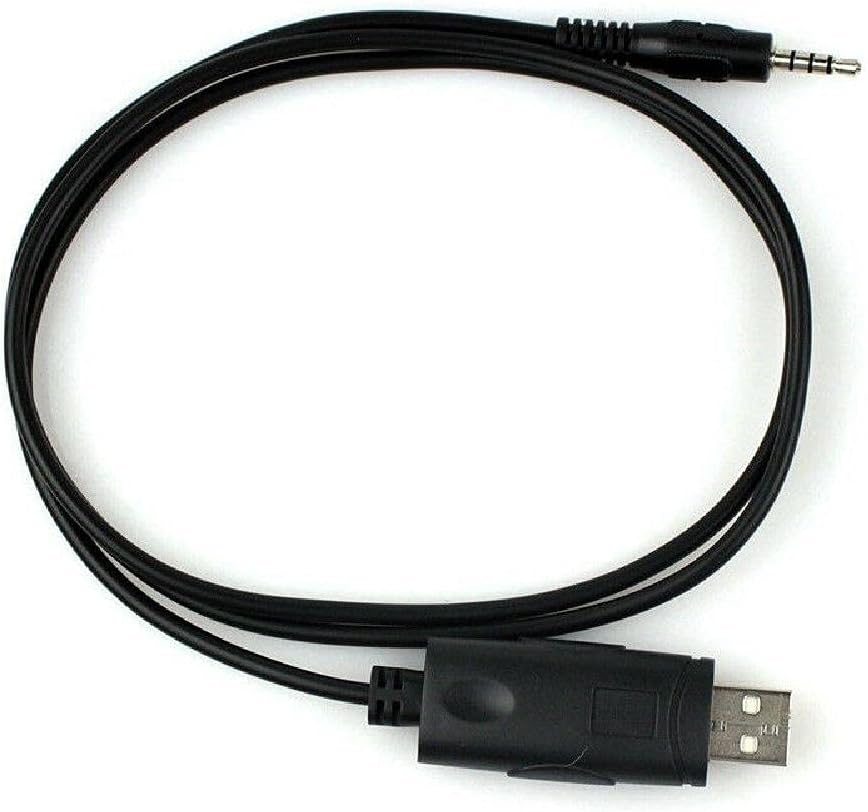
Image: The USB Programming Cable, showing both the USB and 3.5mm pin connectors.
Інструкцыя па эксплуатацыі
Once the cable is connected and the software is configured, you can proceed with programming your radio:
- Read Radio Data: In the programming software, locate the option to "Read from Radio" or "Download from Radio." This will transfer the current settings from your radio to the software.
- Змяніць налады: Make the desired changes to frequencies, channels, tones, and other settings within the software interface.
- Запіс дадзеных у радыё: After making modifications, use the "Write to Radio" or "Upload to Radio" function to transfer the new settings from the software back to your radio.
- Праверце: After writing, it is recommended to read the data from the radio again to confirm that the new settings have been successfully applied.

Image: The programming cable in a coiled state, highlighting its flexibility and compact design.
Тэхнічнае абслугоўванне
- захоўванне: Захоўвайце кабель у прахалодным, сухім месцы, удалечыні ад прамых сонечных прамянёў і экстрэмальных тэмператур.
- Уборка: Выкарыстоўвайце мяккую сухую тканіну для ачысткі кабеля і раздыма. Не выкарыстоўвайце вадкія ачышчальнікі або растваральнікі.
- Апрацоўка: Avoid bending the cable sharply or pulling on the connectors to disconnect. Always grasp the connector housing when plugging or unplugging.
- агляд: Перыядычна правярайце кабель на наяўнасць пашкоджанняў, такіх як зношаныя правады або пагнутыя кантакты. Не выкарыстоўвайце пашкоджаны кабель.
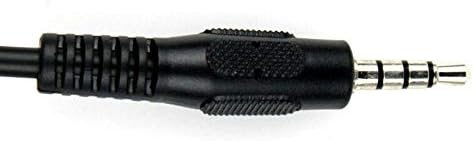
Выява: Падрабязны view of the 3.5mm pin connector, showing its structure.
Ліквідацыю непаладак
- Cable Not Recognized by PC:
- Ensure USB drivers are correctly installed. Check Device Manager for any yellow exclamation marks next to the USB device.
- Паспрабуйце іншы порт USB на вашым кампутары.
- Перазагрузіце кампутар.
- Verify the cable is securely connected to both the PC and the radio.
- Programming Software Cannot Connect to Radio:
- Пераканайцеся, што ў праграмным забеспячэнні абраны правільны COM-порт.
- Ensure the radio is powered on and in programming mode (if applicable for your radio model).
- Check that the cable is fully inserted into the radio's programming jack.
- Verify that the programming software is the correct version for your radio model.
- Памылкі праграмавання:
- Ensure the radio's battery is sufficiently charged.
- Avoid disconnecting the cable during a read or write operation.
- Consult your radio's specific programming guide for any unique requirements or procedures.
Важныя заўвагі
- This cable is designed for data transfer between a radio and a PC for programming purposes only.
- Always use the appropriate and official programming software for your specific radio model.
- Unauthorized modifications to the cable or radio may void warranties and could lead to malfunction.
Афіцыйныя відэа пра прадукт
No official product videos are available for this item at this time.
Гарантыя і падтрымка
Каб атрымаць інфармацыю аб гарантыі або тэхнічную падтрымку, звярніцеся да дакументацыі, якая пастаўляецца з пакупкай, або звярніцеся непасрэдна да вытворцы. Захоўвайце пацвярджэнне пакупкі для прэтэнзій па гарантыі.