
Уводзіны
Thank you for choosing the Sengled Smart Bulb. This manual provides essential information for setting up, operating, and maintaining your new smart lighting product. The Sengled Smart Bulb offers advanced features including app and voice control, 16 million colors, tunable white light, scheduling, and remote access, all without requiring a separate hub.
Кіраўніцтва па ўстаноўцы
Follow these steps to set up your Sengled Smart Bulb:
- Download the Sengled Home App: Пошук 'Sengled Home' in the App Store (iOS) or Google Play Store (Android) and install the application.
- Рэгістрацыя/Уваход: Адкрыйце праграму і выконвайце інструкцыі на экране, каб стварыць новы ўліковы запіс, або ўвайдзіце ў сістэму, калі ў вас ужо ёсць уліковы запіс.
- Усталюйце лямпачку: Twist the Sengled Smart LED bulb into a standard E26 medium base socket. Ensure the power is turned off before installation.
- Уключэнне: Turn on the light switch to power on the bulb. The bulb should blink to indicate it's in pairing mode.
- Дадаць прыладу ў праграму: In the Sengled Home app, tap the '+' icon to add a new device. Select 'Light Bulb' and follow the in-app guide to complete the setup.
- Падключыцеся да Wi-Fi: The bulb will connect to your home's 2.4GHz Wi-Fi network. No additional hub is required.
- Інтэграцыя галасавога памочніка (дадаткова): If you wish to use voice control, link your Sengled Home account with your Amazon Alexa or Google Assistant account through their respective apps.
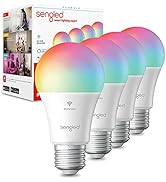
Image: Steps for setting up the Sengled Smart Bulb using the Sengled Home app.

Image: A Sengled Smart Bulb installed in a ceiling light fixture.
Інструкцыя па эксплуатацыі
The Sengled Smart Bulb offers versatile control options:
Кантроль прыкладанняў
- Укл/Выкл: Toggle the bulb's power directly from the app.
- Зацямненне: Рэгулюйце яркасць ад 1% да 100%.
- Выбар колеру: Choose from 16 million colors to match your mood or decor.
- Наладжвальны белы: Select white light temperatures from 2000K (warm white) to 6500K (cool white).
- Планаванне: Set timers and routines for automatic on/off times, dimming, or color changes.
- Групавы кантроль: Create groups of bulbs to control multiple lights simultaneously.
- Сюжэтны рэжым: Apply pre-set or custom scenes for various activities or moods.
Image: A smartphone screen displaying the Sengled Home app interface for color selection.
Галасавое кіраванне
Control your smart bulbs hands-free using voice commands with Amazon Alexa or Google Assistant. Exampлес:
- «Алекса, уключы святло ў гасцінай».
- "Hey Google, set the bedroom light to blue."
- "Alexa, dim the kitchen to 50%."
Image: A person interacting with a smart speaker to control the Sengled Smart Bulb via voice commands.
Пульт дыстанцыйнага кіравання
Manage your lighting from anywhere using the Sengled Home app on your smartphone, ensuring your home always looks occupied, even when you're away.
Wake Up to Light Feature
Program your bulbs to slowly brighten over a set period, simulating a natural sunrise to help you wake up gently.
Video: Official Sengled video demonstrating the 100-watt smart bulb's features and Alexa compatibility.
Тэхнічнае абслугоўванне
Sengled Smart Bulbs are designed for long-term use with a service life of 22.8 years. No specific maintenance is required beyond occasional dusting with a soft, dry cloth. Ensure the bulb is not exposed to water or excessive humidity.
Ліквідацыю непаладак
If you encounter issues with your Sengled Smart Bulb, consider the following:
- Праблемы з падключэннем: Ensure your Wi-Fi network is 2.4GHz (5G networks are not supported). Try restarting your router and the bulb.
- Лямпачка не рэагуе: Check if the bulb is securely screwed into the socket and if the power switch is on. Try turning the power off and on again to reset the bulb.
- Voice Command Problems: Verify that your Alexa or Google Assistant device is properly linked to your Sengled Home account and that the device names are correctly configured.
- Праблемы прыкладання: Ensure your Sengled Home app is updated to the latest version. Try force-closing and reopening the app.
Каб атрымаць дадатковую дапамогу, звярніцеся ў раздзел падтрымкі або звяжыцеся са службай падтрымкі кліентаў.
Тэхнічныя характарыстыкі
| Асаблівасць | Дэталь |
|---|---|
| Марка | Прыгледзеўся |
| Нумар мадэлі | W12-N15 |
| Светлы тып | святлодыёд |
| Ватtage | 100 watts equivalent (actual power consumption not specified, but typically lower for LED) |
| Яркасць | 1500 люмен |
| Форма цыбуліны Памер | A19 |
| Падстава лямпачкі | E26 Сярэдні |
| Светлы колер | Multicolor (16 Million Colors) & Tunable White (2000K to 6500K) |
| Індэкс колераперадачы (CRI) | >90 |
| Тэхналогія падлучэння | Wi-Fi (толькі 2.4 ГГц) |
| Тып кантролера | Amazon Alexa, Google Assistant, SmartThings |
| Тэрмін службы крыніцы святла | 22.8 гады |
| Выкарыстанне ў памяшканні/на вуліцы | У памяшканні |
| Тып матэрыялу | Сінтэтычны палімер (ПММА) |
Гарантыя і падтрымка
Sengled Smart Bulbs come with a Гарантыя 2 год. For warranty claims or technical support, please visit the official Sengled website or contact their customer service. Live customer service is available in the U.S.
Для атрымання дадатковай інфармацыі і падтрымкі наведайце sengled.com.