
1. Уводзіны
This manual provides essential instructions for setting up, operating, and maintaining your EBAKIN H99 Kids Smart Watch. Please read this guide thoroughly to ensure proper use and to maximize the device's features. The EBAKIN H99 is designed as a fitness tracker for children, offering features such as heart rate monitoring, sleep tracking, multiple sports modes, and IP68 waterproofing.
2. Настройка
2.1 Зарадка прылады
Before first use, fully charge the smart watch. Connect the provided charging cable to the watch's charging port and a standard USB power adapter (not included). A full charge typically takes approximately 2 hours. The battery icon on the watch screen will indicate charging status.
2.2 Спампоўка праграмы
To access all features and synchronize data, download the "H Band" application from your smartphone's app store (available for Android 4.4 & higher, and iOS 9.0 & higher).
2.3 Спалучэнне са смартфонам
- Пераканайцеся, што Bluetooth уключаны на вашым смартфоне.
- Open the "H Band" app and follow the on-screen instructions to create an account or log in.
- Перайдзіце ў раздзел спалучэння прылад у дадатку.
- Select the EBAKIN H99 from the list of available devices. The watch will vibrate upon successful connection.
Пасля спалучэння гадзіннік аўтаматычна сінхранізуе час і дату з вашым тэлефонам.
3. Інструкцыя па эксплуатацыі
3.1 Асноўная навігацыя
The EBAKIN H99 features a touch-sensitive screen for navigation. Swipe left/right or up/down to browse different functions and tap to select. The side button typically serves as a back or home button.
3.2 Манітор сардэчнага рытму
The watch automatically monitors heart rate in real-time for 24 hours. If the heart rate exceeds a predefined threshold, the watch will vibrate to alert the user. Detailed heart rate data can be viewed in the "H Band" app.
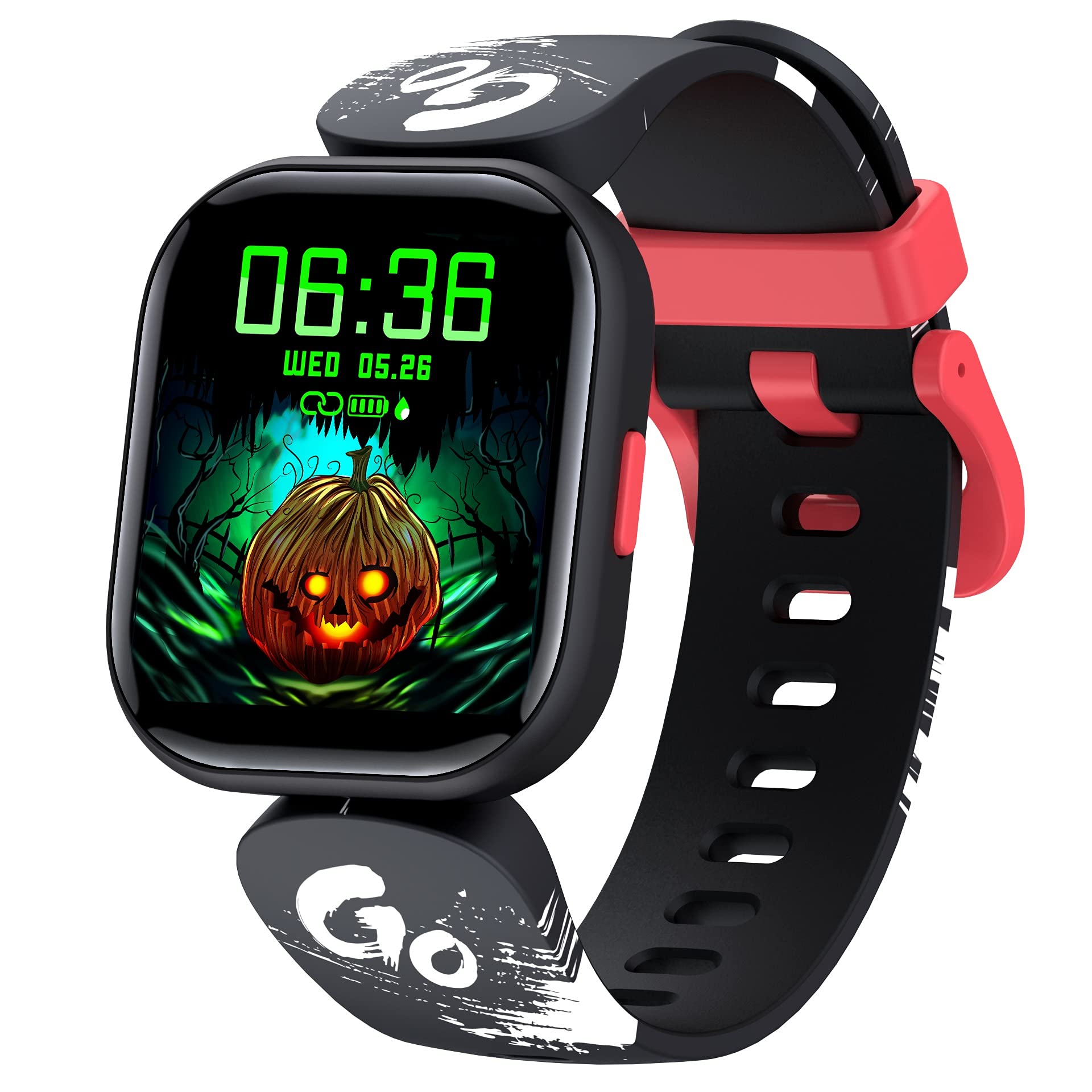
Image: The watch screen showing a heart rate graph and a reading of 90 BPM. The graph indicates varying heart rate levels over time.
3.3 Манітор сну
The smart watch tracks sleep patterns, including deep sleep, light sleep, and wake-up times. This data helps in understanding sleep quality and developing a consistent sleep schedule. Sleep data is accessible through the "H Band" app.

Image: A child sleeping, with an overlay of the watch screen showing sleep duration, categorized into deep sleep and light sleep.
3.4 Activity Tracker & Sports Modes
The watch automatically tracks daily activities such as steps taken, calories burned, and distance covered. It supports 19 different sports modes, including outdoor activities like cycling, running, and walking, as well as indoor activities like stationary bike, elliptical, and swimming. For outdoor activities, the watch can connect to your phone's GPS for more accurate tracking.

Image: A child smiling and wearing the smart watch, with icons representing 19 different sports modes displayed around them.
3.5 Customized Wallpaper
Personalize your watch face by choosing from a variety of pre-installed dials or by uploading your favorite photos through the "H Band" app. This allows for a unique and customized display.
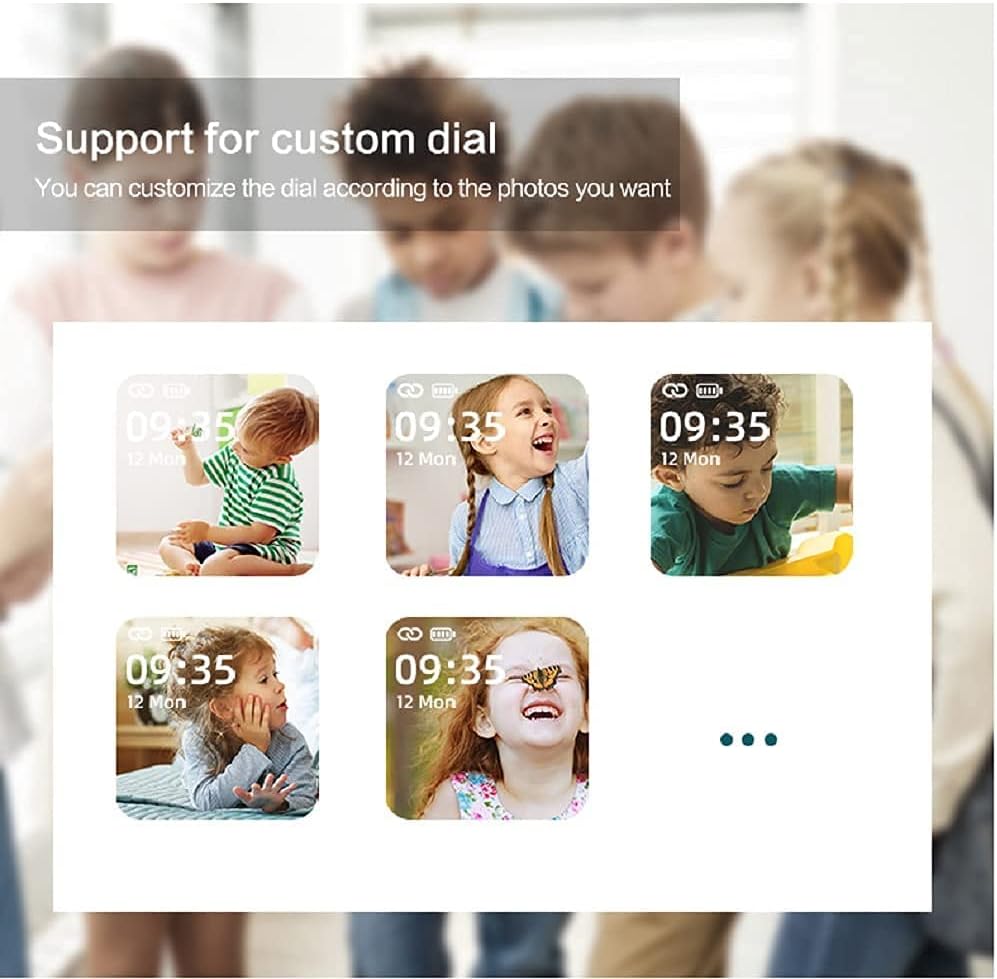
Image: Multiple watch screens showing different children's faces as customized wallpapers, demonstrating the custom dial feature.
3.6 Дыстанцыйнае кіраванне камерай
When connected to your smartphone, the watch can act as a remote shutter for your phone's camera. Simply shake your wrist to capture photos, making it convenient for group shots or selfies.
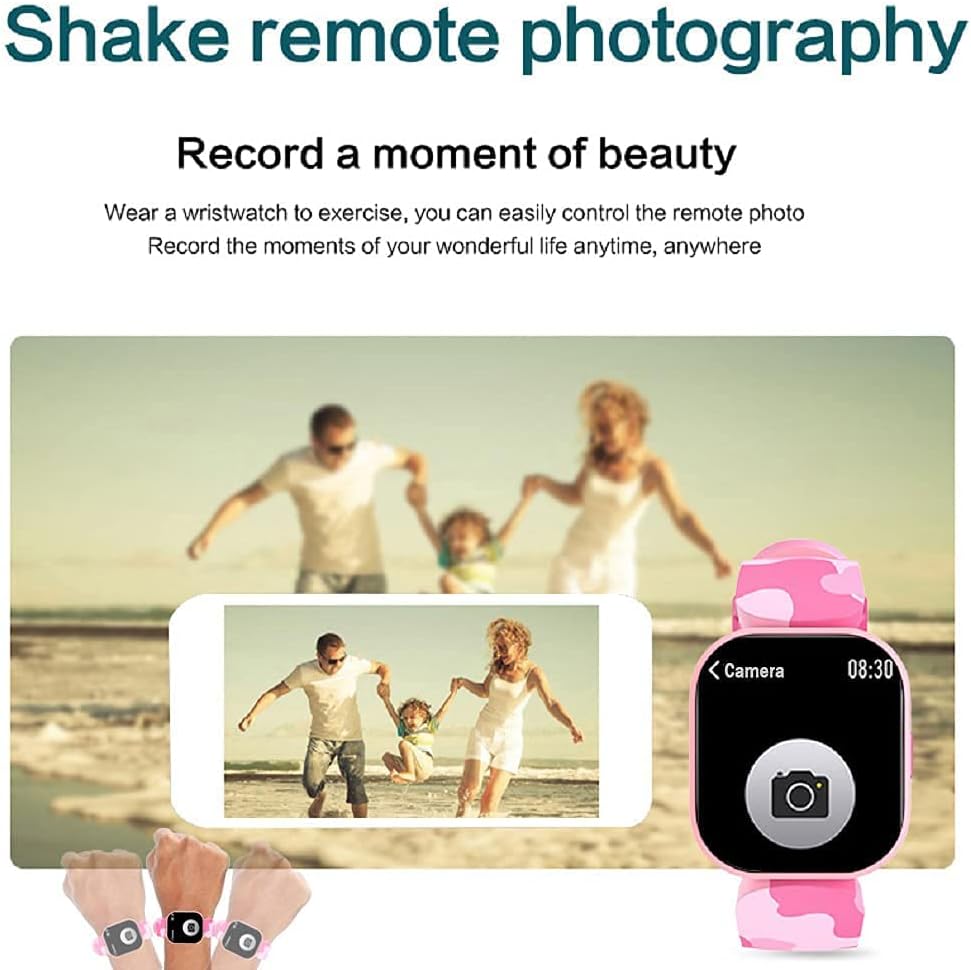
Image: A family posing for a photo, with hands wearing the smart watch shown controlling a smartphone camera remotely.
3.7 Іншыя функцыі
The EBAKIN H99 includes several additional useful functions:
- Абвестка аб выкліку: Notifies you of incoming calls.
- Паведамленне пра паведамленне: Displays incoming SMS and app messages.
- Сядзячы напамін: Падштурхоўвае вас да руху пасля перыядаў бяздзейнасці.
- Будзільнік: Усталёўвайце будзільнікі непасрэдна з гадзінніка або праграмы.
- Кіраванне музыкай: Кіруйце прайграваннем музыкі на падлучаным смартфоне.
- Секундамер: Убудаваны секундамер для адліку часу падчас заняткаў.
- Кантроль яркасці: Адрэгулюйце яркасць экрана для аптымальнай viewінж.
- APP Movement Track: View your activity routes in the app when connected to phone GPS.
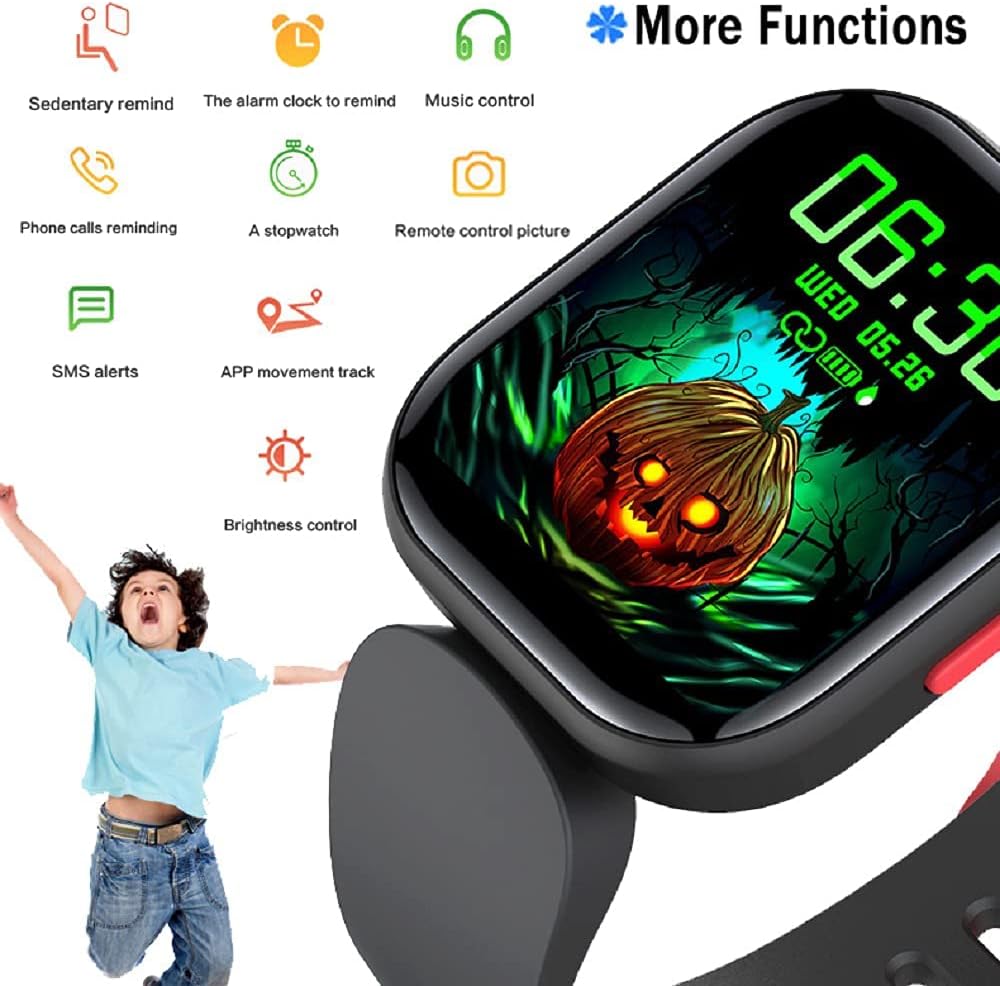
Image: The watch screen showing a Halloween-themed background with icons representing various functions such as sedentary reminder, alarm, music control, and more.
4. Тэхнічнае абслугоўванне
4.1 Воданепранікальнасць (IP68)
The EBAKIN H99 smart watch has an IP68 waterproof rating, meaning it is resistant to dust and can withstand immersion in water up to 1.5 meters for 30 minutes. It is suitable for activities like washing hands, showering (cold water), and swimming. However, it is not recommended for hot water activities, diving, or prolonged submersion.
4.2 Чыстка і догляд
- Wipe the watch screen and band regularly with a soft, dry cloth.
- Пры неабходнасці выкарыстоўвайце злёгку damp cloth with mild soap for cleaning, then dry thoroughly.
- Пазбягайце выкарыстання агрэсіўных хімічных рэчываў або абразіўных матэрыялаў, бо яны могуць пашкодзіць прыладу.
4.3 Захоўванне
Захоўвайце гадзіннік у прахалодным, сухім месцы, удалечыні ад прамых сонечных прамянёў і экстрэмальных тэмператур, калі ён не выкарыстоўваецца працяглы час.
5. Выпраўленне непаладак
5.1 Гадзіннік не ўключаецца
- Пераканайцеся, што гадзіннік цалкам зараджаны. Падключыце яго да зараднай прылады як мінімум на 30 хвілін.
- Націсніце і ўтрымлівайце бакавую кнопку на працягу 5-10 секунд, каб паспрабаваць прымусова перазапусціць.
5.2 Не атрымалася спалучыць прыладу з тэлефонам
- Пераканайцеся, што Bluetooth уключаны на вашым тэлефоне, і гадзіннік знаходзіцца ў зоне дзеяння.
- Перазагрузіце і тэлефон, і гадзіннік.
- Ensure the "H Band" app is updated to the latest version.
- Калі прылада была падключана раней, паспрабуйце адключыць яе ў наладах Bluetooth тэлефона, а затым зноў падключыць праз праграму.
5.3 Недакладныя паказанні (частата сардэчных скарачэнняў, колькасць крокаў)
- Ensure the watch is worn snugly on the wrist, not too loose or too tight.
- Ачысціце датчык на задняй панэлі гадзінніка.
- For heart rate, remain still during measurement for best accuracy.
5.4 Апавяшчэнні не з'яўляюцца
- Check that notification permissions are enabled for the "H Band" app in your phone's settings.
- Пераканайцеся, што гадзіннік падключаны да тэлефона праз Bluetooth.
- Verify that notification alerts are enabled within the "H Band" app settings.
6. Тэхнічныя характарыстыкі
| Асаблівасць | Спецыфікацыя |
|---|---|
| Назва мадэлі | H99 |
| Марка | ЭБАКІН |
| Памер экрана | 0.96 цалі |
| дазвол | 240 х 240 |
| Узровень воданепранікальнасці | IP68 (Waterproof up to 1.5 meters) |
| Тэхналогія падлучэння | Bluetooth, GPS (via phone) |
| Сумяшчальнасць аперацыйнай сістэмы | Android 4.4 & higher, iOS 9.0 & higher |
| Асаблівасці | Heart Rate Monitor, Sleep Monitor, Pedometer, 19 Sports Modes, Remote Camera, Message/Call Notifications |
| Тып матэрыялу раменьчыка | Сілікон |
| Тып матэрыялу корпуса | Пластыкавыя |
| Мэтавая аўдыторыя | Unisex-Kids |
7. Інфармацыя аб гарантыі
The EBAKIN H99 Kids Smart Watch typically comes with a standard manufacturer's warranty. Please refer to the product packaging or the official EBAKIN website for specific warranty terms and conditions, including coverage duration and claim procedures. Keep your proof of purchase for warranty validation.
8. Падтрымка
For technical assistance, troubleshooting not covered in this manual, or general inquiries about your EBAKIN H99 Kids Smart Watch, please contact EBAKIN customer support. Contact information can usually be found on the product packaging, the official EBAKIN website, or through the "H Band" app's support section.