
Acrojoy D501
ACROJOY D501 Native 1080P Mini Projector User Manual
Мадэль: D501
1. Уводзіны
This manual provides essential information for the safe and efficient operation of your ACROJOY D501 Native 1080P Mini Projector. Please read it thoroughly before using the product and retain it for future reference.
2. Інфармацыя па бяспецы
- Не глядзіце непасрэдна ў аб'ектыў праектара, калі ён уключаны.amp уключаны. Інтэнсіўнае святло можа пашкодзіць вочы.
- Ensure proper ventilation around the projector. Do not block ventilation openings.
- Трымайце праектар далей ад вады, вільгаці і экстрэмальных тэмператур.
- Выкарыстоўвайце толькі адаптар сілкавання, які пастаўляецца з праектарам.
- Не спрабуйце рамантаваць праектар самастойна. Звяртайцеся па любыя паслугі па абслугоўванні да кваліфікаванага персаналу.
- Захоўваць у месцах, недаступных дзецям.
3. Змесціва ўпакоўкі
Праверце, ці ёсць усе прадметы ў вашай упакоўцы:
- 1x ACROJOY D501 Projector
- 1x User Manual/Quick Start/Warranty Information
- 1x Cleaning Kit
- 1x кабель HDMI
- 1x шнур харчавання
- 1x Projector Lens Cover
- 1x 120-inch Projector Screen
- 1x Пульт дыстанцыйнага кіравання
4. Прадукт скончыўсяview
Familiarize yourself with the main components of your ACROJOY D501 projector.

Малюнак 4.1: ACROJOY D501 Projector and included 120-inch screen. The image highlights key features such as native 1080p resolution, 5G+2.4G WiFi, 9500 lumens (as indicated in image), and 4K support.

Малюнак 4.2: Збоку view of the projector illustrating its connectivity options, including ports for PS5, Nintendo Switch, TV Stick, Phone/Tablet, USB, Laptop/PC, and Audio output.
5. Настройка
5.1 Размяшчэнне праектара
Position the projector on a stable, flat surface or mount it (ceiling, tripod) according to your preference. Ensure the projector is perpendicular to the projection surface for optimal image quality.
- Адлегласць праекцыі: The optimal projection distance ranges from 4 to 40 feet.
- Памер экрана: The projector can produce an adjustable display size from 35 inches to 400 inches. A 120-inch screen is included for convenience.

Малюнак 5.1: The ACROJOY D501 Projector in an outdoor setting, demonstrating its portability and the use of the bundled 120-inch projector screen for an enjoyable viewвопыту.
5.2 Падключэнне харчавання
- Падключыце шнур харчавання да ўваходнага порта харчавання праектара.
- Plug the other end of the power cord into a suitable electrical outlet (120 Volts).
- Індыкатар харчавання на праектары загарыцца.
5.3 Рэгуляванне фокусу і трапецападобнага скажэння
After powering on the projector, adjust the image for clarity and shape:
- Кольца факусіроўкі: Паварочвайце кольца факусоўкі на аб'ектыве праектара, пакуль праецыраванае малюнак не стане рэзкім і чыстым.
- Карэкцыя трапецеідальных скажэнняў: Use the keystone correction dial or digital adjustment (if available) to correct trapezoidal distortion, ensuring a rectangular image. The projector supports ±15 degrees keystone correction.
6. Інструкцыя па эксплуатацыі
6.1 Уключэнне/выключэнне сілкавання
- Уключэнне: Націсніце кнопку харчавання на праектары або пульце дыстанцыйнага кіравання.
- Выключэнне: Зноў націсніце кнопку харчавання. Пацвердзіце выключэнне, калі будзе запытана.
6.2 Выбар крыніцы ўваходнага сігналу
The projector supports multiple input sources. Use the 'Source' button on the projector or remote to select the desired input:
- HDMI: Connect devices like laptops, TV sticks, gaming consoles (PS5, Xbox) via HDMI cables. The projector has 2 HDMI ports.
- USB: Устаўце USB-назапашвальнік для прайгравання медыяфайлаў files непасрэдна.
- АВ: Падключыце старыя прылады з дапамогай AV-кабеля.
6.3 Бесправадное падключэнне (Wi-Fi і Bluetooth)
6.3.1 Адлюстраванне экрана праз Wi-Fi
The projector features 5G+2.4G dual-band WiFi for fast and stable screen mirroring from your smartphone or tablet.
- Пераканайцеся, што ваш праектар і мабільная прылада падключаны да адной сеткі Wi-Fi.
- У меню праектара абярыце опцыю «Screen Mirroring» або «Wireless Display».
- On your iOS device, use 'Screen Mirroring'. On Android, use 'Wireless Projection' or similar.
- Выберыце праектар са спісу даступных прылад.
Заўвага: Due to copyright restrictions, streaming services like Netflix, Amazon Prime Video, and Hulu cannot be wirelessly mirrored directly from your device. Use an HDMI-connected TV stick or similar device for these services.

Малюнак 6.1: Demonstrates 5G WiFi screen mirroring for seamless video streaming from iOS, Android, or Windows devices to the projector.
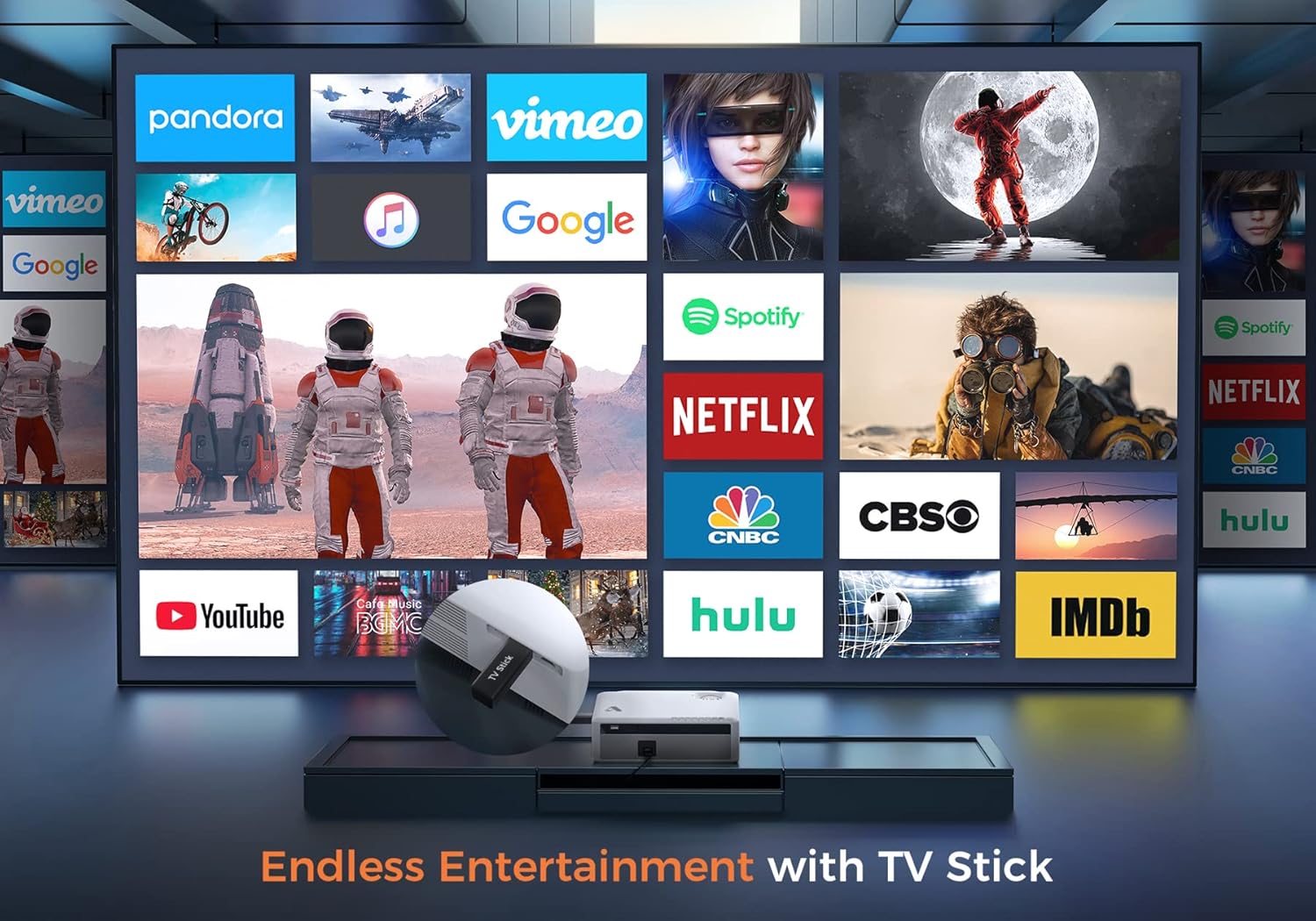
Малюнак 6.2: Illustrates how to access various entertainment apps like YouTube, Netflix, and Hulu by connecting a TV stick to the projector.
6.3.2 Злучэнне Bluetooth
Падключыце знешнія дынамікі або навушнікі Bluetooth для палепшанага гуку.
- Enable Bluetooth on your external audio device and set it to pairing mode.
- On the projector's menu, navigate to 'Bluetooth Settings'.
- Выберыце прыладу са спісу для спалучэння.
The projector also features a built-in Hi-Fi speaker for direct audio output.
6.4 Функцыя маштабавання
Adjust the image size without moving the projector using the 50%-100% zoom function, typically found in the projector's display settings menu.
7. Тэхнічнае абслугоўванне
- Ачыстка аб'ектыва: Use the provided cleaning kit or a soft, lint-free cloth specifically designed for optical lenses. Do not use abrasive cleaners.
- Выдаленне пылу: Regularly clean the projector's exterior with a soft, dry cloth. Use a small brush or compressed air to gently clear dust from ventilation openings.
- захоўванне: When not in use, store the projector in a cool, dry place, protected from dust and direct sunlight. Always replace the lens cover.
8. Выпраўленне непаладак
- Няма харчавання: Пераканайцеся, што шнур харчавання надзейна падключаны як да праектара, так і да разеткі. Паспрабуйце іншую разетку.
- Няма выявы: Check the input source selection. Ensure the connected device is powered on and sending a signal. Verify HDMI/USB cable connections.
- Размытая выява: Adjust the focus ring. Ensure the projection distance is within the recommended range.
- Выява мае трапецападобную форму: Адрэгулюйце карэкцыю трапецеідальных скажэнняў.
- Няма аўдыя: Check the volume settings on both the projector and the source device. If using external speakers, ensure they are properly connected or paired via Bluetooth.
- WiFi Mirroring Issues: Ensure both devices are on the same WiFi network. Some copyrighted content cannot be mirrored wirelessly.
9. Тэхнічныя характарыстыкі
| Марка | Акроджой |
| Нумар мадэлі | D501 |
| Роднае дазвол | 1920 x 1080 (Full HD) |
| Максімальнае дазвол, якое падтрымліваецца | 3840 x 2160 (4K) |
| Яркасць | 5500 люмен |
| Каэфіцыент кантраснасці | 12000:1 |
| Тып дысплея | ВК |
| Сувязь | 5G+2.4G WiFi, Bluetooth 5.1 |
| Уваходныя парты | 2x HDMI, 1x USB, AV |
| Выхадныя парты | Аўдыёвыхад 3.5 мм |
| Памер праекцыі | 35" - 400" |
| Адлегласць праекцыі | 4 - 40 ft |
| Суадносіны бакоў | 4:3 / 16:9 |
| Карэкцыя Keystone | ±15 градуса |
| Функцыя маштабавання | 50% - 100% |
| Памеры прадукту | 22.86 х 17.75 х 7.62 см |
| Вага прадмета | 3.19 кг |
| Крыніца харчавання | Электрычны шнур (120 вольт, 600 ваты) |
10. Гарантыя і падтрымка
ACROJOY provides comprehensive support for your projector:
- Гарантыя: A 3-year warranty covers manufacturing defects and malfunctions.
- Тэхнічная падтрымка: Lifetime professional technical support is available.
- Кантакты: For any questions or assistance, please refer to the contact information provided in your Quick Start Guide or Warranty Information document.