
Уводзіны
This manual provides detailed instructions for the TAOPON Smartwatch ZL02G. Please read this guide thoroughly to ensure proper setup, operation, and maintenance of your device. This smartwatch is designed to assist with health monitoring, activity tracking, and smart notifications, compatible with both Android and iOS smartphones.
Змест пакета
Пасля адкрыцця ўпакоўкі пераканайцеся, што ўсе прадметы наяўныя:
- TAOPON Smartwatch ZL02G
- Сіліконавы раменьчык
- Магнітны зарадны кабель
- Кіраўніцтва карыстальніка

Image: Package contents of the TAOPON Smartwatch ZL02G.
Кіраўніцтва па ўстаноўцы
1. Пачатковая зарадка
Before first use, fully charge the smartwatch. Connect the magnetic charging cable to the charging points on the back of the watch and plug the USB end into a standard USB power adapter (not included). A full charge typically takes approximately 2 hours.

Image: Smartwatch displaying charging status and battery life details.
2. Усталёўка прыкладання
Download and install the "Da Fit" application on your smartphone. You can find it on the App Store (for iOS devices) or Google Play Store (for Android devices).
3. Спалучэнне прылады
- Пераканайцеся, што Bluetooth уключаны на вашым смартфоне.
- Open the "Da Fit" app.
- Follow the in-app instructions to search for and connect to your TAOPON Smartwatch ZL02G. The effective connection distance is approximately 10 meters.
- Пацвердзіце запыт на спалучэнне як на смартфоне, так і на разумным гадзінніку.
Сумяшчальнасць: The smartwatch is compatible with smartphones running iOS 9.0 or later, and Android 5.0 or later.
Інструкцыя па эксплуатацыі
1. Базавая навігацыя
The smartwatch features a 1.28-inch IPS color touchscreen. Swipe left, right, up, or down to navigate through menus and functions. Tap to select an option.
2. Налада цыферблатаў гадзінніка
The smartwatch offers multiple watch faces. You can select from 5 main interfaces directly on the watch or choose from over 75 customizable options within the "Da Fit" app. The app also allows you to set personal photos as your watch face.

Малюнак: Examples of customizable watch faces.

Image: Customizing watch faces using the companion app.
3. Маніторынг здароўя
Разумны гадзіннік абсталяваны датчыкамі для маніторынгу розных паказчыкаў здароўя:
- Частата сардэчных скарачэнняў: Пастаянна кантралюе частату сардэчных скарачэнняў.
- Артэрыяльны ціск: Забяспечвае прыблізныя паказчыкі артэрыяльнага ціску.
- Кісларод крыві (SpO2): Вымярае ўзровень насычэння крыві кіслародам.
- Маніторынг сну: Tracks your sleep patterns, including total sleep, light sleep, and restful sleep, to help analyze and improve sleep quality.

Image: Health and sleep monitoring features.

Image: Detailed health data display.
Note: Health monitoring data is for reference only and should not be used for medical diagnosis.
4. Адсочванне актыўнасці
The smartwatch tracks your daily activities and supports multiple sports modes:
- Лічыльнік крокаў: Records the number of steps taken.
- Адлегласць: Вылічвае пройдзеную адлегласць.
- Калорыі: Падлічвае колькасць спаленых калорый.
- Спартыўныя рэжымы: Includes modes for walking, running, cycling, skipping, badminton, basketball, football, and swimming.
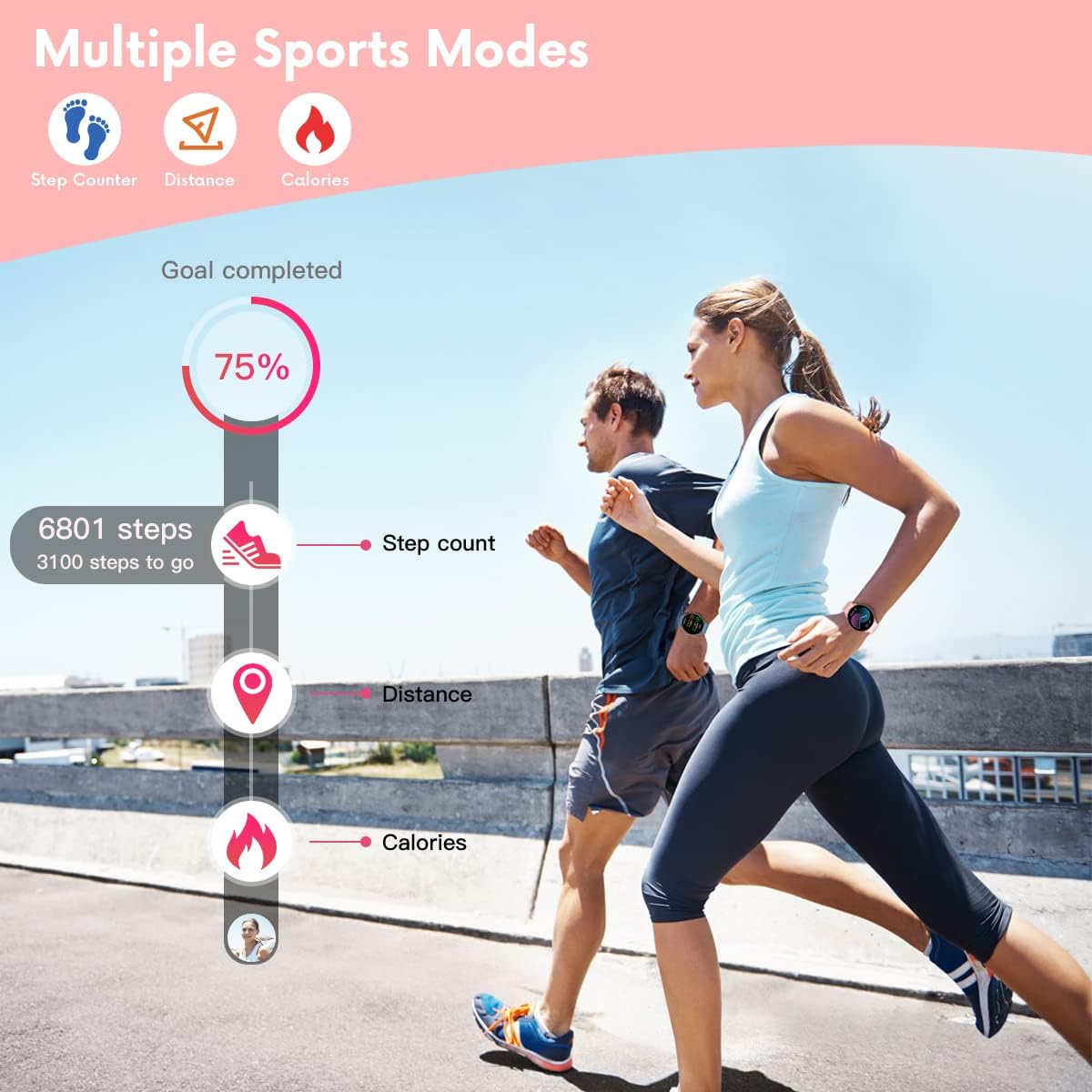
Image: Activity tracking features in action.

Image: Smartwatch supporting 8 different sports modes.
5. Апавяшчэнні і абвесткі
Once connected to your smartphone via the "Da Fit" app, the smartwatch will display notifications:
- Апавяшчэнні аб выкліках: Displays caller ID with options to answer or hang up (on the phone).
- Апавяшчэнні аб паведамленнях: Shows SMS and SNS messages (e.g., Facebook, WhatsApp, Twitter, Instagram, Messenger, email, Skype).
- The watch will vibrate to alert you to incoming calls and messages.

Image: Smartwatch displaying call and message notifications.
6. Дадатковыя функцыі
The smartwatch includes several other useful features:
- Знайсці тэлефон: Дапамагае знайсці спалучаны смартфон.
- Секундамер: Для заняткаў па часе.
- Будзільнік: Усталёўвайце будзільнікі непасрэдна з гадзінніка або праграмы.
- Кіраванне музыкай: Кіруйце прайграваннем музыкі на вашым смартфоне (прайграванне, паўза, пераключэнне трэкаў).
- Сядзячы напамін: Папярэджвае вас аб неабходнасці рухацца пасля перыядаў бяздзейнасці.
- Пульт дыстанцыйнага кіравання камерай: Выкарыстоўвайце гадзіннік як пульт дыстанцыйнага кіравання затворам для камеры вашага смартфона.
- гульні: The watch may include simple games.

Выдаленая камера

Кіраванне музыкай

гульні
Тэхнічнае абслугоўванне
1. Уборка
Рэгулярна чысціце смарт-гадзіннік і раменьчык мяккай сухой тканінай. Пры неабходнасці выкарыстоўвайце злёгкуamp cloth and mild soap, then wipe dry. Avoid harsh chemicals or abrasive materials.
2. Воданепранікальнасць
The TAOPON Smartwatch ZL02G is rated IP67 water-resistant, meaning it is protected against dust and can withstand immersion in water up to 1 meter for up to 30 minutes. It is suitable for daily use, such as washing hands or light rain. However, it is not recommended for swimming, showering with hot water, or diving, as steam and high water pressure can compromise the seal.

Image: Smartwatch demonstrating water resistance during hand washing.
3. Сыход за батарэяй
To prolong battery life, avoid extreme temperatures. Charge the watch fully when the battery is low. The battery capacity is 200mAh, providing 7-10 days of typical use and up to 30 days of standby time.
Ліквідацыю непаладак
Калі ў вас узніклі праблемы са разумным гадзіннікам, звярніцеся да наступных распаўсюджаных рашэнняў:
- Гадзіннік не ўключаецца: Пераканайцеся, што гадзіннік цалкам зараджаны. Падключыце яго да зараднай прылады як мінімум на 30 хвілін.
- Cannot connect to smartphone:
- Ensure Bluetooth is enabled on your phone and the watch is within 10 meters.
- Check if the "Da Fit" app is running and has necessary permissions.
- Перазагрузіце смартфон і разумны гадзіннік.
- Try unpairing and re-pairing the device through the "Da Fit" app.
- Няма апавяшчэнняў:
- Verify that notifications are enabled in the "Da Fit" app for the specific applications.
- Check your phone's notification settings to ensure the "Da Fit" app has permission to send notifications.
- Пераканайцеся, што гадзіннік падключаны праз Bluetooth.
- Недакладныя дадзеныя пра здароўе: Пераканайцеся, што гадзіннік шчыльна прылягае да запясця, не занадта туга і не занадта свабодна. Ачысціце датчык на задняй панэлі гадзінніка.
- Weather function not working: Ensure the "Da Fit" app has location permissions and is connected to the internet to fetch weather data.
- Bracelet detaching: If the strap repeatedly detaches, inspect the spring bars for damage. Contact customer support if the issue persists.
Тэхнічныя характарыстыкі
| Марка | ТААПОН |
| Нумар мадэлі | ZL02G |
| Дысплей | 1.28-inch IPS Color Touchscreen, 240x240 resolution |
| Ёмістасць батарэі | 200 мАг палімер |
| Тэрмін службы батарэі | 7-10 дзён (тыповы час выкарыстання), 30 дзён (у рэжыме чакання) |
| Час зарадкі | Прыкладна 2 гадзіны |
| Воданепранікальнасць | IP67 |
| Сувязь | Bluetooth |
| Сумяшчальнасць | Android 5.0+ / iOS 9.0+ |
| Даўжыня раменьчыка | Мін.: 160 мм, Макс.: 228 мм |
| Таўшчыня цыферблата | 10.8 мм |
Гарантыя і падтрымка
For information regarding warranty coverage, please refer to the warranty card included with your purchase or contact the retailer/manufacturer directly. Keep your proof of purchase for any warranty claims.
If you require further assistance or have questions not covered in this manual, please contact TAOPON customer support through the contact information provided on their official webсайт або ваша платформа для пакупак.