
TAOPON smartwatch zl02g
Інструкцыя па эксплуатацыі разумных гадзіннікаў TAOPON
Model: smartwatch zl02g
1. Уводзіны
Welcome to the TAOPON Smart Watch user manual. This guide provides essential information for setting up, operating, and maintaining your new smartwatch. The TAOPON Smart Watch is designed for both Android and iOS phones, featuring IP67 waterproofing, a full touch screen, and comprehensive fitness and health tracking capabilities.

Figure 1: TAOPON Smart Watch, showcasinяго элегантны дызайн і яркі дысплей.
2. Асноўныя магчымасці
- Модны дызайн: Features a 1.28-inch full touch color screen with 240x240 pixel resolution, offering high-definition clarity. Customize your watch face with various pre-set dials or your own photos.
- Comprehensive Fitness Tracking: Supports 8 sports modes including walking, running, cycling, skipping rope, badminton, basketball, football, and swimming. Tracks calorie consumption, steps, distance, activity minutes, and heart rate. Connects to your mobile phone's GPS for detailed movement tracking.
- Пашыраны маніторынг здароўя: Accurately monitors real-time health data such as heart rate, blood oxygen, and blood pressure. Includes a sleep monitor to track deep sleep, light sleep, and overall sleep quality trends.
- Convenient Smart Tools: Integrates practical tools like weather forecast, pedometer, sedentary reminder, remote camera control, music control, theater mode, timer, deep breathing guide, and adjustable brightness. Supports up to 3 alarms.
- Разумныя апавяшчэнні: Receives message notifications from the 'Da Fit' APP, including call reminders, call rejection, SMS, Facebook, Twitter, LinkedIn, WhatsApp, Line, and Instagтаран.
- Long Battery Life & Durability: Equipped with a 200mAh battery providing up to 7 days of typical use and 30 days of standby time on a single charge. Features an IP67 waterproof rating, suitable for hand washing and rainy conditions.
3. Кіраўніцтва па наладцы
3.1 Распакоўка і першапачатковая аплата
Upon unboxing, ensure all components are present: the TAOPON Smart Watch, charging cable, and user manual. Before first use, fully charge the device.
- Падключыце магнітны зарадны кабель да зарадных кропак на задняй панэлі гадзінніка.
- Падключыце USB-кабель да стандартнага USB-адаптара сілкавання (рэкамендуецца 5 В/1 А) або да USB-порта кампутара.
- The watch display will indicate charging status. A full charge typically takes about 2 hours.

Figure 2: Illustration of the smartwatch's ultra-thin dial and charging process, highlighting its long battery life.
3.2 Усталёўка і спалучэнне праграм
To unlock the full potential of your TAOPON Smart Watch, download and install the 'Da Fit' application on your smartphone.
- Scan the QR code in the manual or search for 'Da Fit' in your smartphone's app store (Google Play Store for Android, Apple App Store for iOS).
- Install the 'Da Fit' app and open it.
- Пераканайцеся, што Bluetooth уключаны на вашым смартфоне.
- In the 'Da Fit' app, navigate to the 'Device' section and select 'Add Device'.
- The app will search for available devices. Select 'smartwatch zl02g' from the list to pair.
- Follow any on-screen prompts to complete the pairing process. Once connected, the watch will synchronize time and data with your phone.
4. Інструкцыя па эксплуатацыі
4.1 Асноўная навігацыя
- Сэнсарны экран: Правядзіце пальцам улева/управа, уверх/уніз, каб перамяшчацца па меню і функцыях. Націсніце, каб выбраць.
- Бакавая кнопка: Press the side button to return to the home screen or to turn the screen on/off.
- Падняць, каб абудзіць: The display automatically lights up when you raise your wrist.
4.2 Налада цыферблатаў гадзінніка
Personalize your smartwatch by changing the watch face.
- From the home screen, long-press the watch face to enter the watch face selection mode.
- Правядзіце пальцам улева або ўправа, каб праглядзець папярэдне ўсталяваныя цыферблаты. Націсніце, каб выбраць.
- For more options, open the 'Da Fit' app, go to 'Watch Faces' or 'Dial Settings' to download new designs or set a custom photo as your watch face.
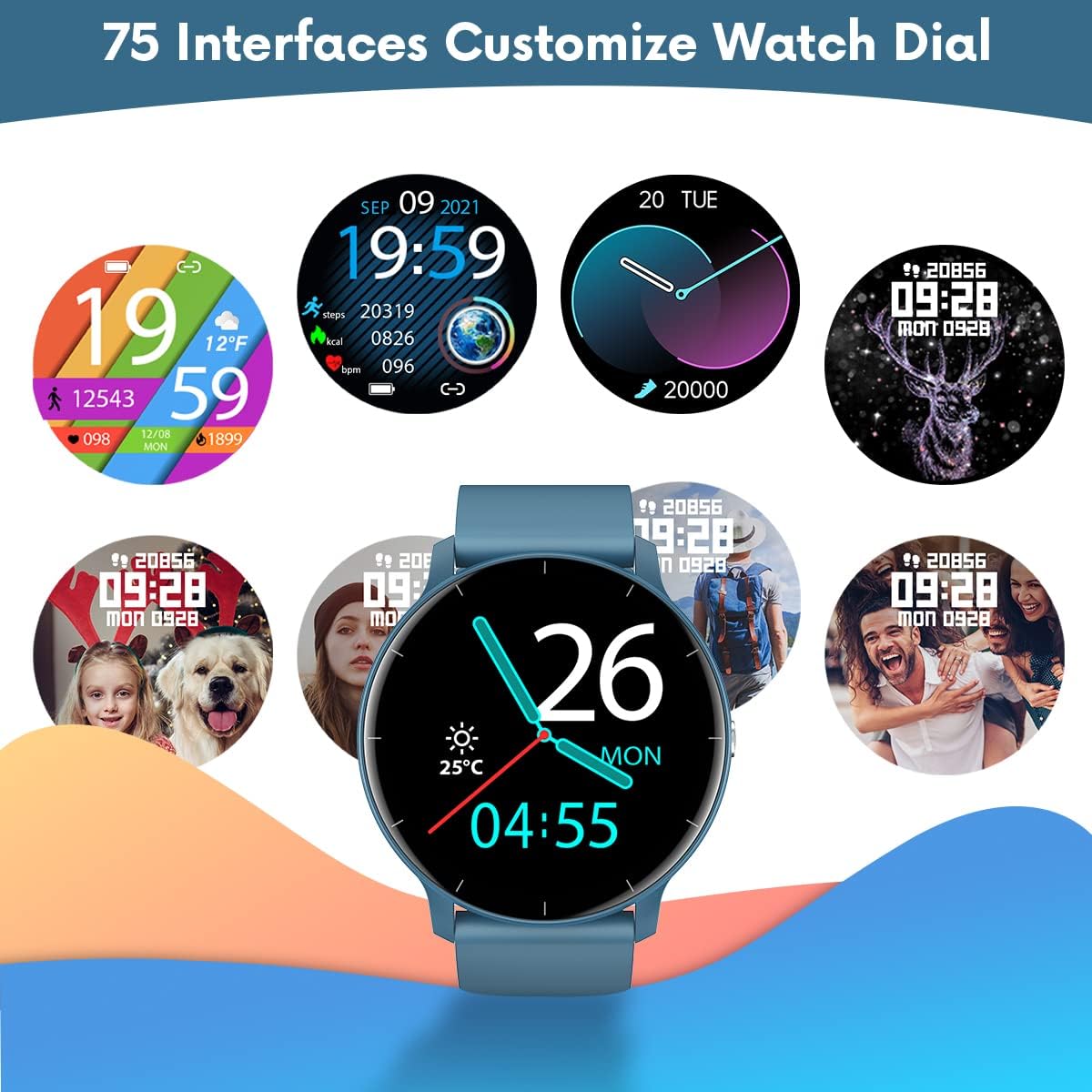
Малюнак 3: Выпamples of customizable watch faces available on the TAOPON Smart Watch.
4.3 Адсочванне фізічнай формы
Utilize the various sports modes to track your workouts.
- Swipe on the watch to find the 'Exercise' or 'Sports Modes' icon.
- Select your desired activity (e.g., Walking, Running, Cycling).
- The watch will begin tracking your activity, including steps, distance, calories burned, and heart rate.
- Connect to your phone's GPS via the 'Da Fit' app for detailed route mapping during outdoor activities.
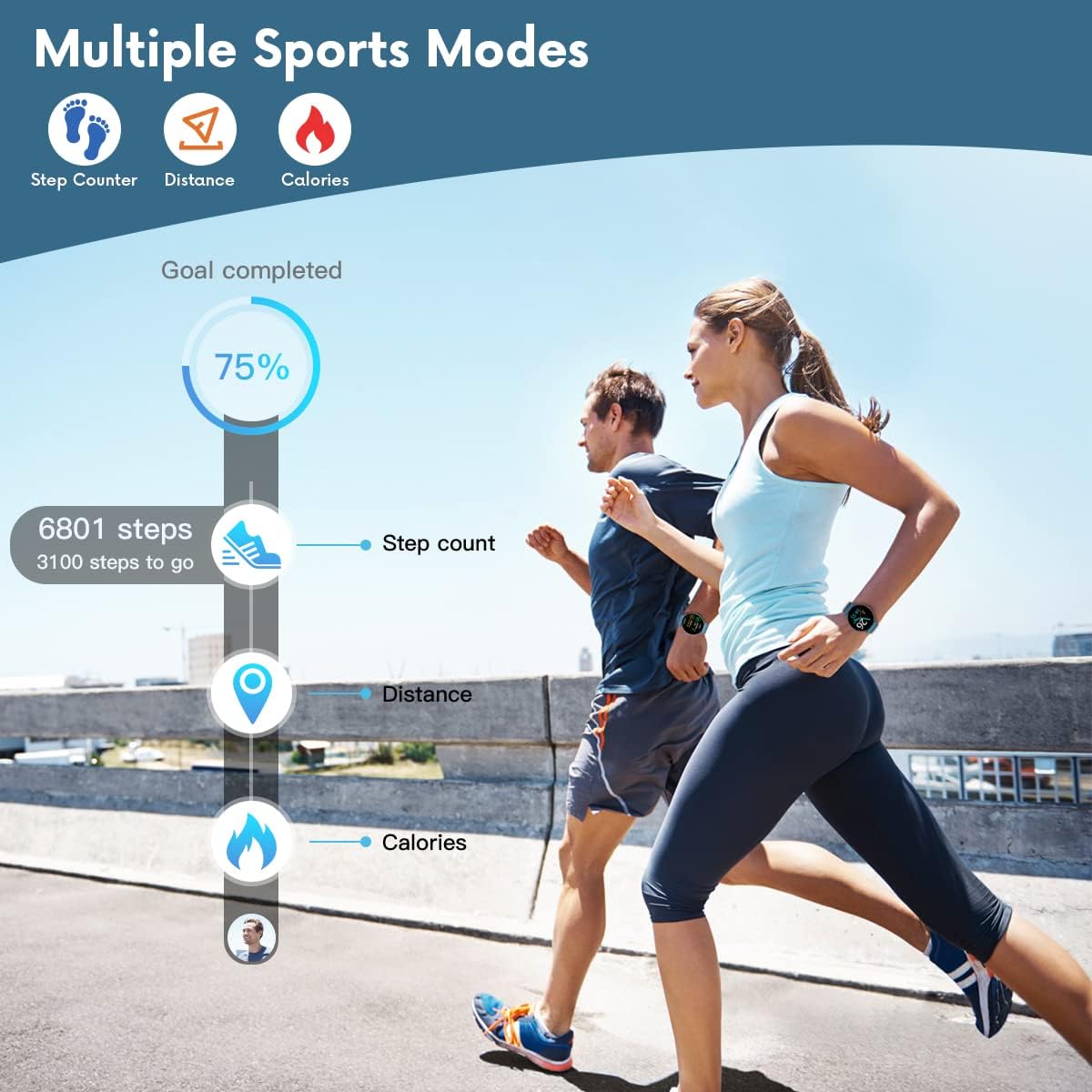
Figure 4: The smartwatch displaying fitness metrics like step count, distance, and calories during a workout.
4.4 Маніторынг здароўя
Кантралюйце важныя паказчыкі здароўя непасрэдна з запясця.
- Частата сардэчных скарачэнняў: Navigate to the heart rate monitoring interface. The watch will automatically measure your heart rate. Continuous monitoring can be enabled via the 'Da Fit' app.
- Крывяны ціск і ўзровень кіслароду ў крыві (SpO2): Access these functions from the watch menu. Ensure the watch is worn snugly on your wrist for accurate readings.
- Маніторынг сну: Wear the watch to bed. It will automatically track your sleep patterns, including deep sleep, light sleep, and wake times. View detailed sleep reports in the 'Da Fit' app.

Figure 5: Visual representation of the smartwatch's health monitoring capabilities, including heart rate, blood pressure, blood oxygen, and sleep tracking.
4.5 Разумныя функцыі
- Апавяшчэнні: Ensure the 'Da Fit' app has necessary permissions. You will receive call, SMS, and social media notifications directly on your watch. You can reject calls from the watch.
- Пульт дыстанцыйнага кіравання камерай: Open the camera function in the 'Da Fit' app. Use the watch as a remote shutter button to take photos on your phone.
- Кіраванне музыкай: Control music playback on your smartphone (play/pause, next/previous track) directly from the watch.
- Прагноз надвор'я: View current weather conditions and forecasts after syncing with the 'Da Fit' app.
- Будзільнікі і напаміны: Set up to 3 alarms via the 'Da Fit' app. Enable sedentary reminders to prompt you to move after periods of inactivity.

Figure 6: Using the smartwatch to remotely control your phone's camera for group photos.

Figure 7: The smartwatch interface showing music playback controls.
5. Тэхнічнае абслугоўванне і догляд
Proper maintenance ensures the longevity and optimal performance of your TAOPON Smart Watch.
- Уборка: Рэгулярна працірайце экран гадзінніка і раменьчык мяккай сухой тканінай. Для ўстойлівых забруджванняў выкарыстоўвайце злёгку сухую тканіну.amp тканінай і старанна высушыце. Пазбягайце агрэсіўных хімічных рэчываў або абразіўных матэрыялаў.
- Воданепранікальнасць: The watch is IP67 waterproof, meaning it can withstand splashes, rain, and brief immersion in shallow water (e.g., hand washing). Do not use it for hot showers, diving, or prolonged submersion. Пазбягайце кантакту з гарачай вадой, парай або агрэсіўнымі вадкасцямі.
- захоўванне: Захоўвайце гадзіннік у прахалодным, сухім месцы, удалечыні ад прамых сонечных прамянёў і экстрэмальных тэмператур.
- Зарадка: Use only the provided charging cable. Do not attempt to charge the watch if it or the cable is wet.
6. Выпраўленне непаладак
If you encounter issues with your TAOPON Smart Watch, refer to the following common solutions:
| праблема | Магчымае рашэнне |
|---|---|
| Гадзіннік не ўключаецца | Пераканайцеся, што гадзіннік цалкам зараджаны. Падключыце яго да зараднай прылады і пачакайце некалькі хвілін, перш чым спрабаваць уключыць. |
| Немагчыма спалучыцца з тэлефонам | Ensure Bluetooth is enabled on your phone and the watch is within range. Restart both the watch and your phone. Check if the 'Da Fit' app has necessary permissions. |
| Недакладныя дадзеныя пра здароўе | Ensure the watch is worn snugly on your wrist, not too loose or too tight. Avoid excessive movement during measurements. Clean the sensor on the back of the watch. |
| Апавяшчэнні не атрыманы | Verify that the 'Da Fit' app is running in the background and has notification permissions enabled for the desired apps. Check phone's notification settings. |
| Кароткі тэрмін службы батарэі | Reduce screen brightness, disable continuous heart rate monitoring, and limit frequent notifications. Ensure background app refresh is managed. |
7. Тэхнічныя характарыстыкі
| Асаблівасць | Дэталь |
|---|---|
| Нумар мадэлі | smartwatch zl02g |
| Памеры | 1.77 х 1.77 х 0.39 цалі |
| Вага | 1.23 унцыі (35 грама) |
| Памер экрана | 1.28 цалі |
| Дазвол дысплея | 240x240 пікселяў |
| Ёмістасць батарэі | 200mAh літый-палімер |
| Тэрмін службы батарэі (звычайнае выкарыстанне) | Да 7 дзён |
| Час чакання | Да 30 дзён |
| Воданепранікальнасць | IP67 |
| Сумяшчальнасць | iOS 9.0 & Android 5.0 or higher |
| Сувязь | Bluetooth |
| GPS | Праз смартфон |
| Вытворца | ТААПОН |
8. Гарантыя і падтрымка
For warranty information and customer support, please refer to the documentation included with your product or contact TAOPON customer service directly. Keep your purchase receipt as proof of purchase.
Ask a question about this manual
Ask about setup, troubleshooting, compatibility, parts, safety, or missing instructions. Manuals+ will review the question and use this page’s manual context to help answer it.