Product Features & Components
Дысплей высокай выразнасці
The projector boasts Native 1080P HD resolution (1920x1080) with 9500 lumens brightness and a 12000:1 contrast ratio, ensuring sharp, detailed, and vibrant images. LCD color calibration technology enhances color accuracy.

Image: A side-by-side comparison illustrating the superior image quality of the Visoud projector (1080P, 12000:1 contrast, 9500 Lumen) compared to a standard 720P projector.
Бесправоднае падключэнне
Enjoy seamless screen mirroring from iOS, Android, and laptop devices via WiFi. The projector also features Bluetooth for connecting external audio devices like headsets and speakers (Dolby not supported).

Image: The Visoud V6 Projector demonstrating its WiFi connectivity, allowing screen mirroring from smartphones and laptops to project content onto a large screen.
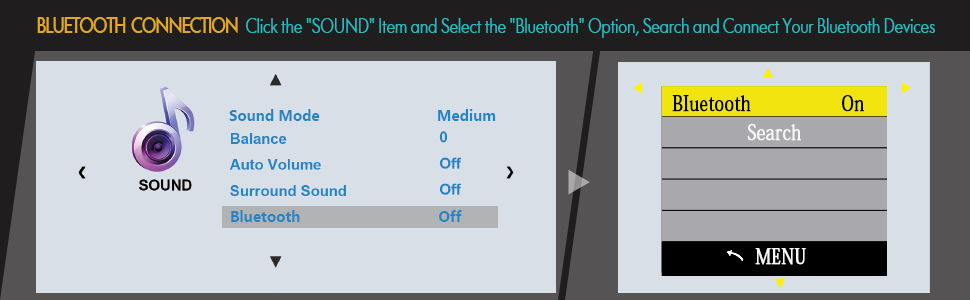
Image: A diagram illustrating the steps to enable Bluetooth on the Visoud V6 Projector and connect to external Bluetooth devices.
Убудаваныя два стэрэадынамікі
Equipped with dual 5W stereo speakers, the projector delivers original audio fidelity for an immersive experience.
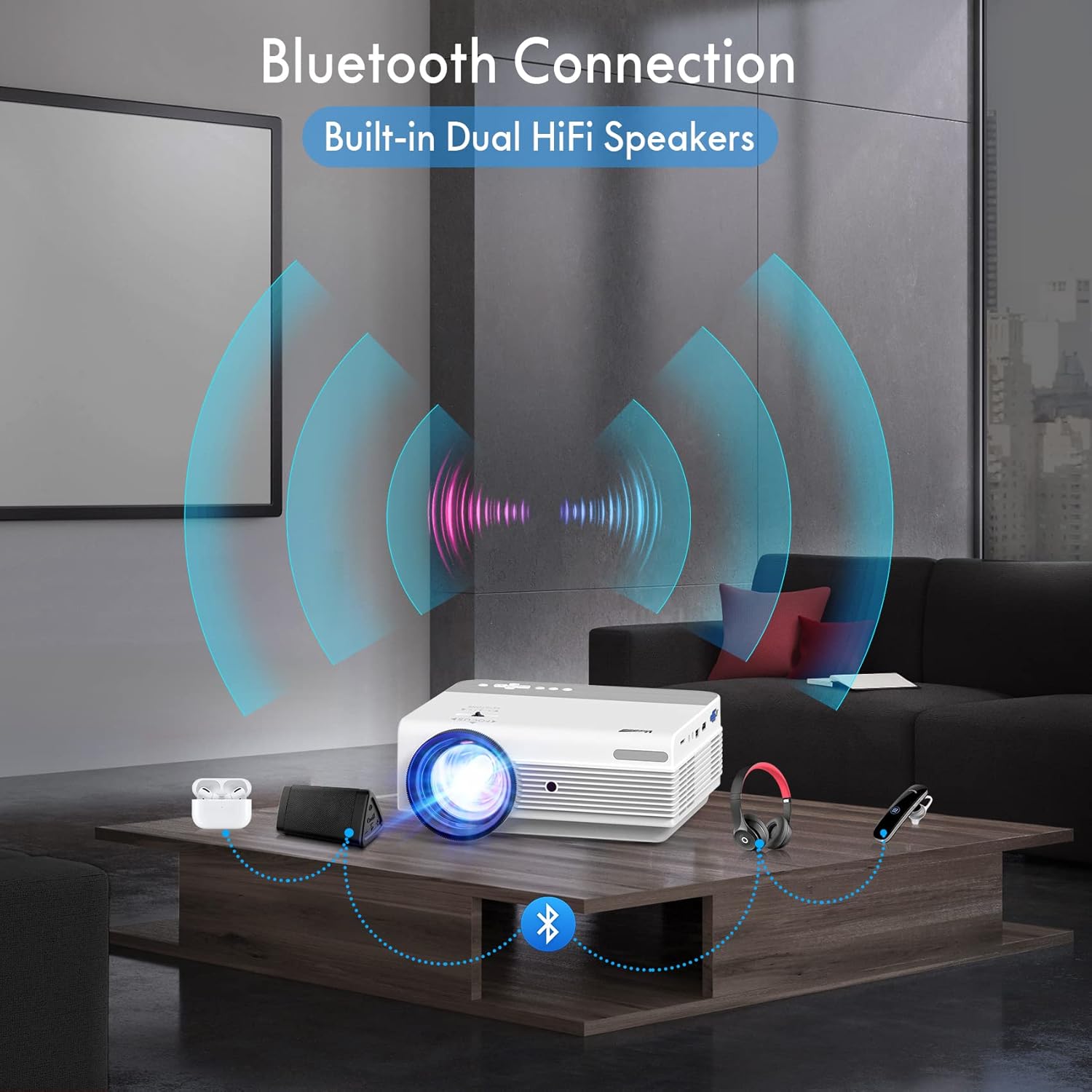
Image: The Visoud V6 Projector showcasing its Bluetooth connectivity to external audio devices, enhancing the sound experience for movies or presentations.
Multiple Interfaces & Wide Compatibility
The projector offers a variety of ports including VGA, HDMI (x2), USB, TF, AV, and 3.5mm Audio, ensuring compatibility with laptops, PCs, TV boxes, speakers, TV Sticks, PS4, USB flash drives, TF SD cards, and smartphones.

Image: A visual representation of the Visoud V6 Projector's various input ports (VGA, HDMI, USB, AV, TF, Headset) and the wide range of multimedia devices it supports.
Zoom Function & Projection Methods
Adjust image size from 100% to 75% without moving the projector using the ZOOM function. Supports Front, Front Ceiling, Rear, and Rear Ceiling projection methods.

Image: The Visoud V6 Projector demonstrating its ability to project screen sizes from 43 inches up to 300 inches, along with controls for focus and keystone correction.
Інструкцыя па эксплуатацыі
Навігацыя і меню
Use the directional buttons on the projector or remote control to navigate through the on-screen menu. The 'OK' button confirms selections, and the 'Back' button returns to the previous screen.
Параметры падлучэння
- HDMI/VGA/AV/USB/TF: Connect your device using the appropriate cable to the corresponding port on the projector. Select the correct input source from the projector's main menu.
- Люстраное адлюстраванне экрана Wi-Fi:
- Select 'Screen Mirroring' from the main menu.
- Follow the on-screen instructions for iOS or Android devices. This typically involves connecting your phone/tablet to the projector's WiFi network or ensuring both devices are on the same router network, then enabling screen mirroring/casting on your device.
- Злучэнне Bluetooth:
- Go to the 'Sound' settings menu.
- Выберыце «Bluetooth» і ўключыце яго.
- Пошук and connect to your desired Bluetooth audio device (e.g., speakers, headphones).

Image: Detailed diagrams illustrating how to establish a WiFi connection for screen mirroring, both when a router is available and when connecting directly without one.
Прайграванне мультымедыя
From the main menu, select 'Movie', 'Music', 'Picture', or 'Text' to browse and play media files from connected USB drives or TF cards.
Note: Due to copyright issues, streaming services like Netflix, Amazon Prime Video, Disney, and Hulu must be played by connecting an external TV Stick (e.g., Amazon Fire Stick) to an HDMI port.

