
Logitech 910-006265
Кіраўніцтва карыстальніка бесправадной мышы Logitech Signature M650 L
Model: M650 L (910-006265)
Уводзіны
The Logitech Signature M650 L is a wireless computer mouse designed for enhanced comfort and productivity, particularly suited for users with larger hands. It features an adaptive SmartWheel for precise and fast scrolling, customizable side buttons, and SilentTouch technology for quiet clicks. This manual provides detailed instructions for setting up, operating, maintaining, and troubleshooting your M650 L mouse.
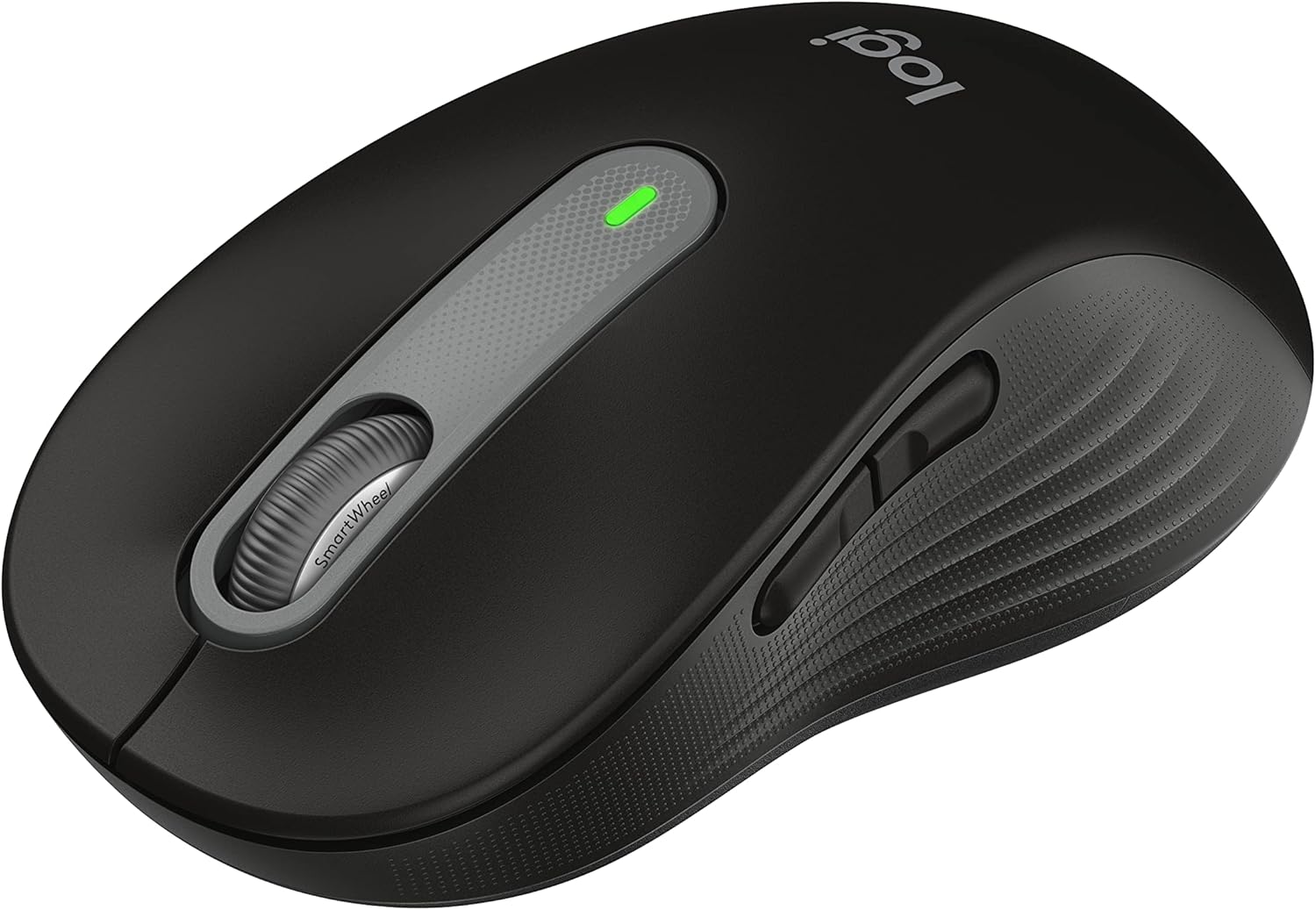
Figure 1: Logitech Signature M650 L Wireless Mouse
Настройка
1. Устаноўка батарэі
The Signature M650 L mouse operates on a single AA battery, providing up to 24 months of battery life. The battery compartment is located on the underside of the mouse.
- Акуратна адчыніце вечка батарэйнага адсека на ніжняй частцы мышы.
- Устаўце адну батарэйку тыпу АА, сачыце за правільнай палярнасцю (+/-).
- Зачыняйце вечка батарэйнага адсека, пакуль яно надзейна не зафіксуецца на месцы.
2. Падключэнне мышы
The M650 L offers two connectivity options: Bluetooth Low Energy or the Logi Bolt USB receiver.

Figure 2: Connectivity Options (Bluetooth and Logi Bolt USB Receiver)
Варыянт A: USB-прыёмнік Logi Bolt
- Locate the Logi Bolt USB receiver inside the battery compartment of your mouse.
- Remove the receiver and plug it into an available USB port on your computer.
- Уключыце мыш з дапамогай выключальніка харчавання ўнізе. Мыш павінна падключыцца аўтаматычна.
Варыянт B: Bluetooth з нізкім энергаспажываннем
- Уключыце мыш з дапамогай выключальніка ўнізе.
- Press and hold the connection button on the bottom of the mouse until the LED light starts blinking rapidly. This indicates pairing mode.
- На камп'ютары адкрыйце налады Bluetooth:
- Windows: Go to Settings > Devices > Bluetooth & other devices > Add Bluetooth or other device.
- MacOS: Go to System Preferences > Bluetooth.
- Chrome OS/Linux: Access Bluetooth settings through your system tray or settings menu.
- Select "Signature M650 L" from the list of available devices to complete the pairing process.
Кіраванне мышшу
SmartWheel Scrolling
The Signature M650 L features an adaptive SmartWheel that provides two modes of scrolling:
- Дакладнасць па радках: Для падрабязнай навігацыі ў дакументах і электронных табліцах.
- Звышхуткае бясплатнае кручэнне: Для хуткай пракруткі доўгіх web pages or documents. The wheel automatically switches to this mode with a flick of your finger.

Figure 3: SmartWheel for Precision and Speed Scrolling
Customizable Side Buttons
The two side buttons on the M650 L mouse can be customized to perform your favorite shortcuts, such as back/forward navigation, copy/paste, or other functions. Customization is done through the Logitech Options+ software.

Figure 4: Customizing Buttons with Logitech Options+ Software
Silent Clicks (SilentTouch Technology)
The M650 L incorporates Logitech's SilentTouch technology, which reduces click noise by 90% compared to traditional mice. This feature allows for a quieter working environment, minimizing distractions for you and those around you.

Figure 5: Silent Clicks for a Quieter Workspace
Камфорт і эрганоміка
The mouse is designed with a comfortable shape, a soft thumb area, and rubber side grips to ensure a secure and pleasant feel during long hours of use. The M650 L is specifically sized for larger hands, providing optimal ergonomic support.

Figure 6: Comfort Shape and Rubber Side Grips

Figure 7: M650 and M650 L Size Comparison
Сумяшчальнасць
The Logitech Signature M650 L mouse is compatible with a wide range of operating systems, ensuring versatile use across different devices.
- PC (Windows 10, 11 or later)
- Mac (macOS 10.15 or later)
- Linux
- Chromebook

Figure 8: Windows 11 Compatibility
Тэхнічнае абслугоўванне
Замена батарэі
When the mouse's performance degrades or the indicator light signals low battery, it's time to replace the AA battery. Follow the battery installation steps outlined in the Setup section.
Уборка
Каб падтрымліваць аптымальную прадукцыйнасць і гігіену, рэгулярна чысціце мыш:
- Выкарыстоўвайце мяккую безворсовую тканіну, злёгку dampвадой або ачышчальным растворам, бяспечным для электронікі.
- Wipe the surface of the mouse, paying attention to the scroll wheel and side grips.
- Пазбягайце выкарыстання агрэсіўных хімічных рэчываў або абразіўных матэрыялаў, якія могуць пашкодзіць пакрыццё мышы.
Ліквідацыю непаладак
Праблемы з падключэннем
- Мышка не рэагуе: Ensure the mouse is powered on and the battery is not depleted. Replace the battery if necessary.
- Нестабільнае злучэнне Bluetooth: Move the mouse closer to your computer. Ensure no other devices are causing interference. Try re-pairing the mouse with your computer.
- Logi Bolt receiver not detected: Try plugging the receiver into a different USB port. Ensure the receiver is fully inserted.
- Switching between connections: If you switch between Bluetooth and the Logi Bolt receiver, you may need to re-pair or re-establish the connection each time.
Праблемы з прадукцыйнасцю
- Няправільны рух курсора: Clean the optical sensor on the bottom of the mouse. Ensure you are using the mouse on a suitable surface (non-reflective, non-glass).
- Scroll wheel not working correctly: Ensure the scroll wheel is free of debris. If using Logitech Options+ software, check scroll settings.
- Кнопкі не рэагуюць: Check if the buttons are physically obstructed. If using Logitech Options+ software, ensure button assignments are correct.
Тэхнічныя характарыстыкі
| Асаблівасць | Дэталь |
|---|---|
| мадэль | Подпіс M650 L |
| Нумар мадэлі | 910-006265 |
| Сувязь | Прыёмнік Bluetooth Low Energy, USB Logi Bolt |
| Sensor Technology | Аптычны |
| Тып батарэі | 1 х АА батарэя |
| Тэрмін службы батарэі | Да 24 месяцаў (можа адрознівацца ў залежнасці ад выкарыстання) |
| Асаблівасці | SmartWheel, SilentTouch Technology, Customizable Side Buttons |
| Памеры (ДхШхВ) | 4.65 х 2.58 х 0.1 цалі (11.8 х 6.55 х 0.25 см) |
| Вага | 3.92 унцыі (111 грам) |
| Сумяшчальныя платформы | PC, Linux, Mac (Windows 10/11+, macOS 10.15+, Chrome OS) |
Падтрымка і дадатковыя рэсурсы
Каб атрымаць дадатковую дапамогу або падрабязную дакументацыю, звярніцеся да наступных рэсурсаў:
- Афіцыйнае кіраўніцтва карыстальніка (PDF): Спампаваць кіраўніцтва карыстальніка
- Інструкцыя па ўжыванні (PDF): Спампаваць інструкцыю па ўжыванні
- Служба падтрымкі Logitech Webсайт: Visit the official Logitech support page for FAQs, drivers, and software downloads.
- Logitech Options+ Software: Download the software to customize your mouse buttons and settings.
Ask a question about this manual
Ask about setup, troubleshooting, compatibility, parts, safety, or missing instructions. Manuals+ will review the question and use this page’s manual context to help answer it.