
Уводзіны
This manual provides detailed instructions for the setup, operation, and maintenance of your NADAMOO Bur3121-P2-30 2D Wireless Barcode Scanner. This device is designed for efficient scanning of 1D and 2D barcodes, offering versatile connectivity and a unique adjustable back clip for mobile phone integration.
Асаблівасці прадукту
- Adjustable Back Clip Design: The scanner features a retractable clip that allows it to be securely attached to mobile phones with lengths between 5.61-6.5 inches (13.5-16.5 cm). The clip includes anti-slip silicone to prevent damage to your phone.
- Двайныя рэжымы выкарыстання: Can be used as a clip-on barcode scanner fixed behind a mobile phone for real-time data viewing, or as a standalone Bluetooth barcode scanner.
- Злучэнне Bluetooth: Supports Bluetooth HID, SPP, and BLE modes, offering a wireless range of approximately 50 meters (164 feet) in open environments. Compatible with Windows, Mac OS, Android OS, and iOS devices.
- Advanced 2D CMOS Sensor: Equipped with a 300,000-pixel CMOS sensor for superior reading performance on both printed and screen-displayed 1D/2D barcodes.
- Enhanced Decoding Capability: Capable of reading damaged, distorted, colored, reflective, smudged, scratched, or poorly printed barcodes.
- Падтрымліваюцца тыпы штрых-кодаў:
- 1D штрых-коды: UPC/EAN, UPC/EAN with supplemental code, ISBN/ISSN, Code 128, GS1-128, GS1 DataBar, Code 39, Code32, Code11, Code 93, Interleaved 2 of 5, Industrial 2 of 5, Matrix 2 of 5, Standard 2 of 5, Codabar.
- 2D штрых-коды: QR Code, PDF417, Data Matrix, Aztec. Also supports reading reverse 1D Code, QR Code, Data Matrix, Aztec (white barcode on black background).
- Two Scanning Modes:
- Ручны рэжым запуску: Press the trigger to scan.
- Self-sensing Mode: The scanner automatically reads barcodes when detected, without needing to press the trigger.
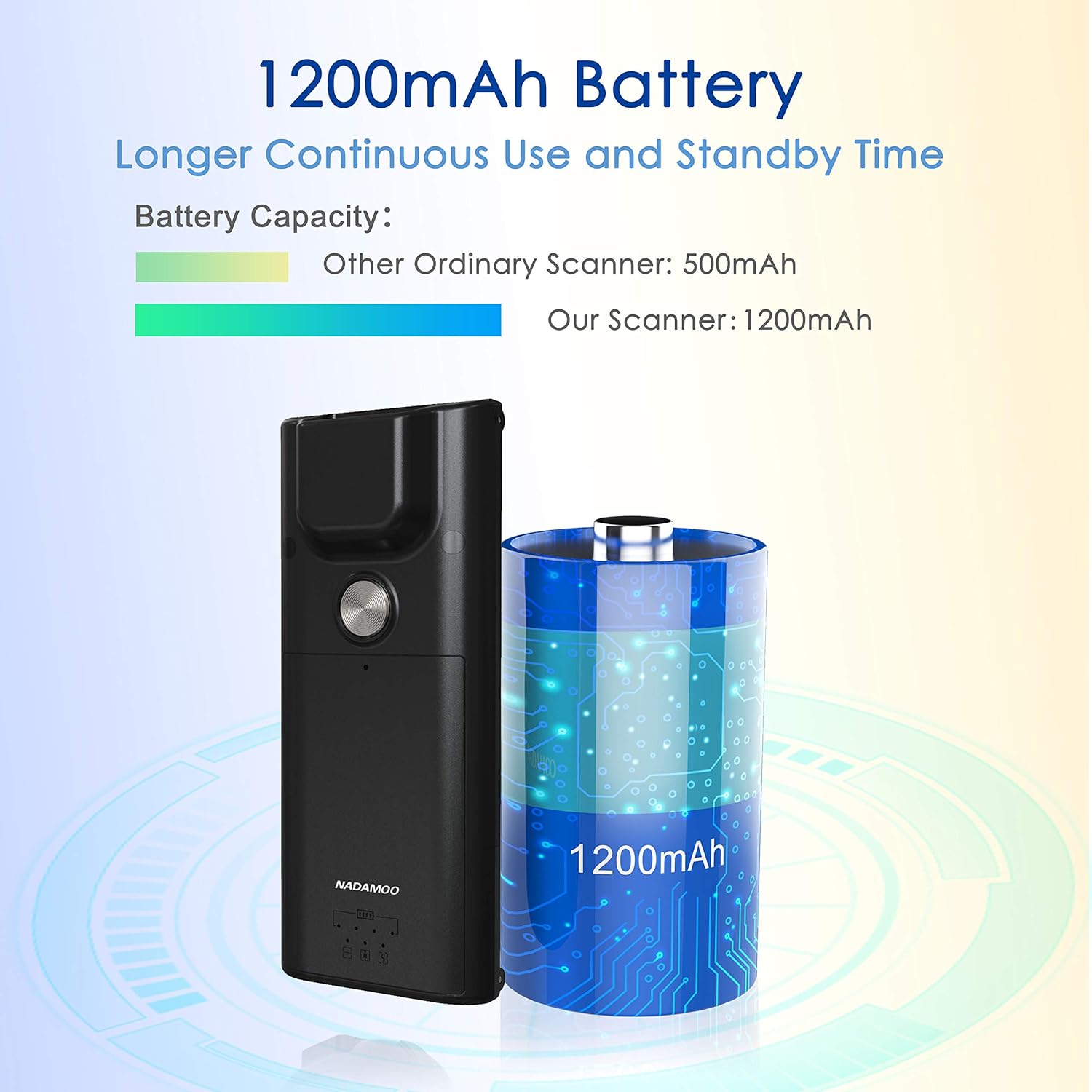
- Працяглая батарэя: Акумулятар ёмістасцю 1200 мАг забяспечвае працяглы час бесперапыннай працы і рэжым чакання.
Настройка
1. Attaching to a Mobile Phone (Optional)
- Ensure your mobile phone's length is between 5.61-6.5 inches (13.5-16.5 cm).
- Gently extend the adjustable back clip of the scanner.
- Position your phone within the clip, ensuring it is securely held by both the fixed top clip and the flexible bottom clip. The anti-slip silicone pads should protect your phone's surface.


2. Спарванне Bluetooth
- Уключыце сканер.
- On your host device (computer, tablet, or smartphone), enable Bluetooth and search for available devices.
- Select "NADAMOO Scanner" or a similar identifier from the list of found devices.
- Follow any on-screen prompts to complete the pairing process. The scanner supports Bluetooth HID, SPP, and BLE modes.

Інструкцыя па эксплуатацыі
1. Сканаванне штрых-кодаў
- Ручны рэжым запуску: Aim the scanner at the barcode and press the trigger button. The scanner will emit a beep and/or vibrate upon successful scan.
- Self-sensing Mode: In this mode, simply present the barcode to the scanner's window. The scanner will automatically detect and read the barcode without requiring a trigger press.
Пераканайцеся, што штрых-код знаходзіцца ў полі зроку сканера view and properly illuminated for optimal reading performance. The scanner can read various types of 1D and 2D barcodes, including those that are damaged, distorted, or printed on colored backgrounds.

2. Зарадка сканера
Connect the scanner to a power source using the provided charging cable. The indicator light will show charging status. A full charge provides extended operational time due to the 1200mAh battery.
Тэхнічнае абслугоўванне
- Уборка: Выкарыстоўвайце мяккую сухую тканіну для чысткі вонкавай паверхні сканера. Для акна сканавання выкарыстоўвайце тканіну для чысткі лінзаў і пры неабходнасці мяккі ачышчальны раствор. Пазбягайце абразіўных матэрыялаў або агрэсіўных хімічных рэчываў.
- захоўванне: Захоўвайце сканер у прахалодным, сухім месцы, удалечыні ад прамых сонечных прамянёў і экстрэмальных тэмператур.
- Сыход за батарэяй: To prolong battery life, avoid fully discharging the battery frequently. Charge the scanner regularly, even if not in active use for extended periods.
Ліквідацыю непаладак
| праблема | Магчымая прычына | Рашэнне |
|---|---|---|
| Сканер не ўключаецца. | Праблемы з нізкім узроўнем зарада батарэі або харчаваннем. | Charge the scanner using the provided cable. Ensure the charging cable is properly connected to a power source. |
| Немагчыма падключыцца праз Bluetooth. | Bluetooth not enabled on host device, scanner not in pairing mode, or out of range. |
|
| Сканер не чытае штрых-коды. | Barcode damaged/unreadable, incorrect scanning mode, or scanner window dirty. |
|
| Data not transmitting to device. | Bluetooth connection lost or incorrect application focus. |
|
Тэхнічныя характарыстыкі
| Асаблівасць | Дэталь |
|---|---|
| Нумар мадэлі | Bur3121-P2-30 |
| ASIN | B09KXPTHNX |
| Тэхналогія падлучэння | Bluetooth |
| Сумяшчальныя прылады | Настольны кампутар, ноўтбук, смартфон |
| Крыніца харчавання | Харчаванне ад батарэі |
| Вага прадмета | 4.4 унцыі (125 г) |
| Памеры ўпакоўкі | 6.89 х 4.84 х 1.5 цалі |
| Тып датчыка | CMOS (300,000 Pixels) |
| Ёмістасць батарэі | 1200 мАг |
| Сумяшчальнасць даўжыні тэлефона | 5.61-6.5 цаляў / 13.5-16.5 см |
Гарантыя і падтрымка
For warranty information or technical support, please refer to the documentation included with your product or contact NADAMOO customer service through their official website or the platform where the product was purchased. Please have your model number (Bur3121-P2-30) and ASIN (B09KXPTHNX) ready when contacting support.