
1. Уводзіны
Thank you for choosing the UrbanX Street Buds Plus R175 True Wireless Earbuds. These earbuds are designed to provide a high-quality audio experience with convenient hands-free controls and a wireless charging case. This manual will guide you through the setup, operation, maintenance, and troubleshooting of your new earbuds.
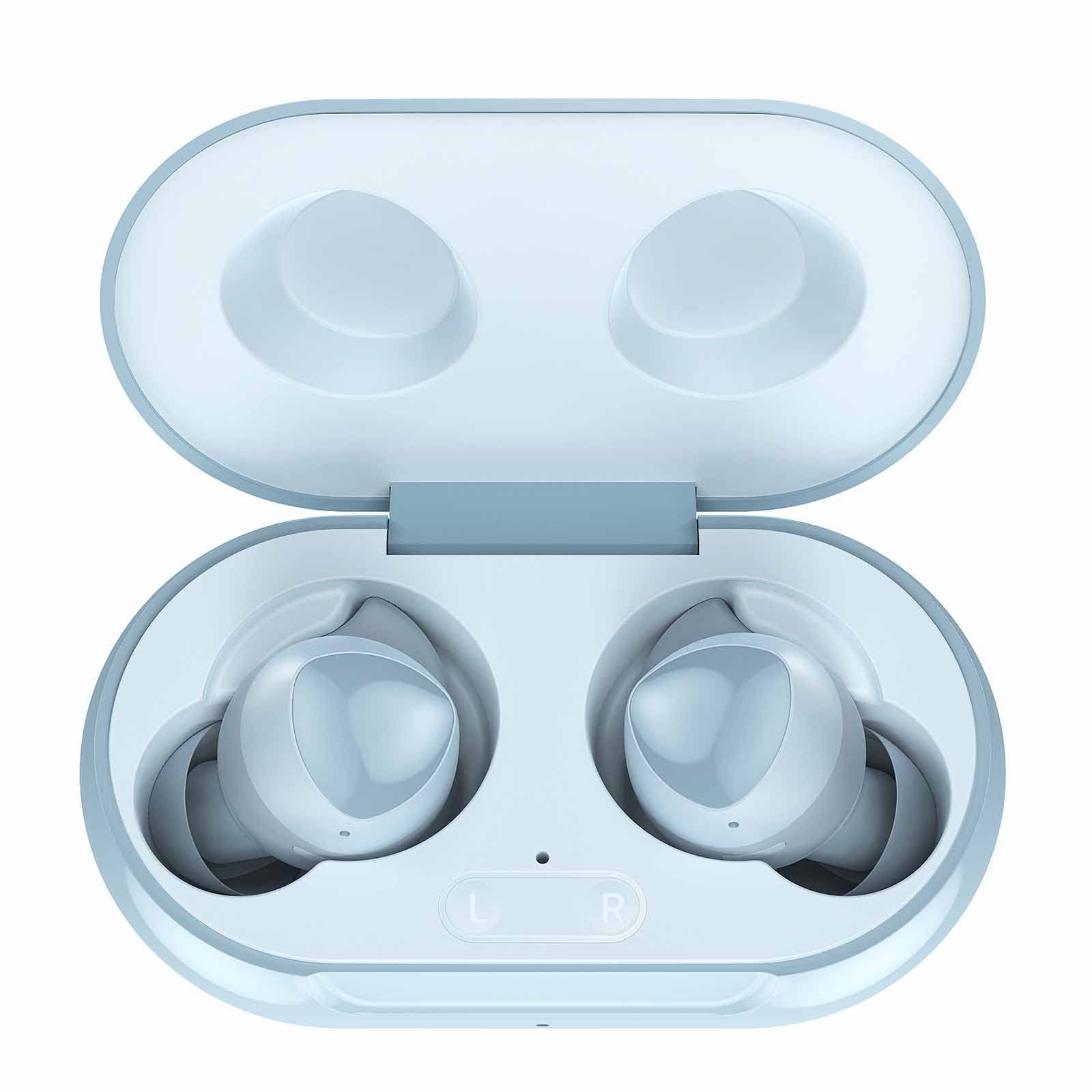
Image 1.1: UrbanX Street Buds Plus R175 True Wireless Earbuds and Charging Case (Blue color variant).
2. Настройка
2.1 Распакоўка і першапачатковая аплата
Пасля адкрыцця ўпакоўкі пераканайцеся ў наяўнасці ўсіх кампанентаў:
- UrbanX Street Buds Plus Earbuds (Left and Right)
- Чахол для бесправадной зарадкі
- USB-кабель для зарадкі
- Кіраўніцтва карыстальніка
Before first use, fully charge the earbuds and the charging case. Place the earbuds into the charging case. Connect the USB charging cable to the case and a power source, or place the case on a compatible wireless charging pad. The indicator light on the case will show charging status.

Image 2.1: The UrbanX Street Buds Plus earbuds resting inside their open charging case, ready for charging or pairing.
2.2 Спалучэнне з прыладай
The UrbanX Street Buds Plus feature one-step auto-pairing for convenience.
- Пераканайцеся, што навушнікі зараджаны.
- Адкрыйце зарадны кейс. Навушнікі аўтаматычна пяройдуць у рэжым спалучэння.
- На вашай прыладзе (смартфоне, планшэце, ноўтбуку) перайдзіце ў налады Bluetooth.
- Пошук available devices and select "Buds Plus" from the list.
- Once connected, the earbuds will automatically pair with this device when the case is opened in the future.

Image 2.2: Visual guide demonstrating the one-step pairing process for the earbuds with a mobile device's Bluetooth settings.
3. Кіраванне навушнікамі-ўкладышамі
3.1 Нашэнне навушнікаў
For optimal sound quality and comfort, ensure the earbuds are properly seated in your ears. Gently insert each earbud and twist slightly until it feels secure and comfortable. A proper fit helps with sound isolation and bass response.

Image 3.1: Diagram illustrating the correct and comfortable fit of the earbuds in the ear for optimal performance.
3.2 Hands-Free Controls
The UrbanX Street Buds Plus feature intuitive touch controls for managing audio playback and phone calls:
- Прайграванне/Паўза: Адзін націск на любы навушнік.
- Наступны трэк: Двойчы націсніце на правы навушнік-ўкладыш.
- Папярэдні трэк: Двойчы націсніце на левы навушнік-ўкладыш.
- Адказ/завяршэнне выкліку: Адно націсканне на любы навушнік падчас уваходнага або актыўнага званка.
- Адхіліць выклік: Падчас уваходнага званка націсніце і ўтрымлівайце любы з навушнікаў на працягу 2 секунд.
- Актываваць галасавы памочнік: Тройчы націсніце на любы навушнік.
3.3 Якасць гуку і характарыстыкі
Experience studio-quality sound with fine-tuned 12mm speakers and enhanced bass. The earbuds are designed for clear audio reproduction across various genres.

Image 3.2: Representation of the earbuds' sound quality with abstract sound wave graphics.
3.4 Тэрмін службы батарэі і зарадка
The earbuds provide long-lasting battery life, with the charging case extending usage significantly. The case supports both wired (USB) and wireless charging.
- Up to 22 hours of total music playback with the charging case.
- Прыкладна 15 гадзін у рэжыме размовы.
- Quick charging feature provides hours of playback with a short charge.

Image 3.3: Infographic detailing the battery performance, including music playback, talk time, quick charging, and wireless charging capabilities.
3.5 Сумяшчальнасць прылад
The UrbanX Street Buds Plus are compatible with a wide range of Bluetooth-enabled devices, including smartphones, tablets, and laptops running iOS, Android, and Windows operating systems.

Image 3.4: Visual confirmation of compatibility with both Android and iOS devices.
4. Тэхнічнае абслугоўванне
4.1 Чыстка навушнікаў-ўкладышаў
To maintain optimal performance and hygiene, regularly clean your earbuds:
- Выкарыстоўвайце мяккую, сухую тканіну без ворса, каб праціраць вонкавыя паверхні навушнікаў і зараднага футляра.
- For earwax or debris in the ear tips, use a small, soft brush or cotton swab. Avoid using sharp objects.
- Не выкарыстоўвайце абразіўныя матэрыялы, спірт або хімічныя ачышчальнікі.
4.2 Воданепранікальнасць
The UrbanX Street Buds Plus are rated IP7 water resistant, making them suitable for sports and exercise. This means they can withstand sweat and light splashes. However, they are not designed for swimming or submersion in water. Ensure earbuds are dry before placing them back in the charging case.

Image 4.1: An active individual wearing the earbuds, highlighting their IP7 waterproof and sweat-resistant design for sports use.
4.3 Захоўванне
Калі навушнікі не выкарыстоўваюцца, захоўвайце іх у зарадным футляры, каб абараніць ад пылу, пашкоджанняў і падтрымліваць зараджанасць.
5. Выпраўленне непаладак
If you encounter issues with your UrbanX Street Buds Plus, refer to the following common solutions:
| праблема | Магчымая прычына | Рашэнне |
|---|---|---|
| Навушнікі не спалучаюцца | Нізкі зарад батарэі, Bluetooth выключаны, па-за зонай дзеяння, раней падключана да іншай прылады. | Ensure earbuds are charged. Turn Bluetooth on/off on your device. Move closer to your device. Forget "Buds Plus" from your device's Bluetooth list and re-pair. |
| Няма гуку альбо малая гучнасць | Volume too low on device, earbuds not properly seated, connection issue. | Increase volume on your device. Adjust earbuds for a secure fit. Disconnect and reconnect Bluetooth. |
| Навушнікі не зараджаюцца | Charging cable/pad issue, dirty charging contacts, earbuds not seated correctly. | Check charging cable/pad. Clean charging contacts on earbuds and case with a dry cotton swab. Ensure earbuds are correctly placed in the case. |
| Адзін навушнік не працуе | Individual earbud connection issue, low battery. | Place both earbuds back in the case, close, then reopen. Ensure both are charged. Re-pair if necessary. |
5.1 Скід налад навушнікаў
If troubleshooting steps do not resolve the issue, you may need to reset your earbuds. Refer to the specific reset procedure in the full product manual or contact customer support.
6. Тэхнічныя характарыстыкі
| Асаблівасць | Дэталь |
|---|---|
| Назва мадэлі | R175 |
| Тэхналогія падлучэння | Бесправадная сувязь (Bluetooth) |
| Тэхналогія бесправадной сувязі | Bluetooth |
| Сумяшчальныя прылады | Lenovo Tab M8 (3rd Gen), Mobile Phone, Tablet, Laptop, Smartphone |
| Тып кіравання | Кіраванне выклікамі (hands-free) |
| Узровень воданепранікальнасці | Воданепранікальнасць (IP7) |
| Асаблівасці | Carrying case included, Enhanced bass, Microphone Included, Sports-and-exercise, Wireless |
| Вага прадмета | 2 унцыі |
| Памеры прадукту | 2.75 х 1.04 х 1.52 цалі |
| Размяшчэнне вушэй | У вуха |
| Формаў-фактар | У вуха |
| Кантроль шуму | Гукаізаляцыя |
| UPC | 734046162926 |
7. Гарантыя і падтрымка
7.1 Інфармацыя аб гарантыі
UrbanX provides a 90-дзённая гарантыя вяртання грошай for your satisfaction. Additionally, a 12-month replacement policy is offered for defective earbuds from the date of purchase.
7.2 Падтрымка кліентаў
For further assistance, technical support, or warranty claims, please visit the official UrbanX store or contact their customer service department. You can find more information and contact details on the UrbanX Store Page.