
HMS H6996
HMS H6996 Magnetic Elliptical Orbitrek User Manual
Model: H6996 | Brand: HMS
Уводзіны
This manual provides essential information for the safe and effective use of your HMS H6996 Magnetic Elliptical Orbitrek. Please read this manual thoroughly before assembly, operation, or maintenance. Keep this manual for future reference.
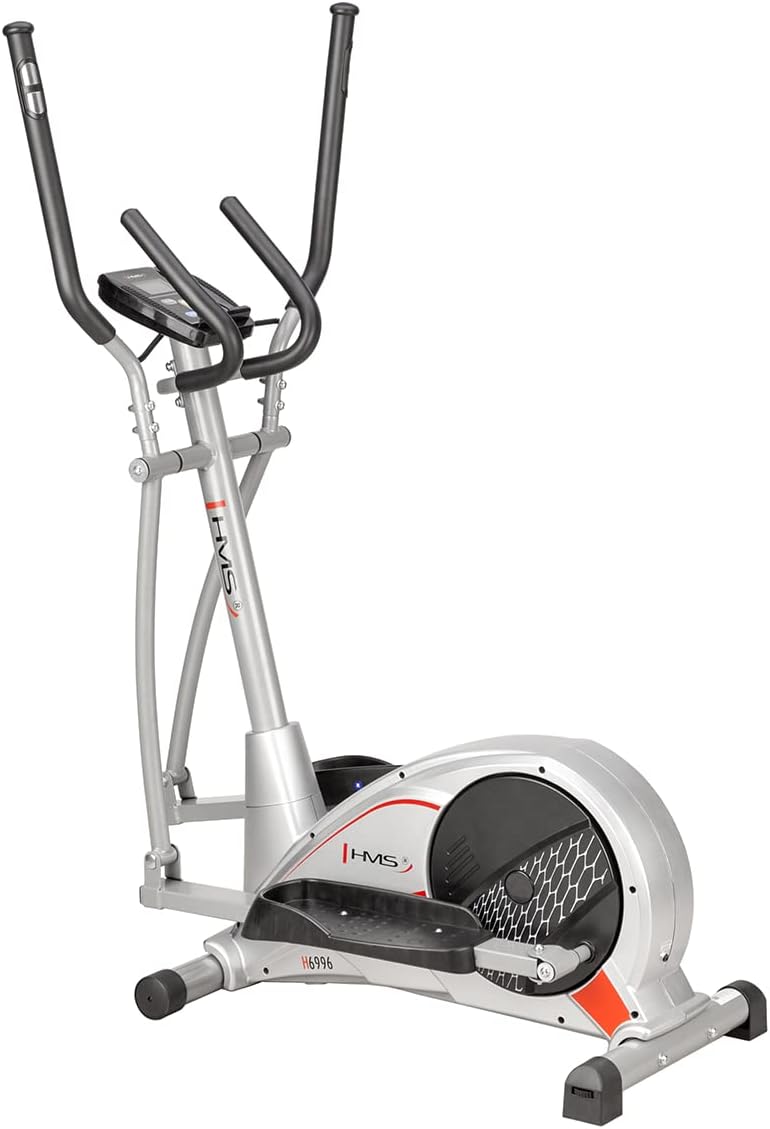
Figure 1: The HMS H6996 Magnetic Elliptical Orbitrek, showcasinг яго элегантны дызайн і трывалая рама.
Важныя інструкцыі па бяспецы
- Пракансультуйцеся з урачом перад пачаткам любой праграмы практыкаванняў.
- Перад кожным выкарыстаннем пераканайцеся, што ўсе дэталі надзейна замацаваны.
- Трымайце дзяцей і хатніх жывёл далей ад абсталявання падчас працы.
- Пастаўце эліптычны трэнажор на роўную, устойлівую паверхню.
- Апранайце адпаведную вопратку і абутак для заняткаў спортам.
- Do not exceed the maximum user weight (refer to specifications).
- Неадкладна спыніце практыкаванні, калі вы адчуваеце слабасць, галавакружэнне або боль.
Ўстаноўка і зборка
The HMS H6996 elliptical requires some assembly. Follow the steps below carefully. It is recommended to have two people for assembly.
1. Распакаванне
- Акуратна дастаньце ўсе кампаненты з упакоўкі.
- Verify all parts are present against the included parts list (not provided in this manual, refer to packaging).
- Змесціце ўсе дэталі на чыстую, роўную паверхню.
2. Базавая зборка
- Attach the front and rear stabilizer bars to the main frame using the provided bolts and washers. Ensure they are securely tightened.
3. Pedal and Arm Assembly
- Connect the pedal arms to the main crank mechanism. Pay attention to left and right markings.
- Attach the foot pedals to the pedal arms.
- Install the moving handlebars to the upper frame, ensuring proper alignment with the pedal arms.
4. Console and Sensor Connection
- Mount the console mast to the main frame.
- Attach the console to the console mast.
- Connect all sensor wires (e.g., pulse, speed) from the main frame to the console.
5. Заключныя праверкі
- Review all connections and ensure all bolts are tightened.
- Test the elliptical for smooth operation before first use.
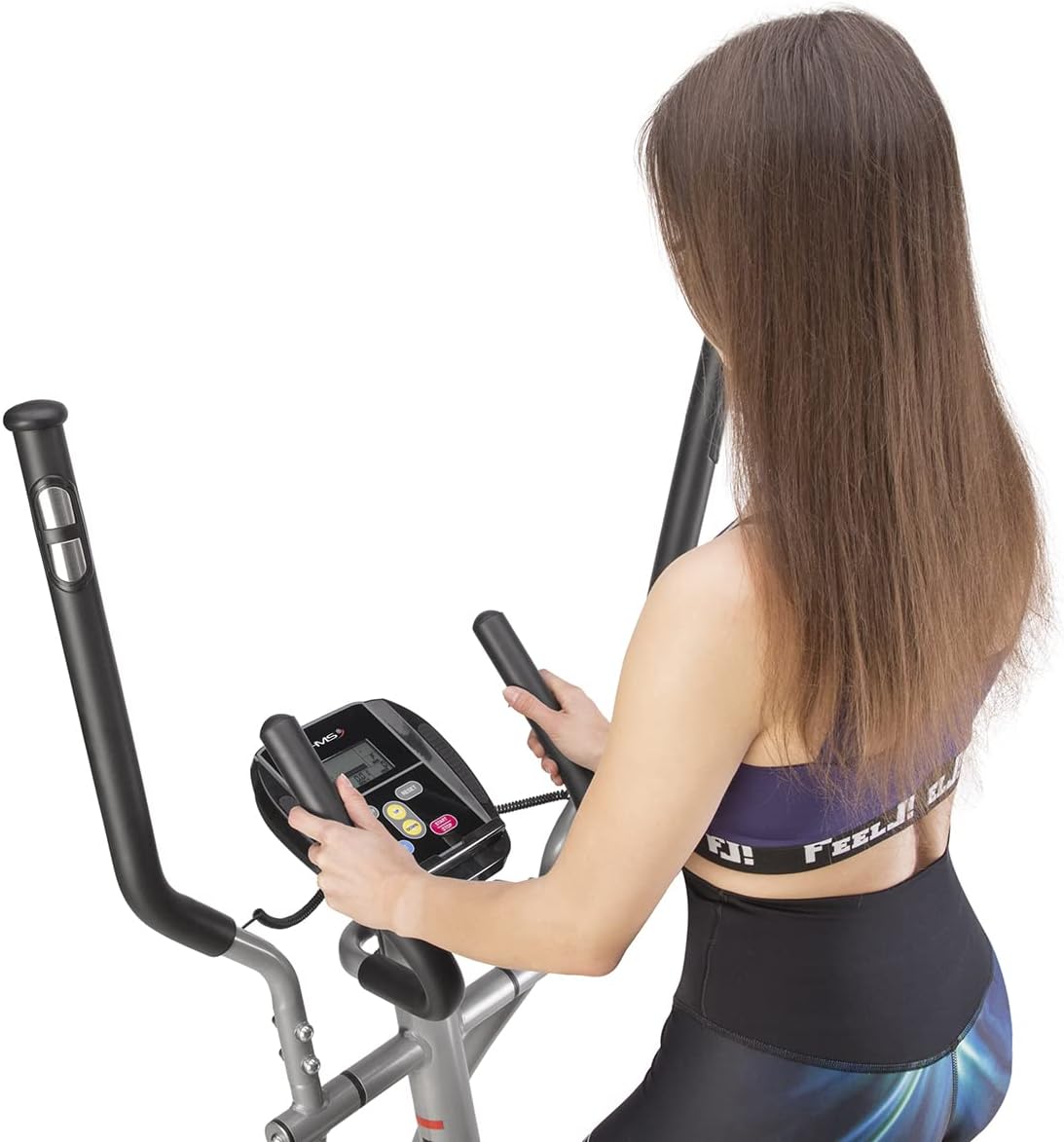
Figure 2: The HMS H6996 elliptical fully assembled, ready for use. Note the stable base and integrated handlebars.
Інструкцыя па эксплуатацыі
1. Пачатак працы
- Наступайце на педалі па адной назе, трымаючыся за нерухомы або рухомы руль для раўнавагі.
- Пачніце круціць педалі плаўным, эліптычным рухам.

Figure 3: A user demonstrating proper form while operating the HMS H6996 elliptical, engaging both arm and leg movements.
2. Функцыі кансолі
The console displays various workout metrics. Power on the console by pressing any button or by starting to pedal.

Малюнак 4: Буйны план view of the HMS H6996 elliptical's digital console, showing the display screen and control buttons.
- ЧАС: Паказвае працягласць вашай трэніроўкі.
- ХУТКАСЦЬ: Паказвае вашу бягучую хуткасць.
- ДАСТАЎКА: Адсочвае агульную пройдзеную адлегласць падчас трэніроўкі.
- КАЛОРЫІ: Ацэньвае колькасць спаленых калорый.
- ІМПУЛЬС: Displays your heart rate when holding the pulse sensors.
- СКАНІРАВАЦЬ: Аўтаматычна пераключае ўсе паказчыкі.
- РЭЖЫМ/СКІД: Press to select display mode or hold to reset values.
3. Рэгуляванне супраціву
The HMS H6996 features a magnetic resistance system. Adjust the resistance level using the tension knob located on the main frame. Turn clockwise to increase resistance and counter-clockwise to decrease it.
4. Маніторынг ЧСС
To measure your heart rate, firmly grasp the pulse sensors on the stationary handlebars. Your heart rate will be displayed on the console after a few seconds.

Figure 5: Close-up of the integrated pulse sensors on the handlebars, designed for accurate heart rate monitoring during exercise.
Тэхнічнае абслугоўванне
Regular maintenance ensures the longevity and optimal performance of your elliptical.
1. Уборка
- Wipe down the elliptical with a damp тканіна пасля кожнага выкарыстання для выдалення поту і пылу.
- Не выкарыстоўвайце абразіўныя ачышчальнікі або растваральнікі.
2. Змазка
- Check moving parts (e.g., joints, pivot points) periodically for smooth operation.
- Apply a silicone-based lubricant to any squeaking or stiff joints as needed.
3. Bolt and Nut Checks
- Periodically inspect all bolts, nuts, and screws to ensure they are tight. Tighten any loose fasteners to prevent instability and noise.
Ліквідацыю непаладак
| праблема | Магчымая прычына | Рашэнне |
|---|---|---|
| Console display is blank. | Батарэі разраджаныя або няправільна ўсталяваныя. Слабы кантакт. | Replace batteries (if applicable). Check all console cable connections. |
| Скрыгат падчас працы. | Loose bolts or joints. Lack of lubrication. | Tighten all assembly bolts. Apply silicone lubricant to moving joints. |
| Супраціў не змяняецца. | Кабель рэзістара адключаны або пашкоджаны. | Праверце злучэнне троса супраціву з ручкай нацяжэння і махавіком. |
| Няправільныя паказанні пульса. | Hands not firmly on sensors. Dry hands. | Ensure firm contact with both sensors. Slightly moisten hands if too dry. |
Тэхнічныя характарыстыкі
| Асаблівасць | Дэталь |
|---|---|
| мадэль | HMS H6996 |
| Тып | Magnetic Elliptical Orbitrek |
| Сістэма супраціву | Магнітныя |
| Кансольны дысплей | Time, Speed, Distance, Calories, Pulse, Scan |
| Маніторынг сардэчнага рытму | Integrated Pulse Sensors |
| Батарэі ўваходзяць у камплект | няма |
| ASIN | B09M729L4N |
| Дата першай даступнасці | 16 верасня 2023 г |
| Памеры прадукту (Note: Dimensions provided in source data appear to be for a different product and are not representative of a full elliptical machine.) | 2.79 х 24.64 х 16.51 см; 3.78 кг |
Гарантыя і падтрымка
For detailed warranty information, please refer to the documentation included with your purchase or visit the official HMS website. For technical support or spare parts, contact HMS customer service through their official channels.
Note: Specific warranty terms and contact details are not provided in this manual.