
1. Уводзіны
Дзякуй за пакупкуasing the Comix S360A Cross Cut Paper Shredder. This manual provides essential information for the safe and efficient operation, maintenance, and troubleshooting of your shredder. Please read these instructions carefully before use and retain them for future reference.
The Comix S360A is designed for secure disposal of sensitive documents, credit cards, and CDs. It features a cross-cut mechanism for enhanced security and includes a jam-proof system with reverse and forward functions to clear paper jams. An energy-saving mode ensures optimal efficiency during operation.
2. Важныя інструкцыі па бяспецы
УВАГА: Невыкананне гэтых інструкцый па бяспецы можа прывесці да пажару, паражэння электрычным токам або траўмы.
- Трымайце дзяцей і хатніх жывёл далей ад здрабняльніка.
- Трымайце свабодную вопратку, упрыгажэнні, валасы і гальштукі далей ад шчыліны для ўводу паперы.
- Не ўстаўляйце пальцы ці іншыя часткі цела ў шчыліну для ўводу паперы.
- Не распыляйце ў шрэдар якія-небудзь лёгкаўзгаральныя рэчывы або змазкі.
- Не здрабняйце металічныя прадметы, мокрую паперу або клейкія этыкеткі.
- Заўсёды адключайце шрэдар ад сеткі, калі ён не выкарыстоўваецца або перад чысткай.
- Не выкарыстоўвайце шрэдар, калі пашкоджаны шнур харчавання. Звярніцеся па дапамогу ў службу падтрымкі кліентаў.
- Пераканайцеся, што шрэдар размешчаны на ўстойлівай, роўнай паверхні.
- Do not overload the shredder beyond its specified sheet capacity.
3. Змесціва ўпакоўкі
Калі ласка, праверце ўпакоўку на наяўнасць наступных прадметаў:
- Comix S360A Shredder Head
- Waste Bin (13 Liter capacity)
- Інструкцыя па эксплуатацыі (гэты дакумент)
4. Настройка
- Распакуйце шрэдар: Акуратна дастаньце ўсе кампаненты з упакоўкі.
- Place the Waste Bin: Position the waste bin on a flat, stable surface.
- Mount the Shredder Head: Carefully place the shredder head onto the top of the waste bin, ensuring it is securely seated. The shredder will not operate if the head is not correctly positioned.
- Падключыце харчаванне: Падключыце шнур сілкавання да звычайнай электрычнай разеткі.
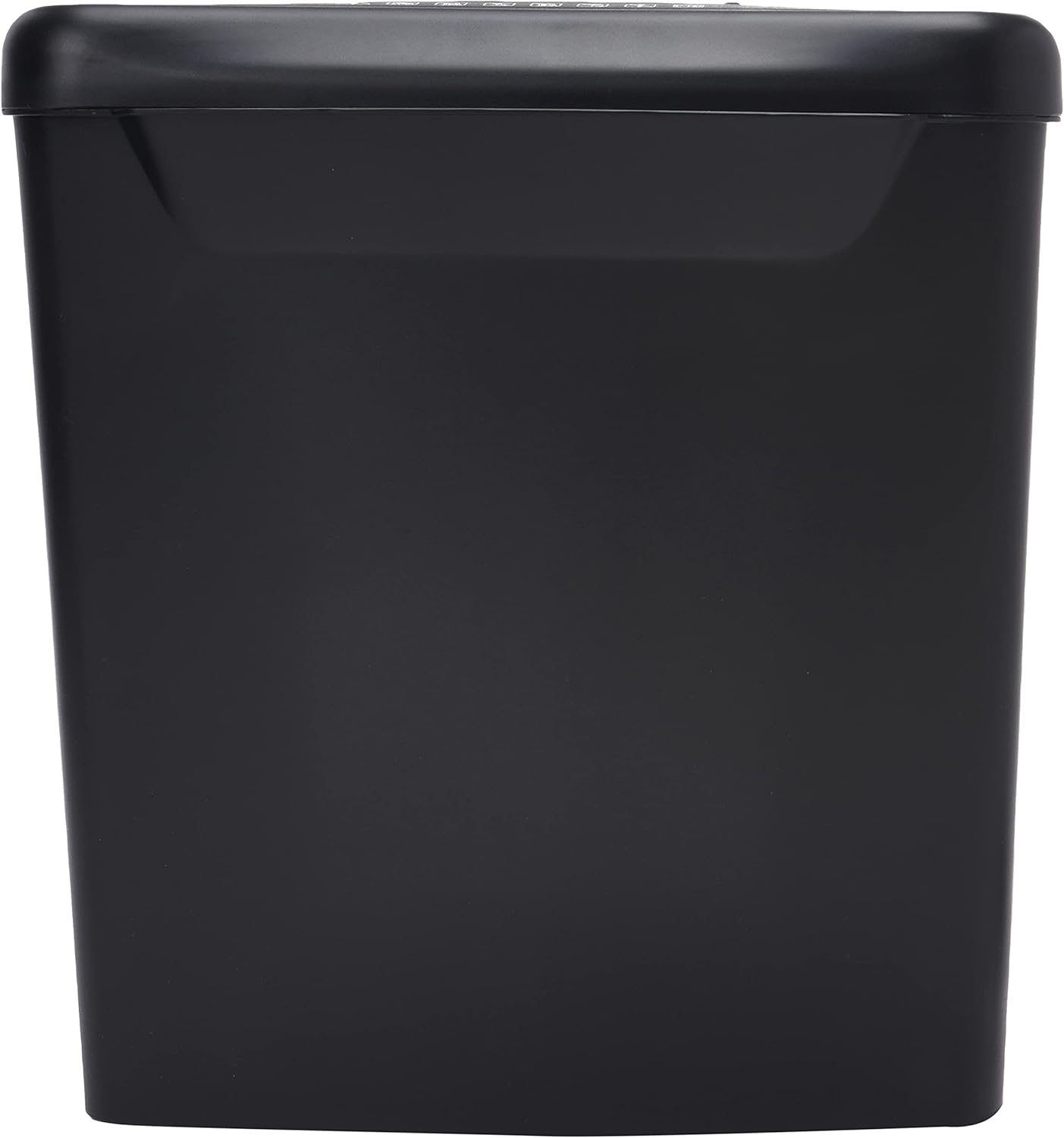
Выява: Збоку view of the Comix S360A shredder bin, showing its black exterior and compact design. The shredder head is not visible in this image.
5. Інструкцыя па эксплуатацыі
5.1 Пераключальнік кіравання
The shredder features a slide switch with three positions:
- АЎТА: The shredder will automatically start when paper is inserted and stop when shredding is complete. This is the normal operating mode.
- OFF: The shredder is powered off. Always set the switch to OFF when emptying the bin or when the shredder is not in use.
- REV (задні ход): This position reverses the shredder blades to help clear paper jams.

Выява: Уверсе view of the shredder head, highlighting the paper entry slot, the three-position control switch (Rev, OFF, Auto), and various safety warning icons.
5.2 Знішчэнне дакументаў
- Ensure the shredder head is securely placed on the waste bin.
- Падключыце шнур сілкавання да электрычнай разеткі.
- Усталюйце перамыкач кіравання ў становішча АЎТА.
- Insert up to 8 sheets of 70gsm A4 paper into the paper entry slot. The shredder will start automatically.
- For credit cards or CDs, use the dedicated slot if available (refer to product specifications for capability).
- The shredder will stop automatically once the shredding process is complete.
5.3 Працоўны цыкл
The Comix S360A has a continuous run time of 2 хвілін, followed by a rest time of 40 хвілін. Exceeding the run time may cause the shredder to overheat and automatically shut off. Allow the shredder to cool down for the specified rest time before resuming operation.
6. Тэхнічнае абслугоўванне
6.1 Апаражненне кантэйнера для смецця
- Усталюйце перамыкач кіравання ў становішча ВЫКЛ.
- Адключыце шрэдар ад разеткі.
- Зніміце галоўку шрэдара з смеццевага кантэйнера.
- Dispose of the shredded paper.
- Шчыльна ўстаўце галоўку шрэдара ў смеццевы кантэйнер.
- Зноў падключыце шрэдар да разеткі.
6.2 Змазка лязоў шрэдэра
Regular oiling of the shredder blades is recommended to maintain optimal performance and extend the life of your shredder. Use shredder oil specifically designed for paper shredders.
- Нанесці тонкую лінію алею для шрэдэра на адтуліну для ўваходу паперы.
- Усталюйце перамыкач кіравання ў становішча АЎТА.
- Insert a sheet of paper to distribute the oil evenly across the blades.
- Repeat this process periodically, especially after emptying a full waste bin or if the shredder's performance decreases.
6.3 Ачыстка
Працярыце знешнія паверхні шрэдара мяккай сухой тканінай. Не выкарыстоўвайце абразіўныя ачышчальнікі або растваральнікі. Перад чысткай пераканайцеся, што шрэдар адключаны ад сеткі.
7. Выпраўленне непаладак
| праблема | Магчымая прычына | Рашэнне |
|---|---|---|
| Шрэдар не запускаецца. |
|
|
| Замяцце паперы. |
|
|
| Шрэдар спыняецца падчас працы. |
|
|
8. Тэхнічныя характарыстыкі
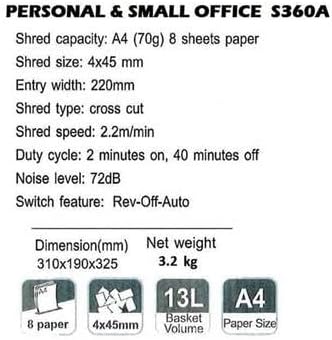
Image: Technical specifications sheet for the Comix S360A, detailing performance metrics and physical attributes.
- мадэль: S360A
- Тып драбнення: Папярочны разрэз
- Памер кавалка: 4 х 45 мм
- Shred Capacity (A4, 70g): 8 лістоў
- Шырыня ўваходу: 220 мм
- Хуткасць драбнення: 2.2 м/хв
- Ёмістасць кантэйнера для смецця: 13 літра
- Працоўны цыкл: 2 хвілін уключаны / 40 хвілін выключаны
- Узровень шуму: 72 дБ
- Switch Feature: Rev-Off-Auto
- Памеры прадукту: 310 x 190 x 325 мм (Д x Ш x У)
- Вага нета: 3.2 кг
- Асаблівасці: Energy Saving Mode, Jam Pro, Quiet Operation
9. Гарантыя і падтрымка
For warranty information or technical support, please refer to the warranty card included with your product or contact Comix customer service through their official website or the retailer where the product was purchased. Please have your model number (S360A) and purchase date available when contacting support.