
Strong SRT8119
Кіраўніцтва карыстальніка
Strong SRT 8119 Digital Terrestrial DVB-T2 HDMI Decoder with Display
Мадэль: SRT8119
1. Уводзіны
This manual provides comprehensive instructions for the installation, operation, and maintenance of your Strong SRT 8119 Digital Terrestrial DVB-T2 HDMI Decoder. Please read this manual carefully before using the device to ensure proper functionality and to prevent damage.
The Strong SRT 8119 is designed to receive free-to-air TV programs in high definition, supporting the H.265 standard. It offers features such as recording capabilities, a 700-channel memory capacity, Electronic Program Guide (EPG), parental controls, and various channel editing options for an enhanced viewвопыту.
2. Інфармацыя па бяспецы
Always observe the following safety precautions to avoid electric shock, fire, or damage to the device:
- Не падвяргайце прыладу ўздзеянню дажджу або вільгаці.
- Не адчыняйце casing. Па ўсіх пытаннях тэхнічнага абслугоўвання звяртайцеся да кваліфікаванага персаналу.
- Ensure proper ventilation around the device. Do not block ventilation openings.
- Выкарыстоўвайце толькі адаптар сілкавання, які пастаўляецца з прыладай.
- Disconnect the device from the power outlet during lightning storms or when unused for long periods.
- Трымайце прыладу далей ад прамых сонечных прамянёў, крыніц цяпла і моцных магнітных палёў.
3. Змесціва ўпакоўкі
Праверце наяўнасць усіх прадметаў у камплекце:
- Strong SRT 8119 Digital Terrestrial DVB-T2 HDMI Decoder
- Пульт дыстанцыйнага кіравання (з 2 батарэйкамі тыпу ААА ў камплекце)
- Кіраўніцтва карыстальніка (гэты дакумент)
- Адаптар сілкавання

Figure 3.1: Packaging of the Strong SRT 8119 decoder, showing the product box with branding and key features listed.
4. Прадукт скончыўсяview
4.1. Пярэдняя панэль

Малюнак 4.1: Спераду view of the Strong SRT 8119 decoder, featuring the display, Strong logo, Dolby Audio branding, and a USB port on the right.
- Дысплей: Паказвае нумар канала або час.
- Порт USB: For connecting USB storage devices for media playback and software updates.
- Індыкатар харчавання: Паказвае стан харчавання прылады.
4.2. Задняя панэль

Малюнак 4.2: Задняя частка view of the Strong SRT 8119 decoder, clearly showing the input and output ports labeled for connection to a terrestrial antenna, HDMI TV, SCART TV, and S/PDIF coaxial audio output.
- МУРАШКА Ў: Connects to your terrestrial antenna.
- HDMI: High-Definition Multimedia Interface output for connecting to an HD TV.
- ТБ SCART: SCART output for connecting to older TVs.
- Кааксіяльны S/PDIF: Лічбавы аўдыё выхад.
- DC IN: Power input for the external power adapter.
4.3. Пульт дыстанцыйнага кіравання

Figure 4.3: The remote control for the Strong SRT 8119 decoder, showing various buttons for power, channel navigation, volume, menu access, EPG, media playback, and numeric input.
The remote control allows full operation of the decoder. Familiarize yourself with the button layout for easy navigation.
5. Настройка
5.1. Падключэнне дэкодэра
- Падключэнне антэны: Падключыце кабель эфірнай антэны да МУРАЎНІК У порт на задняй панэлі дэкодэра.
- Падключэнне да тэлевізара:
- For HD TVs: Connect an HDMI cable from the HDMI port on the decoder to an available HDMI input on your TV.
- For older TVs: Connect a SCART cable from the ТБ SCART port on the decoder to the SCART input on your TV.
- Падключыце харчаванне: Insert the power adapter cable into the ПАСТАЯННЫ ток port on the decoder, then plug the adapter into a wall outlet.
- Устаўце батарэі: Open the battery compartment on the remote control and insert the two AAA batteries, observing polarity.
5.2. Першая ўстаноўка
Upon first power-on, the decoder will guide you through the initial setup process:
- Выберыце ўпадабанае мова.
- Выбірай свой Краіна.
- The decoder will then perform an automatic channel scan. This may take several minutes. Do not interrupt this process.
- Once the scan is complete, the decoder will display the first available channel.
6. Інструкцыя па эксплуатацыі
6.1. Асноўная аперацыя
- Уключэнне/выключэнне харчавання: Націсніце УЛАДА кнопку на пульце.
- Змена канала: Выкарыстоўвайце CH +/- кнопкі або ўвядзіце нумар канала непасрэдна з дапамогай лічбавай клавіятуры.
- Рэгулятар гучнасці: Выкарыстоўвайце VOL +/- кнопкі.
- Доступ да меню: Націсніце МЕНЮ button to access system settings and features. Use arrow keys to navigate and OK каб пацвердзіць.
6.2. Электронны тэлегід (EPG)
The EPG provides a schedule of current and upcoming programs.
- Націсніце EPG кнопку на пульце.
- Navigate through channels and program times using the arrow keys.
- Прэса OK каб view details about a selected program.
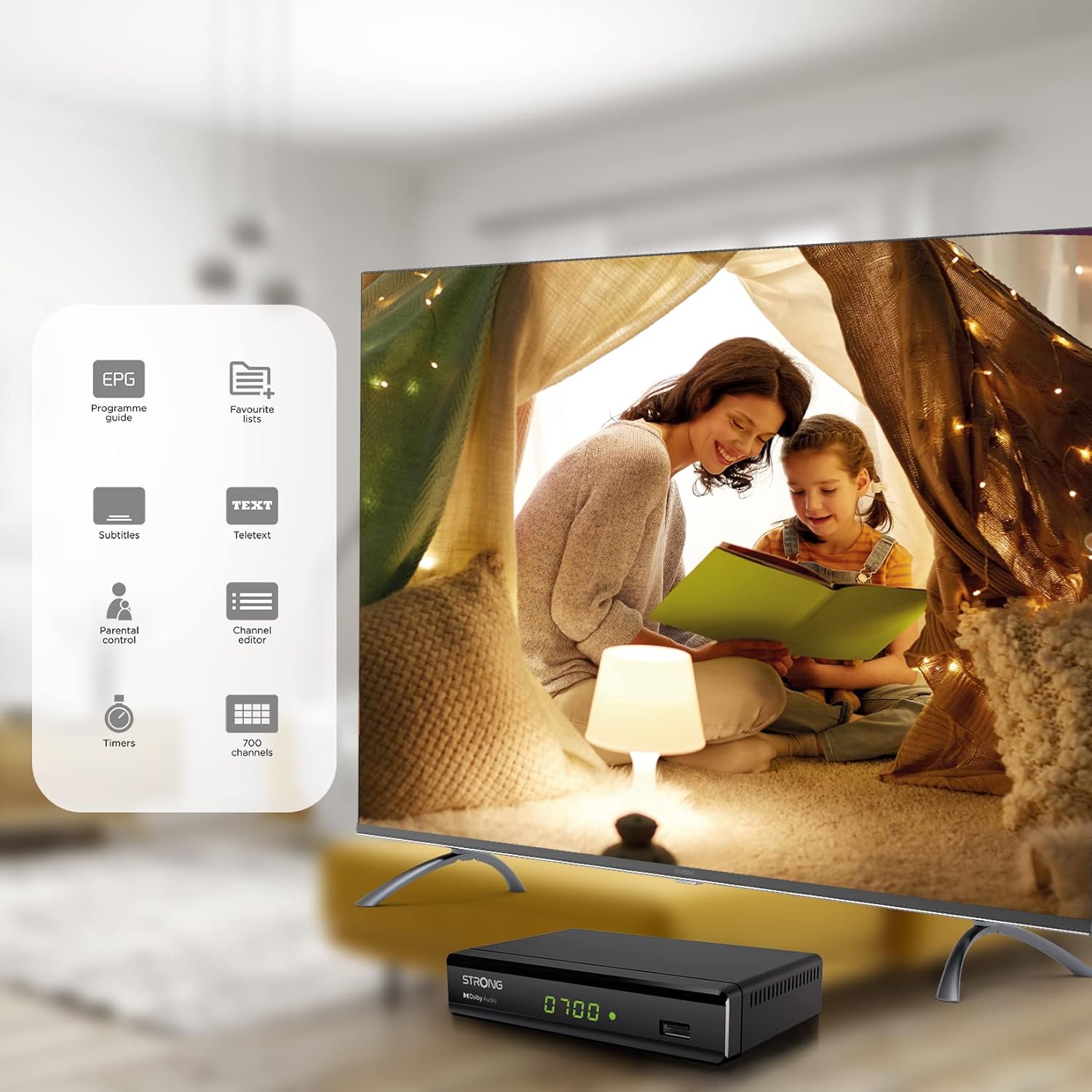
Figure 6.1: Visual representation of the Strong SRT 8119's features, including Electronic Program Guide (EPG), favorite lists, subtitles, teletext, parental control, channel editor, timers, and 700 channel capacity.
6.3. Media Playback and Recording (USB)
The decoder supports media playback from a USB storage device connected to the front USB port. Note: Recording function may not be active in all regions (e.g., Italy).
- Insert a USB flash drive or external hard drive into the front USB port.
- Націсніце СМІ button on the remote control to access the media player.
- Перайдзіце да патрэбнага file (video, audio, image) and press OK гуляць.
- To record a program, press the ЗАПІС button during live TV. Ensure a USB device with sufficient free space is connected.
- To schedule a recording, use the EPG and select the program, then follow the on-screen prompts to set a timer.

Figure 6.2: The Strong SRT 8119 decoder shown in a living room setting, highlighting its USB playback and recording capabilities. A note indicates that recording is not implemented for Italy.
6.4. Кіраванне каналамі
- Channel Editor: Access the channel editor via the МЕНЮ to move, delete, or lock channels.
- Favorite Lists: Create up to 4 favorite lists for TV and radio programs for quick access to your preferred channels.
- Бацькоўскі кантроль: Set a password to restrict access to certain channels or programs.
7. Тэхнічнае абслугоўванне
- Уборка: Use a soft, dry cloth to clean the exterior of the decoder. Do not use liquid or aerosol cleaners.
- Абнаўленне праграмнага забеспячэння: Periodically check the Strong website for available software updates. Updates can typically be installed via the USB port.
- захоўванне: Калі прылада захоўваецца працяглы час, адключыце яе ад сеткі і захоўвайце ў прахалодным, сухім месцы.
8. Выпраўленне непаладак
| праблема | Магчымая прычына | Рашэнне |
|---|---|---|
| Няма ўлады | Сеткавы кабель не падключаны; разетка няспраўная. | Праверце падключэнні да электрычнай сеткі; паспрабуйце іншую разетку. |
| No signal / "No Signal" message | Antenna not connected; Antenna faulty; Incorrect input selected on TV. | Check antenna connection; Ensure antenna is working; Select correct HDMI/SCART input on your TV. |
| Няма выявы, але гук ёсць | Video cable (HDMI/SCART) loose or faulty. | Check video cable connections; Try a different cable. |
| Пульт дыстанцыйнага кіравання не працуе | Batteries depleted or inserted incorrectly; Obstruction between remote and decoder. | Replace batteries; Ensure correct polarity; Remove obstructions; Point remote directly at the decoder. |
| Немагчыма запісваць праграмы | USB device not connected or full; Recording function not available in your region. | Connect a USB device with sufficient space; Check regional limitations for recording. |
9. Тэхнічныя характарыстыкі
| Нумар мадэлі | SRT8119 |
| Памеры прадукту | 4.41 х 5.98 х 1.5 цалі |
| Вага прадмета | 9.5 унцыі |
| Тэхналогія падлучэння | Antenna (DVB-T2), HDMI, SCART, USB, Coaxial S/PDIF |
| Кадзіроўка відэа | H.265 |
| Ёмістасць канала | 700 каналаў |
| Батарэі | 2 батарэйкі тыпу ААА (у камплекце з пультам) |
| Рэжым выхаду гуку | Акружаць |
| Канфігурацыя канала аб'ёмнага гуку | 5.1 |
10. Падтрымка
For further assistance, technical support, or to find useful resources, please visit the official Strong website. You can also find information and support on their Facebook profile and LinkedIn page.
Note: Specific contact numbers or direct links are not provided in this manual. Please refer to the official Strong webсайт для атрымання найбольш актуальнай інфармацыі аб падтрымцы.