1. Уводзіны
This manual provides instructions for the Gamrombo 2.4GHz Wireless Controller, designed for use with Xbox 360, Xbox 360 Slim consoles, and Windows 7/8/10/11 personal computers. Please read this manual thoroughly before using the product to ensure proper operation and to prevent damage.

Image 1.1: Gamrombo Wireless Controller for Xbox 360 and PC. This image displays the front view of the black wireless controller, highlighting its buttons and ergonomic shape.
2. Змесціва ўпакоўкі
Калі ласка, праверце змесціва пакета пасля распакавання:
- 1 х бесправадны кантролер Gamrombo
- 1 х USB-прыёмнік 2.4 Ггц
- 1 х Інструкцыя па эксплуатацыі
- Note: AA batteries are required for controller operation and are not included.
3. Асаблівасці прадукту
- Мультыплатформенная сумяшчальнасць: Compatible with Xbox 360, Xbox 360 Slim consoles, and Windows 7/8/10/11 PCs. (Note: Not compatible with Xbox One, Xbox One X, Xbox One S, or Xbox Series X consoles.)
- Бесправадная тэхналогія 2.4 ГГц: Provides a stable connection up to 32 feet (approximately 10 meters). Supports up to four controllers simultaneously on one console.
- Вібрацыйная зваротная сувязь: Built-in dual motors offer a realistic gaming experience through vibration effects.
- Эрганамічны дызайн: Streamlined and compact design for comfortable extended gameplay sessions.
- Высокая адчувальнасць: Enhanced responsiveness to minimize input lag, providing accurate and sensitive control.
- Дакладнае кіраванне: Features an 8-way D-pad, precise thumbsticks, and pressure-point triggers for accurate input.

Image 3.1: Controller with internal dual motors. This image illustrates the controller with a transparent overlay highlighting the location of the dual vibration motors inside the grips.

Малюнак 3.2: Збоку view of the controller demonstrating its ergonomic shape. The image shows the contoured grips designed for comfortable handling.
4. Налада і падключэнне
Follow these steps to connect your Gamrombo Wireless Controller to your Xbox 360 console or PC:
- Устаўце батарэі: Open the battery compartment on the back of the controller and insert two (2) AA batteries, ensuring correct polarity.
- Падключыце USB-рэсівер: Insert the 2.4GHz USB receiver into an available USB port on your Xbox 360 console or PC.
- Receiver Identification: After the USB receiver is inserted, its indicator light will turn on, signifying successful identification. Short press the button on the USB receiver; the indicator light will flash, entering pairing mode.
- Спалучэнне кантролера: With the controller powered off, long press the "Home" button (the central Xbox Guide button) on the wireless controller for 3 seconds. The four LED lights around the Guide button will flash rapidly, indicating the controller is in pairing mode.
- Пацверджанне падключэння: Once the connection is successful, the corresponding channel light on the controller will remain solid, and the receiver's indicator light will also remain solid.

Image 4.1: Connection steps for the wireless controller. This image illustrates the process of inserting the USB dongle into an Xbox 360 or PC and then pairing the controller by pressing the Home button.
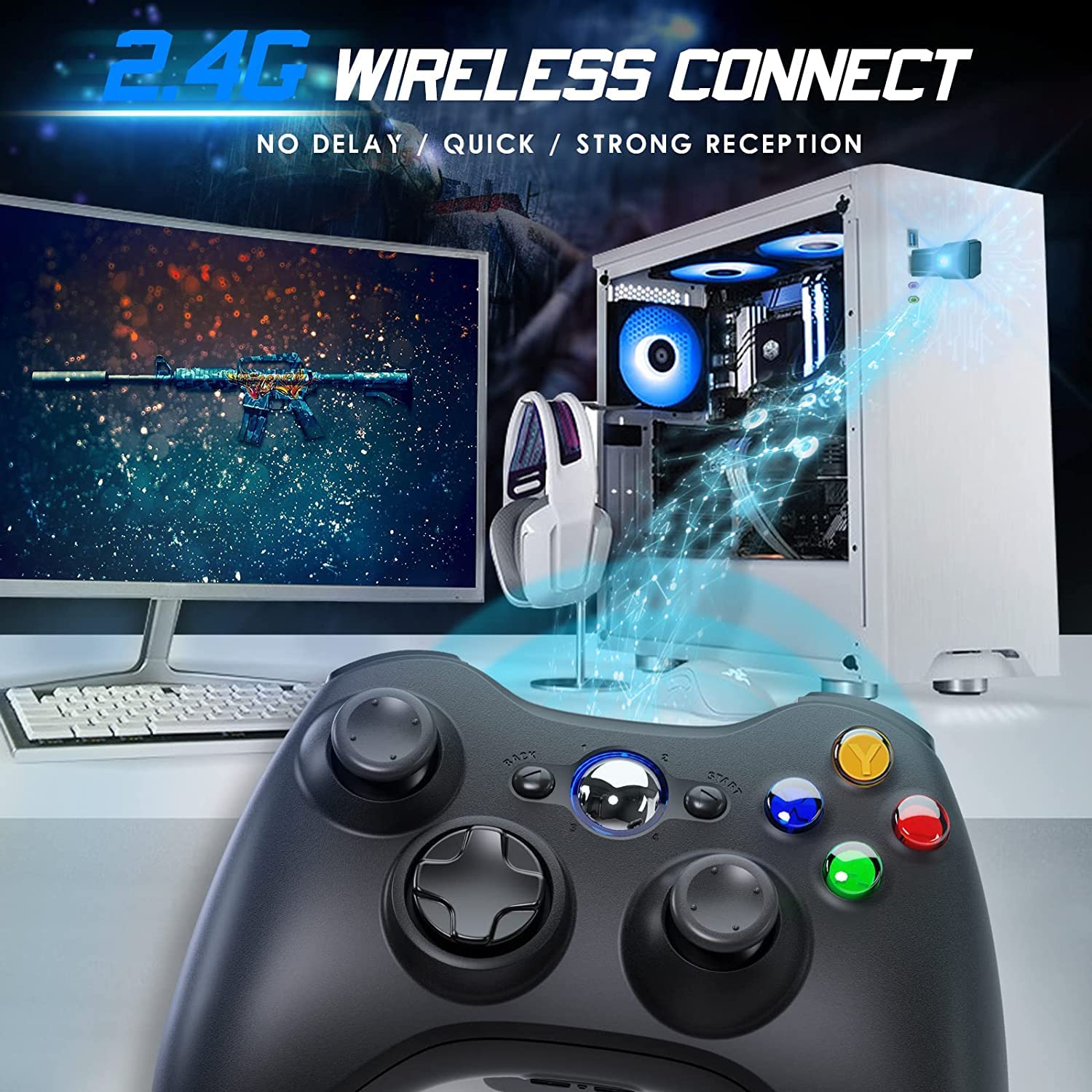
Image 4.2: Wireless controller in use with a PC. This image shows the controller on a desk in front of a computer monitor, with a visual representation of the 2.4GHz wireless connection.
5. Інструкцыя па эксплуатацыі
- Уключэнне/выключэнне харчавання: Press and hold the "Home" button for 3 seconds to power on or power off the controller.
- Кнопка кіраўніцтва: The central "Home" button (Guide button) allows access to the Xbox Guide on Xbox 360, or specific game menus on PC, depending on the game and system configuration. It can also be used to power on or off the console.
- Некалькі кантролераў: Up to four wireless controllers can be connected to a single console or PC simultaneously. Each controller will be assigned a quadrant light around the Guide button (1, 2, 3, or 4) to indicate its player number.
- Індыкатар батарэі: The controller's LED lights may flash to indicate low battery power. Replace batteries when this occurs.
6. Тэхнічнае абслугоўванне
- Уборка: Use a soft, dry cloth to clean the controller. Do not use liquid cleaners or solvents.
- захоўванне: Store the controller in a dry place away from extreme temperatures and direct sunlight. If storing for an extended period, remove the batteries to prevent leakage.
- Пазбягайце кропель: Абараняйце кантролер ад падзенняў і ўдараў, якія могуць пашкодзіць унутраныя кампаненты.
7. Выпраўленне непаладак
- Кантролер не падключаецца:
- Ensure the USB receiver is securely plugged into the console or PC.
- Verify that the controller has fresh AA batteries installed correctly.
- Repeat the pairing process (Section 4, steps 3 and 4).
- Паспрабуйце падключыць USB-прыёмнік да іншага порта USB.
- If using with PC, ensure necessary drivers are installed (Windows typically installs these automatically).
- Buttons or Joysticks Unresponsive:
- Праверце ўзровень зарада батарэі і заменіце яе, калі яна нізкая.
- Ensure the controller is within the 32-foot wireless range of the receiver.
- Restart the console/PC and re-pair the controller.
- Вібрацыя не працуе:
- Ensure the game supports vibration feedback.
- Праверце налады гульні, каб пераканацца, што вібрацыя ўключана.
- Праверце ўзровень зарадкі батарэі.
8. Тэхнічныя характарыстыкі
| Нумар мадэлі | XBOX 360 |
| Марка | Гамромба |
| Сувязь | 2.4 ГГц бесправадная |
| Далёкасць бесправадной сувязі | Да 32 футаў (прыблізна 10 метраў) |
| Сумяшчальнасць | Xbox 360, Xbox 360 Slim, Windows 7/8/10/11 |
| Крыніца харчавання | 2 батарэйкі АА (не ўключаны) |
| Памеры прадукту | 6.1 х 4.4 х 2.4 цалі |
| Вага прадмета | 9.6 унцыі |
9. Інфармацыя па бяспецы
- Не спрабуйце разабраць або змяніць кантролер.
- Трымайце кантролер далей ад вады і іншых вадкасцей.
- Avoid exposing the controller to extreme heat or cold.
- Утылізуйце батарэі ў адпаведнасці з мясцовымі правіламі.
- Калі прадукт пашкоджаны, неадкладна спыніце выкарыстанне.
10. Гарантыя і падтрымка
For warranty information or technical support, please refer to the documentation included with your purchase or contact Gamrombo customer service directly. Contact details are typically available on the manufacturer's official webсайт.