
1. Пачатак працы
1.1 Unboxing Your Tablet
Carefully remove all items from the packaging. Ensure all components are present before discarding the box.
Відэа 1: This video demonstrates the unboxing process of the Blackview Tab 6, showing the tablet and included accessories such as the charger, USB cable, and SIM eject pin.
1.2 Змест пакета
- Чорныview Планшэт Tab 6
- Адаптар сілкавання
- USB-кабель для зарадкі
- Штыфт для выцягвання SIM-карты
- Кіраўніцтва карыстальніка (гэты дакумент)
1.3 Inserting SIM/SD Card
Locate the SIM/SD card tray on the side of your tablet. Use the provided SIM eject pin to open the tray. Insert your Nano-SIM card(s) and/or microSD card into the designated slots, ensuring correct orientation. Gently push the tray back into the tablet until it clicks into place.
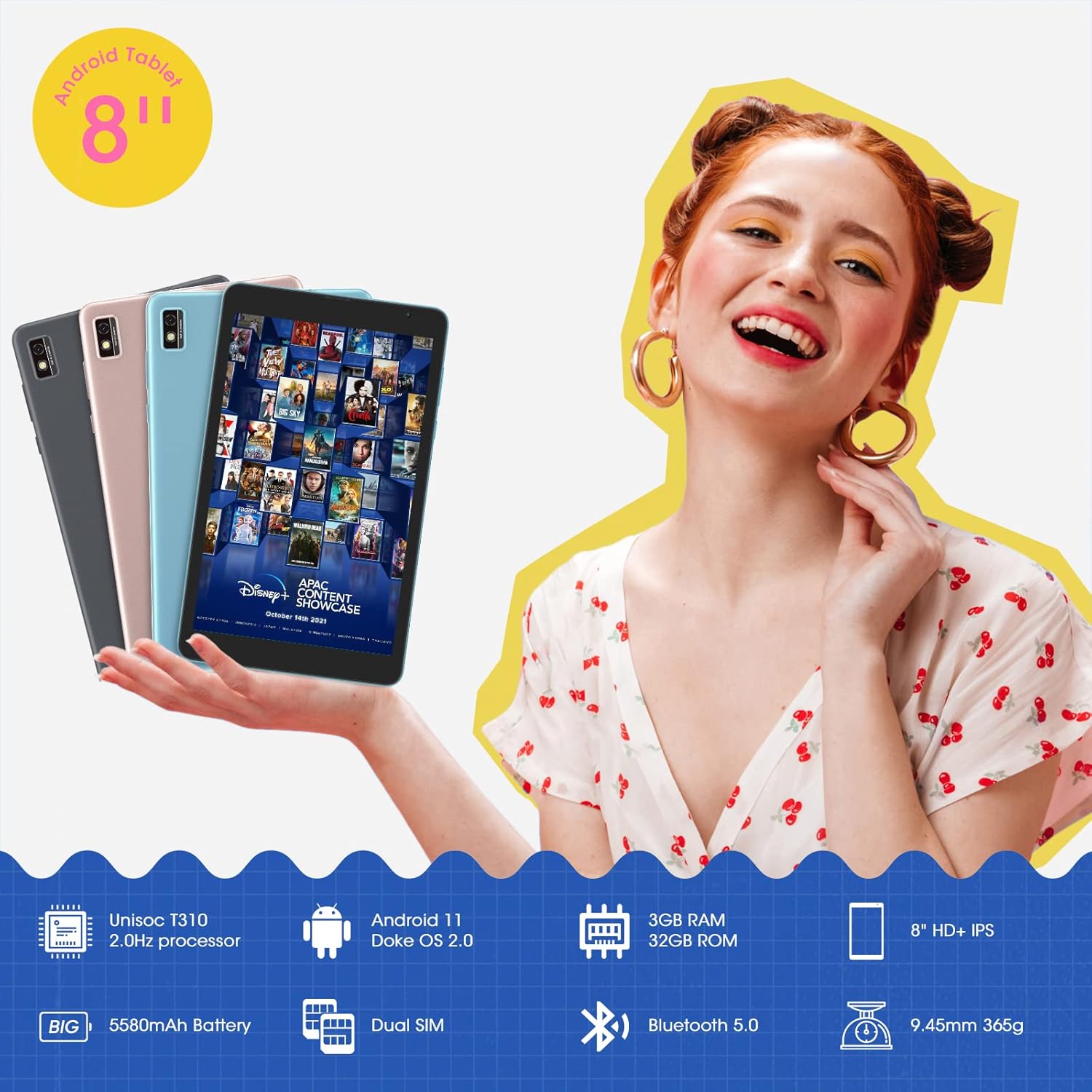
This image shows the Blackview Tab 6 with its dual SIM slots, highlighting its connectivity features and key specifications like the 5580mAh battery and 8-inch HD+ IPS display.
1.4 Пачатковая зарадка і ўключэнне
Before first use, fully charge your tablet using the provided power adapter and USB cable. Connect the USB cable to the tablet's charging port and the adapter to a power outlet. The battery indicator on the screen will show charging status. Once charged, press and hold the power button on the side of the tablet until the Blackview logo appears to power it on.
2. Кіраванне планшэтам
2.1 Асноўная навігацыя
Чорныview Tab 6 runs on Android 11 with Doke OS 2.0, offering an intuitive user experience. Use touch gestures for navigation:
- Націсніце: Выберыце элемент або адкрыйце праграму.
- Правядзіце пальцам: Пракручваць экраны, спісы або старонкі.
- Звядзенне пальцамі для павелічэння: Павялічваць або памяншаць маштаб фатаграфій і web старонкі.
- Доўгі націск: Доступ да кантэкстных меню або перамяшчэнне значкоў праграм.

This image illustrates the user interface of the Blackview Tab 6, showcasing the Android 11 operating system with Doke OS 2.0 features like gesture control and dark theme.
2.2 Рэжымы адлюстравання
The tablet offers various display modes to optimize your viewвопыт:
- Ebook Mode: Adjusts the screen for comfortable reading, reducing eye strain.
- Звычайны рэжым: Standard display settings for general use.
- Рэжым камфорту для вачэй: Filters blue light to protect your eyes, especially in low-light conditions.

This image displays the various screen modes available on the Blackview Tab 6, including Ebook Mode, Normal Mode, and Eye Comfort Mode, designed for different viewперавагі.
2.3 Падключэнне
The Tab 6 supports a range of connectivity options:
- Wi-Fi: Supports 2.4G and 5G dual-band Wi-Fi for fast internet access.
- Bluetooth 5.0: Для падключэння бесправадных аксесуараў, такіх як навушнікі і дынамікі.
- Глабальная сетка 4G: Allows for mobile data and call functionality (where supported by your SIM card and carrier).

This image highlights the Blackview Tab 6's connectivity features, including 4G Global Network and 5G Wi-Fi support, emphasizing its versatility as a multi-functional device.
2.4 GPS-навігацыя
The Tab 6 is equipped with a high-precision quad navigation system (GPS, GLONASS, Beidou, Galileo) for accurate location tracking and route planning. The large 8-inch screen and automatic brightness adjustment ensure clear readability of navigation information in various conditions.

This image shows the Blackview Tab 6 displaying a navigation map, illustrating its use for route guidance and location services.
Відэа 2: This video demonstrates various uses of the Blackview Tab 6, including gaming, note-taking, and GPS navigation, showcasing its performance and display quality.
3. Тэхнічнае абслугоўванне
3.1 Сыход за акумулятарам
The tablet is equipped with a 5580mAh battery, providing up to 8 hours of average use. To prolong battery life:
- Пазбягайце экстрэмальных тэмператур.
- Не дапускайце поўнай разрадкі акумулятара рэгулярна.
- Для аптымальнай зарадкі выкарыстоўвайце арыгінальную зарадную прыладу і кабель.
- Зачыніце праграмы, якія не выкарыстоўваюцца ў фонавым рэжыме.

This image highlights the 5580mAh battery of the Blackview Tab 6, indicating its long standby time and estimated usage durations for talking, music, and video playback.
3.2 Кіраванне сховішчам
The tablet comes with 32GB of internal storage and supports expansion up to 128GB via a microSD card. Regularly manage your storage by:
- Выдаленне непатрэбнага fileі прыкладання.
- Moving large files на карту microSD.
- Utilizing cloud storage services.

This image illustrates the storage capabilities of the Blackview Tab 6, showing its 3GB RAM, 32GB ROM, and support for up to 128GB storage expansion, alongside various application icons.
3.3 Чыстка планшэта
Выкарыстоўвайце мяккую тканіну без ворса для чысткі экрана і корпуса планшэта. Пазбягайце выкарыстання агрэсіўных хімічных рэчываў або абразіўных матэрыялаў, якія могуць пашкодзіць паверхню.
4. Выпраўленне непаладак
4.1 Агульныя праблемы і рашэнні
- Планшэт не ўключаецца: Пераканайцеся, што акумулятар зараджаны. Падключыце зарадную прыладу і паспрабуйце яшчэ раз.
- Павольная прадукцыйнасць: Зачыніце невыкарыстоўваныя праграмы, ачысціце кэш або перазагрузіце планшэт.
- Праблемы з падключэннем да Wi-Fi: Restart your router and tablet. Forget and reconnect to the Wi-Fi network.
- Праблемы з зарадкай: Ensure the charging cable and adapter are securely connected and undamaged. Try a different compatible charger if available.
4.2 Скід да заводскіх налад
Калі ў вас узнікнуць пастаянныя праблемы з праграмным забеспячэннем, скід да заводскіх налад можа вырашыць іх. Папярэджанне: Гэта сатрэ ўсе дадзеныя на вашым планшэце. Перад тым, як працягнуць, зрабіце рэзервовую копію важных дадзеных.
- Перайсці да Налады.
- Выберыце сістэма > Скінуць параметры.
- Выбірай Сцерці ўсе даныя (скід да заводскіх налад).
- Пацвердзіце свой выбар і выконвайце падказкі на экране.
5. Тэхнічныя характарыстыкі
| Асаблівасць | Спецыфікацыя |
|---|---|
| Памер экрана | 8 цалі |
| Дазвол экрана | 1280 x 800 HD IPS |
| Працэсар | 2.0GHz Quad-Core (Unisoc T310) |
| АЗП | 3 ГБ |
| Унутраная памяць | 32 ГБ |
| Сховішча з магчымасцю пашырэння | Да 128 ГБ (microSD) |
| Аперацыйная сістэма | Android 11 (Doke OS 2.0) |
| Ёмістасць батарэі | 5580 мАг |
| Задняя камера | 5 МП |
| Сувязь | 2.4G+5G Dual WiFi, Bluetooth 5.0, 4G LTE |
| Памеры (ДхШхВ) | 8 х 4.5 х 0.4 цалі |
| Вага прадмета | 1.42 фунта (прыблізна 644 г) |
6. Інфармацыя аб гарантыі
Твой чорныview Tab 6 tablet comes with a standard manufacturer's warranty. Please refer to the warranty card included in your product packaging for specific terms, conditions, and duration. Keep your proof of purchase for warranty claims.
7. Падтрымка
For technical assistance, troubleshooting, or further inquiries, please visit the official Blackview падтрымка website or contact their customer service. Contact details can typically be found on the Blackview webна сайце або ў гарантыйнай інфармацыі, якая пастаўляецца з вашай прыладай.