
Уводзіны
Welcome to the VTech Bluey Ring Ring Phone user manual. This guide provides essential information for setting up, operating, and maintaining your new electronic learning toy. Designed for children aged 3-6 years, this interactive phone allows kids to engage in pretend play with characters from the popular Bluey series, fostering imaginative and educational experiences.

Выява: спераду view of the VTech Bluey Ring Ring Phone, displaying Bluey on the screen and various character buttons.
Настройка
1. Што ў скрынцы
- Тэлефон Bluey Ring Ring
- Кароткае кіраўніцтва
2. Устаноўка батарэі
The VTech Bluey Ring Ring Phone requires 2 AAA batteries. Batteries are included for demonstration purposes only. For regular use, new batteries are recommended.
- Locate the battery compartment on the back of the phone.
- З дапамогай адвёрткі адкрыйце крышку батарэйнага адсека.
- Устаўце 2 новыя батарэйкі тыпу ААА, сачыце за правільнай палярнасцю (+/-).
- Замяніце крышку батарэйнага адсека і замацуеце яе шрубай.
Інструкцыя па эксплуатацыі
1. Уключэнне/выключэнне харчавання
Press the power button (usually located on the top or side) to turn the phone on or off.
2. Асноўныя функцыі
- Character Buttons: Press the buttons featuring pictures of Bluey, her family, and friends to hear phrases about each character.
- Кнопкі з лічбамі: Use the number buttons for various activities, including playing music.
- Галасавая актывацыя: Engage in interactive pretend play with Bluey and Bingo using the voice-activated chat-and-reply feature.
- Налады: Adjust the ringtone, brightness, and other phone-like features to customize the play experience.
3. Games and Activities
The phone includes four interactive games based on themes from different Bluey episodes:
- Cheer Up Bingo: If Bingo is in a bad mood, press the number buttons to play music she can dance to.
- Bingo's Handstand: Use the arrow buttons to help Bingo do a handstand.
- Bluey the Fruit Bat: When Bluey pretends to be a fruit bat, press the arrows to help her catch fruit to eat.
- Bluey's Bubbles: Help Bluey blow bubbles by blowing into the microphone.
Explore these games to watch character animations and listen to popular phrases from the show.
Video: Official VTech Bluey Ring Ring Phone Demo, showcasing various interactive features and games.
Асаблівасці
- Four interactive games featuring Bluey and Bingo.
- Animations of characters and popular phrases from the show.
- Buttons with character images for specific phrases.
- Voice-activated chat-and-reply for interactive conversations.
- Adjustable ringtone and brightness settings.
- Durable design for children aged 3-6 years.
Тэхнічнае абслугоўванне
- Clean the phone with a soft, damp тканіна. Не апускаць у ваду.
- Пазбягайце ўздзеяння экстрэмальных тэмператур або прамых сонечных прамянёў на тэлефон.
- Выміце батарэйкі, калі цацка не будзе выкарыстоўвацца на працягу доўгага часу, каб прадухіліць уцечку.
Ліквідацыю непаладак
No Power or Intermittent Operation
- Пераканайцеся, што акумулятары ўсталяваны правільна з захаваннем палярнасці.
- Замяніце старыя батарэйкі новымі батарэйкамі тыпу ААА.
- If the issue persists, try turning the unit off and on again.
Праблемы з гукам
- Check if the volume setting is too low. While there isn't an explicit volume control button, some modes might have varying sound levels.
- Пераканайцеся, што дынамік не загароджаны.
If problems persist, please refer to the Warranty and Support section for contact information.
Тэхнічныя характарыстыкі
- Памеры прадукту: 0.98 х 3.27 х 6.69 цалі
- Вага прадмета: 4.8 унцыі
- Нумар мадэлі тавару: 80-554600
- Рэкамендаваны вытворцам узрост: 36 месяцы - 6 гадоў
- батарэі: Патрабуюцца 2 батарэйкі тыпу AAA (уключаны для дэманстрацыі)
- вытворца: VTech
- Дата выпуску: 1 снежня 2021 г
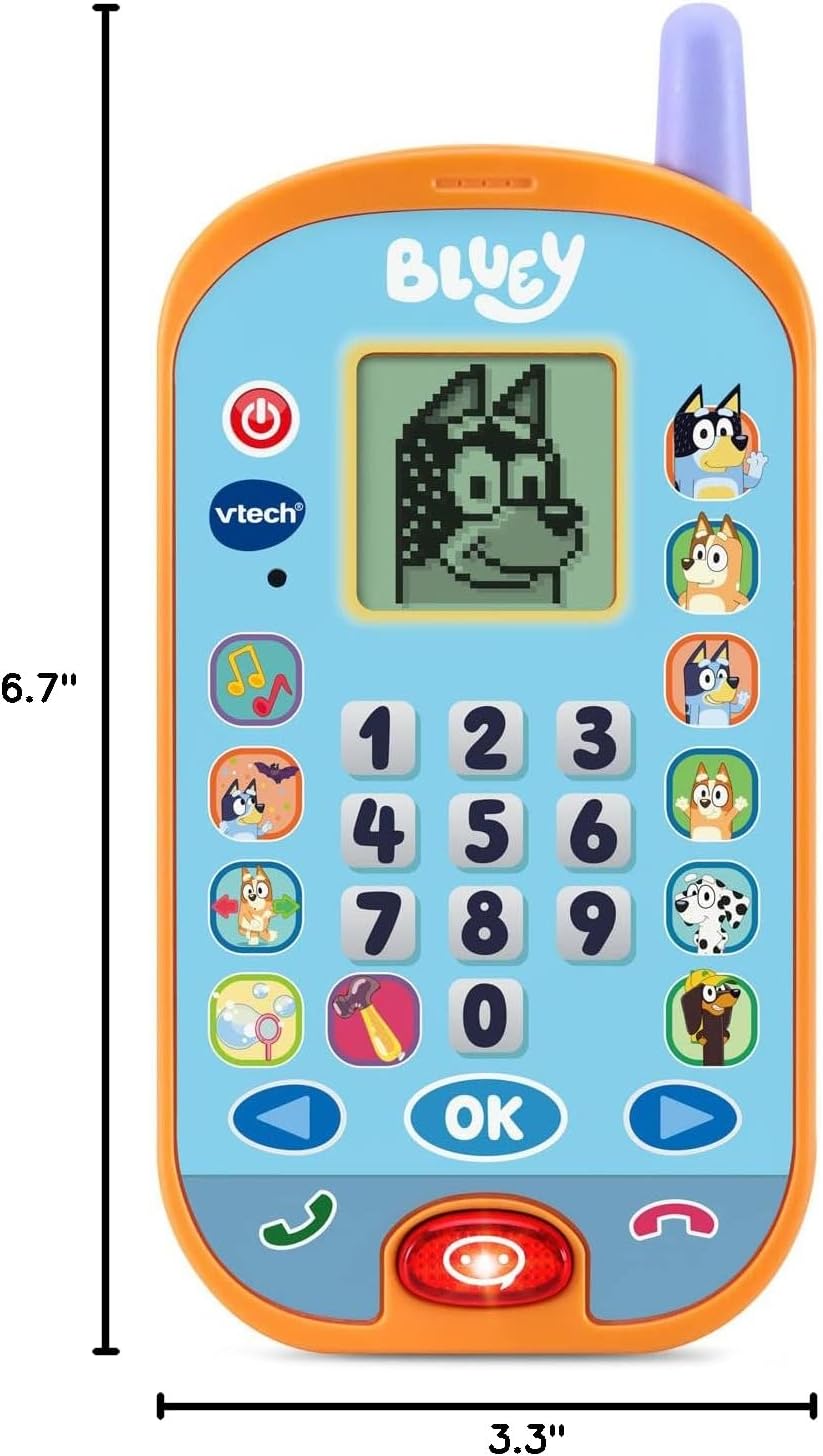
Image: VTech Bluey Ring Ring Phone with labeled dimensions.
Гарантыя і падтрымка
This VTech product is covered by the manufacturer's standard warranty. For detailed warranty information, product support, or to inquire about replacement parts, please visit the official VTech website or contact their customer service department. Contact details can typically be found in the Quick Start Guide included with your product or on the VTech brand store page.
Крама VTech: Наведайце краму VTech на Amazon