
cellularline BTKEENTWSK
Cellularline Keen TWS Earbuds User Manual
Model: BTKEENTWSK
Уводзіны
The Cellularline Keen True Wireless Stereo (TWS) earbuds are designed for an optimal audio experience, whether for calls or music. Featuring a soft-touch finish and intuitive touch controls, these earbuds offer convenience and high-quality sound for everyday use. The Keen earbuds provide up to 6 hours of playback on a single charge, with the included charging case extending total battery life to over 24 hours.

This image shows the Cellularline Keen True Wireless Stereo (TWS) earbuds. The earbuds are black with a soft-touch finish, and one earbud is visible resting in its open charging case. The charging case is also black with a silver interior, designed to store and charge the earbuds.
Змест пакета
Перад пачаткам пераканайцеся, што ў камплекце ёсць усе неабходныя рэчы:
- Cellularline Keen TWS Earbuds (Left and Right)
- Чахол для зарадкі
- Зарадны кабель
- Eartips in 3 Sizes (Small, Medium, Large)
- Кіраўніцтва карыстальніка
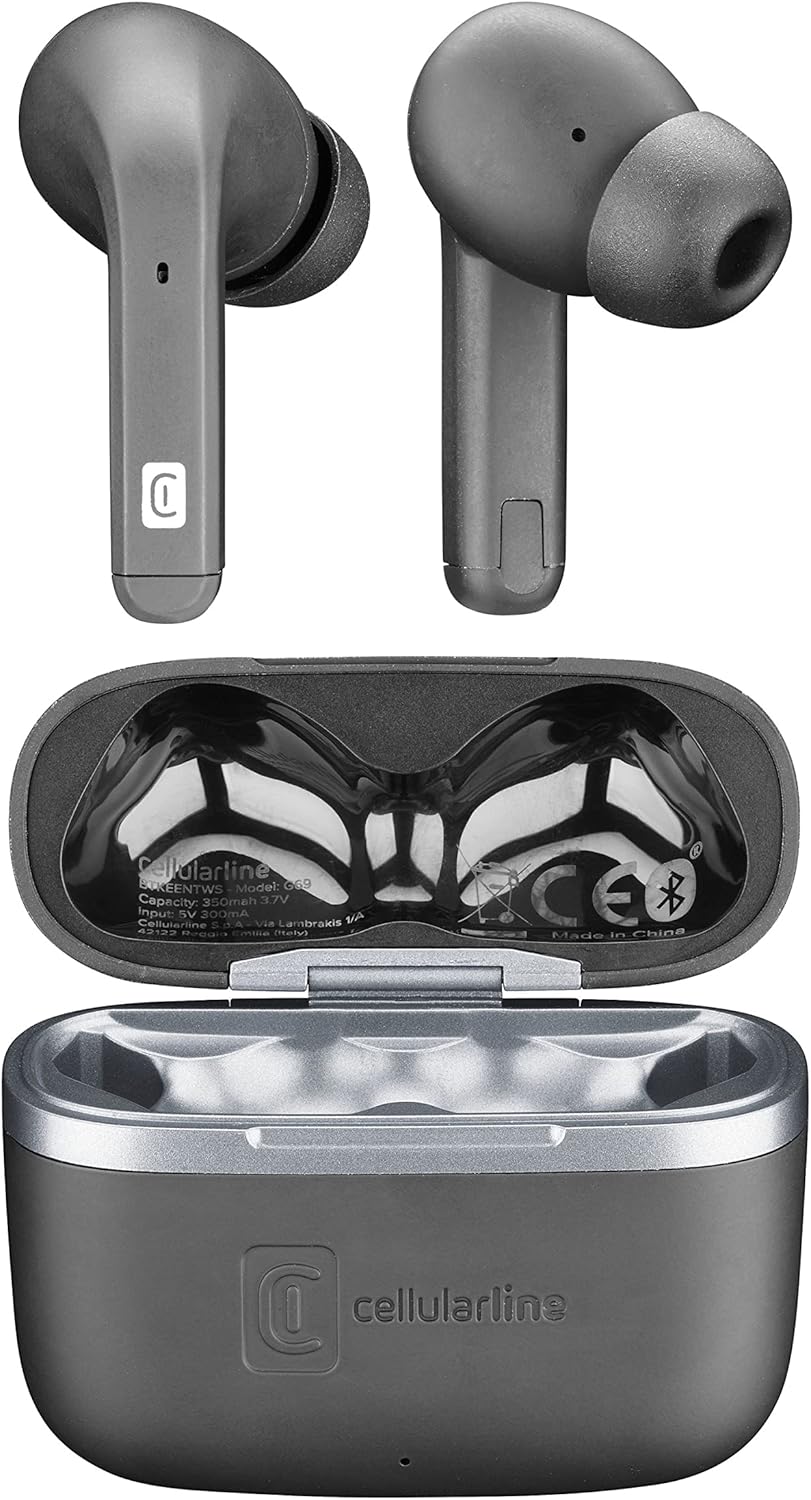
Гэта выява паказвае зверху ўніз view of the Cellularline Keen earbuds and their charging case. Both earbuds are shown outside the case, highlighting their design. The open charging case reveals the charging cradles and internal markings, including the Cellularline logo and regulatory information.
Настройка
1. Пачатковая зарадка
Before first use, it is recommended to fully charge the earbuds and the charging case. Connect the provided charging cable to the charging case and a compatible USB power source. The charging indicators on the case will show the charging status. A full charge provides up to 6 hours of earbud playtime, with the case offering an additional 24 hours of battery life.
2. Спалучэнне з вашай прыладай
The Cellularline Keen earbuds are designed for easy pairing with any Bluetooth-enabled device (smartphones, tablets, laptops, etc.).
- Пераканайцеся, што навушнікі знаходзяцца ў зарадным чахле, а вечка чахла адкрыта.
- На прыладзе перайдзіце да налад Bluetooth.
- Activate Bluetooth if it is not already enabled.
- Пошук new devices. You should see "Cellularline Keen" or a similar name appear in the list of available devices.
- Select "Cellularline Keen" to initiate the pairing process.
- Once paired, your device will confirm the connection, and the earbuds are ready for use.
The earbuds will automatically connect to the last paired device when removed from the case, provided Bluetooth is active on the device.
Інструкцыя па эксплуатацыі
The Keen earbuds feature intuitive touch controls for managing audio playback and calls.
Прайграванне музыкі
- Прайграванне/Паўза: Адзін націск на любы навушнік.
- Наступны трэк: Двойчы націсніце на правы навушнік-ўкладыш.
- Папярэдні трэк: Двойчы націсніце на левы навушнік-ўкладыш.
- Павялічыць гучнасць: Тройчы націсніце на правы навушнік.
- Паменшыць гучнасць: Тройчы пастукайце па левым навушніку.
Кіраванне званкамі
- Адказ/завяршэнне выкліку: Адзін націск на любы навушнік.
- Адхіліць выклік: Націсніце і ўтрымлівайце любы навушнік на працягу 2 секунд.
Галасавы памочнік
- Актываваць галасавы памочнік: Націсніце і ўтрымлівайце любы з навушнікаў на працягу 3 секунд (напрыклад, Siri, Google Assistant).
Тэхнічнае абслугоўванне
Proper maintenance ensures the longevity and optimal performance of your Cellularline Keen earbuds.
- Уборка: Regularly clean the earbuds and charging case with a soft, dry, lint-free cloth. Do not use abrasive cleaners or solvents. For eartips, remove them and clean with a damp тканінай, пераканаўшыся, што яны цалкам высахлі, перш чым зноў прымацаваць іх.
- Воданепранікальнасць: The earbuds are rated as waterproof. However, this does not mean they are suitable for prolonged submersion or use during swimming. Avoid exposing them to strong jets of water or saltwater. Always ensure the charging port is dry before charging.
- захоўванне: Калі навушнікі не выкарыстоўваюцца, захоўвайце іх у зарадным чахле, каб абараніць ад пылу і пашкоджанняў. Захоўвайце ў прахалодным, сухім месцы, удалечыні ад прамых сонечных прамянёў і экстрэмальных тэмператур.
- Сыход за батарэяй: Каб падоўжыць тэрмін службы батарэі, не разраджайце навушнікі і кейс часта цалкам. Рэгулярна зараджайце іх, нават калі яны не выкарыстоўваюцца пастаянна.
Ліквідацыю непаладак
If you encounter any issues with your Cellularline Keen earbuds, refer to the following common solutions:
| праблема | Магчымае рашэнне |
|---|---|
| Навушнікі не спалучаюцца/не падключаюцца |
|
| Няма гуку з аднаго або абодвух навушнікаў |
|
| Чахол для зарадкі не зараджаецца |
|
| Сэнсарныя элементы кіравання не рэагуюць |
|
Тэхнічныя характарыстыкі
| Асаблівасць | Дэталь |
|---|---|
| Назва мадэлі | BTKEENTWSK |
| Марка | клеткавая лінія |
| Тэхналогія падлучэння | Бесправадная сувязь (Bluetooth) |
| Формаў-фактар | Укладышы |
| Тып кіравання | Сэнсарнае кіраванне |
| Час прайгравання навушнікаў | Да 6 гадзін |
| Агульны час прайгравання (з кейсам) | Over 24 hours (up to 30 hours) |
| Склад батарэі | Літый-палімерны (2 у камплекце) |
| Асаблівасці | Fast Charging, Wireless |
| Узровень воданепранікальнасці | Воданепранікальны |
| Дыяпазон частот | 20 Гц - 20 000 Гц |
| Матэрыял | Пластыкавыя |
| Вага прадмета | 40 грам |
| Колер | Чорны |
Гарантыя і падтрымка
For warranty information, technical support, or service inquiries regarding your Cellularline Keen earbuds, please refer to the warranty card included in your package or visit the official Cellularline webсайт. Інфармацыя аб наяўнасці запасных частак і абнаўленнях праграмнага забеспячэння ў гэтым кіраўніцтве не прадстаўлена.
You can also contact Cellularline customer support directly for assistance.
Ask a question about this manual
Ask about setup, troubleshooting, compatibility, parts, safety, or missing instructions. Manuals+ will review the question and use this page’s manual context to help answer it.