
1. Уводзіны
This manual provides essential information for the safe and efficient operation of your Green Cell Off Grid Inverter with MPPT Solar Charger, model INVSOL03. This device integrates an inverter, MPPT solar charger, and battery charger functions to offer an uninterruptible power supply solution. Please read this manual thoroughly before installation and use, and retain it for future reference.
2. Інструкцыі па тэхніцы бяспекі
Always observe the following safety precautions to prevent injury and damage to the inverter or connected equipment:
- Мантаж павінен выконвацца кваліфікаваным персаналам.
- Пераканайцеся, што ўся праводка правільнага памеру і належным чынам ізаляваная.
- Do not expose the inverter to rain, snow, spray, or any liquids.
- Не разбірайце інвертар. Унутры няма дэталяў, якія можа абслугоўваць карыстальнік.
- Забяспечце дастатковую вентыляцыю вакол інвертара, каб прадухіліць перагрэў.
- Connect the inverter to a properly grounded electrical system.
- Before any maintenance or cleaning, disconnect all power sources (AC, DC, and PV).
3. Прадукт скончыўсяview
The Green Cell INVSOL03 is a multi-functional inverter designed for off-grid applications, combining the capabilities of a solar charger, battery charger, and inverter into one unit. It provides a pure sine wave output, suitable for sensitive electronics.
3.1 Пярэдняя панэль і дысплей
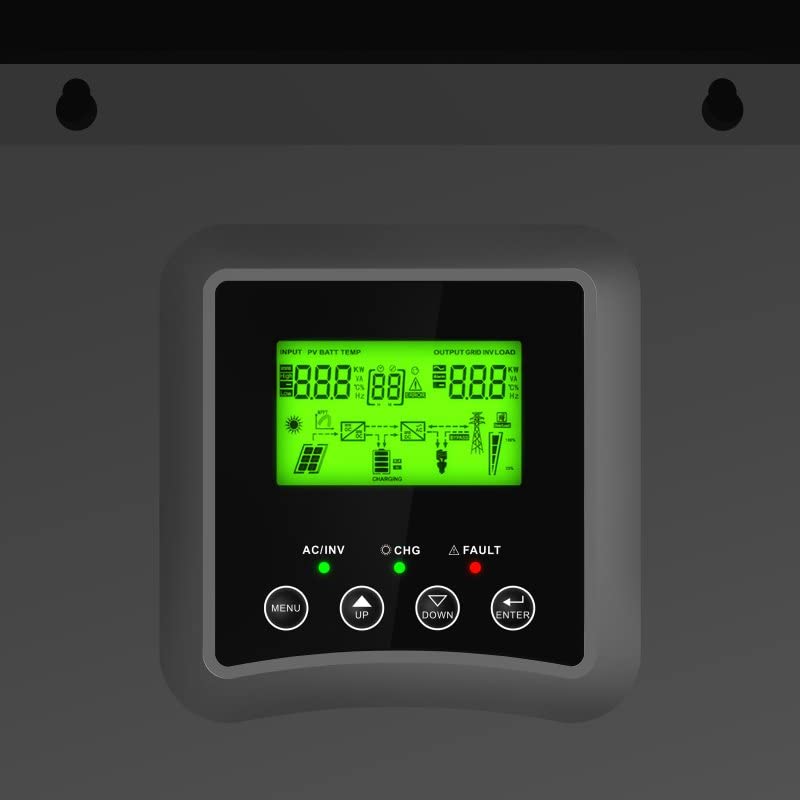
Figure 1: Front panel with LCD display and control buttons (Menu, Up, Down, Enter).
The LCD display provides real-time information on input voltage, battery status, output load, and operational modes. The control buttons allow for navigation through menus and setting adjustments.
3.2 Парты злучэння
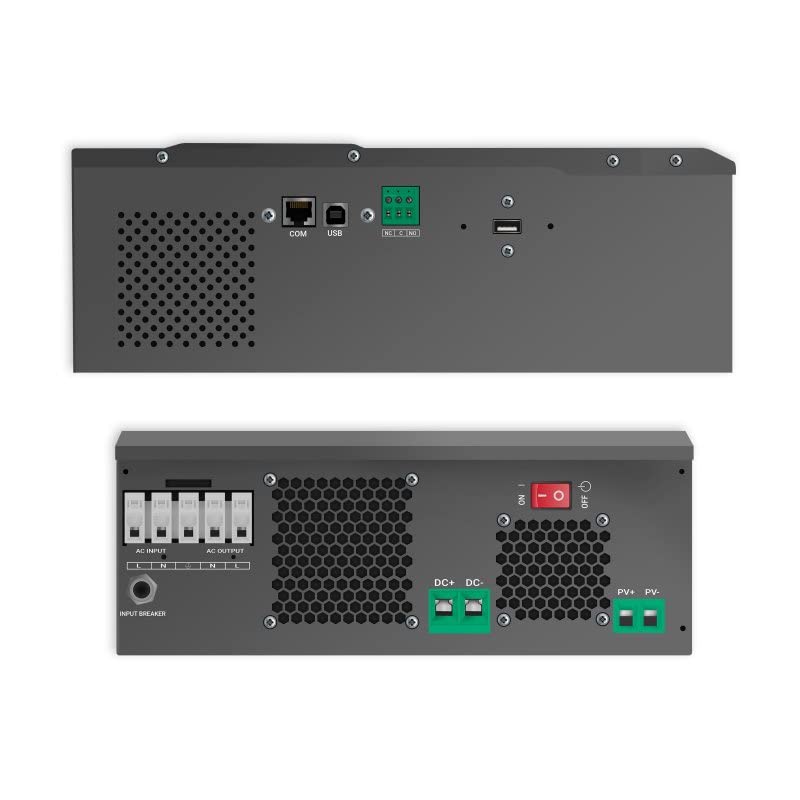
Малюнак 2: Верх і ніз views of the inverter, highlighting AC input/output, DC input, PV input, and communication ports (COM, USB).
The inverter features dedicated terminals for AC input, AC output, DC battery input, and PV (solar panel) input. Communication ports (COM, USB) are available for monitoring and configuration.
3.3 Дыяграма сістэмы
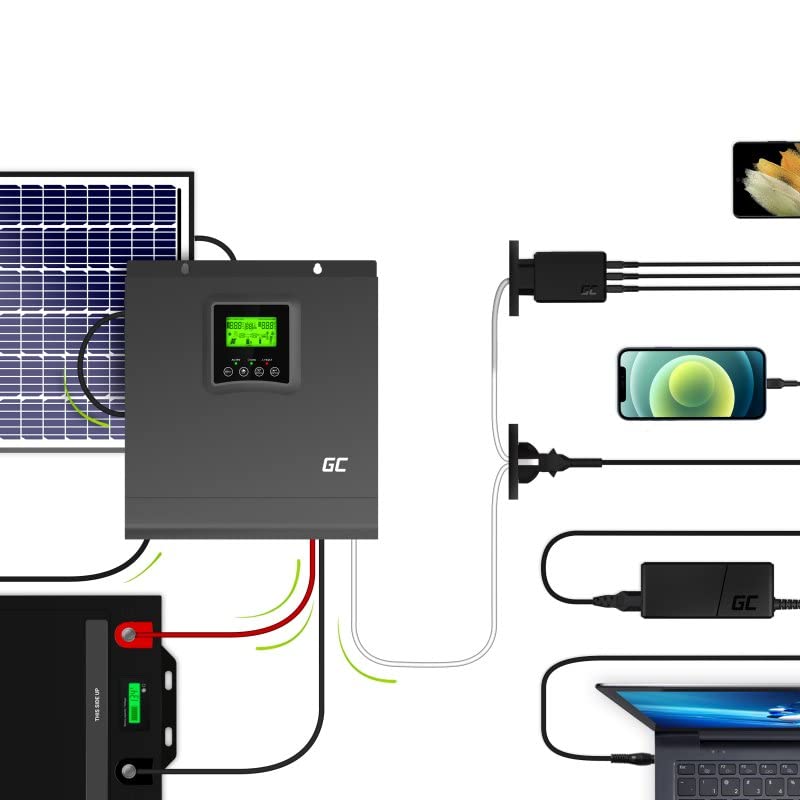
Малюнак 3: Выпample system setup showing solar panels, battery, inverter, and connected devices.
This diagram illustrates a typical setup where solar panels charge the battery via the inverter's MPPT controller, and the inverter supplies AC power to household appliances from the battery or directly from solar.
4. Настройка
Follow these steps for proper installation of your Green Cell Off Grid Inverter:
- Мантаж: Choose a suitable location indoors, away from direct sunlight, moisture, and flammable materials. Ensure sufficient clearance for ventilation. Mount the inverter vertically on a solid surface.
- Падключэнне батарэі: Connect the battery bank to the DC input terminals. Ensure correct polarity (+ to + and - to -). Use appropriate cable gauges and fuses. The inverter is designed for a 24VDC battery system.
- Падключэнне панэлі сонечных батарэй: Connect the solar panel array to the PV input terminals. Observe correct polarity and ensure the open-circuit voltage (Voc) and short-circuit current (Isc) of your solar array are within the inverter's specifications.
- Падключэнне ўваходу пераменнага току (дадаткова): If using a grid or generator as a backup, connect the AC input to the designated terminals. Ensure proper grounding.
- Падключэнне выхаду пераменнага току: Connect your AC loads (appliances) to the AC output terminals. Ensure the total load does not exceed the inverter's rated output power.
- Сувязі сувязі: For monitoring and advanced settings, connect a USB cable to a computer or use the COM port for other communication devices.
After all connections are secure, you can proceed to power on the system.
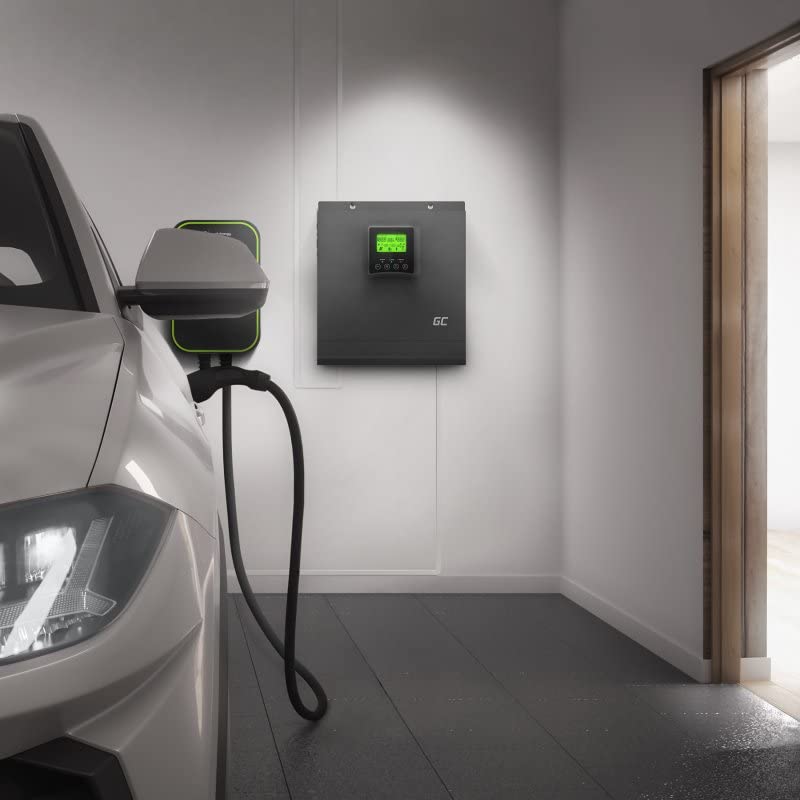
Малюнак 4: Выпample installation of the inverter in a garage setting, connected to an EV charger.
5. Інструкцыя па эксплуатацыі
Once installed, the inverter operates largely automatically. Here are key operational aspects:
5.1 Уключэнне/выключэнне
- Каб уключыць: Ensure all connections are correct. Turn on the battery breaker first, then the PV breaker (if applicable), and finally the AC input breaker (if applicable). Press and hold the power button on the inverter until the display illuminates.
- Каб выключыць: Disconnect AC loads. Turn off the AC input breaker, then the PV breaker, and finally the battery breaker. Press and hold the power button until the display turns off.
5.2 ВК-дысплей і налады
Use the MENU, UP, DOWN, and ENTER buttons to navigate through the display screens and adjust settings. The display shows:
- Увод абtage (PV and AC)
- Акумулятар абtage and charge status
- Выхад абtage і працэнт нагрузкіtage
- Operating mode (e.g., Line Mode, Battery Mode, Fault)
Refer to the detailed settings section in the full product manual for advanced configuration options such as battery type, charging current, and output voltagе дыяпазон.
5.3 Праграмнае забеспячэнне для маніторынгу
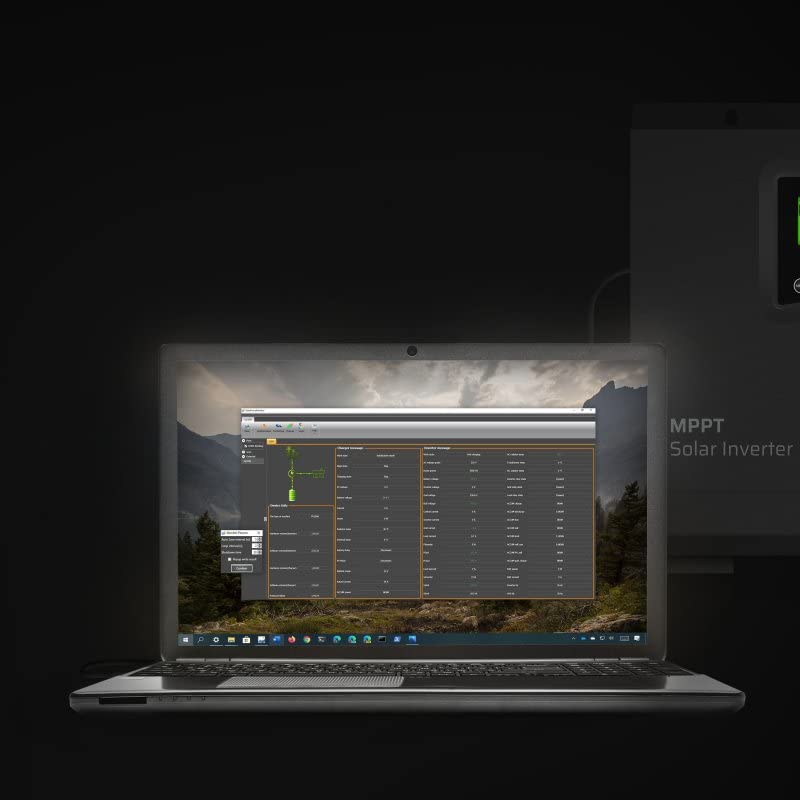
Figure 5: Monitoring software interface on a laptop, showing real-time data and system parameters.
The inverter can be connected to a computer via USB for detailed monitoring and data logging. The monitoring software provides a graphical interface to view system performance, historical data, and adjust advanced parameters.
6. Тэхнічнае абслугоўванне
Рэгулярнае тэхнічнае абслугоўванне забяспечвае аптымальную прадукцыйнасць і даўгавечнасць вашага інвертара:
- Уборка: Перыядычна працірайце знешнія паверхні інвертара сухой анучай. Пераканайцеся, што вентыляцыйныя адтуліны чыстыя ад пылу і смецця. Не выкарыстоўвайце вадкія ачышчальнікі.
- Сувязі: Annually check all electrical connections for tightness and corrosion. Loose connections can cause overheating and poor performance.
- Праверка батарэі: Regularly inspect your battery bank for signs of damage, corrosion, or swelling. Ensure battery terminals are clean and tight.
- Асяроддзе: Забяспечце, каб тэмпература і вільготнасць у рабочым асяроддзі знаходзіліся ў межах зададзеных дыяпазонаў.
7. Выпраўленне непаладак
Калі ў вас узнікнуць праблемы, звярніцеся да наступных распаўсюджаных праблем і рашэнняў:
| праблема | Магчымая прычына | Рашэнне |
|---|---|---|
| Няма выхаднай магутнасці | Battery low; Inverter off; Overload; Fault condition | Праверце аб'ём батарэіtage; Turn on inverter; Reduce load; Check fault codes on display. |
| Inverter beeping | Low battery; Overload; Over-temperature | Check battery; Reduce load; Ensure proper ventilation. |
| Сонечная зарадка не працуе | PV connection issue; Insufficient sunlight; PV voltagзанадта нізка/высока | Check PV wiring and polarity; Ensure panels are clean and unshaded; Verify PV voltage знаходзіцца ў межах дасяжнасці. |
| AC input not recognized | AC input breaker off; Loose connection; AC input voltagе па-за дыяпазонам | Check AC input breaker; Secure connections; Verify AC input voltage. |
If the problem persists after attempting these solutions, contact Green Cell customer support.
8. Тэхнічныя характарыстыкі
Key technical specifications for the Green Cell Off Grid Inverter (INVSOL03):
| Асаблівасць | Спецыфікацыя |
|---|---|
| Нумар мадэлі | INVSOL03 |
| Выходная магутнасць | 2000 ват |
| Пікавая выхадная магутнасць | 4000 ват |
| Выхад Voltage | 230 вольт пераменнага току |
| Уваходны кнtagе (пастаянны ток) | 24 Вольт пастаяннага току |
| Форма сігналу | Чыстая сінусоід |
| Эфектыўнасць | 90%, 93% |
| Памеры прадукту | 27.2 х 35.5 х 10 см |
| Вага прадмета | 8.5 кг |
| Уключаныя кампаненты | MPPT controller, Inverter, Battery charger |
| Крыніца энергіі | Сонечная энергія |
| Рэкамендаваныя прыкладанні | Off-grid power supply, Solar energy storage, Emergency power backup |
9. Гарантыя і падтрымка
Green Cell products are designed for reliability and performance. For warranty information, please refer to the warranty card included with your product or visit the official Green Cell website. For technical support, troubleshooting assistance, or service inquiries, please contact Green Cell customer service through their official channels.