
1. Прадукт скончыўсяview
The LENRUE TouchGo F4 is a compact, portable Bluetooth speaker designed for clear audio and ease of use. It features touch controls, Bluetooth 5.0 connectivity, and supports TWS (True Wireless Stereo) pairing for an enhanced audio experience. The speaker comes with a hard EVA travel case for protection and portability.

Figure 1: LENRUE TouchGo F4 Bluetooth Speaker.
2. Змесціва ўпакоўкі
Калі ласка, праверце ўпакоўку на наяўнасць наступных прадметаў:
- LENRUE TouchGo F4 Bluetooth Speaker
- Hard EVA Travel Case
- Зарадны кабель TYPE-C
- Кіраўніцтва карыстальніка
3. Настройка
3.1 Першапачатковая зарадка
Before first use, fully charge the speaker. Connect the provided TYPE-C charging cable to the speaker's charging port and a compatible USB power adapter (not included). The charging indicator light will show the charging status. A full charge typically takes approximately 4 hours.
3.2 Уключэнне/выключэнне
- Каб уключыць: Press and hold the power button (usually the central play/pause button) for a few seconds until you hear an audible prompt and the indicator light illuminates.
- Каб выключыць: Press and hold the power button again for a few seconds until you hear an audible prompt and the indicator light turns off.
3.3 Спалучэнне па Bluetooth
To connect the speaker to your device:
- Ensure the speaker is powered on and in pairing mode (the indicator light will typically flash blue).
- На вашай прыладзе (смартфоне, планшэце і г.д.) уключыце Bluetooth і знайдзіце даступныя прылады.
- Select "ToughGo" or "LENRUE TouchGo" from the list of devices.
- Once connected, you will hear a confirmation sound, and the indicator light will turn solid blue.
Пры ўключэнні дынамік аўтаматычна падключыцца да апошняй спалучанай прылады, калі прылада знаходзіцца ў зоне дзеяння і Bluetooth уключаны.

Figure 2: Speaker with touch controls for sensitive and elegant operation.
3.4 TWS Wireless Pairing (Connect Two Speakers)
To achieve dual-channel stereo sound, you can pair two TouchGo F4 speakers together:
- Power on both TouchGo F4 speakers.
- Ensure both speakers are disconnected from any other Bluetooth devices.
- On адзін of the speakers, press and hold the "+" button until you hear a prompt indicating TWS pairing mode.
- The two speakers will automatically pair with each other. You will hear a "beep" sound upon successful TWS pairing.
- Now, connect your device's Bluetooth to the device name "ToughGo". Both speakers will play audio in stereo.
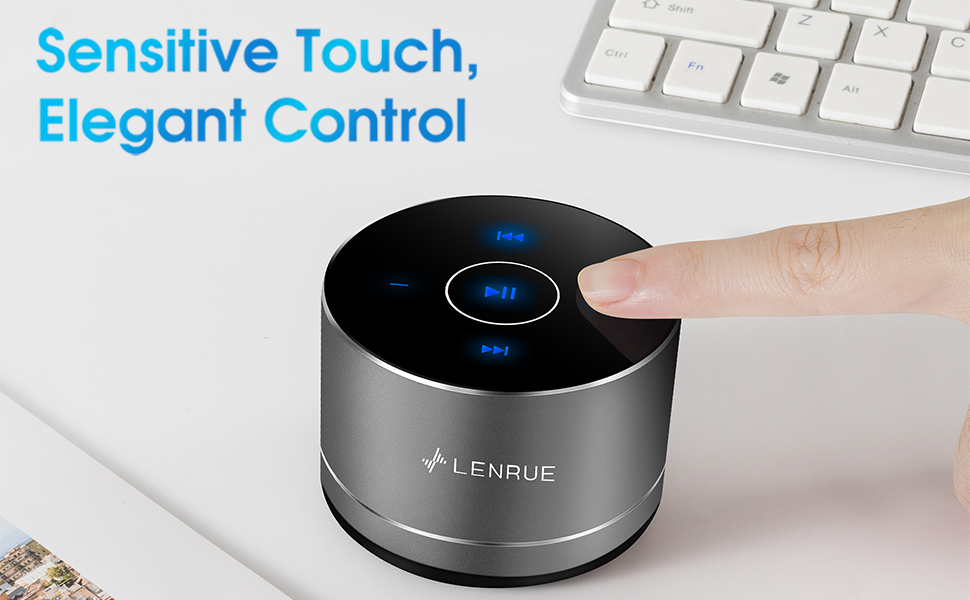
Figure 3: Two speakers connected for TWS wireless stereo pairing.
4. Інструкцыя па эксплуатацыі
4.1 Сэнсарнае кіраванне
The speaker features intuitive touch controls located on the top surface:
- Прайграванне/Паўза: Tap the central button once to play or pause music.
- Павялічыць гучнасць: Tap the "+" button to increase volume.
- Паменшыць гучнасць: Tap the "-" button to decrease volume.
- Наступны трэк: Tap the ">>" button to skip to the next song.
- Папярэдні трэк: Tap the "<<" button to go to the previous song.
4.2 Званкі ў рэжыме гучнай сувязі
The speaker includes a built-in microphone for hands-free calls:
- Адказаць на званок: When a call comes in, tap the central button once to answer.
- Завяршыць выклік: During a call, tap the central button once to end the call.
- Адхіліць выклік: Press and hold the central button for approximately 2 seconds to reject an incoming call.
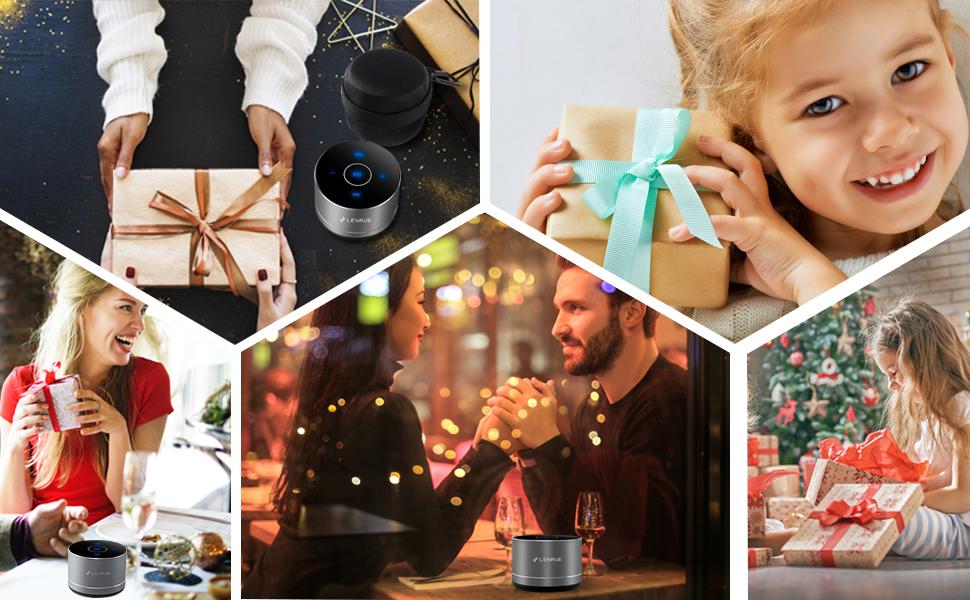
Figure 4: Speaker with hands-free calling capability.
4.3 Battery Life and Power Saving
The speaker is equipped with a 1200mAh lithium-ion battery, providing 6-15 hours of music playback at 2/3 volume. To conserve power, the speaker will automatically shut down if Bluetooth is disconnected for 30 minutes.
5. Тэхнічнае абслугоўванне
5.1 Ачыстка
To clean the speaker, use a soft, dry cloth. Do not use abrasive cleaners, solvents, or immerse the speaker in water.
5.2 Захоўванне
When not in use for extended periods, store the speaker in its hard EVA travel case in a cool, dry place. Avoid extreme temperatures and direct sunlight.
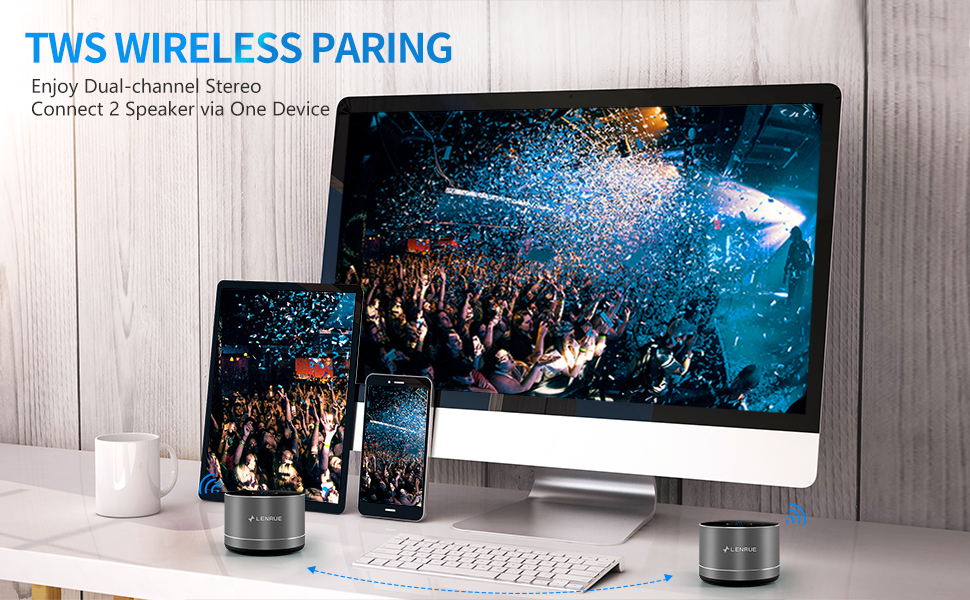
Figure 5: Speaker with its protective hard EVA travel case.
6. Выпраўленне непаладак
| праблема | Магчымая прычына | Рашэнне |
|---|---|---|
| Дынамік не ўключаецца. | Нізкі ўзровень зарада батарэі; кнопка харчавання націснута няправільна. | Цалкам зарадзіце дынамік; націсніце і ўтрымлівайце кнопку харчавання некалькі секунд. |
| Немагчыма спалучыцца з прыладай Bluetooth. | Дынамік не ў рэжыме спалучэння; Bluetooth прылады выключаны; Дынамік ужо падключаны да іншай прылады. | Ensure speaker is in pairing mode (flashing blue light); Turn on Bluetooth on your device; Disconnect from other devices and try again. |
| Poor sound quality / Muffled sound. | Speaker placement; Obstructions; Low volume. | Ensure the speaker is placed on a flat, open surface, ideally not directly on its bottom where the speaker grille is located. Try placing it on its side for clearer sound. Remove any obstructions; Adjust volume on both speaker and device. |
| Памылка спалучэння TWS. | Speakers already paired to a device; Incorrect pairing procedure. | Ensure both speakers are disconnected from any Bluetooth devices before initiating TWS pairing. Follow the TWS pairing steps precisely. |
| Няма гуку. | Volume too low; Paused playback; Device not connected. | Increase volume on both speaker and device; Press play; Verify Bluetooth connection. |
7. Тэхнічныя характарыстыкі
| Асаблівасць | Дэталь |
|---|---|
| Нумар мадэлі | F4 |
| Тэхналогія падлучэння | Bluetooth 5.0 |
| Максімальная выхадная магутнасць дынаміка | 5 ват |
| Крыніца харчавання | Працуе ад акумулятара (1 літый-іённы акумулятар уключаны) |
| Ёмістасць батарэі | 1200 мАг |
| Час гульні | 6-15 hours (at 2/3 volume) |
| Час зарадкі | Прыкладна 4 гадзіны |
| Метад кантролю | Дакранацца |
| Памеры прадукту | 3.15 х 3.15 х 1.18 цалі |
| Вага прадмета | 9 унцыі |
| Асаблівасць | Portable, Hands-Free Calling, TWS Pairing |
8. Гарантыя і падтрымка
For warranty information and customer support, please refer to the documentation included with your purchase or contact LENRUE customer service directly. Contact details can typically be found on the official LENRUE webна сайце або праз вашага прадаўца.