
1. Уводзіны
This manual provides instructions for the ZEXMTE 5.4 USB Bluetooth Adapter. This device enables Bluetooth connectivity for your PC, allowing you to connect various Bluetooth-enabled peripherals such as headphones, mice, keyboards, and more. It features Bluetooth 5.4 technology for stable and efficient wireless communication.
2. Асаблівасці прадукту
- Тэхналогія Bluetooth 5.4: Utilizes BLE + BR/EDR dual-mode for enhanced stability, clear audio, and efficient power consumption.
- Пашыраны дыяпазон: Class 1 radio with a high-gain antenna provides a connection range of up to 492 feet (150 meters).
- Падключэнне некалькіх прылад: Supports simultaneous connection of up to 7 Bluetooth devices.
- Plug & Play: Driver-free installation for Windows 10 and Windows 11.
- Нізкая затрымка: Designed for minimal delay in audio and video synchronization.
- Аўтаматычнае паўторнае падключэнне: Remembers previously paired devices for quick re-establishment of connection.
- File Transfer Support: Facilitates convenient file transfers between Bluetooth devices.
3. Змесціва ўпакоўкі
- Bluetooth-адаптар ZEXMTE 5.4 USB
- Антэна высокага ўзмацнення
4. Кіраўніцтва па наладцы
4.1 Устаноўка абсталявання
- Ensure your computer is powered off or in a safe state before installation.
- Attach the high-gain antenna to the ZEXMTE USB Bluetooth Adapter.
- Insert the ZEXMTE USB Bluetooth Adapter into an available USB port on your PC. For optimal performance, use a USB 3.0 port if available.

Image: The ZEXMTE 5.4 USB Bluetooth Adapter with its high-gain antenna attached, ready for insertion into a USB port.
4.2 Ўстаноўка драйвера
- Для Windows 10/11: The adapter is typically Plug & Play. The system should automatically detect and install the necessary drivers. No manual driver installation is usually required.
- Для Windows 7/8.1: Driver installation may be required. Please visit the official ZEXMTE webсайт для атрымання найноўшых драйвераў і інструкцый па ўсталёўцы.

Image: The ZEXMTE 5.4 USB Bluetooth Adapter connected to a laptop, highlighting its Plug & Play feature for compatible Windows versions.
4.3 Disabling Existing Bluetooth (If Applicable)
If your PC has a built-in Bluetooth adapter, it is recommended to disable it to prevent conflicts and ensure the ZEXMTE adapter functions correctly. This can usually be done through Device Manager or your PC's Bluetooth settings.
5. Інструкцыя па эксплуатацыі
5.1 Спалучэнне прылад Bluetooth
- Ensure the ZEXMTE Bluetooth adapter is correctly installed and recognized by your system.
- Turn on the Bluetooth device you wish to pair and set it to pairing mode. Refer to your device's manual for specific instructions on how to enter pairing mode.
- На вашым ПК з Windows перайдзіце да Налады > Прылады > Bluetooth і іншыя прылады.
- Націсніце на «Дадаць Bluetooth або іншую прыладу» і абярыце "Блютут".
- Ваш камп'ютар выканае пошук даступных прылад Bluetooth. Выберыце прыладу са спісу і выконвайце падказкі на экране, каб завяршыць працэс спалучэння.
5.2 Падключэнне некалькіх прылад
The ZEXMTE 5.4 USB Bluetooth Adapter supports connecting up to 7 devices simultaneously. Follow the pairing instructions for each device. Once paired, the adapter will manage connections to all active devices.

Image: The ZEXMTE 5.4 USB Bluetooth Adapter enabling simultaneous connections to multiple devices, including a mouse, keyboard, headphones, speaker, smartphone, tablet, and printer.
5.3 Low Latency Performance
The adapter's advanced chipset minimizes latency, ensuring audio and video content are synchronized for a smooth experience, especially during gaming or media consumption.

Image: A user enjoying seamless audio with headphones connected via the Bluetooth adapter, demonstrating low latency performance.
5.4 Бесправадны File Трансфер
Можна перадаць files between your PC and other Bluetooth-enabled devices. Use your operating system's built-in Bluetooth file transfer utility to send or receive files.
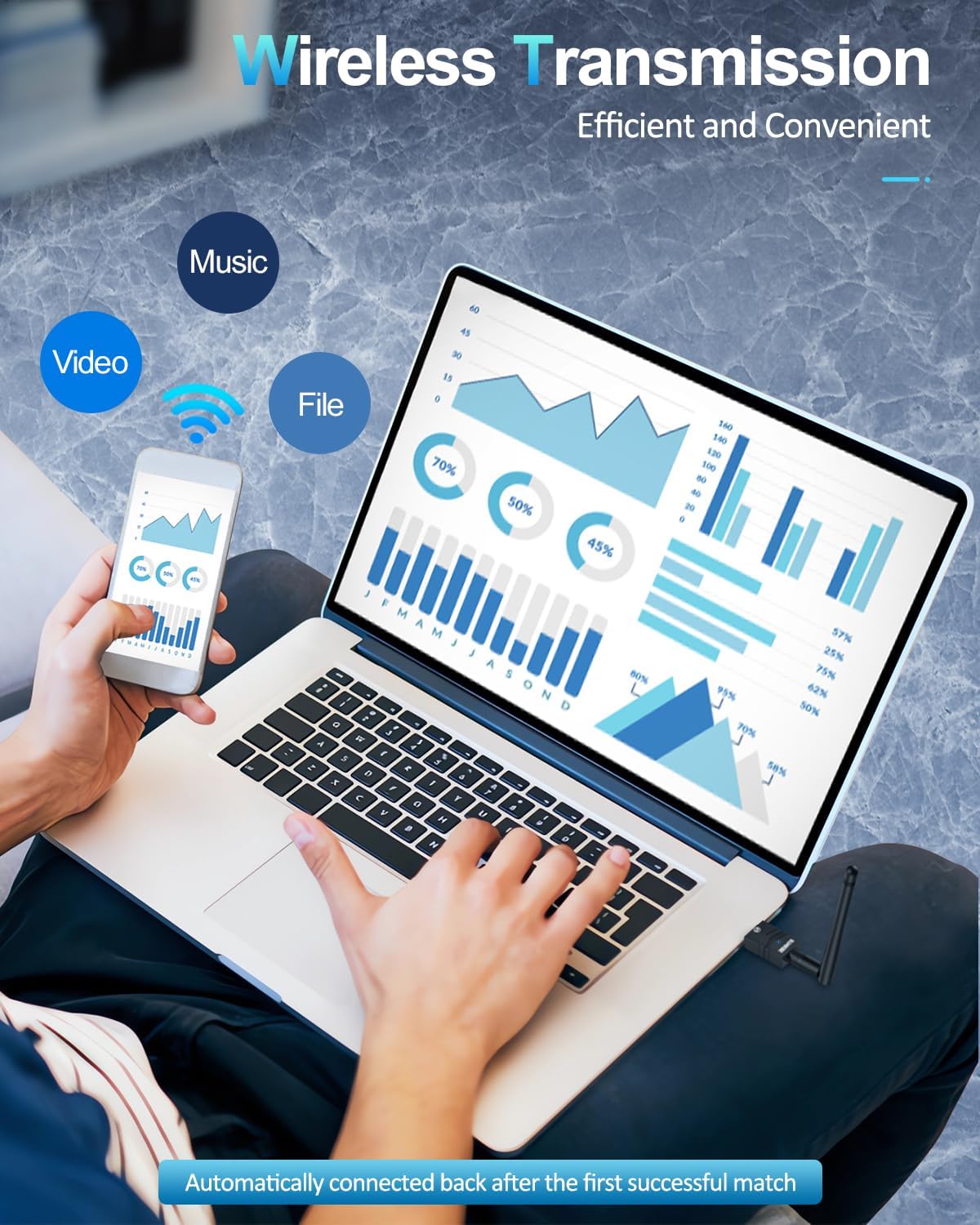
Image: A user transferring files wirelessly between a laptop and a smartphone, enabled by the Bluetooth adapter's transmission capabilities.
6. Тэхнічнае абслугоўванне
- Трымайце адаптар чыстым і без пылу.
- Пазбягайце ўздзеяння экстрэмальных тэмператур або вільготнасці на адаптар.
- Не спрабуйце разбіраць або рамантаваць адаптар самастойна.
7. Выпраўленне непаладак
7.1 Device Not Recognized / No Bluetooth Option
- Праверце USB-порт: Паспрабуйце падключыць адаптар да іншага порта USB.
- Ўстаноўка драйвера: For Windows 7/8.1, ensure drivers are correctly installed. For Windows 10/11, check Device Manager for any driver conflicts or unknown devices.
- Disable Internal Bluetooth: If your PC has built-in Bluetooth, ensure it is disabled to avoid conflicts.
7.2 Connection Issues / Frequent Disconnections
- дыяпазон: Ensure your Bluetooth device is within the adapter's operating range (up to 492ft/150m). Walls and obstacles can reduce range.
- Перашкоды: Other wireless devices (Wi-Fi routers, cordless phones) can cause interference. Try moving the adapter or device away from such sources.
- Рамонт прылады: Remove the device from your PC's Bluetooth settings and re-pair it.
- Adapter Position: Adjust the antenna's position for better signal reception.
7.3 Audio Lag / Poor Quality
- Выбар прылады: Ensure your Bluetooth audio device is selected as the default playback device in your sound settings.
- Адлегласць/Перашкоды: Reduce the distance between the adapter and the audio device, and minimize obstacles.
- Перашкоды: Check for potential interference sources.
8. Тэхнічныя характарыстыкі
| Марка | ZEXMTE |
| Абсталяванне інтэрфейсу | Bluetooth 5, USB |
| Колер | Чорнае золата |
| Сумяшчальныя прылады | Desktop, Keyboard, Laptop, Mouse, Printer |
| Пратакол перадачы дадзеных | Bluetooth, USB |
| Хуткасць перадачы даных | 2 мегабіт у секунду |
| Вага прадмета | 0.03 кілаграма |
| Сумяшчальнае сямейства аперацыйных сістэм | вокны |
| Minimum Required Operating System Version | Windows 10 |
9. Гарантыя і падтрымка
For warranty information, technical support, and frequently asked questions, please visit the official ZEXMTE webсайт або звярніцеся непасрэдна ў службу падтрымкі кліентаў. Захоўвайце чэк аб куплі для прэтэнзій па гарантыі.