
9 DIGITAL Lite
9 DIGITAL Bone Conduction Headphones Lite User Manual
Model: Lite
Уводзіны
Thank you for choosing the 9 DIGITAL Bone Conduction Headphones Lite. These open-ear headphones utilize patented bone conduction technology to deliver audio through your cheekbones, allowing you to remain aware of your surroundings while enjoying sound. Designed for comfort and durability, they are ideal for various activities including running, cycling, hiking, and gym workouts.

Image: The 9 DIGITAL Bone Conduction Headphones Lite in black, showcasinг іх эрганамічны дызайн.
Bone conduction technology transmits sound vibrations directly to the inner ear via the cheekbones, bypassing the eardrum. This method allows for an open-ear listening experience, enhancing safety during outdoor activities by keeping your ears open to ambient sounds.
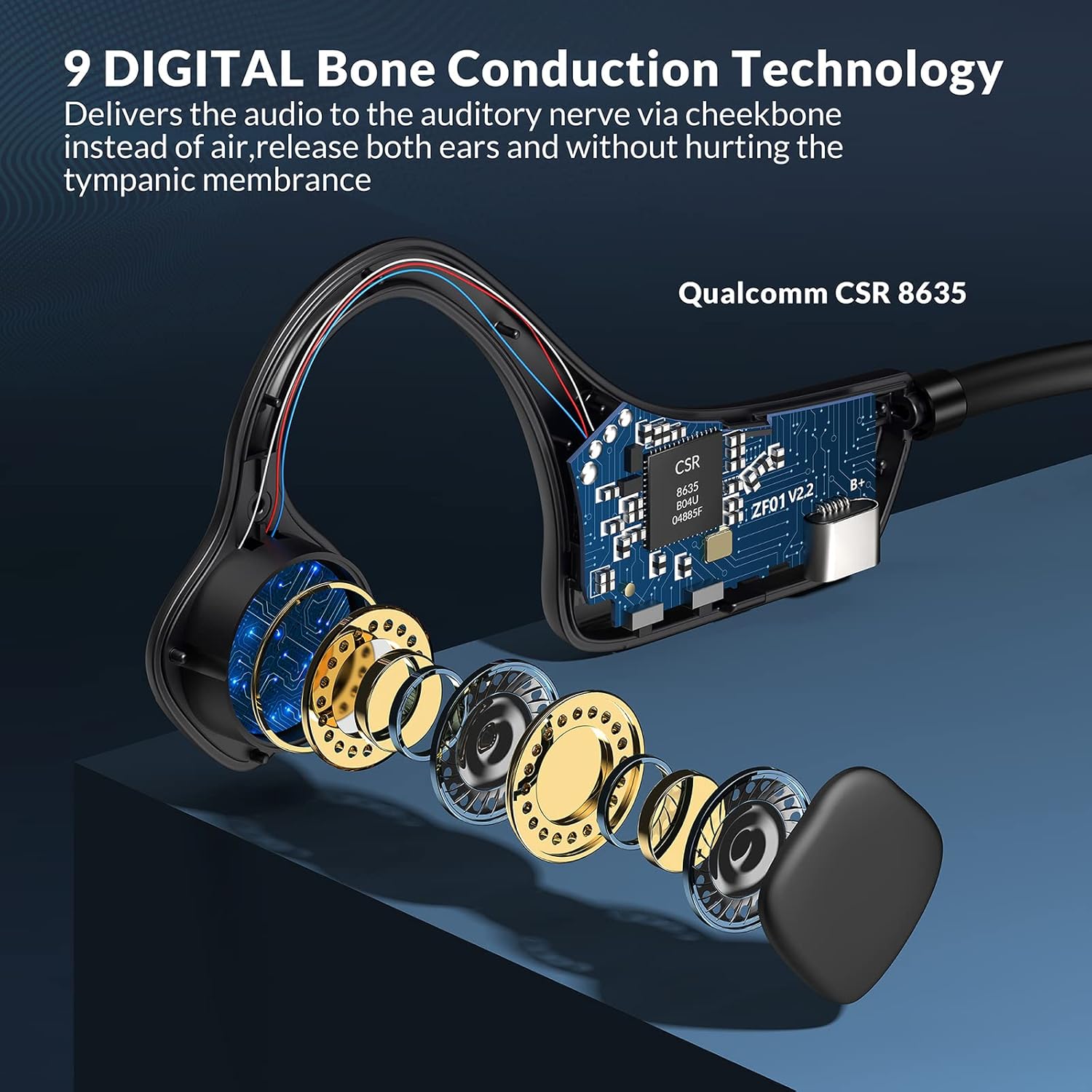
Выява: Выбухнула view illustrating the internal bone conduction components and Qualcomm CSR 8635 chip.
Настройка
1. Зарадка навушнікаў
Перад першым выкарыстаннем цалкам зарадзіце навушнікі. Поўная зарадка займае прыблізна 2 гадзіны.
- Connect the charging cable to the USB port on the headphones.
- Падключыце іншы канец кабеля да крыніцы сілкавання USB (напрыклад, камп'ютара, адаптара).
- Святлодыёдны індыкатар будзе паказваць стан зарадкі (падрабязную інфармацыю глядзіце ў апісанні паводзін святлодыёда канкрэтнага прадукту).
2. Спарванне Bluetooth
The headphones use Bluetooth 5.0 for wireless connectivity.
- Пераканайцеся, што навушнікі адключаны.
- Press and hold the power button (often the multifunction button) for approximately 3-5 seconds until the LED indicator flashes red and blue, indicating pairing mode.
- На вашай прыладзе (смартфоне, планшэце, камп'ютары) уключыце Bluetooth і знайдзіце даступныя прылады.
- Select "9 DIGITAL Lite" (or similar name) from the list of devices.
- Пасля падключэння святлодыёдны індыкатар звычайна будзе гарэць сінім колерам пастаянна або павольна міргаць.
3. Нашэнне навушнікаў
Position the transducers on your cheekbones, just in front of your ears, with the band resting comfortably behind your head. The open-ear design ensures comfort and situational awareness.
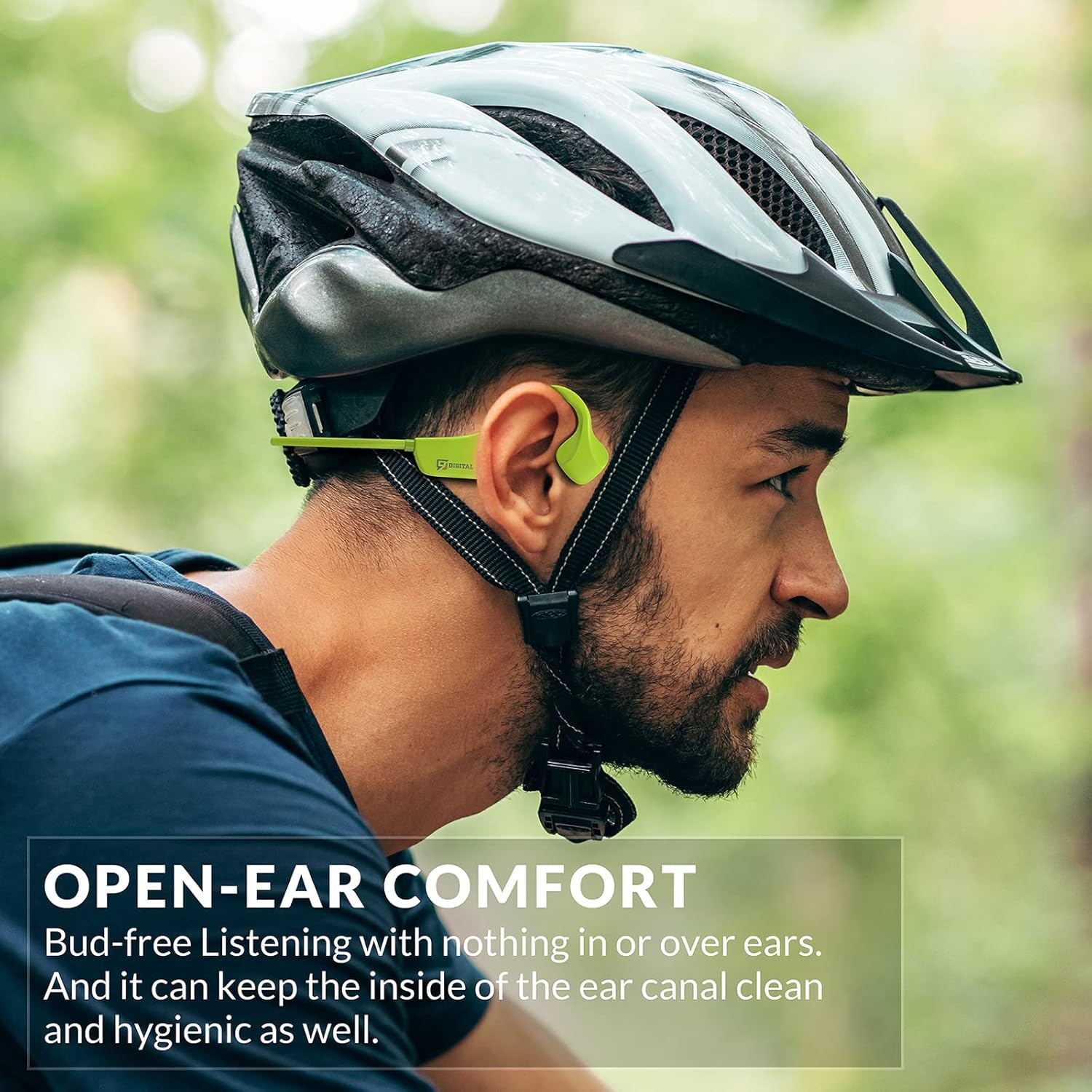
Image: A man wearing the headphones while cycling, demonstrating the secure and open-ear fit.
Інструкцыя па эксплуатацыі
The 9 DIGITAL Bone Conduction Headphones Lite feature intuitive controls for media playback and call management.

Image: A visual guide to the headphone's control buttons and their functions.
Функцыі кнопак:
- Уключэнне/выключэнне харчавання: Press and hold the Multifunction Button (MFB) for 3 seconds.
- Прайграванне/Паўза: Пстрыкніце MFB адзін раз.
- Наступны трэк: Двойчы пстрыкніце MFB.
- Адказ/завяршэнне выкліку: Click the MFB once during an incoming call or active call.
- Адхіліць выклік: Press and hold the MFB for 2 seconds during an incoming call.
- Павялічыць гучнасць: Click the '+' button once.
- Паменшыць гучнасць: Click the '-' button once.
Note: The playing time is dependent on the volume level. It is recommended to adjust the volume to 80% for optimal battery life during playback or calls.
Тэхнічнае абслугоўванне
Чыстка і догляд
- Працярыце навушнікі мяккай, damp тканіна. Пазбягайце выкарыстання агрэсіўных хімікатаў або абразіўных матэрыялаў.
- Перад падключэннем кабеля зарадкі пераканайцеся, што порт зарадкі сухі.
Воданепранікальнасць
These headphones are certified waterproof and sweatproof, making them suitable for indoor and outdoor sports. However, they are не падыходзіць для плавання.

Image: A woman exercising, highlighting the sweatproof design of the headphones.
Захоўванне
- Захоўвайце навушнікі ў прахалодным, сухім месцы, удалечыні ад прамых сонечных прамянёў і экстрэмальных тэмператур.
- Пазбягайце класці цяжкія прадметы на навушнікі.
Ліквідацыю непаладак
| праблема | Магчымае рашэнне |
|---|---|
| Немагчыма ўключыць | Пераканайцеся, што навушнікі цалкам зараджаныя. Падключыце іх да крыніцы харчавання і паспрабуйце яшчэ раз. |
| Немагчыма спалучыць прыладу |
|
| Няма гуку альбо малая гучнасць |
|
| Sound quality issues (e.g., buzzing) |
|
| Headphones feel uncomfortable or don't fit well | Adjust the position of the transducers on your cheekbones. While designed for comfort, individual fit may vary. |
Тэхнічныя характарыстыкі
| Асаблівасць | Дэталь |
|---|---|
| Назва мадэлі | Bone Conduction Headphone Lite |
| Тэхналогія падлучэння | Бесправадны, Bluetooth |
| Версія Bluetooth | 5.0 |
| Дыяпазон Bluetooth | 10 метраў |
| Тып аўдыё драйвера | Кіроўца касцявой праводнасці |
| Тэрмін службы батарэі | Up to 6.5 Hours (music/calls) |
| Час чакання | 480 гадзін |
| Час зарадкі | 2 гадзін |
| Дыяпазон частот | 20 Гц - 20 000 Гц |
| Узровень воданепранікальнасці | Waterproof (IP54 Sweatproof) |
| Вага прадмета | 25 грам (0.882 унцый) |
| Матэрыял | PC&ABS&Titanium |
| Мікрафон | Убудаваны |
| Метад кантролю | Touch / Media Control Buttons |
| Размяшчэнне вушэй | Адкрытае вуха |
Гарантыя і падтрымка
9 DIGITAL is committed to providing quality products and customer satisfaction.
- Гарантыя: The product includes a 12-month satisfying service.
- Тэхнічная падтрымка: Пажыццёвая тэхнічная падтрымка даступная.
- Кантакты: For any questions or issues, please contact Nine Digital Direct. We aim to reply and resolve all inquiries within 12 hours.
Ask a question about this manual
Ask about setup, troubleshooting, compatibility, parts, safety, or missing instructions. Manuals+ will review the question and use this page’s manual context to help answer it.