
DOQAUS HM1
DOQAUS Indoor Thermometer Hygrometer HM1 User Manual
Model: HM1 | Brand: DOQAUS
Уводзіны
Thank you for choosing the DOQAUS Indoor Thermometer Hygrometer HM1. This device provides accurate and rapid measurements of indoor temperature and humidity, helping you maintain a comfortable and healthy environment. Its compact design and clear LCD display make it suitable for various indoor settings.
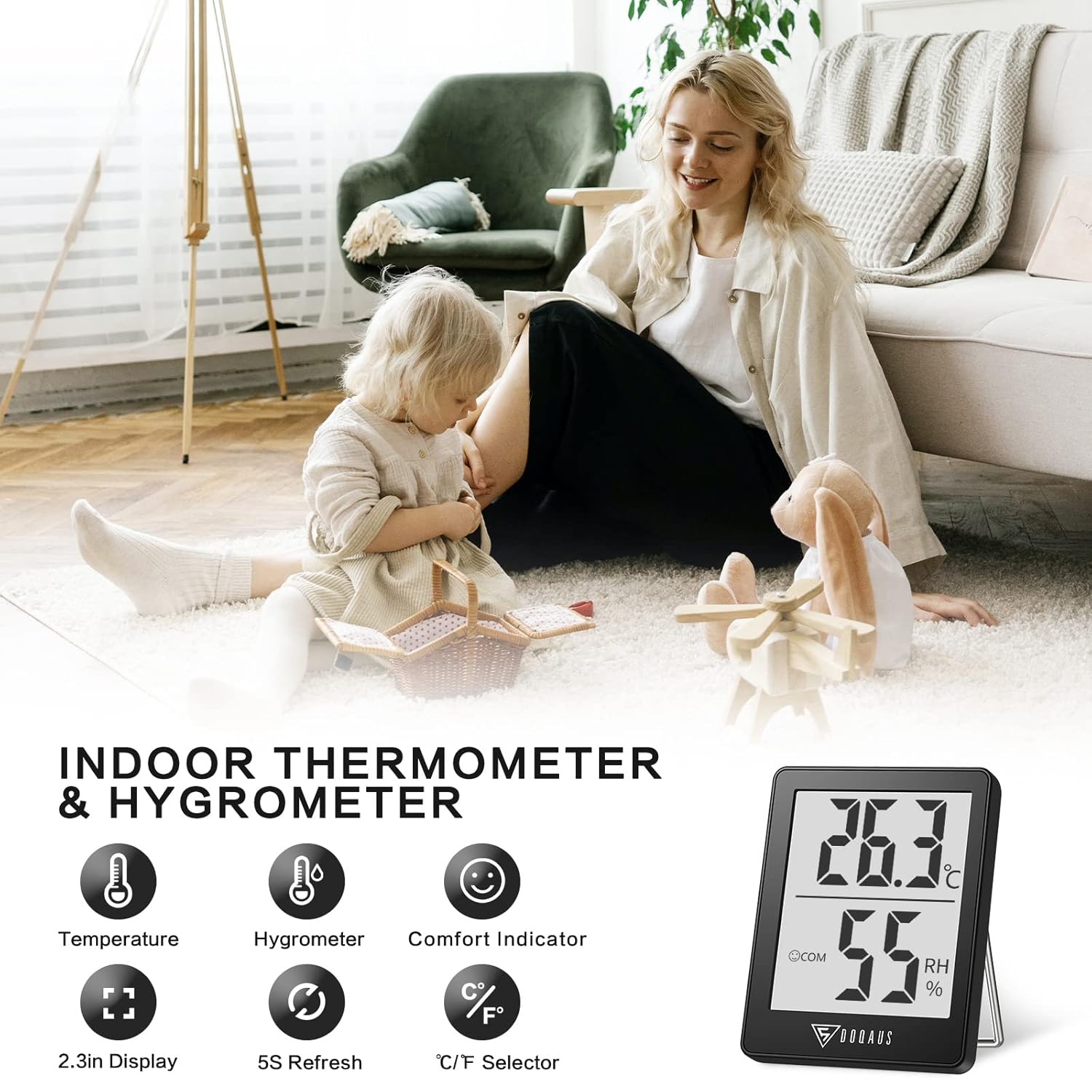
Image: The DOQAUS Indoor Thermometer Hygrometer HM1 displaying temperature and humidity readings on its screen.

Image: The DOQAUS HM1 thermometer hygrometer shown in diverse application environments, including a living room, school, office, and warehouse.
Асноўныя характарыстыкі
- Fast Response & High Precision: Updates readings every 5 seconds for accurate temperature and humidity monitoring.
- Шырокі дыяпазон вымярэнняў: Temperature range of -50°C to 70°C (-58°F to 158°F) and humidity range of 10%RH to 99%RH.
- Індыкатар камфорту: Displays DRY, COM (Comfort), or WET icons to quickly indicate ambient conditions.
- Switchable Units: Easily switch between Celsius (°C) and Fahrenheit (°F) with a single button.
- Празрысты ВК-дысплей: Large, bright LCD screen for easy readability from a distance.
- Універсальныя варыянты мантажу: Features a table stand, wall-hanging hole, and magnetic back for flexible placement.
- Кампактны і партатыўны: Small and lightweight design for space-saving and easy transport.

Image: The comfort indicator feature on the DOQAUS HM1, illustrating DRY, COM, and WET icons based on humidity levels.

Image: A graph demonstrating the fast 5-second response time of the DOQAUS HM1 when measuring humidity changes.
Змест пакета
Пасля распакавання пераканайцеся, што ўсе прадметы наяўныя:
- 1 x DOQAUS Indoor Thermometer Hygrometer HM1
- 1 x CR2032 Battery (pre-installed in the device)
- 1 х Кіраўніцтва карыстальніка
Настройка
1. Устаноўка батарэі
The DOQAUS HM1 comes with a CR2032 battery pre-installed. If the display is not active, or if you need to replace the battery:
- Знайдзіце батарэйны адсек на задняй панэлі прылады.
- Выкарыстоўвайце невялікую адвёртку, каб адкрыць вечка батарэйнага адсека.
- Устаўце новую батарэю CR2032 станоўчым (+) бокам уверх.
- Надзейна зачыніце крышку батарэйнага адсека.
2. Варыянты размяшчэння
The device offers multiple placement options for your convenience:
- Настольная падстаўка: Extend the integrated stand on the back to place the device on any flat surface, such as a desk or shelf.
- Насценная падвеска: Use the hanging hole on the back to mount the device on a wall using a nail or hook.
- Магнітнае мацаванне: The strong magnet on the back allows you to attach the device to metallic surfaces like refrigerators.

Image: Illustrations of the DOQAUS HM1's versatile mounting options, including a hanging hole, strong magnet, and a 45-degree table stand.
Інструкцыя па эксплуатацыі
1. Уключэнне
Once the battery is correctly installed, the device will automatically power on and begin displaying temperature and humidity readings. The indoor temperature will adjust automatically within 30 seconds after power-on.
2. Пераключэнне адзінак вымярэння тэмпературы (°C/°F)
To switch between Celsius (°C) and Fahrenheit (°F), press the "°C/°F" button located on the back of the device. The display will instantly change to the selected unit.
3. Understanding the Comfort Indicator
The device features a comfort indicator with three icons to represent the current humidity level:
- СУХІ: Вільготнасць паветра ніжэй за 40%.
- COM (Камфорт): Вільготнасць паветра складае ад 40% да 60%.
- Мокрае: Вільготнасць вышэй 60%.
This indicator provides a quick visual reference for indoor air quality.
Тэхнічнае абслугоўванне
- Уборка: Regularly clean the product with a soft, dry cloth. Do not use abrasive cleaners or immerse the device in water.
- Замена батарэі: Replace the CR2032 battery when the display becomes dim or stops functioning. Refer to the "Battery Installation" section for instructions.
- захоўванне: Калі прылада захоўваецца працяглы час, выміце батарэйку, каб прадухіліць уцечку. Захоўвайце ў прахалодным, сухім месцы.
Ліквідацыю непаладак
| праблема | Магчымая прычына | Рашэнне |
|---|---|---|
| Няма дысплея або дысплей цьмяны | Батарэя разраджаная або няправільна ўсталяваная. | Replace the CR2032 battery or ensure it is installed correctly with the positive (+) side up. |
| Няправільныя паказанні | Device placed near heat/cold sources or in direct sunlight. | Relocate the device to a central area away from direct sunlight, vents, or extreme temperature sources. Allow 30 minutes for readings to stabilize. |
| Мігаценне дысплея | Нізкі зарад батарэі або няспраўнасць прылады. | Заменіце батарэю. Калі праблема не знікне, звярніцеся ў службу падтрымкі кліентаў. |
Тэхнічныя характарыстыкі
| Асаблівасць | Дэталь |
|---|---|
| Нумар мадэлі | HM1 |
| Памеры (Д х Ш х У) | 4.5 х 1.8 х 5.8 см (1.77 х 0.71 х 2.28 цалі) |
| Вага | 40 грам (1.41 унцый) |
| Крыніца харчавання | 1 x CR2032 Battery (DC 3V) |
| Дыяпазон тэмператур | -50°C да 70°C (-58°F да 158°F) |
| Дакладнасць тэмпературы | ±0.5°C (±1°F) for 10°C to 40°C (50°F to 104°F); ±1°C (±1.8°F) outside this range. |
| Тэмпературнае дазвол | 0.1°C (0.1°F) |
| Дыяпазон вільготнасці | Ад 10% да 99% адноснай вільготнасці |
| Дакладнасць вільготнасці | ±3% RH for 40% to 80% RH; ±5% RH outside this range (20%-40% RH or 80%-95% RH). |
| Дазвол вільготнасці | 1% адноснай вільготнасці |
| Частата абнаўлення | Кожныя 5 секунд |
| Дысплей | ВК |

Image: Multiple DOQAUS HM1 units undergoing accuracy testing in a controlled environment, showing consistent readings.
Гарантыя і падтрымка
DOQAUS products are designed for reliability and performance. For warranty information or technical support, please refer to the warranty card included with your product or visit the official DOQAUS webсайт.
If you encounter any issues not covered in the troubleshooting section, please contact DOQAUS customer service for assistance.
Ask a question about this manual
Ask about setup, troubleshooting, compatibility, parts, safety, or missing instructions. Manuals+ will review the question and use this page’s manual context to help answer it.