
FLEXISPOT 42" Electric Standing Desk Converter
FLEXISPOT Electric Standing Desk Converter 42" User Manual
Brand: FLEXISPOT | Model: 42" Electric Standing Desk Converter
Уводзіны
This manual provides essential information for the safe and efficient operation, setup, and maintenance of your FLEXISPOT Electric Standing Desk Converter. Please read this manual thoroughly before use and retain it for future reference.

Figure 1: The FLEXISPOT 42-inch Electric Standing Desk Converter in a typical office setup, supporting two external monitors and a laptop.
Інфармацыя па бяспецы
Always ensure the desk converter is placed on a stable, flat surface. Do not overload the desk beyond its specified weight capacity. Keep hands and objects clear of moving parts during height adjustment. Disconnect power before cleaning or maintenance. This product is intended for indoor use only.
Змест пакета
Пасля распакавання пераканайцеся, што ўсе кампаненты наяўныя:
- FLEXISPOT Electric Standing Desk Converter Unit
- Quick Release Keyboard Tray
- Шнур харчавання
- Кіраўніцтва карыстальніка (гэты дакумент)
Настройка
The FLEXISPOT Electric Standing Desk Converter is designed for quick and easy assembly. Follow these two steps:
- Connect the keyboard tray: Align the keyboard tray with the designated slots on the desktop plate and slide it into place until it locks securely.
- Position the converter: Place the assembled desk converter on your existing desk. Connect the power cord to a suitable power outlet.

Figure 2: Simple two-step assembly process for the desk converter.
Інструкцыя па эксплуатацыі
The FLEXISPOT Electric Standing Desk Converter features a powerful and quiet electric motor for smooth height adjustments. The elegant control panel allows you to easily find your ideal height setting.
- Рэгуляванне вышыні: Use the up and down arrow buttons on the control panel to raise or lower the desk converter to your desired ergonomic height. The height adjustment ranges from 5.7 inches to 19.7 inches.
- Desktop Capacity: The upper U-shaped desktop is designed to accommodate dual monitors or a laptop and monitor setup, with a weight capacity of 44 lbs.
- Падстаўка для клавіятуры: The roomy lower tier has a depth of 12.1 inches and can hold a standard keyboard and mouse, or a 13-inch laptop, with a weight capacity of 11 lbs. The keyboard tray is quick-release and removable for flexibility.
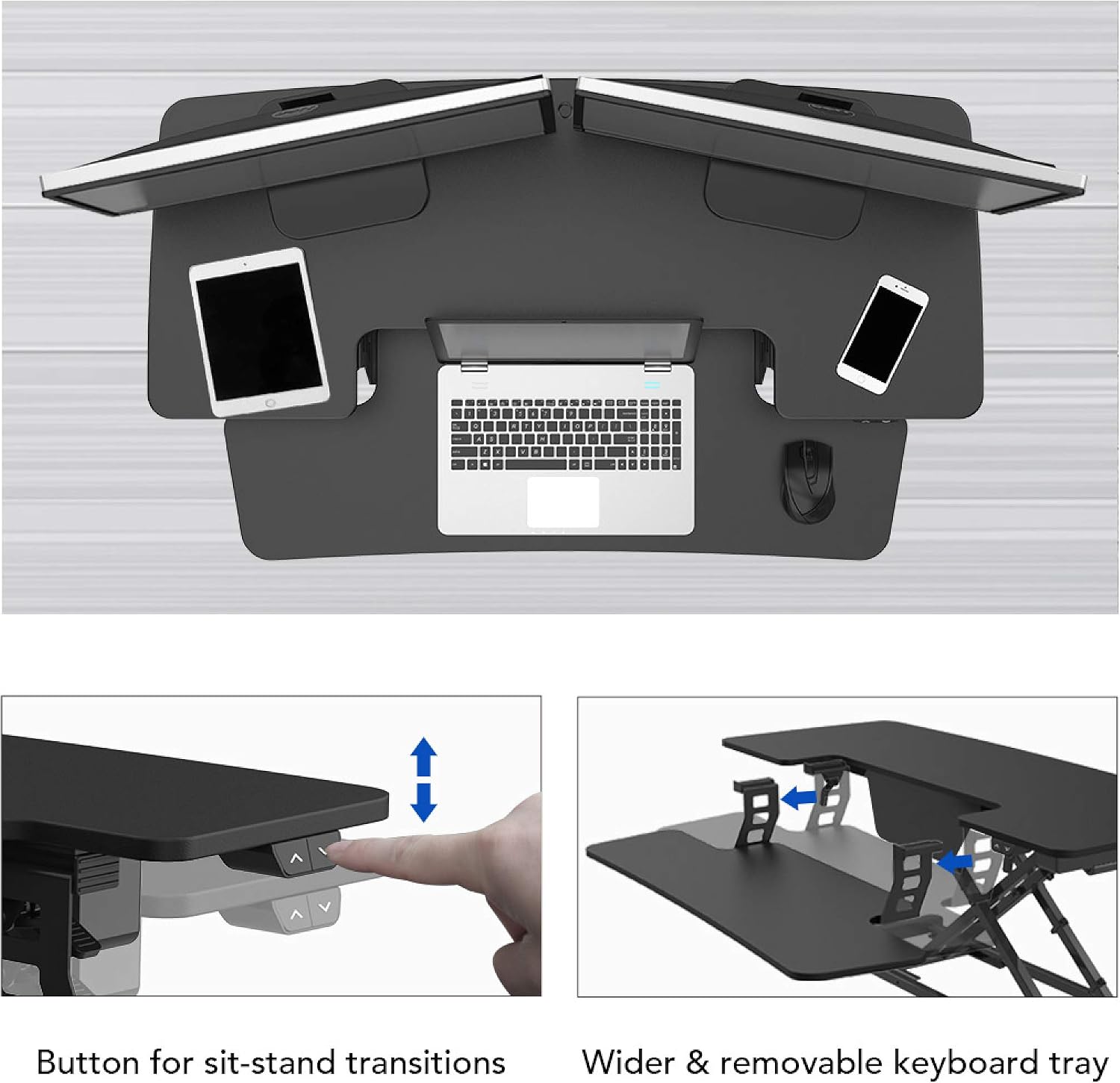
Figure 3: Control buttons for sit-stand transitions.

Figure 4: The spacious and removable keyboard tray provides ample room for a keyboard and mouse.

Figure 5: The electric motor ensures smooth and vertical lifting.
Тэхнічнае абслугоўванне
To ensure the longevity and optimal performance of your FLEXISPOT Electric Standing Desk Converter, follow these maintenance guidelines:
- Уборка: Працярыце паверхні мяккай, damp тканінай. Пазбягайце абразіўных ачышчальнікаў або агрэсіўных хімічных рэчываў.
- Кабельнае кіраванне: Рэгулярна правярайце і арганізоўвайце кабелі, каб пазбегнуць заблытвання і пашкоджанняў.
- агляд: Periodically inspect all screws and connections to ensure they are tight and secure.
- Прадухіленне перагрузкі: Do not exceed the maximum weight capacities (44 lbs for desktop, 11 lbs for keyboard tray) to prevent motor strain and potential damage.
Ліквідацыю непаладак
If you encounter any issues with your desk converter, refer to the following common troubleshooting steps:
| праблема | Магчымая прычына | Рашэнне |
|---|---|---|
| Desk not moving | Power cord disconnected; Overload; Motor error. | Check power connection; Reduce weight on desk; Unplug for 10 seconds and replug. |
| Незвычайны шум падчас працы | Loose components; Obstruction in mechanism. | Check all screws and connections; Remove any obstructions. |
| Стол рухаецца няроўна | Uneven weight distribution; Damaged leg. | Distribute weight evenly; Contact customer support if damage is suspected. |
If the problem persists after attempting these solutions, please contact FLEXISPOT customer support for further assistance.
Тэхнічныя характарыстыкі
| Асаблівасць | Дэталь |
|---|---|
| Марка | ФЛЕКСІСПОТ |
| мадэль | 42" Electric Standing Desk Converter |
| Тып аздаблення | Вуд |
| Форма | Прамавугольны |
| Тып базы | Нага |
| Патрабуецца зборка | так |
| Колькасць узроўняў | 2 |
| Асаблівасць | Adjustable Height, Keyboard Tray Included |
| Вага прадмета | 45.4 фунта |
| Памеры прадукту (Д х Ш х У) | 16.3 х 16.3 х 5.7 цалі |
| Тып матэрыялу | Fiberboard & Steel |
| Ёмістасць настольнага кампутара | 44 фунта |
| Keyboard Tray Load Capacity | 11 фунта |
| Дыяпазон рэгулявання вышыні | ад 5.7 да 19.7 цаляў |
| Колер | Чорны |

Figure 6: Detailed dimensions and load capacities of the desk converter.
Гарантыя і падтрымка
FLEXISPOT products are designed for durability and performance. For warranty information, technical support, or any inquiries not covered in this manual, please visit the official FLEXISPOT website or contact their customer service directly. Please have your product model number (42" Electric Standing Desk Converter) and purchase date available when contacting support.
Official FLEXISPOT Webсайт: www.flexispot.com