
1. паview
The Nubwo N1 Pro Gaming Headphones are designed to provide an immersive audio experience for gaming and multimedia. Featuring a comfortable on-ear design, a noise-reduction microphone, and versatile connectivity, these headphones are suitable for extended use.

Image 1.1: Nubwo N1 Pro Gaming Headphones with their 3.5mm audio jack, microphone jack, and USB connector for LED lighting.
2. Змесціва ўпакоўкі
Калі ласка, пераканайцеся, што ўсе прадметы прысутнічаюць у камплекце:
- Nubwo N1 Pro Gaming Headphones
- Амбушуры (папярэдне ўсталяваныя)
- Агалоўе (папярэдне ўсталяванае)
- Кіраўніцтва карыстальніка (гэты дакумент)
3. Інструкцыі па ўсталёўцы
3.1 Падключэнне навушнікаў
- Аўдыё злучэнне: Locate the 3.5mm audio jack (green connector) on your headphones. Plug this into the audio output port (usually green) on your computer, gaming console controller, or other audio device.
- Падключэнне мікрафона: Locate the 3.5mm microphone jack (orange connector) on your headphones. Plug this into the microphone input port (usually pink) on your computer or device.
- USB Power for LED Lighting: Plug the USB connector into an available USB port on your computer or gaming console to power the headphone's LED lighting feature. The headphones will function for audio and microphone without the USB connection, but the lights will not illuminate.
3.2 System Configuration (Windows Exampле)
After connecting, you may need to configure your operating system's sound settings:
- Right-click the speaker icon in your taskbar and select 'Sound Settings' or 'Playback devices'.
- Under 'Output', select 'Speakers (Realtek High Definition Audio)' or similar entry corresponding to your 3.5mm jack.
- Under 'Input', select 'Microphone (Realtek High Definition Audio)' or similar entry.
- Адрэгулюйце ўзровень гучнасці па меры неабходнасці.
4. Інструкцыя па эксплуатацыі
4.1 Рэгулятар гучнасці
The headphones feature an integrated volume knob for convenient audio adjustment.
- Павялічыць гучнасць: Rotate the volume knob upwards.
- Паменшыць гучнасць: Rotate the volume knob downwards.
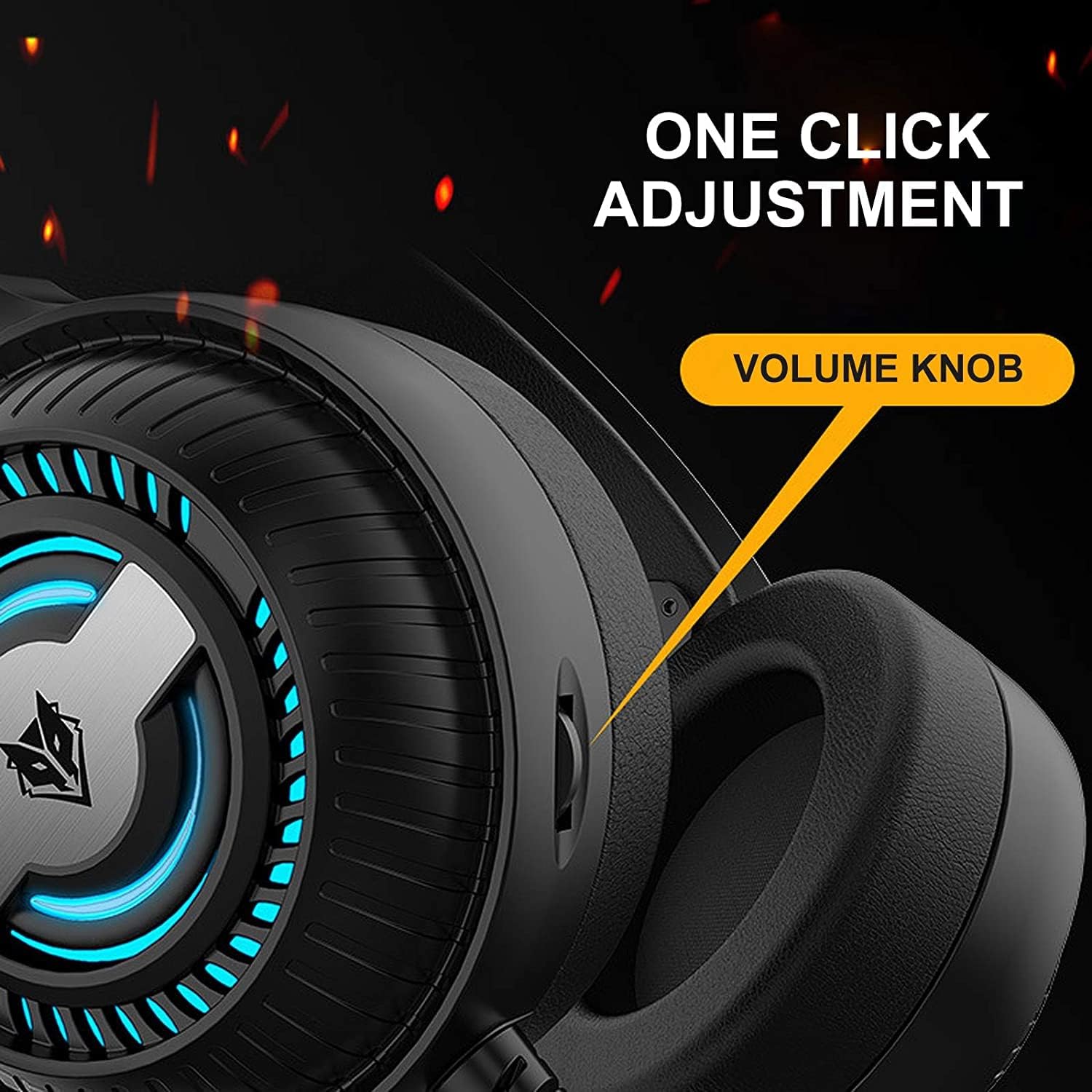
Image 4.1: The volume knob located on the left ear cup for quick audio adjustments.
4.2 Выкарыстанне мікрафона
The flexible microphone is equipped with noise reduction technology for clear communication.
- пазіцыянаванне: Adjust the flexible microphone boom to a comfortable position near your mouth for optimal voice pickup.
- Зніжэнне шуму: The integrated sponge on the microphone helps to reduce ambient noise, ensuring your voice is transmitted clearly.

Image 4.2: The flexible microphone with noise reduction capabilities, shown in various positions.
4.3 святлодыёдным асвятленне
The headphones feature a breathing lamp effect with 7 different colors, powered via the USB connection.
- The LED lights will automatically cycle through 7 colors when the USB connector is plugged into a powered USB port.
- There is no manual control for changing or turning off the LED colors; they operate in a continuous breathing cycle.

Image 4.3: The ear cup illuminated with the 7-color breathing lamp эфект.
5. Тэхнічнае абслугоўванне
5.1 Ачыстка
- Выкарыстоўвайце мяккую, сухую тканіну для працірання вонкавых паверхняў навушнікаў.
- Акуратна працярыце амбушуры злёгку злёгкуamp тканінай і дайце цалкам высахнуць на паветры перад выкарыстаннем.
- Не выкарыстоўвайце агрэсіўныя хімікаты, растваральнікі або абразіўныя ачышчальнікі.
5.2 Захоўванне
- Захоўвайце навушнікі ў прахалодным, сухім месцы, удалечыні ад прамых сонечных прамянёў і экстрэмальных тэмператур.
- Пазбягайце класці цяжкія прадметы на навушнікі.
5.3 Сыход за кабелем
- Пазбягайце рэзкіх выгібаў або празмернага нацягвання кабеляў, каб пазбегнуць пашкоджанняў.
- Always grasp the plug, not the cable, when disconnecting.
6. Выпраўленне непаладак
6.1 No Sound from Headphones
- Ensure the 3.5mm audio jack is fully inserted into the correct audio output port.
- Check the volume knob on the headphones and your device's system volume.
- Verify that the headphones are selected as the default playback device in your sound settings.
- Test the headphones with another device to rule out a device-specific issue.
6.2 Мікрафон не працуе
- Ensure the 3.5mm microphone jack is fully inserted into the correct microphone input port.
- Verify that the microphone is selected as the default recording device in your sound settings.
- Праверце налады прыватнасці мікрафона ў вашай аперацыйнай сістэме.
- Праверце мікрафон з дапамогай іншай прылады або праграмы.
6.3 LED Lights Not Illuminating
- Пераканайцеся, што USB-раздым надзейна падключаны да USB-порта з харчаваннем.
- Паспрабуйце іншы порт USB.
7. Тэхнічныя характарыстыкі
Key technical specifications for the Nubwo N1 Pro Gaming Headphones:
| Асаблівасць | Спецыфікацыя |
|---|---|
| Назва мадэлі | N1 Pro |
| Фірмовае найменне | Generic (Nubwo) |
| Тэхналогія падлучэння | Wired (3.5mm Audio, 3.5mm Mic, USB for LED) |
| Форм-фактар навушнікаў | На вуха |
| Размяшчэнне навушнікаў у вушах | На вуха |
| Гняздо для навушнікаў | 3.5 мм Jack |
| Адчувальнасць | 96 дБ |
| Кантроль шуму | None (Microphone features noise reduction) |
| Колер | Чорны |
| Уключаныя кампаненты | Амбушуры, абадок |
| Памеры ўпакоўкі | 25.2 х 19.9 х 12.6 см |
| Вага | 450 г |
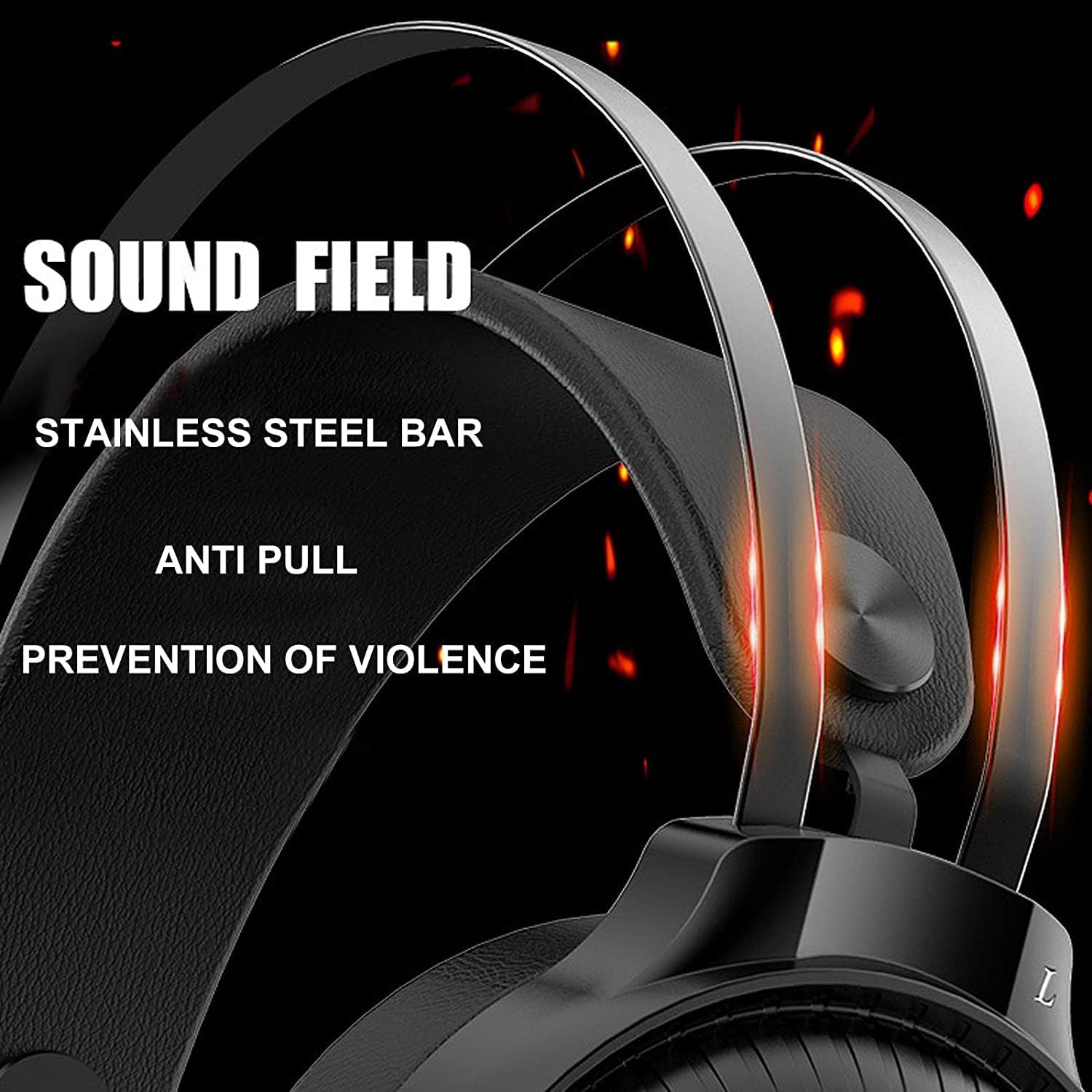
Image 7.1: Illustration of the 50mm horn for sound field and the durable stainless steel bar construction.
8. Гарантыя і падтрымка
For information regarding warranty coverage and technical support, please refer to the retailer or the official Nubwo webмесца, дзе быў набыты прадукт. Захоўвайце пацвярджэнне пакупкі для прэтэнзій па гарантыі.
If you encounter issues not covered in this manual, please contact customer support for assistance.