
Perixx PERIBOARD-332
Кіраўніцтва карыстальніка для правадной падсветленай USB-клавіятуры Perixx PERIBOARD-332
Уводзіны
This manual provides detailed instructions for the setup, operation, maintenance, and troubleshooting of your Perixx PERIBOARD-332 Wired Backlit USB Keyboard. Please read this manual thoroughly before using the product to ensure optimal performance and longevity.

Image: The Perixx PERIBOARD-332 Wired Backlit USB Keyboard, showcasinг яго кампактны дызайн.
Змест пакета
Праверце наяўнасць усіх прадметаў у камплекце:
- Perixx PERIBOARD-332 Wired Backlit USB Keyboard
- Убудаваны кабель USB
- Кіраўніцтва карыстальніка (гэты дакумент)

Image: The Perixx PERIBOARD-332 keyboard, its integrated USB cable, the user manual, and the product packaging.
Інструкцыя па наладзе
Падключэнне клавіятуры: Locate an available USB port on your computer (PC, laptop, tablet, or smartphone with appropriate adapter). Insert the USB cable from the PERIBOARD-332 into the USB port.
Ўстаноўка драйвера: The keyboard is plug-and-play and typically does not require additional drivers for basic functionality on Windows, macOS, Linux, or Chrome OS. Your operating system should automatically detect and configure the device.
Размяшчэнне: Place the keyboard on a stable, flat surface. The compact design is ideal for small workspaces.

Image: A user typing on the Perixx PERIBOARD-332 keyboard, demonstrating its compact size and wired connection on a desk.
Інструкцыя па эксплуатацыі
Агульнага карыстання
The Perixx PERIBOARD-332 features a standard US English QWERTY layout with 84 keys. Its low-profile scissor keys provide a quiet and comfortable typing experience, similar to laptop keyboards. The compact design helps optimize desk space.

Image: A user typing on the Perixx PERIBOARD-332 keyboard, highlighting its compact size and ergonomic placement in a workspace.

Выява: Крупны план view of the sculpted, low-profile scissor keys of the Perixx PERIBOARD-332, highlighting their design.
Function Keys (Fn Hotkeys)
The keyboard includes integrated Fn hotkeys for quick access to multimedia and system functions. These functions are primarily designed for Windows operating systems. For other operating systems (macOS, Linux, Chrome OS), their functionality may vary or require specific system settings/configurations.
- Fn+F1: Fn Lock
- Fn+F2: Backlight Brightness Adjustment (Cycle through levels)
- Fn+F3: Адключыць гук
- Fn+F4: Памяншэнне гучнасці
- Fn+F5: Павялічыць гучнасць
- Fn+F6: Папярэдні трэк
- Fn+F7: Прайграванне/Паўза
- Fn+F8: Наступны трэк
- Fn+F9: Паўза
- Fn+F10: Scroll Lock
- Fn+F11: Уставіць
- Fn+F12: Print Screen

Image: Diagram illustrating the integrated Fn hotkeys on the Perixx PERIBOARD-332, showing the function of each F-key when pressed with the Fn key.
Кіраванне падсветкай
The PERIBOARD-332 features white LED backlighting with adjustable brightness. To adjust the backlight brightness, press the Fn + F2 keys simultaneously. Repeatedly pressing this combination will cycle through different brightness levels (including off).
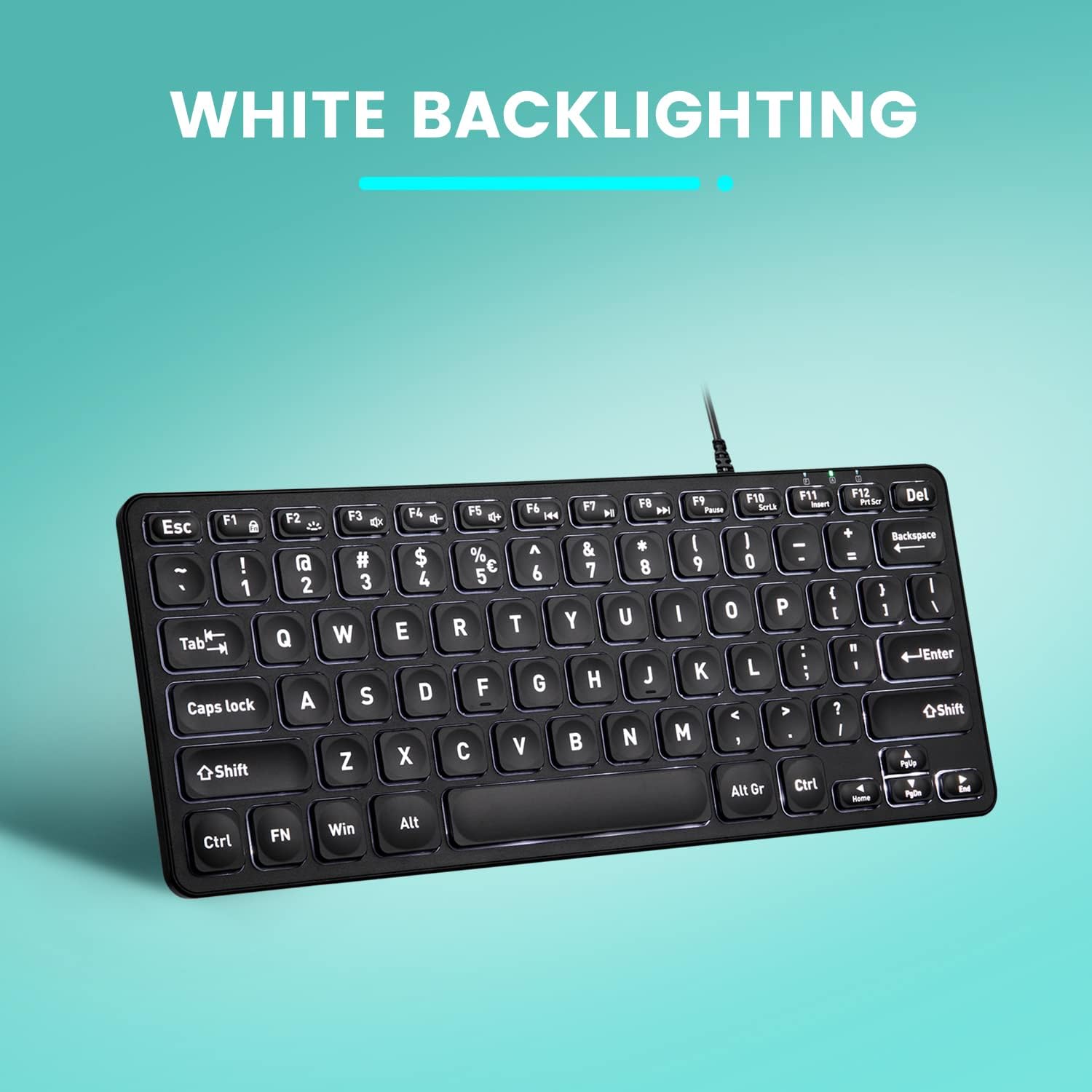
Выява: зверху ўніз view of the Perixx PERIBOARD-332 keyboard with its white LED backlighting illuminated, showcasing the clear, large font on the keys.
Тэхнічнае абслугоўванне
Каб забяспечыць даўгавечнасць і належную працу клавіятуры, выконвайце наступныя рэкамендацыі па абслугоўванні:
- Уборка: Выкарыстоўвайце мяккую безворсовую тканіну, злёгку dampПрацірайце паверхню клавіятуры вадой або мяккім ачышчальным растворам. Пазбягайце празмернай вільгаці. Не распыляйце ачышчальнікі непасрэдна на клавіятуру.
- Выдаленне пылу: Выкарыстоўвайце сціснутае паветра, каб выдаліць пыл і смецце паміж клавішамі.
- Пазбягайце разліваў: Keep liquids away from the keyboard to prevent damage. The keyboard is not water-resistant.
- захоўванне: Калі клавіятура не выкарыстоўваецца, захоўвайце яе ў чыстым, сухім месцы, удалечыні ад экстрэмальных тэмператур.
Ліквідацыю непаладак
If you encounter issues with your Perixx PERIBOARD-332, refer to the following common solutions:
Клавіятура не адказвае
- Праверце падключэнне USB: Ensure the USB cable is securely plugged into both the keyboard and the computer's USB port. Try a different USB port.
- Перазагрузіце кампутар: Часам просты перазапуск кампутара можа вырашыць праблемы з падключэннем.
- Тэст на іншай прыладзе: Connect the keyboard to another computer or device to determine if the issue is with the keyboard or the original computer.
Backlight Not Working or Adjusting
- Check Brightness Setting: Прэса Fn + F2 repeatedly to cycle through all brightness levels, including off. Ensure it's not set to the lowest or off setting.
- Крыніца харчавання: Ensure the keyboard is properly connected to a powered USB port.
Клавішы працуюць няправільна
- Чыстыя ключы: Праверце на наяўнасць смецця або перашкод пад пашкоджанымі клавішамі. Выкарыстайце сціснутае паветра, каб ачысціць іх.
- Праграмныя канфлікты: If specific keys are not working, check for any software or driver conflicts on your computer.
Multimedia Keys Not Working on macOS/Linux/Chrome OS
- Сумяшчальнасць з аперацыйнай сістэмай: The multimedia shortcut keys are primarily designed for Windows. On other operating systems, their functionality may vary or require specific system settings/configurations.
Тэхнічныя характарыстыкі
| Асаблівасць | Дэталь |
|---|---|
| Марка | Перыкс |
| Нумар мадэлі | ПЕРЫБОРТ-332 |
| Тэхналогія падлучэння | USB (правадной) |
| Апісанне клавіятуры | US English QWERTY |
| Асаблівасць | Backlit (White LED) |
| Тып перамыкача | Scissor Switches |
| Колькасць ключоў | 84 |
| Памеры прадукту (Д х Ш х У) | 11.22 цалі х 4.57 цалі х 0.83 цалі (28.5 см х 11.6 см х 2.1 см) |
| Вага прадмета | 0.79 lbs (12.3 Ounces / 350 grams approx.) |
| Сумяшчальныя прылады | PC, Laptop, Tablet, Smartphone (with compatible USB port/adapter) |
| Сумяшчальнасць аперацыйнай сістэмы | Windows 7, 8, 10, 11; macOS; Linux; Chrome OS |
| Матэрыял | Пластыкавыя |
Гарантыя і падтрымка
Інфармацыя аб гарантыі
Your Perixx PERIBOARD-332 keyboard comes with a 12-месячная абмежаваная гарантыя from the date of purchase. This warranty covers manufacturing defects and workmanship under normal use. It does not cover damage caused by misuse, accidents, unauthorized modifications, or external factors.
Калі ласка, захавайце доказы пакупкі для прэтэнзій па гарантыі.
Падтрымка кліентаў
For technical assistance, warranty claims, or any questions regarding your Perixx product, please visit the official Perixx website or contact their customer support team. Contact information can typically be found on the Perixx webсайце або ва ўпакоўцы прадукту.
Вы таксама можаце наведаць в Крама Perixx на Amazon для атрымання дадатковай інфармацыі і рэсурсаў падтрымкі.
Ask a question about this manual
Ask about setup, troubleshooting, compatibility, parts, safety, or missing instructions. Manuals+ will review the question and use this page’s manual context to help answer it.