
Уводзіны
This manual provides detailed instructions for the installation, operation, and maintenance of the 3nStar LDT114 Direct Thermal Label Printer. The LDT114 is designed for various labeling applications, offering reliable performance with its dual-wall framed construction and all-metal print head. Please read this manual thoroughly before using the printer to ensure proper setup and optimal functionality.
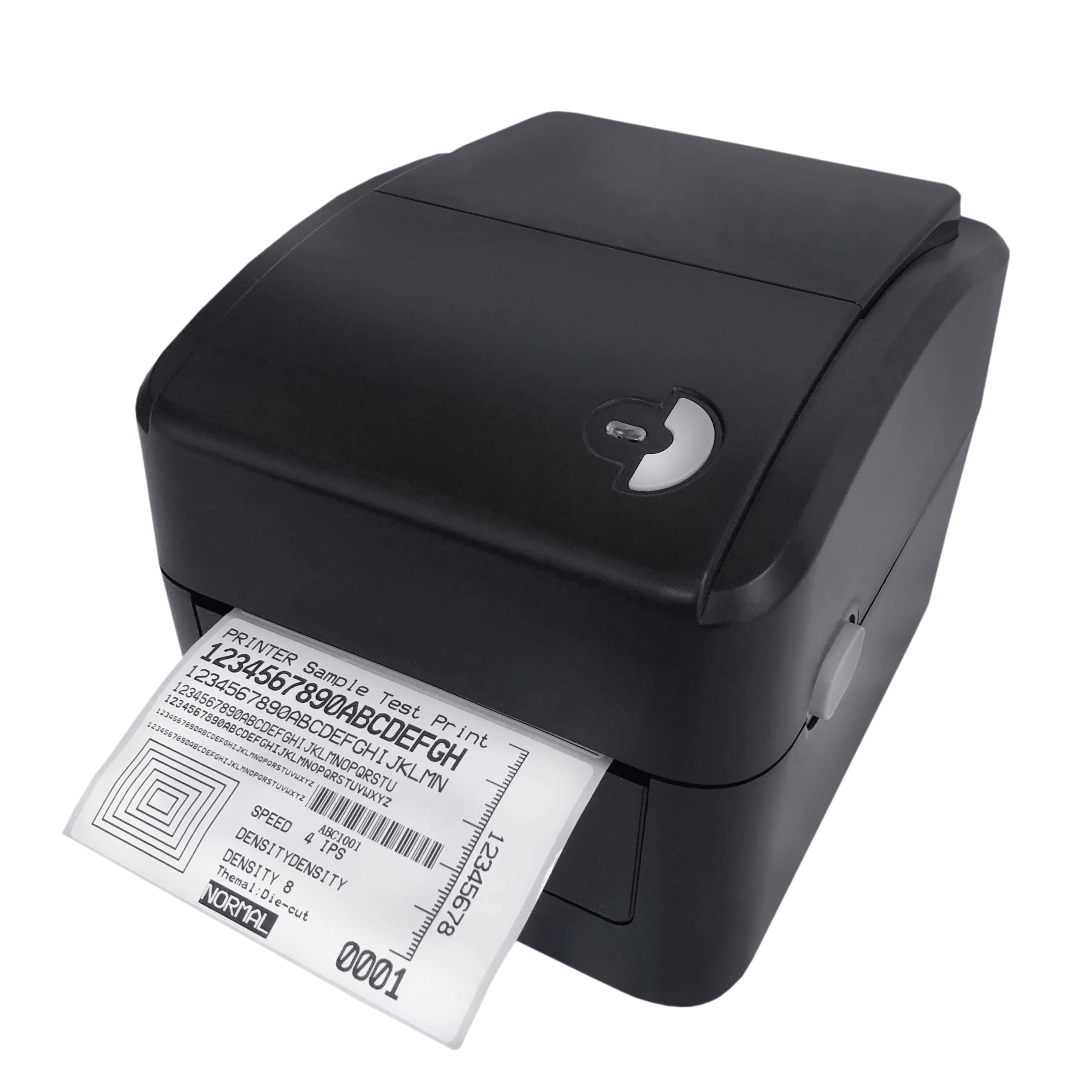
Image: The 3nStar LDT114 Direct Thermal Label Printer in operation, showing a sample label being printed.
1. Настройка
1.1 Распакаванне і праверка
- Акуратна дастаньце прынтар з упакоўкі.
- Verify that all included components are present: printer unit, power adapter, power cord, USB cable, quick start guide, and Windows labeling software driver CD.
- Праверце прынтар на наяўнасць бачных пашкоджанняў. Калі вы выявіце пашкоджанні, неадкладна звярніцеся да прадаўца.
1.2 Падключэнне прынтара
- Падключэнне сілкавання: Connect the external switching power adapter to the printer's power input port. Plug the power cord into the adapter and then into a suitable electrical outlet.
- Злучэнне для перадачы дадзеных:
- Інтэрфейс USB: Connect one end of the provided USB cable to the USB port on the printer and the other end to an available USB port on your computer.
- LAN (Ethernet) Interface: Connect an Ethernet cable to the LAN port on the printer and to your network router or switch.

Image: Rear panel of the LDT114 printer, highlighting the power, USB, and Ethernet connectivity ports.
1.3 Усталёўка драйвераў і праграмнага забеспячэння
- Insert the provided Windows labeling software driver CD into your computer's CD/DVD drive.
- Follow the on-screen instructions to install the printer drivers and the Bartender Label Printing Software.
- For network setup, refer to the software documentation for configuring the printer on your LAN.
1.4 Загрузка этыкетак
- Пераканайцеся, што прынтар выключаны.
- Адкрыйце верхнюю крышку прынтара.
- Place the label roll onto the media holder, ensuring the labels feed from the bottom of the roll.
- Adjust the media guides to fit the width of your labels snugly, without pinching.
- Feed the leading edge of the labels through the print mechanism until it extends slightly past the print head.
- Надзейна зачыніце верхнюю крышку.

Image: The LDT114 printer with its top cover open, illustrating the internal mechanism for loading label rolls.
2. Інструкцыя па эксплуатацыі
2.1 Уключэнне/выключэнне
- To power on, ensure the power cord is connected and flip the power switch located at the rear of the printer to the 'ON' position.
- To power off, flip the power switch to the 'OFF' position.
2.2 Базавы друк
- Пераканайцеся, што прынтар падключаны да кампутара і ўключаны.
- Open your label design software (e.g., Bartender) or any application from which you wish to print.
- Select the 3nStar LDT114 printer from the list of available printers.
- Configure your print settings, such as label size, orientation, and number of copies.
- Initiate the print command. The printer will begin printing labels at a speed of up to 6 IPS.
2.3 Label Calibration
For accurate label printing, especially when changing label sizes or types, calibration may be necessary. Refer to the Bartender Label Printing Software manual or the printer driver settings for specific calibration procedures. Typically, this involves a sensor adjustment to correctly detect the gaps between labels.
3. Тэхнічнае абслугоўванне
3.1 Ачыстка друкавальнай галоўкі
Regular cleaning of the print head ensures optimal print quality and extends the life of the printer. It is recommended to clean the print head after every few label roll changes or if print quality degrades.
- Power off the printer and disconnect the power cord.
- Адкрыйце верхнюю крышку.
- Using a cotton swab lightly moistened with 100% alcohol, gently wipe the print head surface from the center outwards. Avoid touching the print head with bare hands.
- Дайце друкавальнай галоўцы цалкам высахнуць, перш чым закрываць вечка і зноў падключаць харчаванне.
3.2 Ачыстка валіка друкарскай пліты
The platen roller helps feed the labels smoothly. Clean it regularly to prevent label jams and ensure consistent feeding.
- Power off the printer and disconnect the power cord.
- Адкрыйце верхнюю крышку.
- Rotate the platen roller and wipe its surface with a cotton swab lightly moistened with 100% alcohol.
- Allow it to dry completely before closing the cover and reconnecting power.
4. Выпраўленне непаладак
| праблема | Магчымая прычына | Рашэнне |
|---|---|---|
| Прынтар не ўключаецца. | Шнур сілкавання не падключаны; разетка няспраўная. | Праверце падключэнні да электрычнай разеткі; паспрабуйце іншую разетку. |
| No labels are printing. | Labels not loaded correctly; printer offline; driver issue. | Reload labels; check printer status; reinstall drivers. |
| Нізкая якасць друку (бляклыя плямы, лініі). | Dirty print head; low-quality labels; incorrect print settings. | Clean print head; use recommended labels; adjust print density. |
| Labels are jamming. | Incorrect label loading; media guides too tight/loose; dirty platen roller. | Reload labels correctly; adjust media guides; clean platen roller. |
| Прынтар не распазнаецца камп'ютарам. | USB/LAN cable disconnected; driver not installed or corrupted. | Check cable connections; reinstall printer drivers. |
5. Тэхнічныя характарыстыкі
| Асаблівасць | Дэталь |
|---|---|
| мадэль | LDT114 |
| Тэхналогія друку | Прамая цеплавая |
| Раздзяленне друку | 203 DPI (кропак на цалю) |
| Максімальная хуткасць друку | 6 IPS (Inches Per Second) |
| колер друку | Манахромны (чорны) |
| Сувязь | USB, Ethernet (LAN) |
| Памяць | 8 MB SDRAM, 8 MB Flash (Micro SD Card Reader for expansion) |
| Эмуляцыя | TSPL (EPL, ZPL, DPL compatible) |
| Максімальная шырыня носьбіта | 4.5 цаляў |
| Maximum Print Length | 70 цаляў |
| Памеры прадукту (Д х Ш х У) | 17.8 х 20.3 х 15.2 сантыметра |
| Вага прадмета | 2 кілаграма |
| Энергаспажыванне | 44 Вт (працоўны рэжым) |
| Асаблівасці | Network-Ready, Double-walled clamshell design |
| Уключаныя кампаненты | Printer, Power Adapter, Power Cord, USB Cable, Quick Start Guide, Windows Labeling Software Driver CD |
6. Інфармацыя аб гарантыі
The 3nStar LDT114 Direct Thermal Label Printer comes with a 1-гадовая абмежаваная гарантыя from the date of purchase. This warranty covers defects in materials and workmanship under normal use. It does not cover damage caused by misuse, accidents, unauthorized modifications, or improper installation. Please retain your proof of purchase for warranty claims.
7. Падтрымка
For technical assistance, troubleshooting beyond this manual, or warranty inquiries, please contact 3nStar customer support. Refer to the contact information provided with your product packaging or visit the official 3nStar webсайт для атрымання найбольш актуальнай інфармацыі аб падтрымцы.
- Інтэрнэт-рэсурсы: Check the 3nStar website for FAQs, updated drivers, and additional documentation.
- Кантакты: Refer to your product's quick start guide or packaging for specific customer service contact numbers or email addresses.