
Уводзіны
This manual provides detailed instructions for the installation, operation, and maintenance of your EZoneTronics Android 11 Car Stereo. Please read this manual thoroughly before using the product to ensure proper function and safety. This unit is designed for Peugeot 308 and 408 models manufactured between 2010 and 2016.
Змест пакета
Праверце, ці ўсе пералічаныя ніжэй прадметы ўваходзяць у вашу ўпакоўку:
- 1 x EZoneTronics Android Player
- 1 х GPS антэна
- 1 х сілавы рэмень
- 1 х кабель уваходу/выхаду RCA
- 2 x USB Adapters
- 1 х кабель уваходу камеры
- 1 х Кіраўніцтва карыстальніка (гэты дакумент)
Настройка і ўстаноўка
The EZoneTronics Android 11 Car Stereo is designed for plug-and-play installation in compatible Peugeot 308/408 models. Professional installation is recommended.
Праверкі перад устаноўкай
- Перад пачаткам усталёўкі пераканайцеся, што запальванне аўтамабіля выключана, а акумулятар адключаны.
- Confirm compatibility with your vehicle's make, model, and year (Peugeot 308/408, 2010-2016).
Этапы ўстаноўкі
- Carefully remove the original car stereo unit from your vehicle's dashboard. Refer to your vehicle's service manual for specific instructions.
- Connect the provided Power Harness to the vehicle's wiring harness. Ensure all connections are secure.
- Connect the GPS Antenna. Position the antenna in a location with a clear view неба для аптымальнага прыёму сігналу.
- Connect the RCA Input/Output Cable, USB Adapters, and Camera Input Cable as needed for external devices (e.g., rear camera, USB drives).
- Carefully slide the EZoneTronics Android Player into the dashboard opening. Ensure all cables are tucked away and not pinched.
- Secure the unit in place using the appropriate mounting brackets or screws.
- Зноў падключыце акумулятар аўтамабіля і ўключыце запальванне, каб праверыць прыладу.
Заўвага: Minor modifications to the vehicle's frame (e.g., removing plastic tabs) may be required for a perfect fit. Consult online resources or a professional if unsure.
Інструкцыя па эксплуатацыі
Your EZoneTronics Android 11 Car Stereo features a 9-inch TFT Capacitive Touch Screen and an Octa Core CPU for a responsive user experience.
Базавая навігацыя
- Уключэнне/выключэнне харчавання: Націсніце і ўтрымлівайце кнопку харчавання на прыладзе або скарыстайцеся замком запальвання аўтамабіля.
- Сэнсарны экран: Navigate through menus and applications by tapping, swiping, and pinching on the screen.
- Галоўны экран: Access frequently used apps and widgets. Customize by long-pressing on empty areas.
- Налады: Access system settings, network configurations, display options, and more.

Image: The Android 11 interface with various application icons, highlighting the Octa Core processor for smooth operation.
Падключэнне Bluetooth 5.0
The unit features built-in Bluetooth 5.0 for hands-free calling and audio streaming (A2DP).
- Перайдзіце ў налады Bluetooth на аўтамабільнай стэрэасістэме.
- Уключыце Bluetooth на вашым мабільным тэлефоне і знайдзіце даступныя прылады.
- Select the car stereo (e.g., "EZoneTronics Car Stereo") from your phone's list and pair.
- Once paired, you can make/receive calls and stream music directly from your phone.

Image: The Bluetooth 5.0 interface displaying options for call history, dialing, hanging up, and playing music from a connected phone.
CarPlay і Android Auto
Integrated CarPlay and Android Auto allow seamless smartphone integration via USB (wired) or wirelessly.
- Connect your iPhone (for CarPlay) or Android phone (for Android Auto) to one of the USB ports.
- Follow the on-screen prompts to initiate CarPlay or Android Auto.
- Once connected, you can access navigation, music, messages, and calls through the car stereo interface.
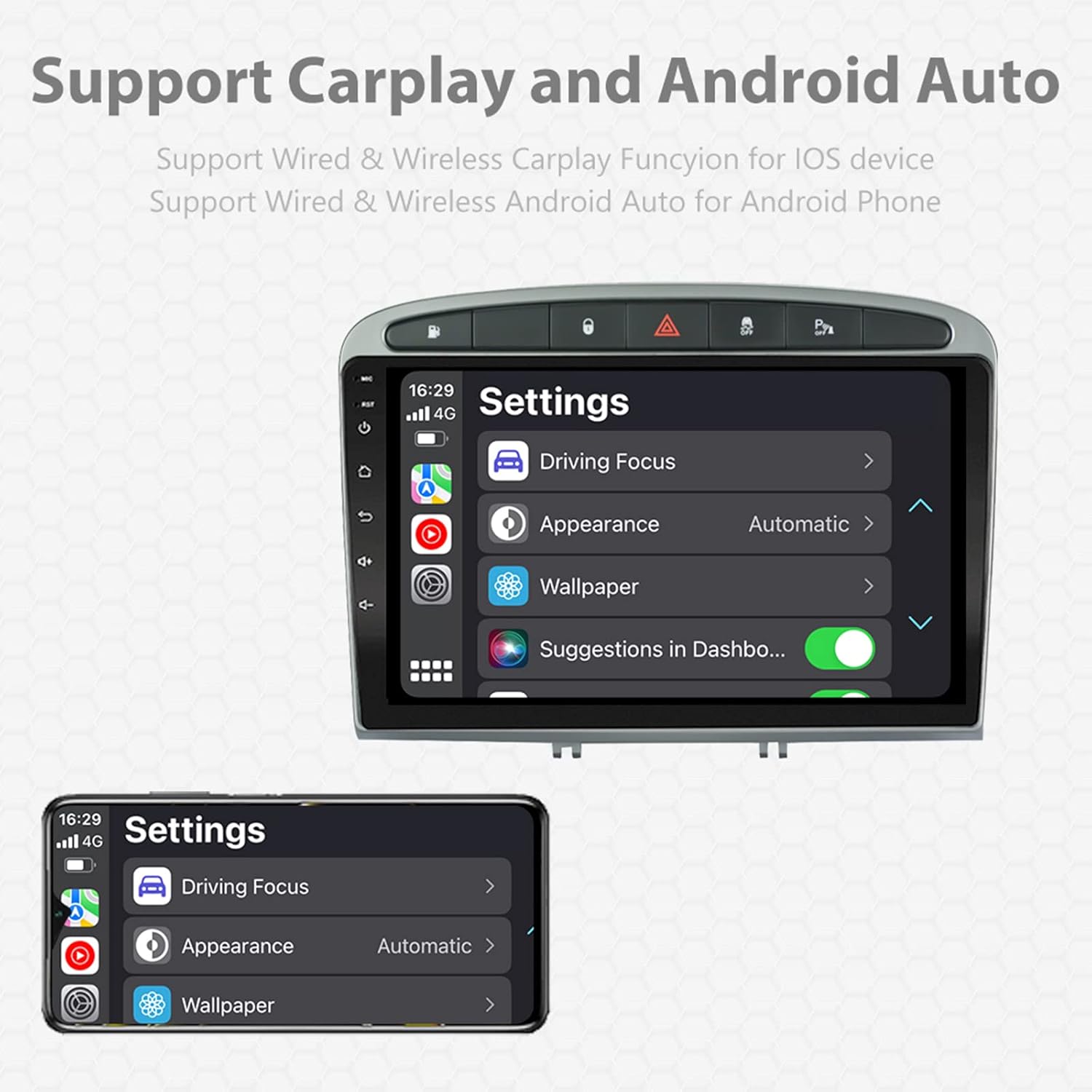
Image: A screen capture showing the settings menu for CarPlay and Android Auto, indicating support for both wired and wireless connections.
Функцыя падзелу экрана
The Android 11 system supports multi-tasking, allowing two applications to run side-by-side.
- To activate, open an application, then swipe up from the bottom of the screen (or use the recent apps button) and drag another app to one side of the screen.
- This enables simultaneous use of navigation and music playback, or browsing while listening to the radio.
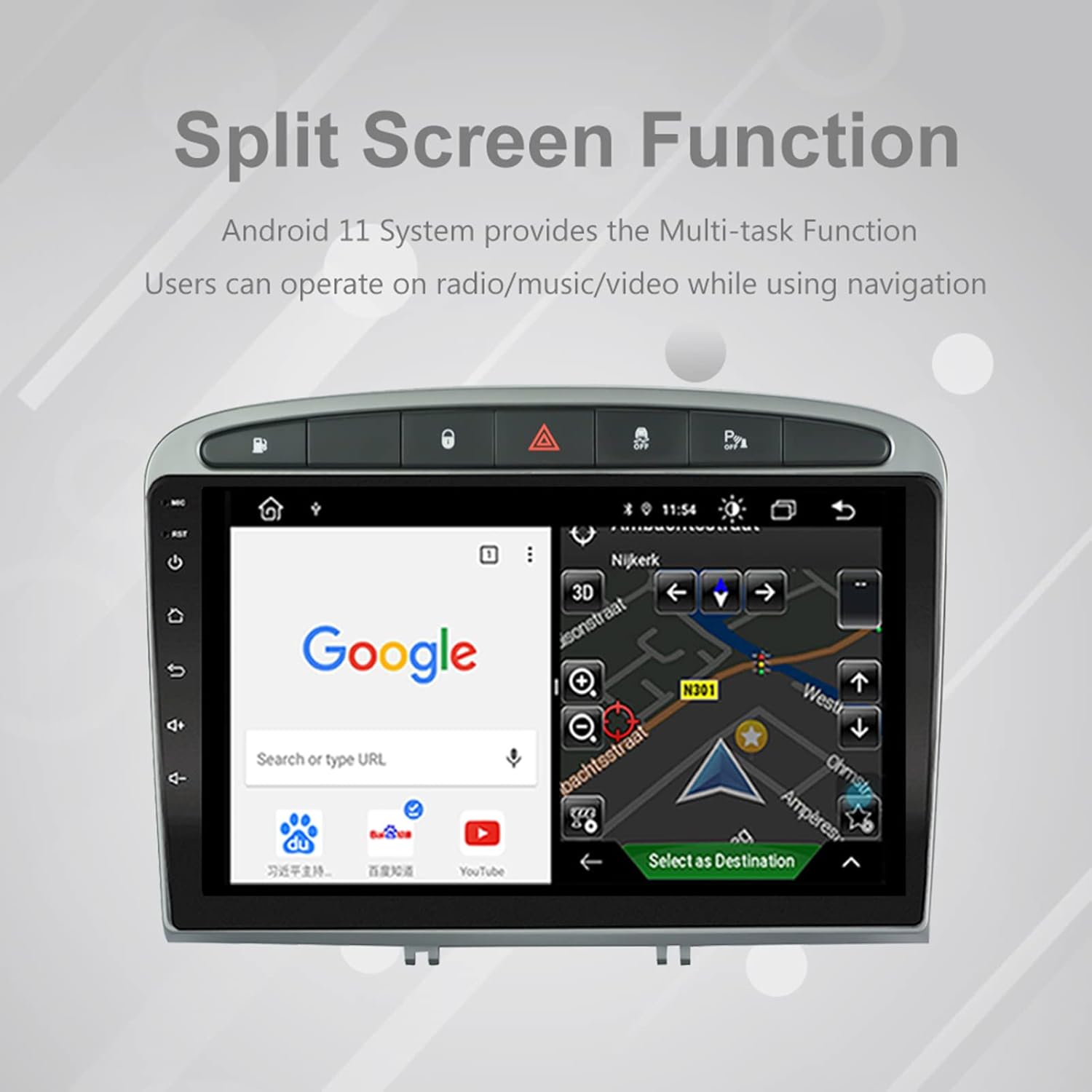
Image: The split-screen feature in action, displaying a Google search interface on one side and a navigation map on the other.
Radio (AM/FM/RDS)
The unit includes an automotive-grade chipset for optimal radio signal reception.
- Select the 'Radio' application from the home screen.
- Выкарыстоўвайце элементы кіравання на экране для пошуку станцый, ручной налады або выбару прадусталяваных станцый.
- RDS (Radio Data System) provides additional information like station name and program type where available.
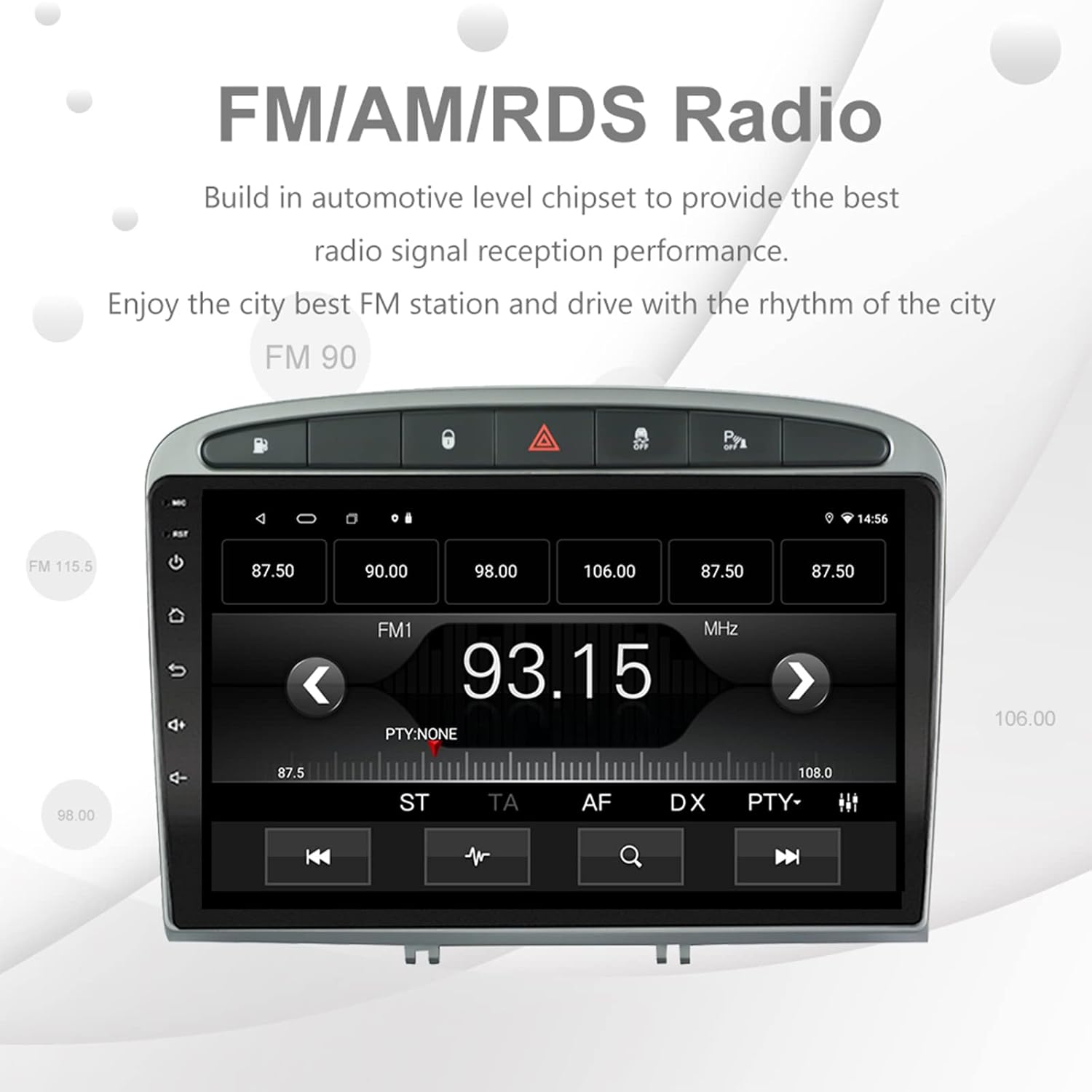
Image: The FM/AM/RDS radio interface, showing frequency display, tuning controls, and preset options.
Лічбавы гукавы працэсар (DSP)
The built-in 32-band DSP allows for precise audio customization to match your preferences and vehicle acoustics.
- Access the 'EQ' or 'DSP' application from the home screen.
- Adjust individual frequency bands, fader, balance, treble, and bass settings.
- Select from preset EQ modes or create and save your custom profiles.

Image: The DSP system interface, illustrating the multi-band equalizer with adjustable frequency sliders for sound customization.
Multimedia Playback (Music & Video)
The unit supports various multimedia formats for music and 1080P HD video playback.
- Connect USB drives to the rear USB inputs for media files.
- Use the 'Music' or 'Video' applications to browse and play your media.
- Stream music from your mobile phone via Bluetooth or compatible apps like Spotify (requires internet connection).

Image: The multimedia player displaying a high-definition scenic image, demonstrating its capability for 1080P video and music playback.
Увод з камеры задняга ходу
The unit supports a reverse camera input for enhanced parking safety. An AHD camera (optional) provides superior clarity compared to standard CVBS cameras.
- Connect a compatible reverse camera to the 'Camera Input' cable.
- The display will automatically switch to the camera view калі транспартны сродак уключае заднюю перадачу.
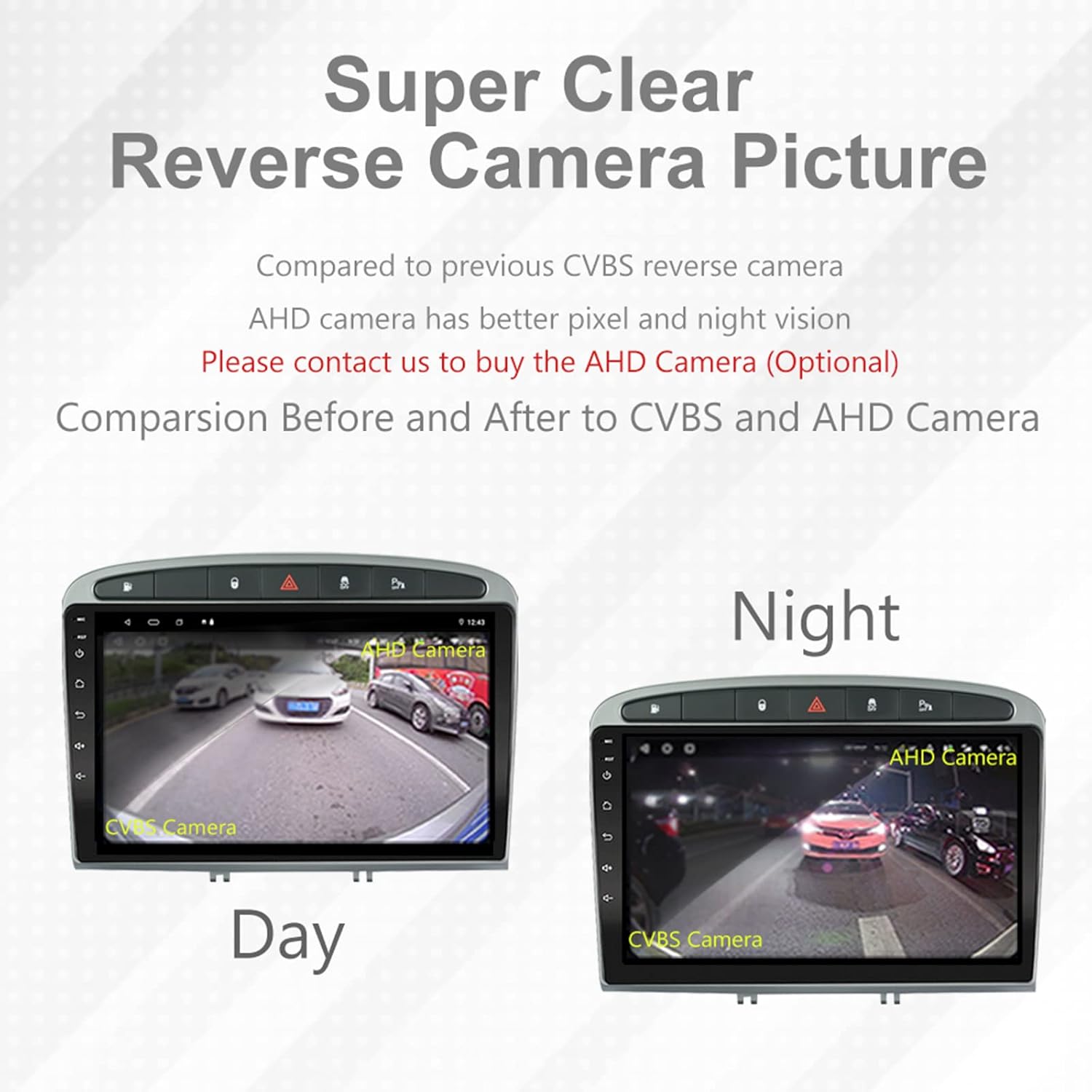
Image: A visual comparison demonstrating the clear reverse camera picture, highlighting the improved clarity of an AHD camera during both day and night conditions.
Тэхнічнае абслугоўванне
Правільнае абслугоўванне забяспечвае даўгавечнасць і аптымальную працу вашай аўтамабільнай стэрэасістэмы.
- Ачыстка экрана: Выкарыстоўвайце мяккую тканіну без ворса, каб акуратна працерці сэнсарны экран. Пазбягайце выкарыстання абразіўных ачышчальнікаў або растваральнікаў.
- Абнаўленні праграмнага забеспячэння: Periodically check for system software updates to ensure optimal performance and access to new features. Updates can usually be found in the system settings or on the manufacturer's webсайт.
- тэмпература: Пазбягайце ўздзеяння на прыладу экстрэмальных тэмператур.
Ліквідацыю непаладак
Калі ў вас узнікнуць праблемы, звярніцеся да наступных распаўсюджаных праблем і рашэнняў:
| праблема | Магчымая прычына | Рашэнне |
|---|---|---|
| Прылада не ўключаецца | Няспраўнае падключэнне да электрасеткі, перагарэлы засцерагальнік, праблема з акумулятарам аўтамабіля. | Праверце злучэнні электраправодкі. Праверце засцерагальнікі аўтамабіля. Пераканайцеся, што акумулятар аўтамабіля зараджаны. |
| Няма гуку | Занадта нізкі гук, уключаны гук без гуку, праблема з праводкай дынамікаў, няправільныя налады аўдыёвыхаду. | Increase volume. Check mute status. Verify speaker connections. Adjust audio settings in DSP/EQ. |
| Сігнал GPS слабы або недакладны | GPS antenna improperly placed or disconnected, environmental interference. | Пераканайцеся, што антэна GPS мае чысты view of the sky and is securely connected. Avoid placing near metal objects. |
| Праблемы спалучэння Bluetooth | Bluetooth not enabled on unit or phone, incorrect pairing procedure, device interference. | Ensure Bluetooth is enabled on both devices. Restart both devices. Follow pairing instructions carefully. |
| CarPlay/Android Auto не працуе | Faulty USB cable, phone software issue, app not installed/updated. | Try a different USB cable. Ensure your phone's OS and CarPlay/Android Auto apps are updated. Restart phone and stereo. |
| Unit is slow or unresponsive | Too many apps running in background, low storage, software glitch. | Close unnecessary applications. Clear cache. Perform a system restart. If persistent, a factory reset might be needed (backup data first). |
Па пытаннях, якія не разглядаюцца тут, звярніцеся ў службу падтрымкі кліентаў.
Тэхнічныя характарыстыкі
- Нумар мадэлі: RMS8-PGT-408-08-2G32
- Аперацыйная сістэма: Android 11
- Памер экрана: 9 цаляў
- Тып дысплея: TFT Capacitive Touch Screen
- дазвол: 1280 x 720 pixels (Note: Some documentation may state 1024x600, but 1280x720 is the primary specification)
- працэсар: Octa Core with 1.6GHz Cortex A55
- Аператыўная памяць: 2 ГБ DDR3
- Унутраная памяць: 32 ГБ флэш-памяці
- Bluetooth: Version 5.0 (A2DP, Hands-Free, Phonebook)
- Падключэнне: Built-in WiFi, 4G SIM Card Compatible (requires external module/dongle for 4G), RCA, USB
- GPS: Built-in receiver, compatible with Waze/Navfree/Yandex Map etc.
- радыё: AM/FM/RDS with Auto Memory Store/Preset Scan
- Аўдыявыхад: 4 x 45W Power Output, 4.1 Channel RCA/Sub Output
- Апрацоўка гуку: 32 Band DSP, Multi EQ Settings, Volume/Fader/Balance/Treble/Bass Control
- Відэа ўваход: 1 Channel Video Input, Back Camera Input
- Аўдыё ўваход: 2-канальны аўдыё ўваход
- Сумяшчальныя прылады: Smartphone (for CarPlay/Android Auto, Bluetooth)
- Інтэрнэт-сэрвісы, якія падтрымліваюцца: Spotify
- Мовы: English, French, Italian, German, Spanish, Portuguese, Chinese, Japanese, and more.
- Памеры ўпакоўкі: 31.3 х 21.6 х 11.9 см
- Вага ўпакоўкі: 1.51 кг
Гарантыя і падтрымка
Your EZoneTronics car stereo comes with a Гарантыя 1 год з дня пакупкі.
For technical assistance, warranty claims, or any inquiries, please contact our customer support team:
- электронная пошта: sales2@rhythmhk.com
Please provide your model number (RMS8-PGT-408-08-2G32) and a detailed description of the issue when contacting support.