
1. Уводзіны
The Perixx PERIMICE-819B is an ergonomic vertical mouse designed for comfort and versatility. It features 3-in-1 wireless connectivity, allowing connection via Bluetooth, 2.4 GHz USB-A receiver, or 2.4 GHz USB-C receiver. This mouse is equipped with silent-click buttons, adjustable DPI settings, and a built-in rechargeable battery, making it suitable for prolonged use across various devices.

Image: The ergonomic design promotes a natural handshake position, reducing wrist strain.

Image: The compact size of the PERIMICE-819B makes it highly portable for on-the-go use.
2. Змесціва ўпакоўкі
Калі ласка, пераканайцеся, што ўсе прадметы прысутнічаюць у вашай упакоўцы:
- Perixx PERIMICE-819B Vertical Mouse
- Прыёмнік USB-A
- Прыёмнік USB-C
- Зарадны кабель
- Кіраўніцтва карыстальніка
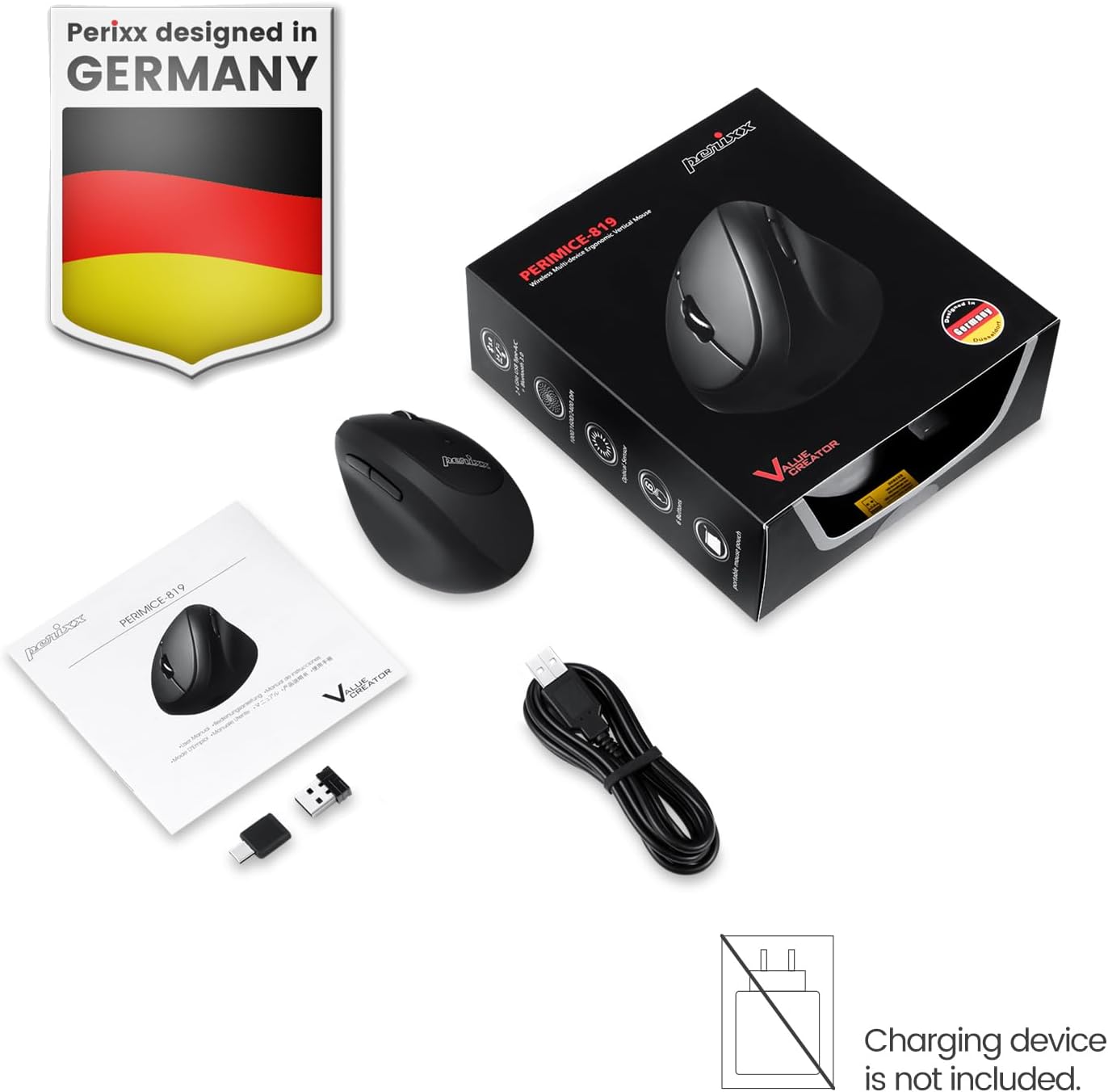
Image: The package includes the mouse, USB-A and USB-C receivers, a charging cable, and the user manual.
3. Інструкцыі па ўсталёўцы
3.1 Зарадка мышы
Before initial use, fully charge the mouse. Connect the provided charging cable to the mouse's charging port and to a USB power source. The LED indicator will show charging status. A full charge can last up to 15 days with typical use (4 hours/day).

Image: Connect the mouse to a USB port using the charging cable to recharge its internal battery.
3.2 Падключэнне мышы
The PERIMICE-819B offers three wireless connection methods:

Image: The bottom of the mouse displays the connectivity switch and receiver storage.
- 2.4 GHz Wireless (USB-A or USB-C Receiver):
- Locate the USB-A or USB-C receiver stored in the mouse's bottom compartment.
- Plug the desired receiver into an available USB port on your computer.
- Уключыце мыш з дапамогай перамыкача ON/OFF, размешчанага ўнізе.
- Мышка павінна падключыцца аўтаматычна.
- Злучэнне Bluetooth:
- Уключыце мыш з дапамогай перамыкача ON/OFF.
- Press the 'Connect' button on the bottom of the mouse to enter Bluetooth pairing mode. The LED indicator will flash.
- На вашай прыладзе (камп'ютары, планшэце, смартфоне) перайдзіце ў налады Bluetooth і знайдзіце новыя прылады.
- Select "PERIMICE-819B" from the list of available devices to pair.

Image: The mouse supports Bluetooth, 2.4 GHz USB-A, and 2.4 GHz USB-C wireless connections.
4. Інструкцыя па эксплуатацыі
4.1 Рэгуляванне DPI
The PERIMICE-819B features an adjustable DPI (Dots Per Inch) switch, allowing you to change the mouse cursor speed and sensitivity. Press the DPI button, located behind the scroll wheel, to cycle through the available settings: 1000, 1600, and 2400 DPI. Choose the setting that best suits your task and preference.
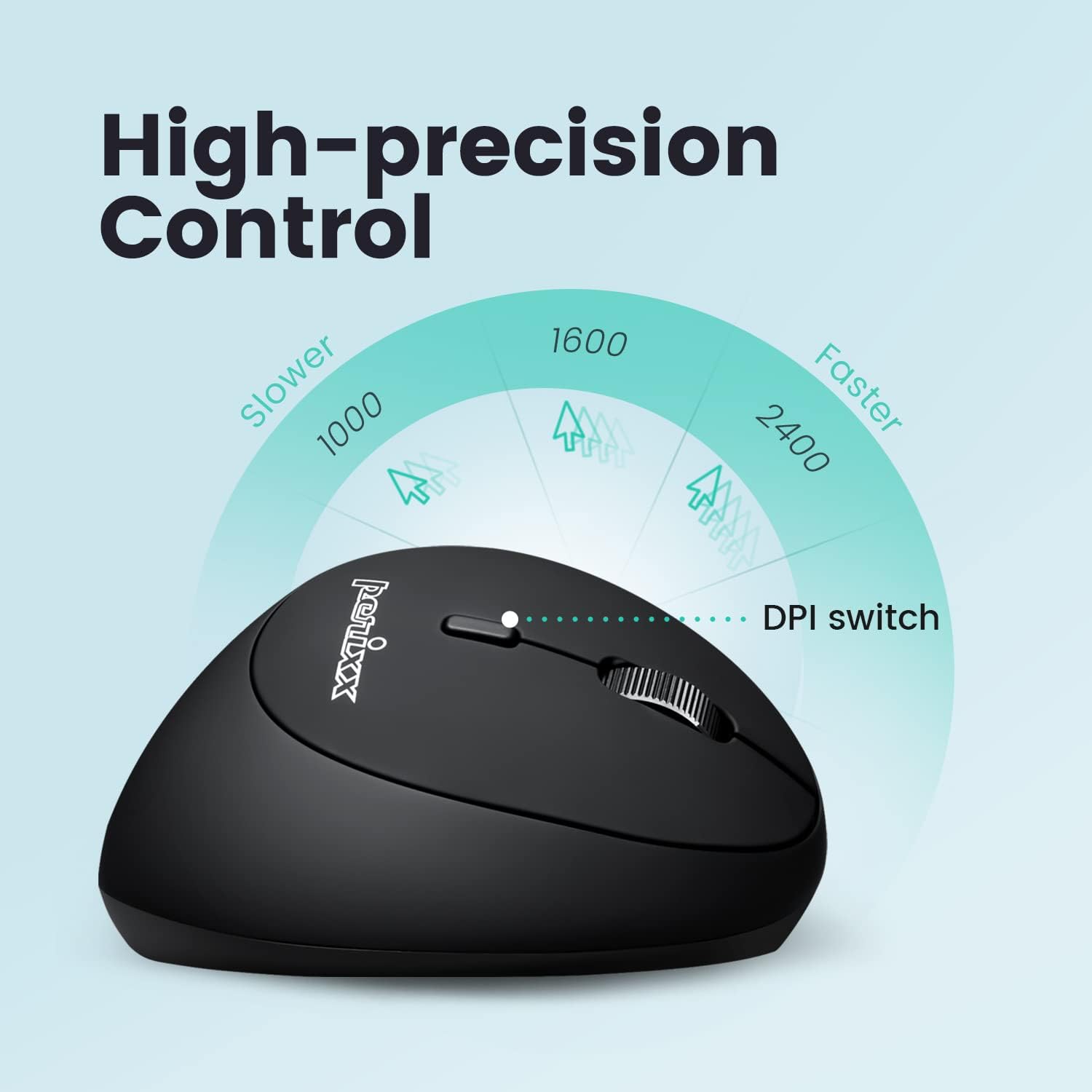
Image: Adjust the mouse sensitivity using the DPI switch for optimal control.
4.2 Silent Click Buttons
The left and right mouse buttons are designed for silent clicking, providing a quiet working environment.
4.3 кнопкі навігацыі
The mouse includes convenient forward and backward buttons located on the side, typically operated by the thumb. These buttons allow for quick navigation in web браўзэры і file даследчыкі. Note: Forward and backward buttons may not be fully functional on macOS.

Image: Use the side buttons for quick page navigation (backward and forward).
5. Тэхнічнае абслугоўванне
5.1 Кіраванне батарэяй
The PERIMICE-819B features a built-in rechargeable Li-Po 300mAh battery. To conserve power, the mouse will automatically enter sleep mode after a period of inactivity. Move the mouse or click a button to wake it up. Recharge the mouse when the battery indicator shows low power to ensure uninterrupted use.
5.2 Ачыстка
To clean the mouse, use a soft, dry cloth. Avoid using harsh chemicals or abrasive materials that could damage the surface.
6. Выпраўленне непаладак
- Мышка не рэагуе:
- Пераканайцеся, што мыш уключана.
- Праверце ўзровень батарэі і пры неабходнасці зарадзіце яе.
- For 2.4 GHz connection, ensure the receiver is securely plugged into a USB port. Try a different USB port.
- For Bluetooth connection, ensure Bluetooth is enabled on your device and the mouse is paired correctly. Try re-pairing.
- Cursor movement is erratic or stops:
- Пераканайцеся, што датчык мышы чысты і не мае перашкод.
- Use the mouse on a suitable surface (e.g., a mouse pad).
- Праверце, ці няма нізкага зарада батарэі.
- Interference from other wireless devices can affect performance. Try moving closer to the receiver or device.
- Налада DPI не змяняецца:
- Пераканайцеся, што вы націскаеце правільную кнопку пераключэння DPI.
- The change in cursor speed should be noticeable. If not, try restarting the mouse and your device.
7. Тэхнічныя характарыстыкі
| Асаблівасць | Дэталь |
|---|---|
| Нумар мадэлі | PERIMICE-819 (12013) |
| Тэхналогія падлучэння | Bluetooth, 2.4 GHz Radio Frequency (USB-A, USB-C) |
| Выяўленне руху | Аптычны |
| Налады DPI | 1000/1600/2400 |
| Асаблівасці | Ergonomic Design, Portable, Rechargeable, Silent-Click |
| Тып батарэі | Built-in Li-Po 300mAh |
| Сярэдні тэрмін службы батарэі | Up to 60 hours (approx. 15 days at 4 hours/day) |
| Вага прадмета | 2.93 унцыі |
| Памеры прадукту (ДxШxВ) | 4.5 х 2.64 х 2.28 цалі |
| Колер | Чорны |
| Сумяшчальнасць | Windows OS, Linux Ubuntu 16.04, Chromebook, iPadOS, Android, Amazon Fire Tablet. Partial compatibility with macOS (forward/backward buttons not available). |
8. Гарантыя і падтрымка
Perixx products typically come with a manufacturer's warranty. For specific warranty details, please refer to the warranty information included with your purchase or visit the official Perixx website. For technical support, product inquiries, or assistance with troubleshooting, please contact Perixx customer service through their official channels.
вытворца: Кампанія Perixx Computer GmbH
Webсайт: www.perixx.com