
Уводзіны
The Bowers & Wilkins Panorama 3 Sound Bar is designed to deliver immersive spatial audio with true Dolby Atmos capability. It features integrated subwoofers and upward-firing drivers for powerful sound from a single unit. This sound bar offers versatile connectivity and smart features for an enhanced home audio experience.
Асноўныя функцыі ўключаюць у сябе:
- 3.1.2 Канфігурацыя канала: Featuring 3 x 0.75in decoupled titanium-dome tweeters, 6 x 2in midrange drivers, 2 x 2in up-firing Atmos elevation drivers, and 2 x 4in subwoofers.
- Dolby Atmos & Dolby TrueHD: Optimized for immersive spatial audio.
- Лёгкае падключэнне: HDMI eARC input for high-quality audio with compatible TVs.
- Бесправадная трансляцыя: Supports Spotify Connect, AirPlay 2, Bluetooth aptX Adaptive, and access to various streaming apps via the B&W Music App.
- Галасавое кіраванне: Built-in Amazon Alexa for convenient operation.
- Multiroom Functionality: Extends music playback to other compatible B&W products.
- Стрыманы дызайн: Нізкапрафесійныfile design suitable for placement beneath TVs or wall-mounting.
Што ў скрынцы
Перад тым, як працягнуць наладу, пераканайцеся, што ўсе элементы ёсць у наяўнасці:
- Bowers & Wilkins Panorama 3 Sound Bar
- 2m (6.5') Power Cable
- 1m (39") HDMI Cable
- Кранштэйны для насценнага мацавання
- Literature Pack (User Manual, Safety & Warranty Information)
Настройка
Follow these steps to set up your Panorama 3 Sound Bar:
- Размяшчэнне: Position the sound bar centrally beneath your TV. Ensure it has clear line of sight and is not obstructed. For wall-mounting, use the included brackets and follow the detailed instructions in the literature pack.
- Падключэнне да сілкавання: Connect the provided power cable to the sound bar and then to a wall outlet.
- Падключэнне да тэлевізара (HDMI eARC): Use the supplied HDMI cable to connect the HDMI eARC port on the sound bar to the HDMI eARC/ARC port on your TV. This connection is crucial for optimal audio quality and control.
- Network Setup (B&W Music App): Download the Bowers & Wilkins Music App on your iOS or Android device. Follow the in-app instructions to connect your Panorama 3 to your home Wi-Fi network. This step enables streaming services, multiroom functionality, and firmware updates.
- Настройка галасавога памочніка: During the app setup, you will be prompted to enable and configure Amazon Alexa. Follow the instructions to link your Amazon account for voice control.
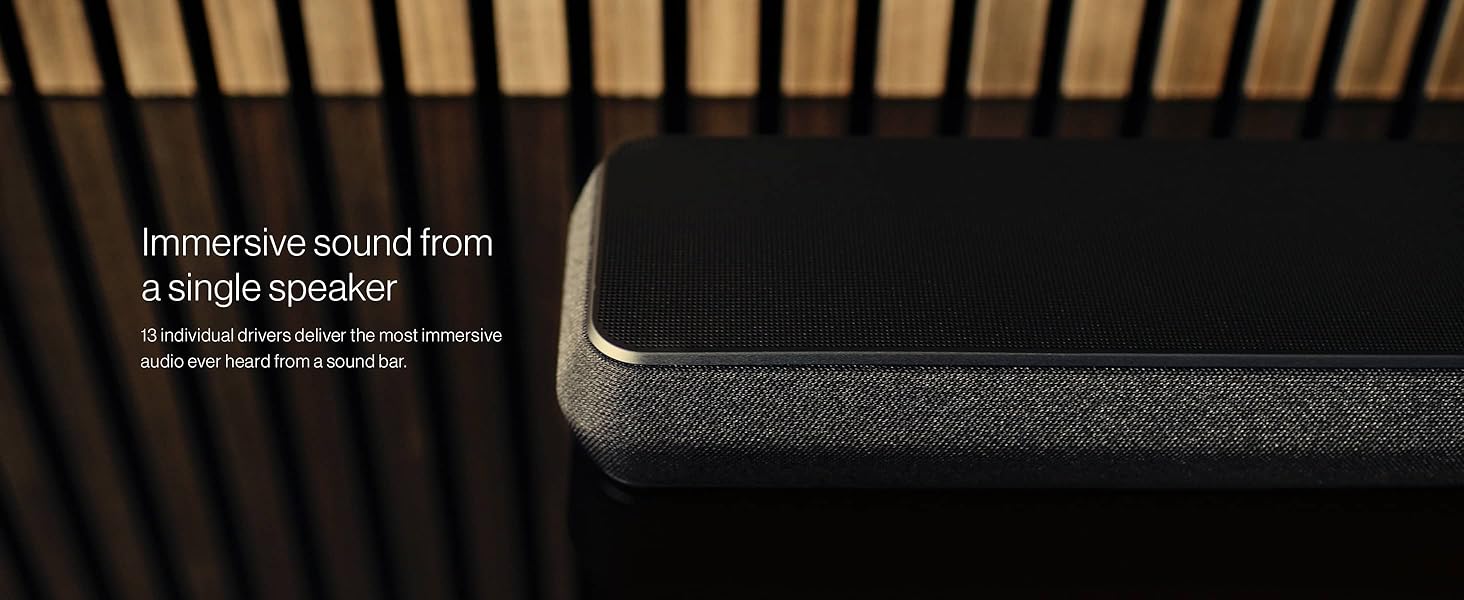
Figure 1: Rear panel connections of the Panorama 3 Sound Bar, showing HDMI eARC, Ethernet, USB, Optical In, and Power ports.
Аперацыйная
The Panorama 3 offers multiple ways to control your audio experience:
- Сэнсарныя элементы кіравання: The sound bar features a hidden-till-lit touch interface on its top panel. These controls allow for basic functions such as volume adjustment, play/pause, and input selection.
- B&W Music App: The dedicated app provides comprehensive control over your sound bar. You can select streaming services, manage multiroom audio, adjust sound settings (e.g., bass, treble), and perform firmware updates.
- Галасавое кіраванне (Amazon Alexa): With built-in Alexa, you can use voice commands to play music, adjust volume, switch inputs, and control other smart home devices. Simply say "Alexa" followed by your command.
- TV Remote Control: When connected via HDMI eARC, your TV remote can often control the sound bar's volume and power, simplifying your home theater setup.
- Сэрвісы струменевай перадачы: Access a wide range of music and podcasts directly through the B&W Music App, or use Spotify Connect, AirPlay 2, and Bluetooth aptX Adaptive for direct streaming from your devices.
- Multiroom Audio: Group your Panorama 3 with other compatible Bowers & Wilkins multiroom products to play synchronized audio throughout your home.

Figure 2: Illuminated touch controls on the top panel of the Panorama 3 Sound Bar for playback and volume.
Тэхнічнае абслугоўванне
To ensure the longevity and optimal performance of your Panorama 3 Sound Bar, follow these maintenance guidelines:
- Уборка: Gently wipe the surfaces of the sound bar with a soft, dry, lint-free cloth. Avoid using abrasive cleaners, waxes, or solvents, as these can damage the finish.
- Выдаленне пылу: Use a soft brush or a vacuum cleaner with a brush attachment to carefully remove dust from the speaker grilles.
- Пазбягайце вадкасці: Do not expose the sound bar to water or moisture. If liquids spill on the device, immediately disconnect power and allow it to dry completely before reconnecting.
- Вентыляцыя: Ensure adequate ventilation around the sound bar to prevent overheating. Do not block any ventilation openings.
- Умовы навакольнага асяроддзя: Avoid placing the sound bar in direct sunlight, near heat sources, or in areas with extreme temperatures or humidity.
Ліквідацыю непаладак
If you encounter issues with your Panorama 3 Sound Bar, try the following solutions:
- Няма гуку:
- Check that the sound bar is powered on and the volume is not muted or too low.
- Verify the HDMI eARC connection between the sound bar and your TV. Ensure the TV's audio output is set to HDMI ARC/eARC.
- Confirm the correct input source is selected on the sound bar (via touch controls or B&W Music App).
- Праблемы з падключэннем (Wi-Fi/Bluetooth):
- Ensure your Wi-Fi network is active and the sound bar is within range of your router.
- Restart your router, the sound bar, and your control device (phone/tablet).
- For Bluetooth, ensure the sound bar is in pairing mode and your device's Bluetooth is enabled.
- Voice Control (Alexa) Not Responding:
- Check that the microphone on the sound bar is not muted (indicated by a red light).
- Verify the sound bar is connected to the internet via the B&W Music App.
- Ensure your Amazon account is correctly linked in the B&W Music App.
- Sound Distortion or Poor Quality:
- Adjust bass and treble settings in the B&W Music App.
- Ensure the sound bar is placed on a stable surface and not vibrating against other objects.
- Праверце якасць крыніцы гуку.
Тэхнічныя характарыстыкі
| Памеры прадукту | 47.7 х 5.6 х 2.9 цалі |
| Вага прадмета | 14.3 фунта |
| Нумар мадэлі тавару | FP42013 |
| Вытворца | Баўэрз і Уілкінс |
| Каналы | 3.1.2 (with integrated subwoofers and upward-firing drivers) |
| Аўдыётэхналогія | Dolby Atmos, Dolby TrueHD |
| Бесправоднае падключэнне | Wi-Fi, AirPlay 2, Bluetooth aptX Adaptive, Spotify Connect |
| Галасавы памочнік | Убудаваная Amazon Alexa |
Гарантыя і падтрымка
The Bowers & Wilkins Panorama 3 Sound Bar comes with a manufacturer's warranty. Please refer to the included Literature Pack for detailed warranty terms and conditions.
For technical support, troubleshooting assistance, or warranty claims, please contact Bowers & Wilkins customer service through their official webсайт або кантактную інфармацыю, указаную ў дакументацыі да прадукту.