
tectake Zola
tectake Zola Electric Height-Adjustable Desk
Мадэль: 404316
1. Прадукт скончыўсяview
The tectake Zola Electric Height-Adjustable Desk is designed to provide a dynamic and ergonomic workspace. Featuring continuous electric height adjustment, a robust particle board tabletop, and a solid steel frame, this desk offers stability and comfort. Its powerful motor ensures smooth transitions between sitting and standing positions, while the flexible frame design maximizes legroom. The integrated touchpad allows for easy height adjustments and memory function for preferred settings. An anti-collision system enhances safety during operation.

Image 1.1: The tectake Zola Electric Height-Adjustable Desk, showcasing its sleek black design and sturdy construction.
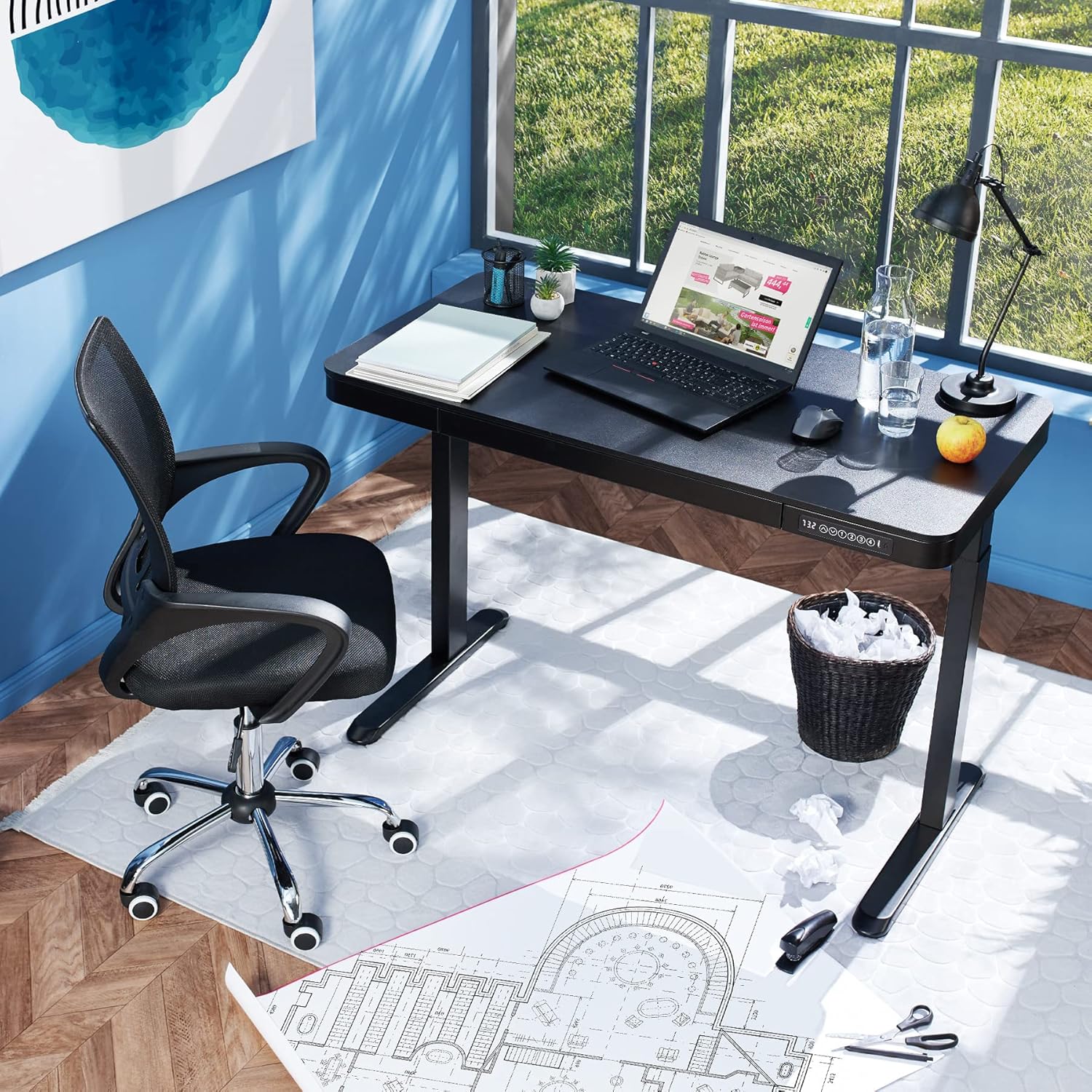
Image 1.2: The desk integrated into a modern office environment, demonstrating its practical use.
2. Інструкцыі па тэхніцы бяспекі
- Уважліва прачытайце ўсе інструкцыі перад зборкай і выкарыстаннем.
- Трымайце дзяцей і хатніх жывёл далей ад стала падчас працы.
- Ensure all screws and bolts are tightened securely before use. Periodically check and re-tighten as necessary.
- Do not overload the desk. The maximum load capacity is 45 kg.
- Keep hands and fingers clear of moving parts during height adjustment. The desk is equipped with an anti-collision system, but caution is still advised.
- Выкарыстоўвайце толькі адаптар сілкавання, які ўваходзіць у камплект.
- Do not disassemble or modify the motor or control unit. Contact qualified personnel for repairs.
- Place the desk on a level surface. Adjustable feet can compensate for minor unevenness.
3. Змесціва ўпакоўкі
Перад пачаткам зборкі пераканайцеся, што ўсе кампаненты ёсць у наяўнасці і не пашкоджаны. Калі якія-небудзь дэталі адсутнічаюць або пашкоджаныя, звярніцеся ў службу падтрымкі кліентаў.
- Tabletop with integrated drawer and control panel
- Збор левай нагі
- Збор правай нагі
- Ногі (2x)
- Адаптар сілкавання і кабель
- Assembly Hardware (screws, Allen key, etc.)
- Інструкцыя па эксплуатацыі (гэты дакумент)
4. Кіраўніцтва па зборцы
Assembly is required for this product. It is recommended to have two people for easier and safer assembly. Clear a spacious area for assembly and lay out all components.
Пакрокавая зборка:
- Attach Leg Assemblies to Tabletop: Carefully place the tabletop upside down on a soft, clean surface to prevent scratches. Align the left and right leg assemblies with the pre-drilled holes on the underside of the tabletop. Secure them using the provided screws and Allen key. Ensure the motor cables are not pinched.
- Attach Feet to Leg Assemblies: Slide the feet onto the bottom of each leg assembly. Secure them with the appropriate screws.
- Падключыце кабель сілкавання: Locate the power input port on the control unit (usually on the underside of the tabletop near the control panel). Connect the power cable firmly.
- Размяшчэнне працоўнага стала: With assistance, carefully flip the desk upright and move it to its desired location. Adjust the plastic feet at the bottom of the legs to ensure the desk is stable and level on uneven floors.
- Першапачатковае ўключэнне: Plug the power adapter into a wall outlet. The control panel display should light up.

Image 4.1: Dimensional drawing of the desk, useful for planning space and assembly.

Малюнак 4.2: Збоку view illustrating the robust leg structure and height adjustment mechanism.
5. Кіраўніцтва па эксплуатацыі
The tectake Zola desk features an intuitive control panel for easy height adjustment and memory functions.
Функцыі панэлі кіравання:

Image 5.1: The control panel, showing the digital height display and control buttons.
- Лічбавай дысплей: Паказвае бягучую вышыню стала ў сантыметрах.
- Up/Down Arrows (↑ / ↓): Press and hold to continuously adjust the desk height upwards or downwards. Release the button to stop at the desired height.
- Кнопкі памяці (1, 2, 3, 4): These buttons allow you to save and recall up to four preferred height settings.
- Каб захаваць вышыню: Adjust the desk to your desired height using the up/down arrows. Press and hold one of the memory buttons (1-4) until the display flashes or beeps, indicating the height has been saved.
- Каб успомніць вышыню: Simply press the corresponding memory button (1-4). The desk will automatically move to the saved height.
- Сістэма прадухілення сутыкненняў: The desk is equipped with a sensitive anti-collision system. If the desk encounters an obstruction during height adjustment, it will stop and slightly reverse direction to prevent damage.
- USB-A and USB-C Ports: Located on the control panel, these ports can be used to charge small electronic devices.

Image 5.2: Detail of the USB-A and USB-C charging ports for convenient device charging.

Image 5.3: Visual representation of the desk's adjustable height range.
Інтэграваная скрыня:
The desk includes a convenient integrated drawer for storing small office supplies, helping to keep your workspace tidy.

Image 5.4: The desk's integrated drawer, providing discreet storage.

Image 5.5: Detail of the drawer's smooth-gliding mechanism.
6. Тэхнічнае абслугоўванне і догляд
- Уборка: Wipe the desk surface and legs with a soft, damp тканінай. Пазбягайце выкарыстання агрэсіўных хімікатаў або абразіўных ачышчальнікаў, бо яны могуць пашкодзіць пакрыццё.
- Рэгулярныя праверкі: Перыядычна правярайце ўсе шрубы і злучэнні, каб пераканацца, што яны зацягнуты. Пры неабходнасці падцягвайце.
- Кабельнае кіраванне: Ensure power cables are not tangled or pinched, which could lead to damage or malfunction.
7. Выпраўленне непаладак
| праблема | Магчымая прычына | Рашэнне |
|---|---|---|
| Стол не рухаецца. | No power; cable disconnected; motor error. | Check power connection to wall outlet and desk. Ensure all cables are securely connected. Unplug and replug the power cable to reset the system. |
| Стол рухаецца няроўна або выдае незвычайныя гукі. | Loose connections; obstruction; uneven load. | Check all assembly screws for tightness. Ensure there are no obstructions under or around the desk. Distribute weight evenly on the tabletop. |
| Anti-collision system frequently activates. | Obstruction; sensitive setting. | Ensure the path of movement is clear. If the issue persists without clear obstruction, consult customer support. |
| Функцыя памяці не працуе. | Няправільная працэдура захавання. | Refer to 'Operation Guide' section 5 for correct saving procedure (press and hold memory button until confirmation). |
8. Тэхнічныя характарыстыкі
| Асаблівасць | Спецыфікацыя |
|---|---|
| Нумар мадэлі | 404316 |
| Габарытныя памеры (Д х Ш х У) | Approx. 1204 x 604 x 720 - 1220 mm |
| Tabletop Dimensions (L x W x H) | Прыблізна 1204 х 604 х 64.5 мм |
| Памеры ўнутранай скрыні (Д х Ш х В) | Прыблізна 60 х 29 х 5 см |
| Lifting Columns per Side | 2 main columns (approx. 4.5 x 7.5 cm) |
| Рэгуляваны дыяпазон ножак | Прыбл. 1.2 см |
| Узровень шуму рухавіка | <50 дБ |
| Хуткасць ўздыму | 25 мм/с |
| Магутнасць рухавіка | 52.2 Вт |
| Уваходны кнtage | 100-240 В |
| Даўжыня кабеля | Прыбл. 310 см |
| Грузападымальнасць | 45 кг |
| Вага прадукту | Прыбл. 32 кг |
| Матэрыялы | Powder-coated steel, particle board, polychloride, ABS plastic |
9. Гарантыя і падтрымка
For information regarding warranty terms and conditions, please refer to the purchase documentation or contact your retailer. For technical support or inquiries about replacement parts, please visit the official tectake webсайт або звярніцеся ў службу падтрымкі кліентаў. Захоўвайце чэк аб куплі як пацверджанне пакупкі.
вытворца: тэктакэ
Марка: ТэкТэйк