
FLITI Galaxy Projector Instruction Manual
Model: galaxy projector-1
Важная інфармацыя па бяспецы
Please read all safety instructions carefully before operating this product. Failure to follow these instructions may result in injury or damage to the product.
- Нагляд дарослых: Do not allow children to operate this product alone.
- Прызначэнне: This product is designed for indoor use in night or dark environments. Outdoor use, or use in daylight or strong light conditions, will significantly affect the projection effect.
- Воданепранікальнасць: The product has an IP20 waterproof rating, meaning it is suitable for dry environments only. Avoid exposure to water or damp умовы.
- Працоўная тэмпература: The recommended operating temperature range is 0-45°C (32-113°F). Operation outside this range, especially in excessively high or low temperatures, may cause the product to malfunction or the laser to not illuminate.
- Адаптар сілкавання: Use only a DC5V/2A power adapter with this product. Using an adapter with incorrect voltage or current may damage the laser module and shorten the product's service life.
- Фізічная апрацоўка: Avoid dropping or subjecting the device to strong impacts, as this may damage the internal laser module.
- Normal Operation Noise: A slight noise may be heard when the internal motor rotates. This is normal and does not indicate a quality defect.

Прадукт скончаныview
The FLITI Galaxy Projector creates a captivating visual experience with its nebula and galaxy projections. It features a wide coverage area, integrated Bluetooth speaker, white noise functions, and various lighting modes to enhance any room.

Асноўныя характарыстыкі:
- Dynamic Galaxy & Nebula Projections: Projects sci-fi nebula shapes and dreamy galaxy patterns.
- Шырокае пакрыццё: Designed to illuminate an entire room, not just the ceiling.
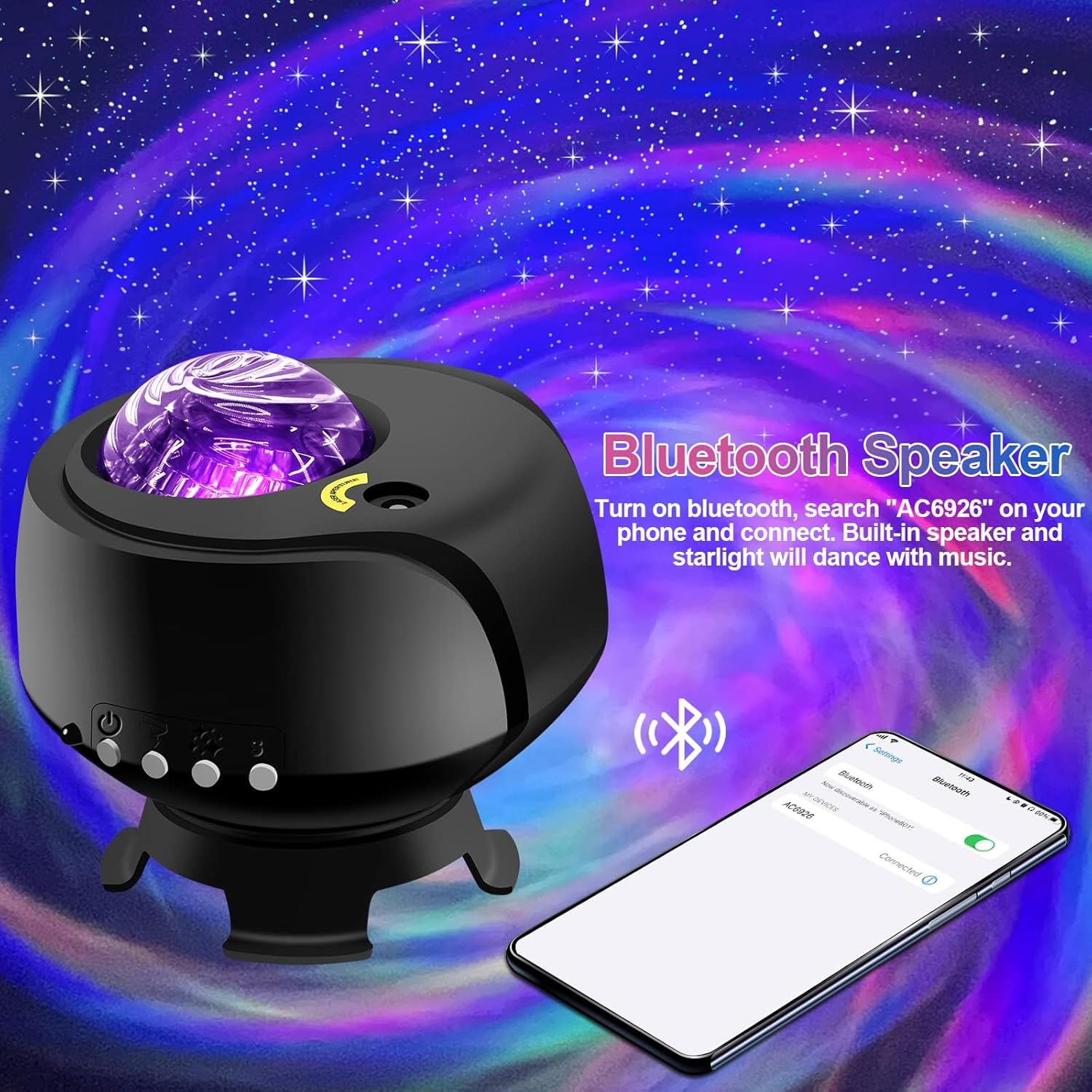
- Убудаваны Bluetooth-дынамік: Connect your device to play music.
- White Noise Functionality: Provides soothing sounds for relaxation.
- Рэгуляваныя налады: Includes timing, brightness adjustment, and various lighting modes.
- Пульт дыстанцыйнага кіравання: Зручнае кіраванне на адлегласці.

Настройка
- Распакаванне: Carefully remove the galaxy projector and its accessories from the packaging. Ensure all components, including the projection lamp and base, are present.
- Размяшчэнне: Place the projector on a stable, flat surface. For optimal projection, position it in the center of the room or at a desired angle to cover the intended area. The projector's base allows for adjustable light direction.
- Падключэнне сілкавання: Connect the provided DC5V/2A power adapter to the projector's power input port. Plug the adapter into a standard electrical outlet.
- Першапачатковае ўключэнне: Націсніце кнопку харчавання на праектары або пульце дыстанцыйнага кіравання, каб уключыць прыладу.
Інструкцыя па эксплуатацыі
Basic Controls (via Projector Buttons or Remote Control):
- Уключэнне/выключэнне харчавання: Націсніце кнопку харчавання, каб уключыць або выключыць праектар.
- Рэжымы святла: Cycle through various galaxy and nebula projection modes.
- Рэгуляванне яркасці: Adjust the intensity of the projected light.
- Хуткасць кручэння: Control the speed of the galaxy/nebula rotation.
- Функцыя таймера: Set an automatic shut-off timer (e.g., 1H/2H/4H options may be available).

Функцыя дынаміка Bluetooth:
- Пераканайцеся, што праектар уключаны.
- На мабільнай прыладзе ўключыце Bluetooth і знайдзіце даступныя прылады.
- Select the device named "AC6926" to pair.
- Once connected, you can play audio through the projector's built-in speaker. The projected starlight can synchronize with the music.
White Noise Function:
The projector includes a white noise feature to aid relaxation or sleep. Refer to the remote control or projector buttons for specific controls to activate and select white noise sounds.
Тэхнічнае абслугоўванне
- Уборка: Disconnect the power before cleaning. Use a soft, dry cloth to wipe the exterior of the projector. Do not use abrasive cleaners, solvents, or excessive moisture, as these can damage the finish or internal components.
- Сыход за лінзамі: Gently wipe the projection lens with a soft, lint-free cloth to ensure clear projection.
- захоўванне: When not in use for extended periods, store the projector in a cool, dry place, away from direct sunlight and extreme temperatures. Keep it in its original packaging if possible to protect it from dust and impacts.
Ліквідацыю непаладак
- Projector Does Not Turn On:
- Пераканайцеся, што адаптар сілкавання надзейна падключаны як да праектара, так і да спраўнай электрычнай разеткі.
- Verify that you are using the correct DC5V/2A power adapter.
- Check if the power button on the projector or remote control is functioning.
- No Projection / Dim Projection:
- Ensure the room is sufficiently dark. The product is designed for optimal performance in low-light conditions.
- Adjust the brightness settings using the remote control or projector buttons.
- Check if the projection lens is clean and free from obstructions.
- Verify the ambient temperature is within the recommended 0-45°C range.
- Праблемы з падключэннем Bluetooth:
- Ensure the projector is powered on and in Bluetooth pairing mode.
- Пераканайцеся, што Bluetooth вашай мабільнай прылады ўключаны і знаходзіцца ў зоне дзеяння.
- Паспрабуйце адлучыць прыладу і зноў падлучыць яе.
- Перазагрузіце праектар і мабільную прыладу.
- Шум рухавіка:
- A slight noise during motor rotation is normal and not a defect. If the noise is excessive or unusual, contact customer support.
Тэхнічныя характарыстыкі
| Асаблівасць | Спецыфікацыя |
|---|---|
| Нумар мадэлі | галактычны праектар-1 |
| Марка | ФЛІЦІ |
| Колер | Чорны |
| Форма | Зорка |
| Матэрыял | Пластыкавыя |
| Тып аздаблення | Праектар |
| Тып крыніцы святла | святлодыёд |
| Крыніца харчавання | Правадная электрычная |
| тtage | 240 вольт |
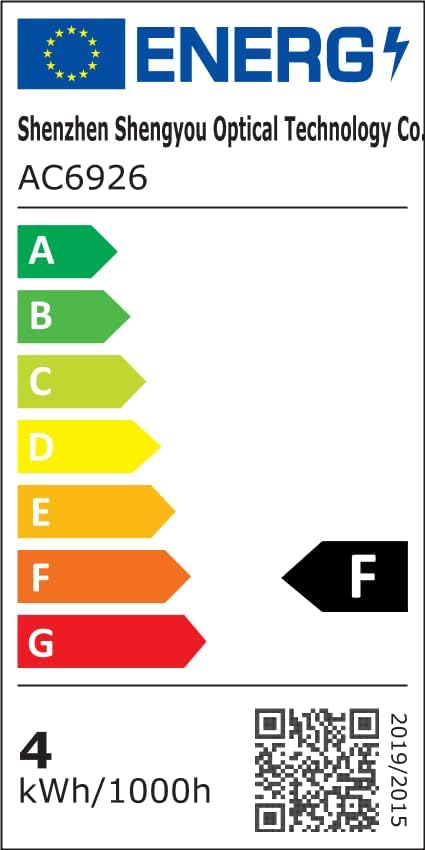
| Ватtage | 4 ват |
| Памеры прадукту | 5.5 см Д х 4 см Ш х 5.1 см В |
| Вага прадмета | 13.1 унцыі (370 грама) |
| Уключаныя кампаненты | Праекцыя Lamp, База |
| Асаблівасці | Змена колеру |
| Стыль пераключэння | Дыстанцыйнае |
| UPC | 199284591172 |
Інфармацыя аб энергаэфектыўнасці:
Гарантыя і падтрымка
FLITI is committed to providing high-quality products and customer satisfaction. For any questions, concerns, or support needs regarding your Galaxy Projector, please contact the manufacturer directly.
- вытворца: ФЛІЦІ
- Планы абароны: Extended protection plans are available for purchase separately. Please refer to your retailer for details on 3-Year or 4-Year protection plans.
- Вяртае: Гэты прадукт мае права на вяртанне/замену на працягу 30 дзён.