
1. Уводзіны
Дзякуй за пакупкуasing the Muse MT-106 BT Stereo Turntable. This manual provides essential information for the safe and efficient operation of your new device. Please read it thoroughly before use and retain it for future reference.
The Muse MT-106 BT is a versatile 3-speed (33/45/78 RPM) stereo turntable featuring a Bluetooth receiver, a USB port for playback and encoding, and two integrated speakers. It is designed to play vinyl records and can also stream music from any Bluetooth-compatible device such as a tablet, smartphone, or laptop.
2. Інструкцыі па тэхніцы бяспекі
- Крыніца харчавання: Пераканайцеся, што аб'ём блока харчаванняtage адпавядае намінальнаму значэнню, пазначанаму на прыладзе.
- Вада і вільгаць: Do not expose the unit to rain, moisture, or dripping water. Do not place objects filled with liquids, such as vases, on the unit.
- Вентыляцыя: Забяспечце належную вентыляцыю. Не блакуйце вентыляцыйныя адтуліны.
- Цяпло: Трымайце прыладу далей ад крыніц цяпла, такіх як радыятары, абагравальнікі, пліты або іншыя прыборы, якія выпрацоўваюць цяпло.
- Уборка: Перад чысткай адключыце прыладу ад разеткі. Выкарыстоўвайце мяккую сухую тканіну. Не выкарыстоўвайце вадкія або аэразольныя ачышчальнікі.
- Абслугоўванне: Не спрабуйце самастойна абслугоўваць гэты прадукт. Звярніцеся да ўсіх абслугоўванняў кваліфікаванага абслуговага персаналу.
- Размяшчэнне: Размясціце прыладу на ўстойлівай, роўнай паверхні, каб пазбегнуць пашкоджанняў ад падзення.
3. Змесціва ўпакоўкі
Калі ласка, праверце, ці ўваходзяць у вашу ўпакоўку наступныя прадметы:
- Muse MT-106 BT Stereo Turntable
- Кіраўніцтва карыстальніка
- Адаптар сілкавання
- Перахаднік на 45 абаротаў у хвіліну
4. Прадукт скончыўсяview
Familiarize yourself with the components and controls of your Muse MT-106 BT Turntable.

Малюнак 4.1: У цэлым view of the Muse MT-106 BT Stereo Turntable. This image displays the turntable from an angled perspective, with its transparent dust cover lifted. The wooden base and integrated speakers are visible, along with the black platter, tonearm, and control knobs on the right side.
4.1 Front and Top Components
- Пылаахоўны чахол: Protects the platter and tonearm from dust.
- Талерка: The rotating platform where records are placed.
- шпіндзель: Holds the record in place on the platter.
- Адаптар 45 абаротаў у хвіліну: Выкарыстоўваецца для прайгравання 7-цалевых пласцінак з вялікімі цэнтральнымі адтулінамі.
- Toarm: Утрымлівае стылус і адсочвае канаўкі пласцінкі.
- Стылус (іголка): The part that reads the record grooves.
- Рычаг кія: Lifts and lowers the tonearm.
- Пераключальнік хуткасці: Switch to select 33, 45, or 78 RPM.
- Убудаваныя дынамікі: Убудаваныя дынамікі для выхаду гуку.

Малюнак 4.2: Панэль кіравання. Гэта выява дае падрабязнае view of the control panel located on the right side of the turntable. It shows three rotary knobs for volume and function selection, along with several buttons for playback control and mode switching.
4.2 Панэль кіравання
- Ручка харчавання/гучнасці: Turns the unit on/off and adjusts the volume.
- Ручка выбару функцый: Switches between Phono, Bluetooth, USB, and Aux-in modes.
- Кнопкі кіравання прайграваннем: Play/Pause, Skip Forward, Skip Backward (for USB mode).
- Аўтаматычны выключальнік: Enables or disables the automatic stop function for vinyl playback.
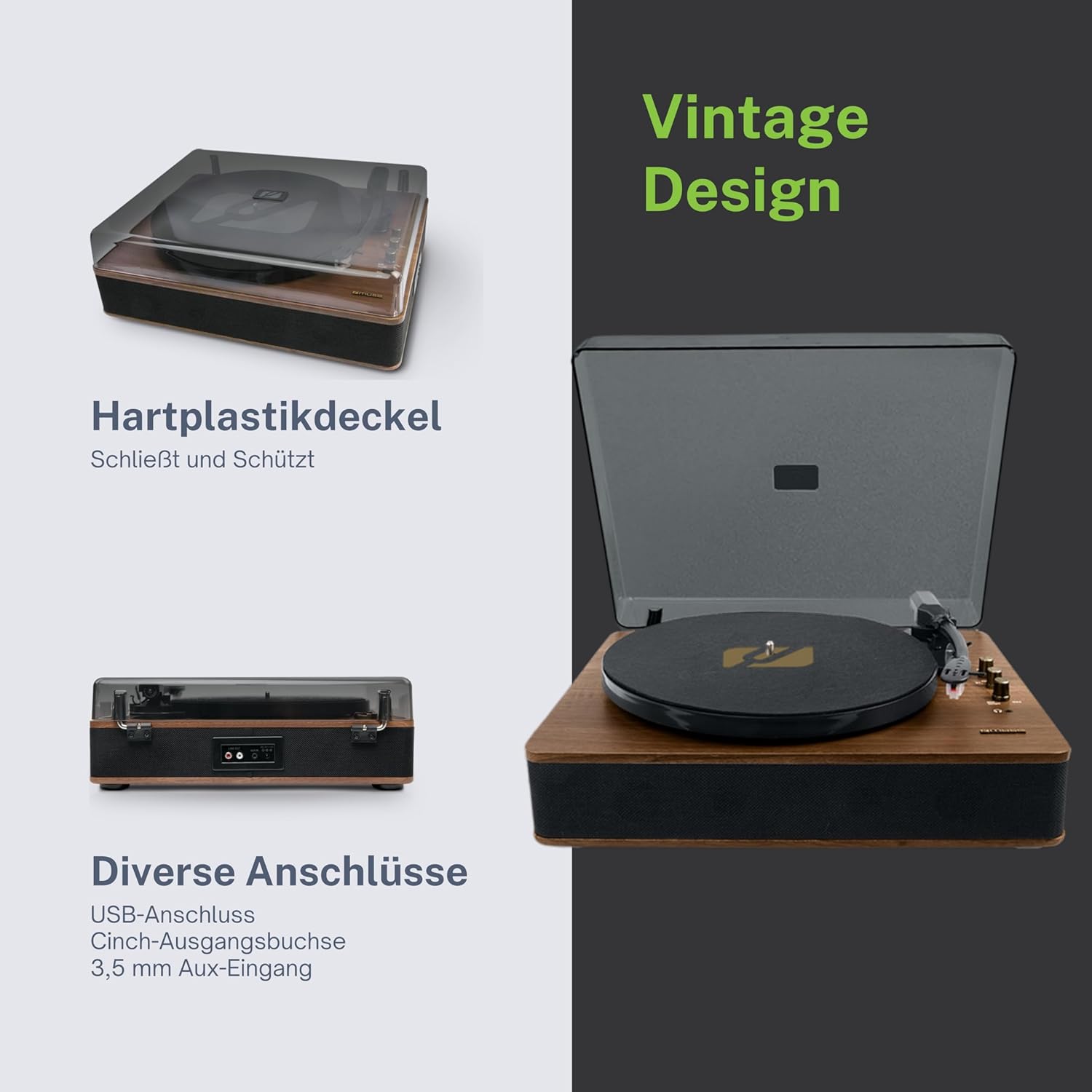
Figure 4.3: Rear Connections. The rear panel of the turntable is shown, featuring various connection ports including RCA audio outputs, a USB port, and an auxiliary input jack, allowing connection to external audio systems or devices.
4.3 Rear and Side Connections
- RCA Output Jacks (L/R): Падключыцеся да знешняга amplifier або актыўныя калонкі.
- Порт USB: Для прайгравання MP3 files from a USB drive or encoding vinyl to USB.
- Раз'ём AUX IN (3.5 мм): Падключыце знешнія гукавыя прылады.
- Раз'ём DC IN: Падключыце адаптар сілкавання.
- Раз'ём для навушнікаў (3.5 мм): Для прыватнага праслухоўвання.

Figure 4.4: Key Functions Overview. An illustrative graphic highlighting the key functions and connectivity options of the turntable. Icons represent features such as USB encoding, MP3 playback via USB, RCA output, auto-stop, integrated speakers, headphone jack, auxiliary input, and AC power input.
5. Настройка
5.1 Распакаванне
- Акуратна дастаньце прыладу з упакоўкі.
- Зніміце ўсе ўпаковачныя матэрыялы і ахоўныя плёнкі.
- Keep the packaging for future transport or storage.
5.2 Размяшчэнне
- Place the turntable on a flat, stable, and level surface.
- Avoid placing it near strong magnetic fields, direct sunlight, or heat sources.
- Пераканайцеся, што вакол прылады дастаткова месца для належнай вентыляцыі.
5.3 Падключэнне харчавання
- Connect the supplied power adapter to the DC IN jack on the rear of the turntable.
- Падключыце адаптар сілкавання да адпаведнай разеткі.
5.4 Усталёўка пылаахоўнага чахла
- Carefully attach the dust cover to the hinges on the back of the turntable.
- The dust cover protects the unit when not in use. Remove it or lift it fully when playing records.
6. Інструкцыя па эксплуатацыі
6.1 Прайграванне вінілавых пласцінак
- Падніміце пылаахоўны чахол.
- Rotate the Power/Volume knob clockwise to turn on the unit.
- Set the Function Selector knob to 'Phono'.
- Place a record on the platter. If playing a 45 RPM single, place the 45 RPM adapter on the spindle first.
- Select the correct speed (33, 45, or 78 RPM) using the Speed Selector switch.
- Зніміце пратэктар стылуса з стілуса.
- Lift the tonearm using the cue lever.
- Перамясціце тонарм над патрэбнай пачатковай кропкай пласцінкі.
- Gently lower the tonearm onto the record using the cue lever. The music will begin to play.
- Адрэгулюйце гучнасць з дапамогай рэгулятара харчавання/гучнасці.
- At the end of the record, if the Auto Stop switch is ON, the platter will stop rotating. If OFF, the platter will continue to rotate. Manually lift the tonearm and return it to its rest.
6.2 Рэжым Bluetooth
- Rotate the Power/Volume knob clockwise to turn on the unit.
- Set the Function Selector knob to 'BT' (Bluetooth). The Bluetooth indicator will flash, indicating pairing mode.
- Enable Bluetooth on your external device (smartphone, tablet, etc.) and search for available devices.
- Select 'MUSE MT-106 BT' from the list of devices. Once connected, the Bluetooth indicator will stop flashing and remain solid.
- You can now play music from your external device through the turntable's speakers. Adjust volume using both the turntable's knob and your external device.
6.3 USB Playback and Encoding
6.3.1 Прайграванне з USB
- Rotate the Power/Volume knob clockwise to turn on the unit.
- Set the Function Selector knob to 'USB'.
- Insert a USB flash drive into the USB port. The unit will automatically detect and begin playing MP3 files.
- Use the Playback Control Buttons (Play/Pause, Skip Forward, Skip Backward) to navigate tracks.
6.3.2 Кадаванне праз USB (запіс вінілу на USB)
The MT-106 BT allows you to convert your vinyl records into digital MP3 fileна USB-назапашвальніку.
- Пераканайцеся, што флэш-назапашвальнік USB устаўлены ў порт USB.
- Set the Function Selector knob to 'Phono'.
- Start playing your vinyl record as described in section 6.1.
- Press the 'Record' button (refer to Figure 4.2 for button location, typically indicated by a circle or 'REC' label). The recording indicator will illuminate.
- To stop recording, press the 'Record' button again. The recording indicator will turn off.
- The recorded audio will be saved as an MP3 file на вашым USB-назапашвальніку.
6.4 Дапаможны ўваход (AUX IN)
- Rotate the Power/Volume knob clockwise to turn on the unit.
- Set the Function Selector knob to 'AUX'.
- Connect an external audio device (e.g., MP3 player, CD player) to the AUX IN jack (3.5mm) on the rear of the turntable using an audio cable (not supplied).
- Play audio from your external device. The sound will be output through the turntable's speakers.
6.5 выхад RCA
Каб падключыць прайгравальнік прайгравальніка да знешняга ampгучнагаварыцелі або дынамікі з падключэннем да сеткі:
- Ensure the turntable and the external audio system are turned off.
- Connect an RCA audio cable (not supplied) from the RCA Output Jacks (L/R) on the rear of the turntable to the corresponding audio input jacks on your amplifier або актыўныя калонкі.
- Turn on both the turntable and your external audio system.
- Выберыце адпаведны ўваход на вашай знешняй аўдыёсістэме.
7. Тэхнічнае абслугоўванне
7.1 Чыстка стылуса
- Use a soft brush, specifically designed for stylus cleaning, to gently brush the stylus from back to front.
- Do not use excessive force or brush from side to side, as this can damage the stylus.
- Мяняйце стылус прыблізна кожныя 300-500 гадзін прайгравання або калі вы заўважылі пагаршэнне якасці гуку.
7.2 Чыстка прылады
- Wipe the exterior of the turntable with a soft, dry, lint-free cloth.
- Не выкарыстоўвайце абразіўныя ачышчальнікі, воск або растваральнікі, бо яны могуць пашкодзіць пакрыццё.
- Для пылаахоўнага чахла выкарыстоўвайце мяккую тканіну і пры неабходнасці мяккі неабразіўны ачышчальнік.
8. Выпраўленне непаладак
If you experience issues with your turntable, please consult the following table before contacting support.
| праблема | Магчымая прычына | Рашэнне |
|---|---|---|
| Няма ўлады | Адаптар сілкавання не падключаны або няспраўная разетка. | Ensure power adapter is securely connected and the outlet is functional. |
| Няма гуку | Volume too low; incorrect function mode; external speakers not connected/powered. | Increase volume; select correct function (Phono, BT, USB, AUX); check external speaker connections and power. |
| Poor sound quality (vinyl) | Dirty or worn stylus; dirty record; incorrect speed selected. | Clean or replace stylus; clean record; select correct RPM. |
| Bluetooth не падключаецца | Turntable not in pairing mode; device too far; already connected to another device. | Ensure turntable is in BT mode and flashing; move device closer; disconnect from other devices. |
| Прайграванне з USB не працуе | USB drive not inserted correctly; unsupported file format; USB drive faulty. | Reinsert USB drive; ensure files are MP3 format; try a different USB drive. |
9. Тэхнічныя характарыстыкі
| Марка | МУЗА |
| Назва мадэлі | МТ-106 БТ |
| Колер | Вуд |
| Матэрыял | Вуд |
| Вага прадмета | 4.3 кілаграма |
| Хуткасці кручэння | 33, 45, 78 абаротаў у хвіліну |
| Сувязь | Bluetooth, USB, RCA Output, 3.5mm AUX Input, 3.5mm Headphone Jack |
| Асаблівасці | Integrated Speaker, Dust Protection, Adjustable Speed, USB Encoding |
| Сумяшчальныя прылады | Смартфон, планшэт |
| Крыніца харчавання | AC Adapter (1 AAAA battery required for unspecified function, likely remote or internal clock) |
| Краіна паходжання | Кітай |
10. Гарантыя і падтрымка
This product is covered by a manufacturer's warranty. Please refer to the warranty card included with your purchase or visit the official MUSE webсайт для атрымання падрабязных гарантыйных умоў.
For technical support, troubleshooting assistance, or inquiries regarding spare parts, please contact MUSE customer service through their official channels. Information regarding spare parts availability is currently not available.