
1. Уводзіны
This manual provides detailed instructions for the setup, operation, maintenance, and troubleshooting of your Rampage KB-R29 GRAND Series RGB LED Mechanical Gaming Keyboard. Please read this manual thoroughly before using the product to ensure proper functionality and longevity.
2. Змесціва ўпакоўкі
Праверце наяўнасць усіх прадметаў у камплекце:
- Rampage KB-R29 GRAND Series RGB LED Mechanical Gaming Keyboard
- Кіраўніцтва карыстальніка
3. Прадукт скончыўсяview
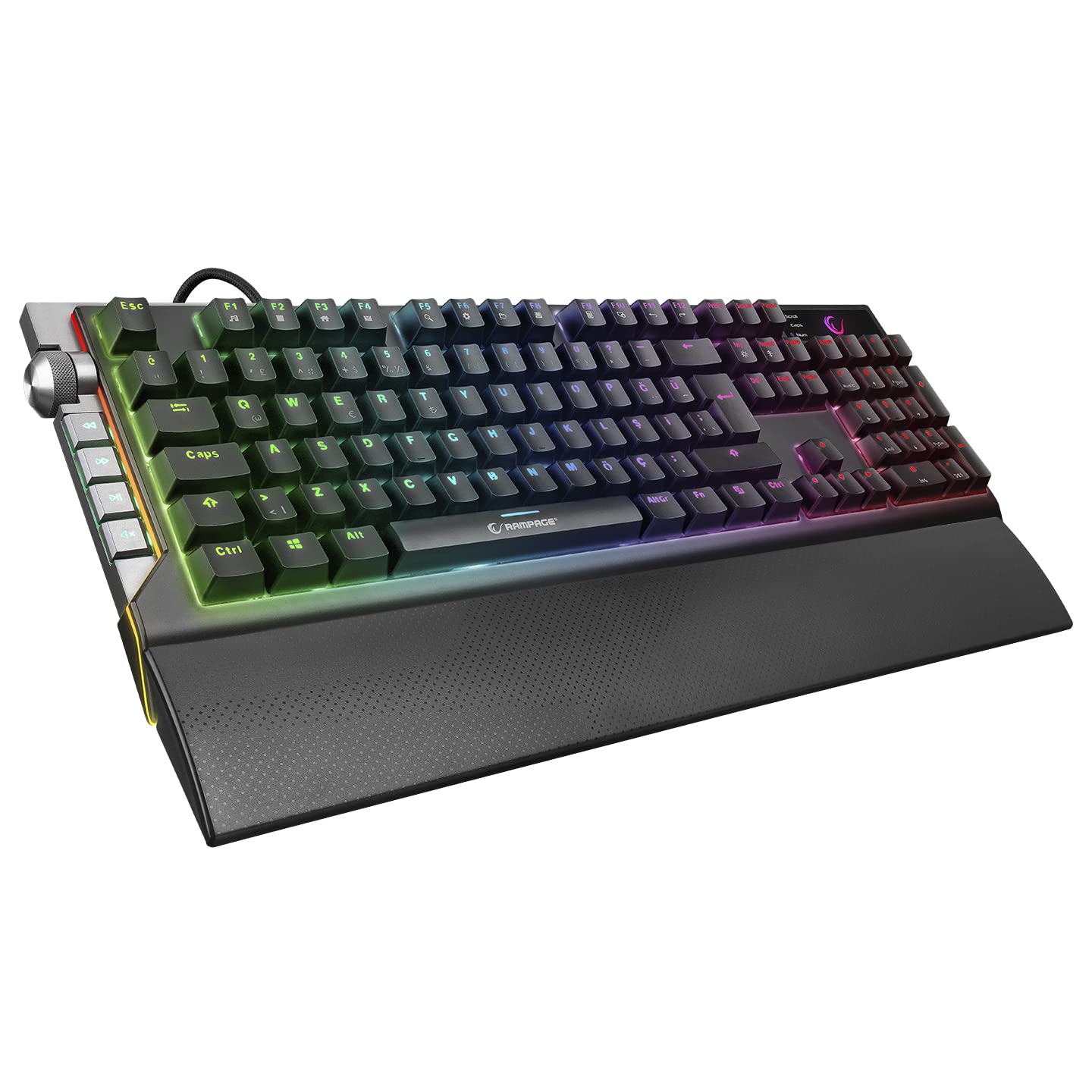
Рampage KB-R29 GRAND is a high-performance mechanical gaming keyboard featuring RGB LED backlighting and durable Blue Optical Switches. It is designed for gaming and general computer use, offering a responsive and tactile typing experience.
Выява: Крупны план view of the Rampage KB-R29 GRAND keyboard, highlighting the Blue Optical Switches beneath removed keycaps. This illustrates the mechanical switch design.
Асноўныя характарыстыкі:
- Тып пераключальніка: Blue Optical Switches for tactile feedback and durability.
- Макет: Turkish-Q (87 keys).
- Падсвятленне: RGB LED customizable lighting.
- Падключэнне: Wired USB.
- Памеры: Approximately 445mm x 212.8mm x 33mm.
4. Інструкцыі па ўсталёўцы
- Распакуйце клавіятуру: Асцярожна дастаньце клавіятуру з упакоўкі.
- Падключыцеся да кампутара: Падключыце раз'ём USB клавіятуры да вольнага порта USB на вашым кампутары.
- Ўстаноўка драйвера: The keyboard is typically plug-and-play. Your operating system should automatically detect and install the necessary drivers. No additional software installation is usually required for basic functionality.
- Размяшчэнне: Place the keyboard on a stable, flat surface. Ensure comfortable wrist positioning.
5. Інструкцыя па эксплуатацыі
Basic Keyboard Functions:
- Увод: Use the keys for standard text input.
- Функцыянальныя клавішы (Fn): The keyboard features an Fn key. Combine the Fn key with other keys (e.g., F1-F12) to access multimedia controls or other special functions. Refer to the keycap legends for specific combinations.
RGB LED Backlighting Control:
Рampage KB-R29 GRAND keyboard offers various RGB lighting effects and customization options. Specific key combinations are used to cycle through modes, adjust brightness, and change colors.
- Змена рэжымаў асвятлення: Typically, a combination of the Fn key and specific function keys (e.g., Fn + F9, Fn + F10) or dedicated lighting keys will cycle through different RGB effects.
- Рэгуляванне яркасці: Use Fn + Up/Down arrow keys or similar combinations to increase or decrease LED brightness.
- Рэгуляванне хуткасці/кірунку: Some lighting effects allow adjustment of speed or direction using Fn key combinations.
Заўвага: Refer to the keycap legends on your specific keyboard for the exact key combinations for lighting control, as these can vary slightly.
6. Тэхнічнае абслугоўванне і догляд
- Уборка:
- Адключыце клавіятуру ад кампутара перад чысткай.
- Выкарыстоўвайце мяккі, damp cloth to wipe the surface of the keyboard. Avoid harsh chemicals or abrasive materials.
- Для выдалення пылу і смецця паміж клавішамі выкарыстоўвайце сціснутае паветра.
- Keycaps can be carefully removed for deeper cleaning, but exercise caution to avoid damaging the switches.
- захоўванне: Захоўвайце клавіятуру ў сухім, прахалодным месцы, удалечыні ад прамых сонечных прамянёў і экстрэмальных тэмператур.
- Пазбягайце вадкасці: Do not expose the keyboard to liquids. Liquid damage can void the warranty.
- Асцярожна звяртайцеся: Пазбягайце падзення клавіятуры або моцных удараў.
7. Выпраўленне непаладак
| праблема | Магчымая прычына | Рашэнне |
|---|---|---|
| Клавіятура не адказвае | Слабае падключэнне USB, няспраўны порт USB, праблема з драйверам. |
|
| Ключы не рэгіструюцца | Dust/debris under keycap, switch malfunction. |
|
| Не працуе RGB-асвятленне | Рэжым асвятлення выключаны, яркасць устаноўлена на мінімум, канфлікт праграмнага забеспячэння. |
|
8. Тэхнічныя характарыстыкі
| Марка | Rampўзрост |
| Нумар мадэлі | KB-R29 GRAND |
| Тып перамыкача | Blue Optical Switch |
| Колькасць ключоў | 87 |
| Макет | Турэцкі-Q |
| Сувязь | Правадной USB |
| Сумяшчальныя прылады | Ноўтбук, настольны ПК |
| Памеры (ДхШхВ) | 445 мм х 212.8 мм х 33 мм |
| Колер | Чорны |
9. Інфармацыя аб гарантыі
This product comes with a manufacturer's warranty. Please refer to the warranty card included with your product or contact Rampage customer support for detailed warranty terms and conditions. Keep your purchase receipt as proof of purchase for warranty claims.
10. Падтрымка
For technical assistance, troubleshooting, or product inquiries, please contact Rampage customer support. Contact information can typically be found on the manufacturer's official webсайце або на ўпакоўцы прадукту.
Інтэрнэт-рэсурсы: Visit the official Rampўзрост website for updated drivers, FAQs, and additional support resources.