
TOPTECH Spike-4
Top Tech Audio Spike-4 Bluetooth Speaker User Manual
Model: Spike-4
1. Уводзіны
Дзякуй за пакупкуasing the Top Tech Audio Spike-4 Bluetooth Speaker. This manual provides important information regarding the setup, operation, maintenance, and troubleshooting of your new speaker. Please read this manual thoroughly before using the product to ensure proper and safe operation.
2. Інфармацыя па бяспецы
Важныя інструкцыі па бяспецы:
- Не падвяргайце дынамік уздзеянню экстрэмальных тэмператур, вільготнасці або прамых сонечных прамянёў.
- Do not immerse the speaker in water or other liquids. This product is not waterproof.
- Do not attempt to disassemble, repair, or modify the speaker. Refer all servicing to qualified personnel.
- Use only the power cord supplied with the speaker.
- Трымайце дынамік далей ад крыніц цяпла, такіх як радыятары, абагравальнікі, пліты або іншыя прыборы (у тым ліку ampLifiers), якія вырабляюць цяпло.
- Чысціце толькі сухой анучай.
- Забяспечце належную вентыляцыю і не блакуйце вентыляцыйныя адтуліны.
- Пазбягайце праслухоўвання на высокім узроўні гучнасці на працягу доўгага часу, каб прадухіліць пашкоджанне слыху.
3. Змесціва ўпакоўкі
Калі ласка, праверце змесціва пакета, каб пераканацца ў наяўнасці ўсіх прадметаў:
- 1 x AL-802 Party Speaker (Top Tech Audio Spike-4 Bluetooth Speaker)
- 1 х мікрафон
- 1 х Шнур харчавання
4. Прадукт скончыўсяview і Асаблівасці
The Top Tech Audio Spike-4 is a portable Bluetooth speaker designed to deliver powerful sound with dynamic light displays, suitable for both indoor and outdoor use.
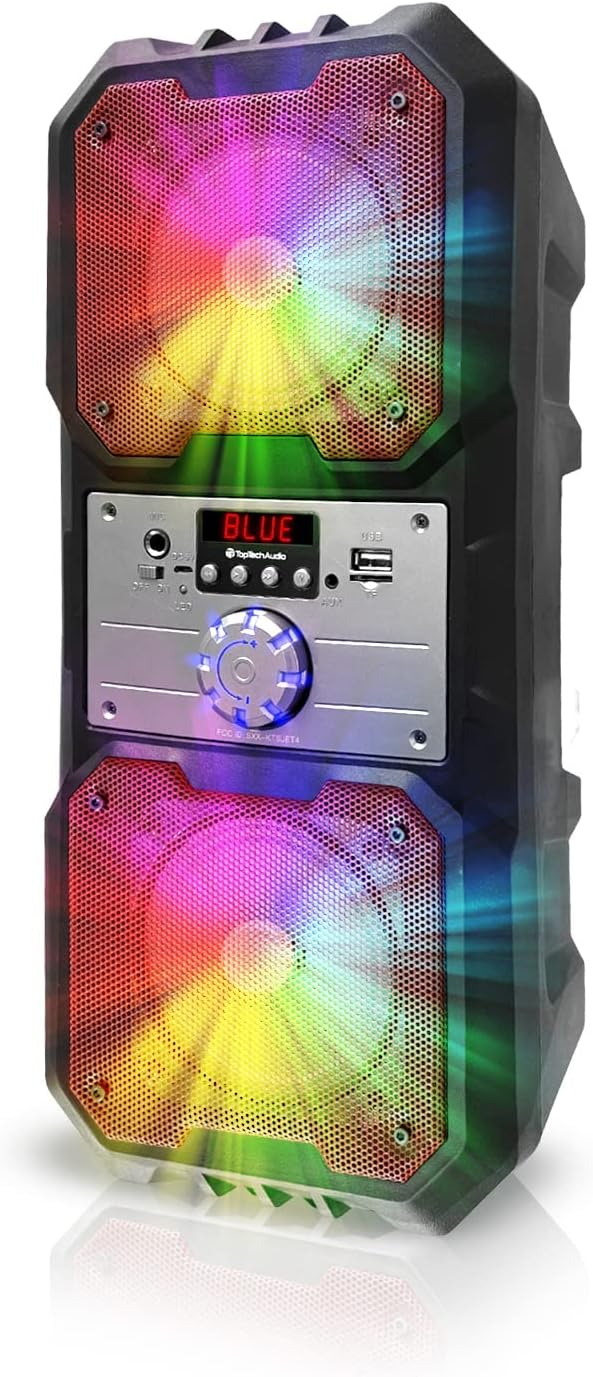
Малюнак 4.1: Фронт view of the Top Tech Audio Spike-4 speaker, showcasing its dual 4-inch woofers with vibrant, multi-color LED lighting effects. The central control panel is visible between the two speaker grilles.

Малюнак 4.2: Скончанаview of the speaker's connectivity options and features, including Easy Portable design, USB Port, TF Card Port, Mic Port, AUX Port, and Bluetooth Wireless capability. These features are indicated by clear icons around the speaker.

Малюнак 4.3: Illustration of the speaker's dynamic lighting features, including Multicolor Gradation where lights move with the rhythm, and Reactive Color Show where colors change and rotate slowly, enhancing the audio experience.
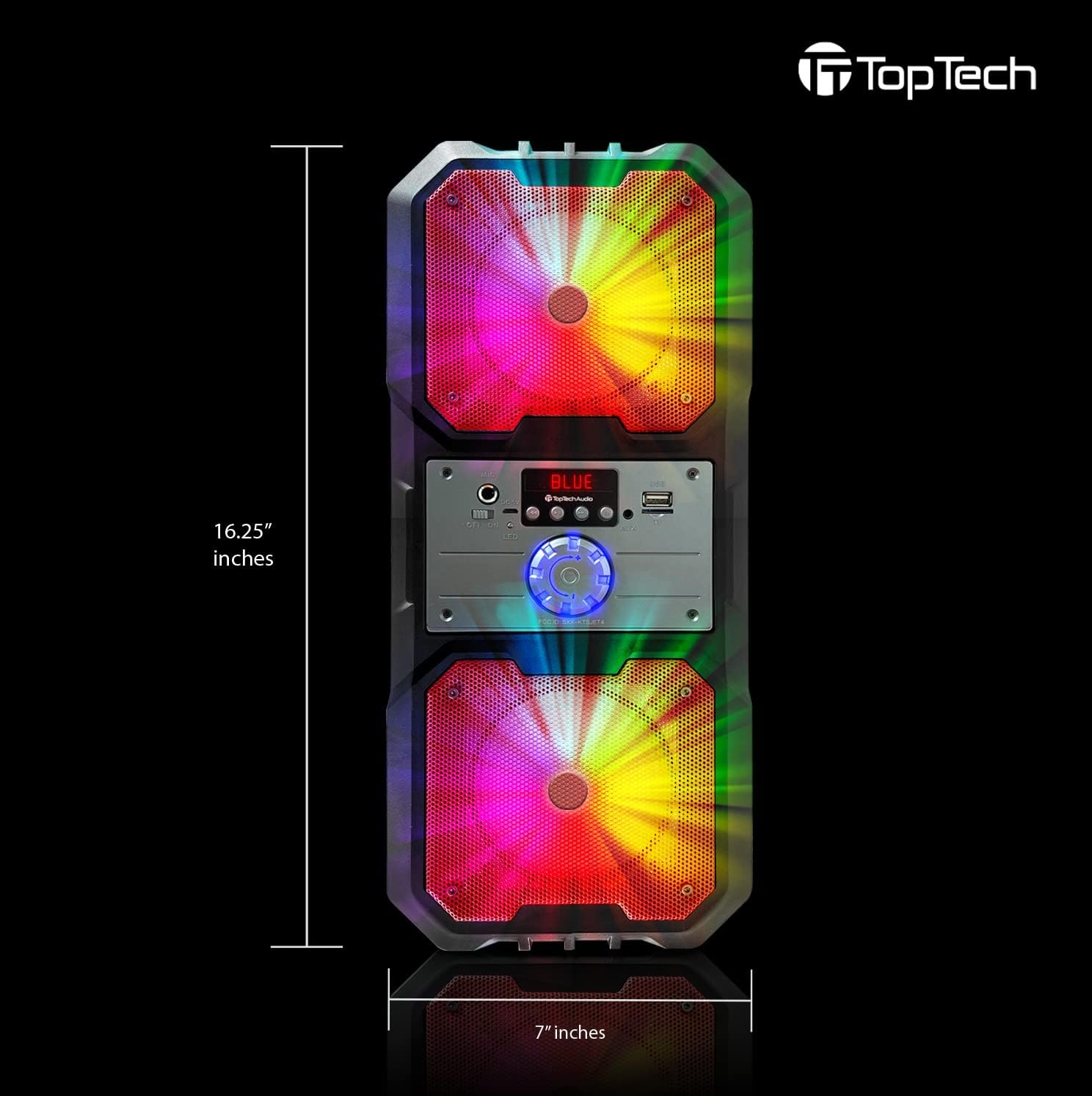
Малюнак 4.4: Dimensions of the Top Tech Audio Spike-4 speaker, showing a height of 16.25 inches and a width of 7 inches, emphasizing its compact yet powerful design.
Асноўныя характарыстыкі:
- Магутны гук: Dual 4-inch woofers deliver full-range audio with deep bass and vibrant highs.
- Rhythmic Disco Lights: Built-in LED lighting effects synchronize with your music for a dynamic visual experience.
- Бесправадная трансляцыя Bluetooth: Easily connect your smartphone or tablet with up to 33ft (10 meters) wireless range.
- Некалькі рэжымаў прайгравання: Supports USB, TF card, AUX input, and FM radio for versatile listening options.
- Built-in Karaoke Function: Includes a microphone input and a microphone for sing-alongs and parties.
- Партатыўны дызайн: Абсталяваны ручкай для зручнай транспарціроўкі.
5. Настройка
5.1 Першапачатковая зарадка
Before first use, fully charge the speaker. Connect the supplied power cord to the speaker's charging port and plug the other end into a standard wall outlet. The charging indicator light will illuminate. Once fully charged, the light may change color or turn off, depending on the model.
5.2 Уключэнне/выключэнне
To power on the speaker, locate the power button, usually on the control panel, and press and hold it for a few seconds until you hear an audible prompt or see the display light up. To power off, repeat the process.
5.3 Спалучэнне па Bluetooth
- Ensure the speaker is powered on and in Bluetooth mode. If not, press the "Mode" button to switch to Bluetooth. The display will show "BLUE" or a similar indicator, and you may hear a pairing prompt.
- На мабільнай прыладзе (смартфоне, планшэце і г.д.) уключыце Bluetooth і знайдзіце даступныя прылады.
- Select "Spike-4" or "TOPTECH" from the list of found devices.
- Once paired, the speaker will indicate a successful connection, usually with an audible tone.
- Цяпер вы можаце прайграваць аўдыё з прылады праз дынамік.
5.4 Connecting Other Audio Sources
- Уваход AUX: Connect an external audio device (e.g., MP3 player, computer) to the speaker's AUX port using a 3.5mm audio cable (not included). Press the "Mode" button to switch to AUX mode.
- Прайграванне праз USB: Устаўце флэш-назапашвальнік USB з аўдыёфайлам у фармаце MP3 files into the USB port. The speaker will automatically switch to USB mode and begin playing.
- Прайграванне карты TF: Устаўце карту TF (microSD), якая змяшчае аўдыё ў фармаце MP3 files into the TF card slot. The speaker will automatically switch to TF card mode and begin playing.
5.5 Падключэнне мікрафона
Plug the supplied microphone into the speaker's microphone input port. The microphone is ready for use in any mode, allowing for karaoke or public address functions.
6. Інструкцыя па эксплуатацыі
6.1 Рэгулятар гучнасці
Adjust the master volume using the large rotary knob on the control panel. Turn clockwise to increase volume, counter-clockwise to decrease.
6.2 Выбар рэжыму
Press the "Mode" button repeatedly to cycle through available input modes: Bluetooth, FM Radio, AUX, USB, and TF Card. The current mode will be indicated on the display.
6.3 рэжыму асвятлення
The speaker features dynamic LED lights. There may be a dedicated button (e.g., "Light" or "LED") to cycle through different light patterns or to turn the lights on/off. Refer to the control panel for specific button functions.
Праца з радыё 6.4 FM
- Switch the speaker to FM Radio mode using the "Mode" button.
- Press the "Play/Pause" button (often labeled with a play symbol) to initiate an automatic scan for available FM stations. The speaker will save detected stations.
- Use the "Previous/Next Track" buttons (often labeled with arrow symbols) to navigate between saved stations.
6.5 Функцыя караоке
With the microphone connected, simply speak or sing into the microphone. The speaker will amplify your voice. Adjust the microphone volume (if available) and echo effects (if available) using dedicated knobs or buttons on the control panel.
7. Тэхнічнае абслугоўванне
7.1 Ачыстка
Працірайце вонкавую паверхню дынаміка мяккай сухой тканінай. Не выкарыстоўвайце абразіўныя ачышчальнікі, воск або растваральнікі. Сачыце за тым, каб вадкасці не траплялі ў адтуліны дынаміка.
7.2 Захоўванне
When not in use for extended periods, store the speaker in a cool, dry place, away from direct sunlight and extreme temperatures. It is recommended to partially charge the battery before storing to prolong its lifespan.
7.3 Сыход за акумулятарам
The speaker contains a rechargeable battery. To maximize battery life:
- Пазбягайце частай поўнай разрадкі акумулятара.
- Charge the speaker regularly, even if not in frequent use.
- Не падвяргайце дынамік уздзеянню тэмператур вышэй за 45°C (113°F) або ніжэй за 0°C (32°F).
8. Выпраўленне непаладак
| праблема | Магчымая прычына | Рашэнне |
|---|---|---|
| Дынамік не ўключаецца. | Акумулятар разраджаны. | Падключыце дынамік да крыніцы харчавання і зарадзіце яго. |
| Няма гуку з дынаміка. | Гучнасць занадта нізкая; выбраны няправільны рэжым; прылада падключана няправільна. | Increase volume; Ensure correct input mode (Bluetooth, AUX, USB, TF); Reconnect device. |
| Збой спалучэння Bluetooth. | Дынамік не ў рэжыме спалучэння; Bluetooth прылады выключаны; Занадта далёка ад дынаміка. | Ensure speaker is in Bluetooth pairing mode; Turn on Bluetooth on your device; Move device closer to speaker (within 10 meters). |
| Не працуе мікрафон. | Microphone not plugged in correctly; Microphone volume too low. | Ensure microphone is fully inserted into the mic port; Adjust microphone volume knob if available. |
| Статычны шум FM-радыё. | Слабы сігнал; перашкоды. | Relocate the speaker to an area with better reception; Perform an auto-scan again. |
9. Тэхнічныя характарыстыкі
| Асаблівасць | Дэталь |
|---|---|
| Назва мадэлі | Spike-4 |
| Марка | TOPTECH |
| Тып дынаміка | Outdoor / Portable |
| Памер дынаміка | Dual 4 Inches (Woofers) |
| Тэхналогія падлучэння | Bluetooth, USB, AUX |
| Тэхналогія бесправадной сувязі | Bluetooth |
| Дыяпазон Bluetooth | 10 метра (33 футаў) |
| Крыніца харчавання | Харчаванне ад батарэі |
| Тэрмін службы батарэі | Да 5 гадзін |
| Уключаныя кампаненты | AL-802 Party Speaker, Microphone, Power Cord |
| Колер | Чорны |
| UPC | 752574407043 |
| Памеры (прыбл.) | 16.25 цалі (вышыня) х 7 цалі (шырыня) |
10. Гарантыя і падтрымка
The Top Tech Audio Spike-4 Bluetooth Speaker comes with a Limited Warranty. Please retain your proof of purchase for warranty claims.
For technical support, warranty inquiries, or replacement parts, please contact Top Tech Audio customer service. Refer to the contact information provided with your product packaging or visit the official Top Tech Audio webсайт.
вытворца: Top Tech Audio
Ask a question about this manual
Ask about setup, troubleshooting, compatibility, parts, safety, or missing instructions. Manuals+ will review the question and use this page’s manual context to help answer it.