
1. Прадукт скончыўсяview
The Prolink DL-7203E is a portable LTE Mobile Wi-Fi device designed to provide high-speed wireless connectivity on the go. It functions as a 4G router, allowing multiple devices to connect to the internet via a SIM card. Additionally, it features a built-in power bank function for charging other devices.
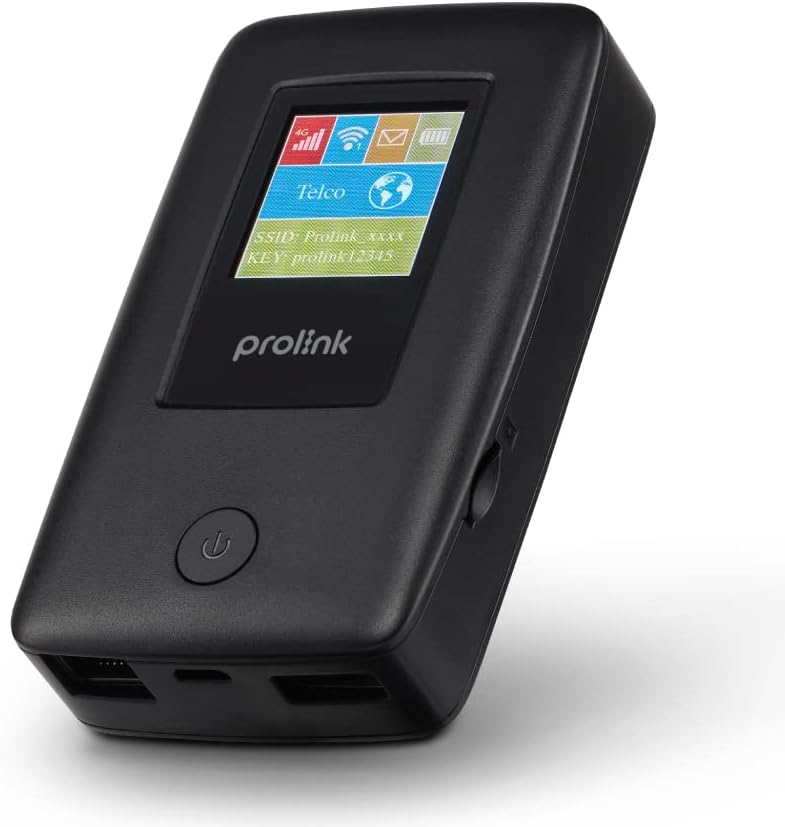
Figure 1.1: Prolink DL-7203E LTE Mobile Wi-Fi device.

Figure 1.2: Key features and capabilities of the Prolink DL-7203E.
Змест пакета
- Prolink DL-7203E LTE Mobile Wi-Fi Device
- USB-кабель для зарадкі
- Кароткае кіраўніцтва карыстальніка (не ўваходзіць у гэты дапаможнік)
2. Схема прылады
Familiarize yourself with the various components and ports of your DL-7203E device.

Малюнак 2.1: Пярэдняя і бакавая часткі view of the Prolink DL-7203E with labeled components.
- LCD Screen Indicator: Displays signal strength, battery level, Wi-Fi status, and network information.
- Слот для SIM-карты: Устаўце сюды сваю Nano-SIM-карту.
- RJ45 LAN/WAN Port: For wired Ethernet connection to devices or an existing network.
- Порт зарадкі (USB-C): Connect the provided USB cable for charging the device.
- USB Type-A Port (Output): Used for the power bank function to charge other devices.
- Кнопка харчавання: Націсніце і ўтрымлівайце, каб уключыць/выключыць прыладу.
3. Кіраўніцтва па наладцы
3.1 Устаўка SIM-карты
- Пераканайцеся, што прылада выключана.
- Знайдзіце слот для SIM-карты на бакавой панэлі прылады.
- Carefully insert your Nano SIM card into the slot until it clicks into place. Ensure the correct orientation as indicated on the device.
- Пры неабходнасці зачыніце вечка слота для SIM-карты.
3.2 Зарадка прылады
- Connect the provided USB charging cable to the USB-C charging port on the DL-7203E.
- Падключыце другі канец кабеля да адаптара харчавання USB (не ўваходзіць у камплект) або да USB-порта кампутара.
- The battery indicator on the LCD screen will show charging status. A full charge provides up to 25 hours of connectivity.
3.3 Уключэнне/выключэнне
- Каб уключыць: Націсніце і ўтрымлівайце кнопку харчавання, пакуль не загарыцца ВК-экран.
- Каб выключыць: Націсніце і ўтрымлівайце кнопку харчавання, пакуль прылада не выключыцца.

Figure 3.1: The Auto APN feature enables plug-and-play functionality in over 185 countries.
4. Аперацыя
4.1 Падключэнне прылад праз Wi-Fi
- Ensure the DL-7203E is powered on and has an active internet connection (indicated by the signal icon on the LCD).
- На прыладзе з падтрымкай Wi-Fi (смартфоне, ноўтбуку, планшэце) знайдзіце даступныя сеткі Wi-Fi.
- Select the SSID (network name) displayed on the DL-7203E's LCD screen.
- Enter the Wi-Fi Key (password) also displayed on the LCD screen.
- Your device should now be connected to the internet. The DL-7203E supports up to 16 Wi-Fi devices simultaneously.

Figure 4.1: Share internet connection with up to 16 devices simultaneously.
4.2 Выкарыстанне ў якасці паўэрбанка
The DL-7203E can double as a portable power bank to charge your mobile devices.
- Connect your mobile device's charging cable to the USB Type-A output port on the DL-7203E.
- The DL-7203E will begin charging your device.

Figure 4.2: The DL-7203E can charge your devices on the go.
4.3 Connecting via LAN/WAN Port
The RJ45 port allows for wired connectivity.
- Рэжым лакальнай сеткі: Connect a device (e.g., laptop, desktop) to the DL-7203E via an Ethernet cable for a wired internet connection.
- Рэжым WAN: Connect the DL-7203E to an existing wired network (e.g., hotel Ethernet) to share that internet connection wirelessly.
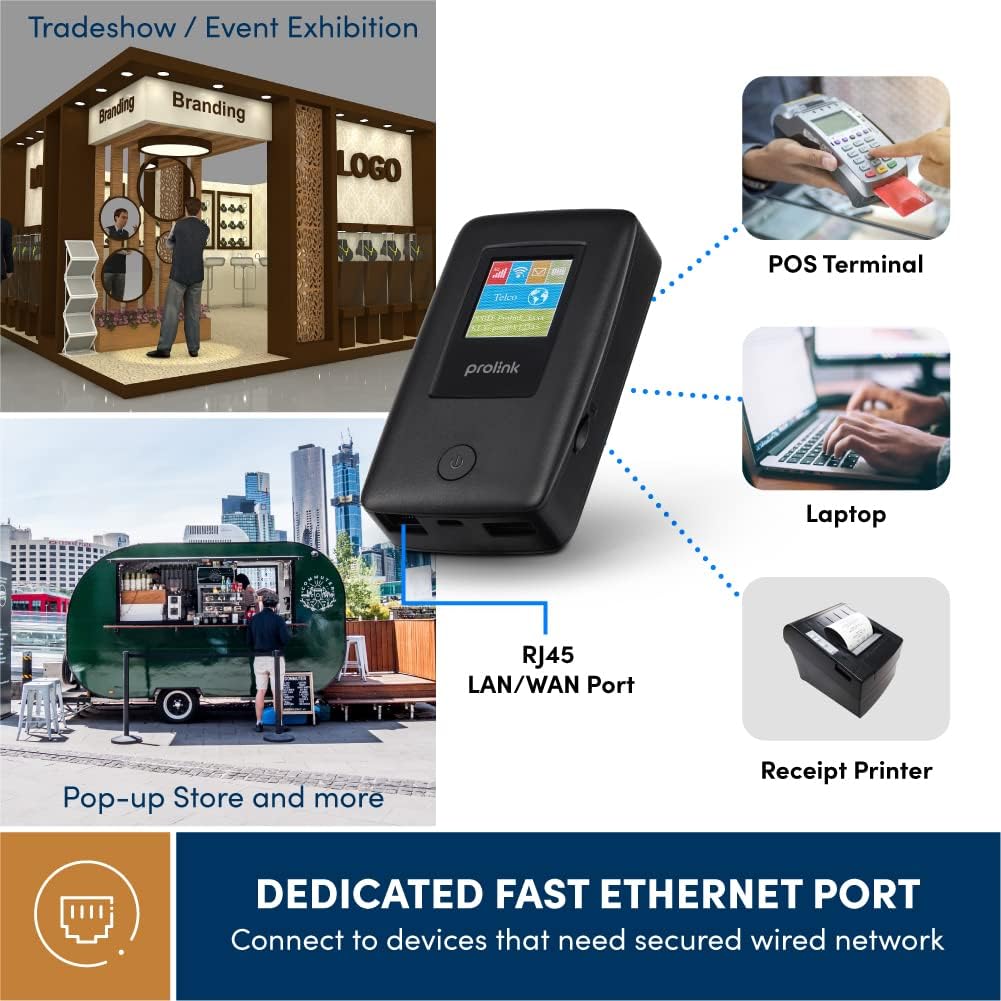
Figure 4.3: Utilize the dedicated Ethernet port for secured wired network connections.
4.4 File Sharing via MicroSD Card
The built-in microSD card slot supports up to 64GB, allowing for easy file сумеснае выкарыстанне.
- Устаўце карту microSD у прызначаны слот.
- Access the shared content wirelessly from connected devices through the device's web interface or the mProMifi App.

Figure 4.4: Share media content wirelessly across your network via a microSD card.
4.5 Using the mProMifi App
For enhanced control and monitoring, download the mProMifi App (available for devices with P/N: LTE-DL7203E-E, S/N starting from "265201" or later). The app allows you to manage settings, view падлучаныя прылады і кантраляваць выкарыстанне дадзеных.
5. Асноўныя магчымасці
- Fast Connection: Enjoy high-speed connectivity of up to 150Mbps via LTE and up to 300Mbps via Wi-Fi hotspot.
- Павялічаны тэрмін службы батарэі: Equipped with a 5200mAh (or 6000mAh for updated models) battery, providing up to 25 hours of continuous connectivity.
- Шматкарыстальніцкі доступ: Share your internet connection with up to 16 Wi-Fi enabled devices simultaneously.
- Прыязны для падарожжаў: Supports automatic APN configuration for over 185 countries, making it ideal for international travel.
- Функцыя Power Bank: Charge your smartphones and other USB-powered devices on the go.
- Ethernet порт: Provides a reliable wired connection for devices without wireless capabilities or for sharing an existing wired network.
- Слот для карты MicroSD: Supports up to 64GB for convenient wireless file сумеснае выкарыстанне.

Figure 5.1: Enjoy extended connectivity with up to 25 hours of battery life.

Figure 5.2: The compact design allows you to stay connected wherever you are.
6. Тэхнічнае абслугоўванне
- Уборка: Для чысткі прылады выкарыстоўвайце мяккую сухую тканіну. Пазбягайце выкарыстання вадкіх ачышчальнікаў або аэразоляў.
- Сыход за батарэяй: To prolong battery life, avoid exposing the device to extreme temperatures. If storing for a long period, charge the battery to about 50% before storage.
- захоўванне: Захоўвайце прыладу ў прахалодным, сухім месцы, удалечыні ад прамых сонечных прамянёў і вільгаці.
7. Выпраўленне непаладак
Агульныя праблемы і рашэнні
| праблема | Магчымая прычына | Рашэнне |
|---|---|---|
| Няма падключэння да Інтэрнэту | No SIM card inserted, SIM card not activated, poor signal, incorrect APN settings. | Ensure SIM is correctly inserted and active. Move to an area with better signal. The device has Auto APN, but if issues persist, check network provider settings. |
| Немагчыма падключыцца да Wi-Fi | Incorrect Wi-Fi password, device too far from router, Wi-Fi disabled. | Verify Wi-Fi password. Move closer to the DL-7203E. Ensure Wi-Fi is enabled on the device. |
| Battery Not Charging / Draining Quickly | Faulty cable/adapter, high usage, old battery. | Try a different USB cable and power adapter. Reduce the number of connected devices or usage time. Contact support if battery life significantly degrades. |
| Device Freezes / Unresponsive | Праграмны збой. | Perform a soft reset by holding the power button until the device restarts. If persistent, a factory reset might be needed (refer to advanced settings via web інтэрфейс). |
8. Тэхнічныя характарыстыкі
| Асаблівасць | Дэталь |
|---|---|
| Назва мадэлі | DL-7203E (LTE-DL7203E) |
| Марка | Пралінк |
| Бесправадная сувязь | 4G LTE, Wi-Fi (802.11ac) |
| Хуткасць Wi-Fi | Да 300 Мбіт/с |
| Хуткасць LTE | Да 150 Мбіт/с |
| Ёмістасць батарэі | 5200mAh (updated models 6000mAh) |
| Тэрмін службы батарэі | Да 25 гадзін |
| Максімальная колькасць карыстальнікаў Wi-Fi | 16 |
| Тып SIM-карты | Nano SIM |
| Парты | RJ45 LAN/WAN, USB-C Charging, USB Type-A Output |
| Падтрымка MicroSD | Да 64 ГБ |
| Памеры (Д х Ш х У) | 15.4 х 9.2 х 4.4 см |
| Вага | 161 г |
| Колер | Чорны |
9. Гарантыя і падтрымка
Prolink products come with a local warranty and technical support. For any inquiries or assistance, please contact Prolink support.

Figure 9.1: Prolink Official Store support information.
- Падтрымка па электроннай пошце: support@prolink2u.com
- Падтрымка па тэлефоне: (65) 6357 0666
- For the most up-to-date support information, please visit the official Prolink website or your regional Prolink support page.